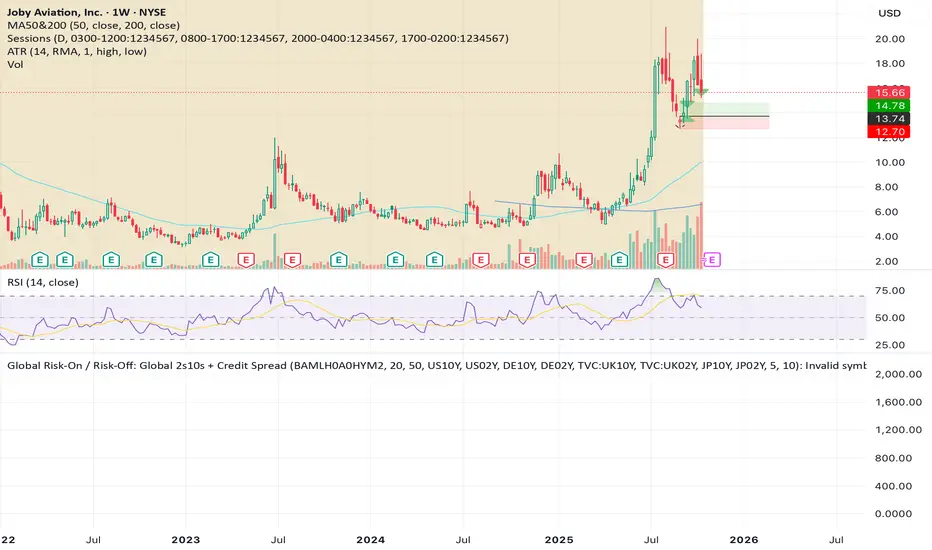
Global Risk-On / Risk-Off: Global 2s10s + Credit SpreadGlobal Risk-On / Risk-Off: Global 2s10s + Credit SpreadPenunjuk Pine Script®oleh marcht3
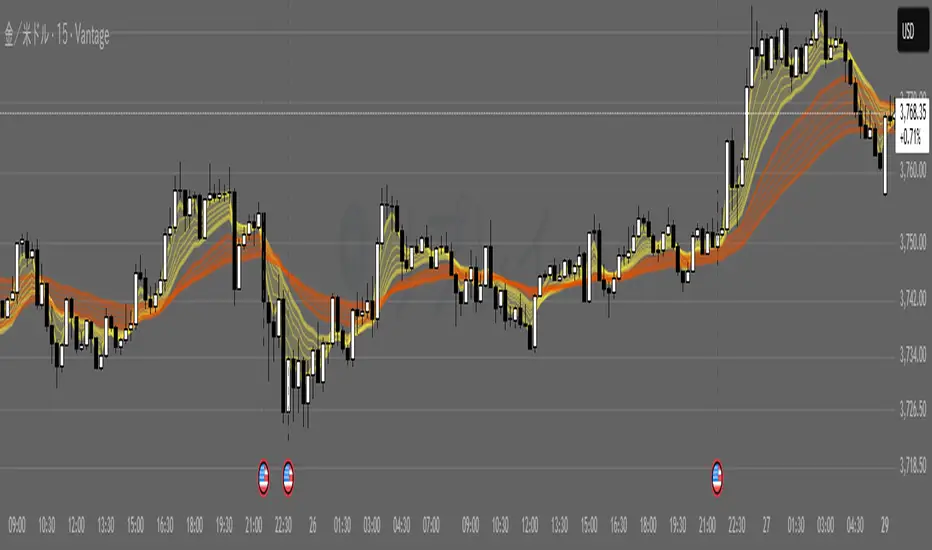
G_GMMA• Comprehensive GMMA Visualization: It plots six fast EMAs and six slow EMAs, clearly distinguishing short term and long term trends. The indicator fills the space between the fastest and slowest EMAs in each group, turning the moving averages into easily identifiable ribbons rather than a mass of overlapping lines. • Customizable Appearance: Users can adjust the colors of the fast and slow EMA lines, the fill colors of each ribbon, and the overall line thickness. This makes it easy to tailor the chart to personal preferences or trading templates. • Dynamic Background Shading: The script can shade the chart’s background depending on whether the fast ribbon is above or below the slow ribbon, giving a quick visual cue for trend direction (uptrend vs. downtrend). • Touch Alert System: Up to three different EMA lengths can be monitored for “touch” events. When price touches a selected EMA (e.g., 20 , 50 or 200 period EMA), the indicator triggers an alert condition and plots a small circle on the chart at the contact point. This helps traders catch precise entry or exit signals without staring at the screen. • Flexible Input: Both fast and slow EMA lengths, colors, and alert parameters are user adjustable from the indicator’s settings. This allows the same script to be used on different instruments (e.g., Gold, forex pairs) and time frames by simply changing the period values. • Trend Sensitive Support/Resistance: By treating the slow EMA ribbon as a dynamic support/resistance zone, the indicator helps traders identify where price is likely to stall or reverse. Combining this with the touch alerts makes it well suited for scalping or intraday trades. Penunjuk Pine Script®oleh dedende15
Currency Valuation V2This indicator values currencies against DXY. Using the daily chart annd the differences in the price of the DXY in certain bars. Penunjuk Pine Script®oleh PATrader111Telah dikemas kini 6
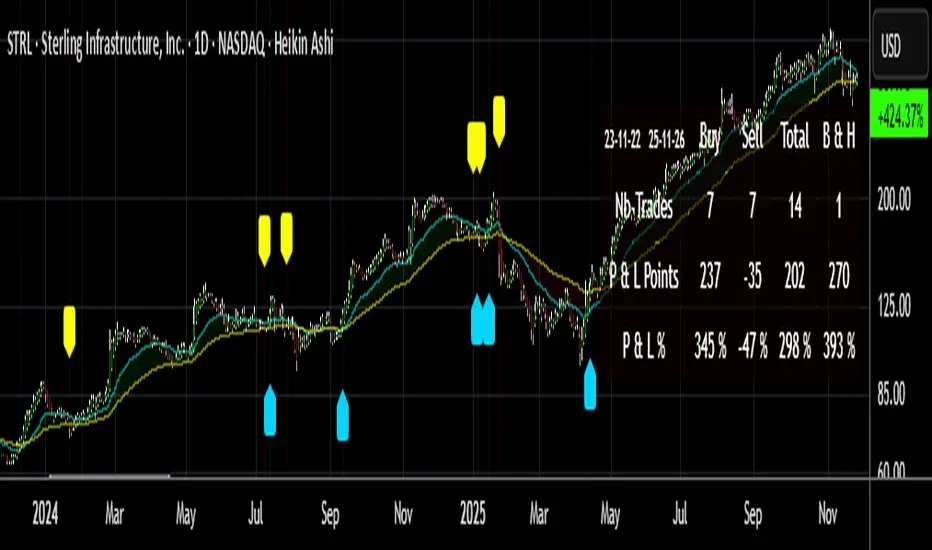
Buy/Sell Signals [WynTrader]My name is WynTrader. I cumulate 24 years of experience. This Indicator produces Buy/Sell Signals using these features: - Fast and Slow Moving averages (modifiable) optimized at EMA-8 and SMA-35 - Bollinger Bands (modifiable) optimized at Basis-18 and Multiplier-1 Also, the Buy/Sell Signals are conditioned by three Filters (optionable, modifiable) : . Bollinger-Bands Lookback . High-Low vs Candle Range % . Distance from Fast and Slow Moving averages % The Results Calculation presented in a Table are based : - on the Current Chart Visible Range (optionable) or - on the specified TIme Frame Start and End Dates (modifiable) The Table shows Calculation Results of the Buy and Sell Signals that are activated on the chart, with the Number of Trades (Signals), the Winning Points and the Win Rate %. The Buy&Hold starts calculation at the first Buy encountered. So be surprised by my Buy/Sell Indicator. But always remember that the world is not perfect. The Graal Indicator, even with AI, doesn't already exist, maybe one day (all of us richier...), but not now. , depending on the chart product (stocks...), volatility, probabilities, unpredictable behaviour. , the moves, etc. Enjoy WynTrader P. s. : My name is WynTrader. I cumulate 24 years of experience. In 2001, I took an intensive technical analysis course taught by an exceptional friend, Cyril, who taught me everything I know. The foundation I gained through his teaching remains solid and relevant to this day, never failing me. Before i made this Indicator, I have used many Trading View Buy/Sell Indicators using alone or combined RSI, SMI, OBV, MACD ATR, ADX, Neural, Fractal, Geometry, etc., that are already available for the Trading View community. A great thanks to those who give their time that help me build this tool. Note that I'm not a programmer, so... ;-) Penunjuk Pine Script®oleh Wyn-TraderTelah dikemas kini 44187
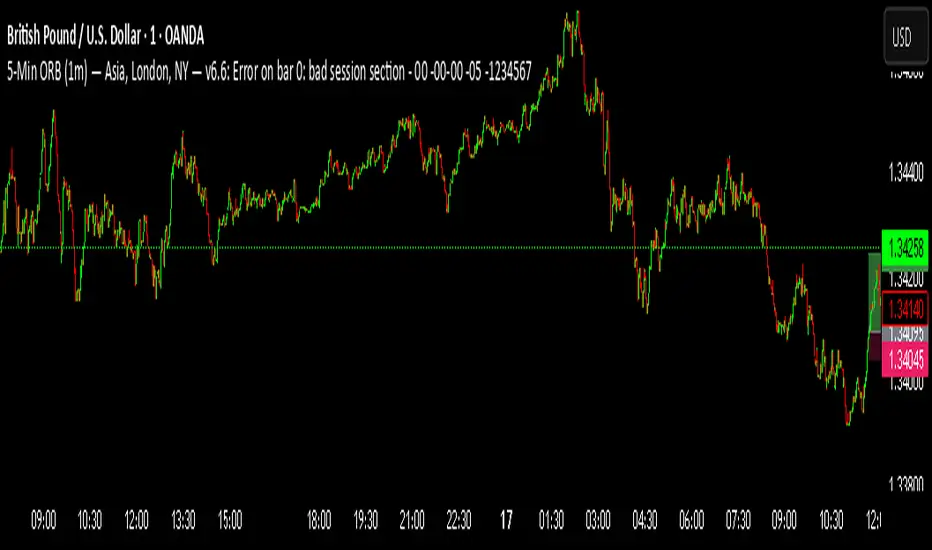
5-Min ORB (1m) — Asia, London, NY — v6.6Awesome—here’s a ready-to-use Pine Script v5 indicator for a 5-Minute Opening Range Breakout (ORB) across Asia, London, and New York, designed to be applied on the 1-minute chart. It: Marks the first 5 minutes of each session Draws the ORB box (high/low) Infers bias from that 5-minute candle (close vs. open) Triggers buy/sell signals only in the bias direction when price breaks the ORB Includes alerts, per-session enable toggles, custom timezones & session windowsPenunjuk Pine Script®oleh harveynickaldo8423
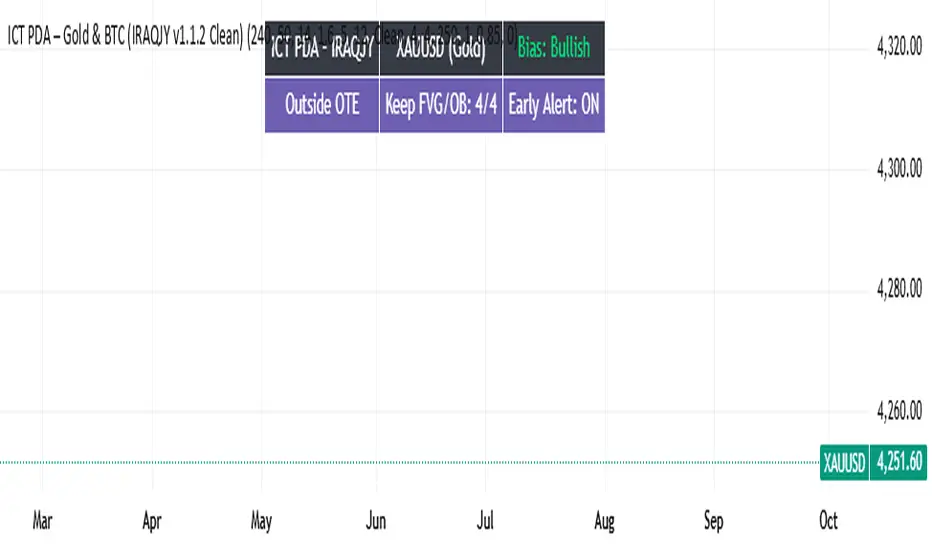
ICT PDA - Gold & BTC (QuickScalp Bias/FVG/OB/OTE + Alerts)What this script does This indicator implements a complete ICT Price Delivery Algorithm (PDA) workflow tailored for XAUUSD and BTCUSD. It combines HTF bias, OTE zones, Fair Value Gaps, Order Blocks, micro-BOS confirmation, and liquidity references into a single, cohesive tool with early and final alerts. The script is not a mashup for cosmetic plotting; each component feeds the next decision step. Why this is original/useful Symbol-aware impulse filter: A dynamic displacement threshold kTune adapts to Gold/BTC volatility (body/ATR vs. per-symbol factor), reducing noise on fast markets without hiding signals. Scalping preset: “Quick Clean” mode limits drawings to the most recent bars and keeps only the latest FVG/OB zones for a clear chart. Three display modes: Full, Clean, and Signals-Only to match analysis vs. execution. Actionable alerts: Early heads-up when price enters OTE in the HTF bias direction, and Final alerts once mitigation + micro-break confirm the setup. How it works (high-level logic) HTF Bias: Uses request.security() on a user-selected timeframe (e.g., 240m) and EMA filter. Bias = close above/below HTF EMA. Dealing Range & OTE: Recent swing high/low (pivot length configurable) define the range; OTE (62–79%) boxes are drawn contextually for up/down ranges. Displacement: A candle’s body/ATR must exceed kTune and break short-term structure (displacement up/down). FVG: 3-bar imbalance (bull: low > high ; bear: high < low ). Latest gaps are tracked and extended. Order Blocks: Last opposite candle prior to a qualifying displacement that breaks recent highs/lows; zones are drawn and extended. Entry & Alerts: Long: Bullish bias + price inside buy-OTE + mitigation of a bullish FVG or OB + micro BOS up → “PDA Long (Final)”. Short: Bearish bias + price inside sell-OTE + mitigation of a bearish FVG or OB + micro BOS down → “PDA Short (Final)”. Early Alerts: Trigger as soon as price enters OTE in the direction of the active bias. Inputs & controls (key ones) Bias (HTF): timeframe minutes, EMA length. Structure: ATR length, Impulse Threshold (Body/ATR), swing pivot length, OB look-back. OTE/FVG/OB/LP toggles: show/hide components. Auto-Tune: per-symbol factors for Gold/BTC + manual tweak. Display/Performance: View Mode, keep-N latest FVG/OB, limit drawings to last N bars. Recommended usage (scalping) Timeframes: Execute on M1–M5 with HTF bias from 120–240m. Defaults (starting point): ATR=14, Impulse Threshold≈1.6; Gold factor≈1.05, BTC factor≈0.90; Keep FVG/OB=2; last 200–300 bars; View Mode=Clean. Workflow: Wait for OTE in bias direction → see mitigation (FVG/OB) → confirm with micro BOS → manage risk to nearest liquidity (prev-day H/L or recent swing). Alerts available “PDA Early Long/Short” “PDA Long (Final)” / “PDA Short (Final)” Attach alerts on “Any alert() function call” or the listed conditions. Chart & screenshots Please include symbol and timeframe on screenshots. The on-chart HUD shows the script name and state to help reviewers understand context. Limitations / notes This is a discretionary framework. Signals can cluster during news or extreme volatility; use your own risk management. No guarantee of profitability. Changelog (brief) v1.2 QuickScalp: added Quick Clean preset, safer array handling, symbol-aware impulse tuning, display modes. ------------------------------ ملخص عربي: المؤشر يطبق تسلسل PDA عملي للذهب والبتكوين: تحيز من فريم أعلى، مناطق OTE، فجوات FVG، بلوكات أوامر OB، وتأكيد micro-BOS، مع تنبيهات مبكرة ونهائية. تمت إضافة وضع “Quick Clean” لتقليل العناصر على الشارت وحساسية إزاحة تتكيّف مع الأصل. للاستخدام كسكالب: نفّذ على M1–M5 مع تحيز 120–240 دقيقة، وابدأ من الإعدادات المقترحة بالأعلى. هذا إطار سلوكي وليس توصية مالية.Penunjuk Pine Script®oleh iraqJP64
Multi-Timeframe Stochastic (4x Konfiguracja + Schodki)Skrypt stoch z wielu TF można sobie ustawiać pod siebie. Penunjuk Pine Script®oleh ZawodSpekulant11
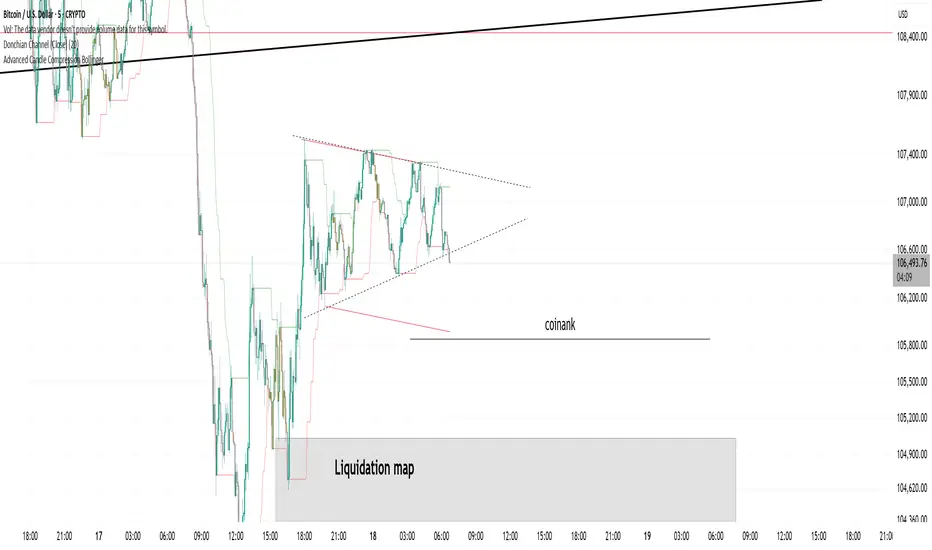
Donchian Channel (Close)Donchian channel based on candle close. Allows you to avoid fake wicks and rely only on closing prices.Penunjuk Pine Script®oleh BrokeNaze26
MFT Supply/Demand — Top2 (Opacity by Strength, Minimal Labels)Script Overview — “MFT Supply/Demand — Top 2 (Opacity by Strength, Minimal Labels)” This multi–timeframe (MTF) Pine Script indicator automatically detects and displays the strongest supply and demand zones across selected higher (HTF), mid (MTF), and lower (LTF) timeframes. It dynamically identifies large-body, high-volume candles (and optional order-block breakouts) that signal institutional activity, then plots only the two strongest supply zones above the current price and two strongest demand zones below the current price — keeping the chart clean and focused.Penunjuk Pine Script®oleh ravigeenesingh1124
EMA Ribbon MozyMozy TRading EMA Ribbons for short time frames on daily traders. Buy or sell during crossesPenunjuk Pine Script®oleh mmazam712
CMF, RSI, CCI, MACD, OBV, Fisher, Stoch RSI, ADX (+DI/-DI)Eight normalized indicators are used in conjunction with the CMF, CCI, MACD, and Stoch RSI indicators. You can track buy and sell decisions by tracking swings. The zero line is for reversal tracking at -20, +20, +50, and +80. You can use any of the nine indicators individually or in combination.Penunjuk Pine Script®oleh akkayah1663
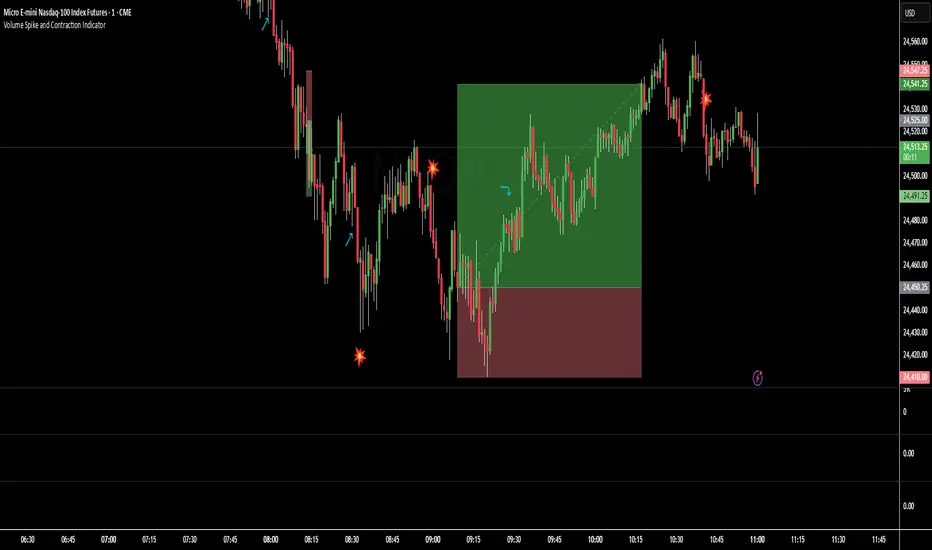
Volume Spike and Contraction IndicatorSimple script to map volume contractions and spikes with emojis and plots above or below depending on the flow of the signalPenunjuk Pine Script®oleh epicurusMcPot70
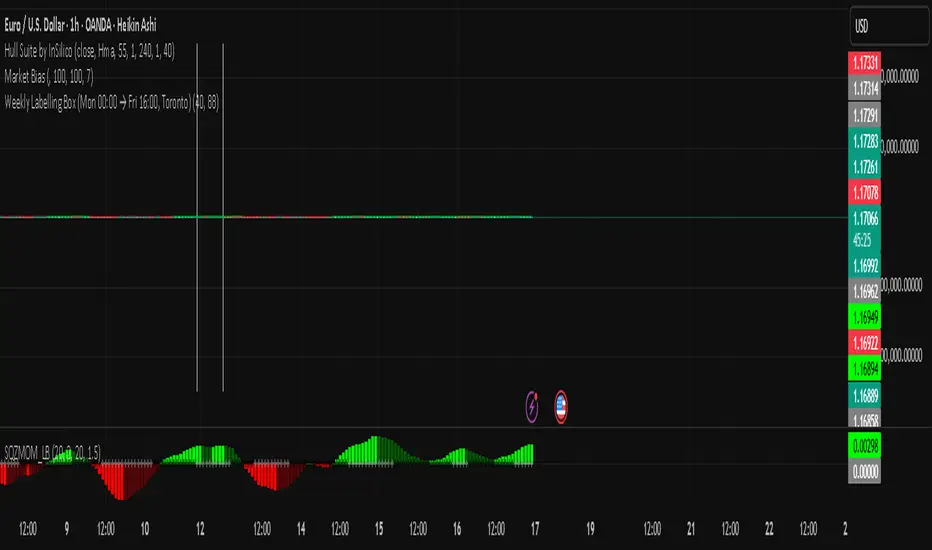
ALISH WEEK LABELS THE ALISH WEEK LABELS Overview This indicator programmatically delineates each trading week and encapsulates its realized price range in a live-updating, filled rectangle. A week is defined in America/Toronto time from Monday 00:00 to Friday 16:00. Weekly market open to market close, For every week, the script draws: a vertical start line at the first bar of Monday 00:00, a vertical end line at the first bar at/after Friday 16:00, and a white, semi-transparent box whose top tracks the highest price and whose bottom tracks the lowest price observed between those two temporal boundaries. The drawing is timeframe-agnostic (M1 → 1D): the box expands in real time while the week is open and freezes at the close boundary. Time Reference and Session Boundaries All scheduling decisions are computed with time functions called using the fixed timezone string "America/Toronto", ensuring correct behavior across DST transitions without relying on chart timezone. The start condition is met at the first bar where (dayofweek == Monday && hour == 0 && minute == 0); on higher timeframes where an exact 00:00 bar may not exist, a fallback checks for the first Monday bar using ta.change(dayofweek). The close condition is met on the first bar at or after Friday 16:00 (Toronto), which guarantees deterministic closure on intraday and higher timeframes. State Model The indicator maintains minimal persistent state using var globals: week_open (bool): whether the current weekly session is active. wk_hi / wk_lo (float): rolling extrema for the active week. wk_box (box): the graphical rectangle spanning × . wk_start_line and a transient wk_end_line (line): vertical delimiters at the week’s start and end. Two dynamic arrays (boxes, vlines) store object handles to support bounded history and deterministic garbage collection. Update Cycle (Per Bar) On each bar the script executes the following pipeline: Start Check: If no week is open and the start condition is satisfied, instantiate wk_box anchored at the current bar_index, prime wk_hi/wk_lo with the bar’s high/low, create the start line, and push both handles to their arrays. Accrual (while week_open): Update wk_hi/wk_lo using math.max/min with current bar extremes. Propagate those values to the active wk_box via box.set_top/bottom and slide box.set_right to the current bar_index to keep the box flush with live price. Close Check: If at/after Friday 16:00, finalize the week by freezing the right edge (box.set_right), drawing the end line, pushing its handle, and flipping week_open false. Retention Pruning: Enforce a hard cap on historical elements by deleting the oldest objects when counts exceed configured limits. Drawing Semantics The range container is a filled white rectangle (bgcolor = color.new(color.white, 100 − opacity)), with a solid white border for clear contrast on dark or light themes. Start/end boundaries are full-height vertical white lines (y1=+1e10, y2=−1e10) to guarantee visibility across auto-scaled y-axes. This approach avoids reliance on price-dependent anchors for the lines and is robust to large volatility spikes. Multi-Timeframe Behavior Because session logic is driven by wall-clock time in the Toronto zone, the indicator remains consistent across chart resolutions. On coarse timeframes where an exact boundary bar might not exist, the script legally approximates by triggering on the first available bar within or immediately after the boundary (e.g., Friday 16:00 occurs between two 4-hour bars). The box therefore represents the true realized high/low of the bars present in that timeframe, which is the correct visual for that resolution. Inputs and Defaults Weeks to keep (show_weeks_back): integer, default 40. Controls retention of historical boxes/lines to avoid UI clutter and resource overhead. Fill opacity (fill_opacity): integer 0–100, default 88. Controls how solid the white fill appears; border color is fixed pure white for crisp edges. Time zone is intentionally fixed to "America/Toronto" to match the strategy definition and maintain consistent historical backtesting. Performance and Limits Objects are reused only within a week; upon closure, handles are stored and later purged when history limits are exceeded. The script sets generous but safe caps (max_boxes_count/max_lines_count) to accommodate 40 weeks while preserving Editor constraints. Per-bar work is O(1), and pruning loops are bounded by the configured history length, keeping runtime predictable on long histories. Edge Cases and Guarantees DST Transitions: Using a fixed IANA time zone ensures Friday 16:00 and Monday 00:00 boundaries shift correctly when DST changes in Toronto. Weekend Gaps/Holidays: If the market lacks bars exactly at boundaries, the nearest subsequent bar triggers the start/close logic; range statistics still reflect observed prices. Live vs Historical: During live sessions the box edge advances every bar; when replaying history or backtesting, the same rules apply deterministically. Scope (Intentional Simplicity) This tool is strictly a visual framing indicator. It does not compute labels, statistics, alerts, or extended S/R projections. Its single responsibility is to clearly present the week’s realized range in the Toronto session window so you can layer your own execution or analytics on top.Penunjuk Pine Script®oleh alishzcadillac1013
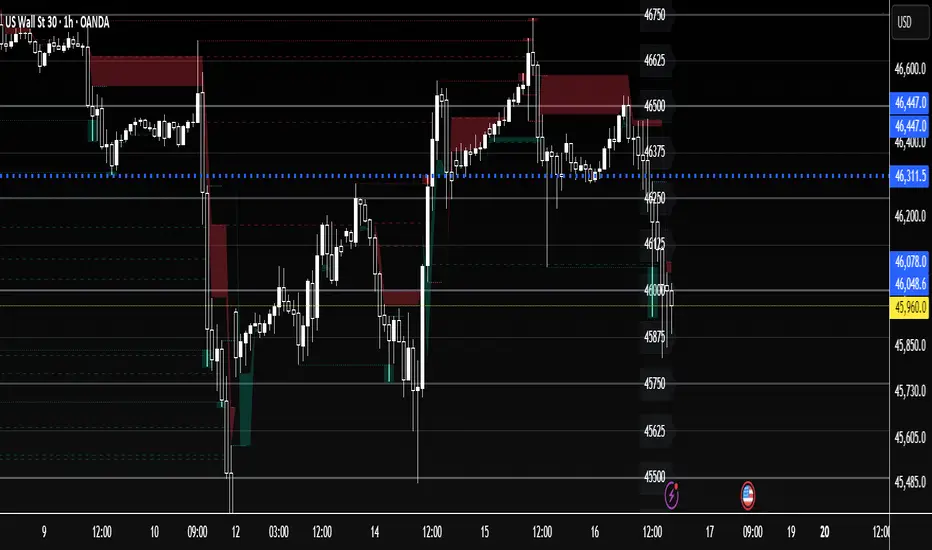
US30 Quarter Levels (125-point grid) by FxMogul🟦 US30 Quarter Levels — Trade the Index Like the Banks Discover the Dow’s hidden rhythm. This indicator reveals the institutional quarter levels that govern US30 — spaced every 125 points, e.g. 45125, 45250, 45375, 45500, 45625, 45750, 45875, 46000, and so on. These are the liquidity magnets and reaction zones where smart money executes — now visualized directly on your chart. 💼 Why You Need It See institutional precision: The Dow respects 125-point cycles — this tool exposes them. Catch reversals before retail sees them: Every impulse and retracement begins at one of these zones. Build confluence instantly: Perfectly aligns with your FVGs, OBs, and session highs/lows. Trade like a professional: Turn chaos into structure, and randomness into rhythm. ⚙️ Key Features Automatically plots US30 quarter levels (…125 / …250 / …375 / …500 / …625 / …750 / …875 / …000). Color-coded hierarchy: 🟨 xx000 / xx500 → major institutional levels ⚪ xx250 / xx750 → medium-impact levels ⚫ xx125 / xx375 / xx625 / xx875 → intraday liquidity pockets Customizable window size, label spacing, and line extensions. Works across all timeframes — from 1-minute scalps to 4-hour macro swings. Optimized for clean visualization with no clutter. 🎯 How to Use It Identify liquidity sweeps: Smart money hunts stops at these quarter zones. Align structure: Combine with session opens, order blocks, or FVGs. Set precision entries & exits: Trade reaction-to-reaction with tight risk. Plan daily bias: Watch how New York respects these 125-point increments. 🧭 Designed For Scalpers, day traders, and swing traders who understand that US30 doesn’t move randomly — it moves rhythmically. Perfect for traders using ICT, SMC, or liquidity-based frameworks. ⚡ Creator’s Note “Every 125 points, the Dow breathes. Every 1000, it shifts direction. Once you see the rhythm, you’ll never unsee it.” — FxMogulPenunjuk Pine Script®oleh leonelndam40028
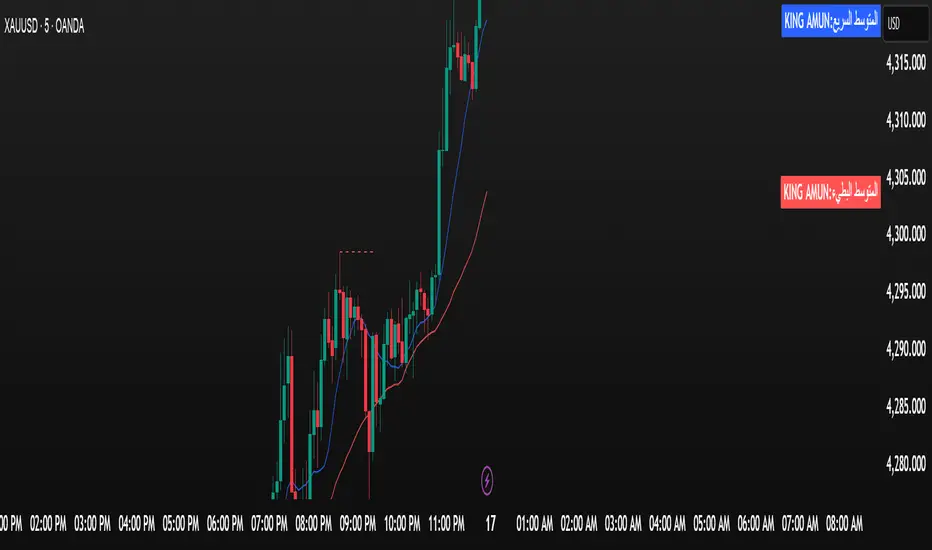
الملك أمون - King Amun2. Powerful Fundamental Indicators: 3 Moving Averages RSI Indicator Support and Resistance Levels Buy/Sell Signals Volume Indicator 3. Ease of Use: Settings Organized into Groups Possibility to Hide/Show Indicators Clear and Distinctive Colors 4. Effective Trading Signals: Average Crossovers RSI Signals Automatic Alerts 🚀 How to UsePenunjuk Pine Script®oleh el3fret20208
Colored RSI with Timeframe OptionHello Traders, I have created a RSI indicator when value moves up the color is Green and when value moves down color is Red.Penunjuk Pine Script®oleh krishkk968
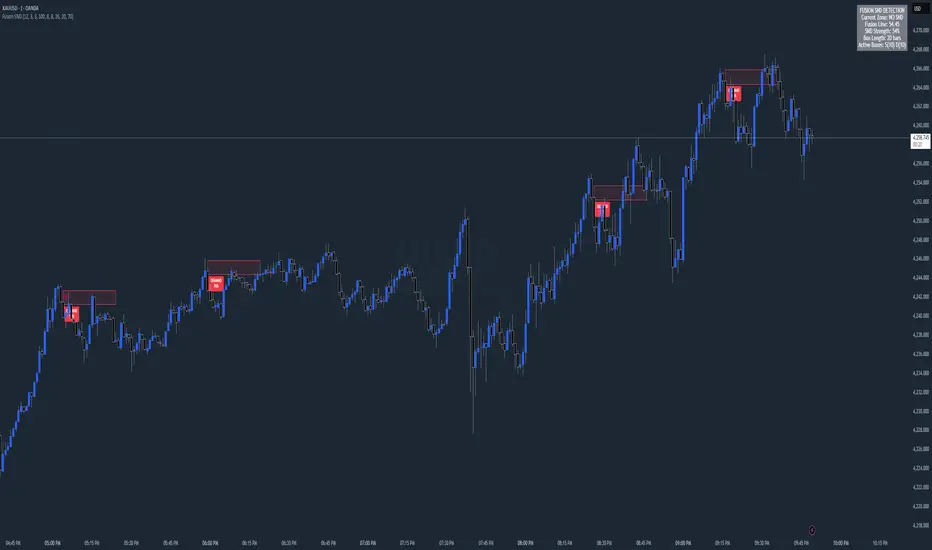
Chart Fusion Line SND Detection by TitikSona🧭 Overview Fusion Line Momentum Analyzer is a momentum visualization tool that introduces a unified model of oscillator fusion. It blends Fast and Slow Stochastics with RSI into one adaptive curve, designed to eliminate conflicting signals between different momentum sources. Instead of reading three separate oscillators, the Fusion Line provides a consolidated view of strength and exhaustion zones in a single framework. This approach helps analysts detect aligned momentum shifts with greater clarity and less noise, without repainting or lagging methods. ⚙️ Core Concept Traditional oscillators often provide conflicting readings when volatility changes. To solve this, the Fusion Line averages three normalized components: Fast Stochastic (12,3,3) — reacts quickly to short-term momentum spikes. Slow Stochastic (100,8,8) — filters long-term momentum context. RSI (26) — measures internal strength between buying and selling pressure. Each is rescaled to a 0–100 range, then averaged into a single curve called the Fusion Line. A secondary Signal Line (SMA 9) is added to visualize directional confirmation. This combination aims to preserve responsiveness from the fast components while maintaining structural stability from the slow and RSI layers. 🌈 Features Unified momentum curve combining stochastic and RSI dynamics. Automatic bias shading to highlight dominant trend direction. Real-time percentage strength meter (visual intensity). Configurable alert triggers on key momentum zones (20/80). Clean chart display without unnecessary elements or overlays. 📘 Interpretation Rising Fusion Line → indicates strengthening bullish momentum. Falling Fusion Line → indicates strengthening bearish pressure. Fusion values below 20 → potential oversold recovery. Fusion values above 80 → possible exhaustion or reversal zone. Mid-zone movement → reflects equilibrium or sideways momentum. These readings should always be combined with higher timeframe structure or volume confirmation for context. ⚙️ Default Parameters Fast Stochastic (12,3,3) Slow Stochastic (100,8,8) RSI Length (26) Signal Line Smoothing (9) All values can be adjusted to adapt to asset volatility or timeframe conditions. ⚠️ Disclaimer This indicator is a research and visualization tool, not a signal generator. It does not predict price movement or guarantee performance. Use for analytical purposes only and combine with your own trading framework. 👨💻 Developer Created by TitikSona — Research & Fusion Concept Designer Built using Pine Script v6 Type: Open-source educational script 💬 Short Description Fusion-based momentum visualization combining Double Stochastic and RSI into one adaptive line for clearer, noise-free momentum analysis.Penunjuk Pine Script®oleh TitikSona37
QUANTUM MOMENTUMOverview Quantum Momentum is a sophisticated technical analysis tool designed to help traders identify relative strength between assets through advanced momentum comparison. This cyberpunk-themed indicator visualizes momentum dynamics between your current trading symbol and any comparison asset of your choice, making it ideal for pairs trading, crypto correlation analysis, and multi-asset portfolio management. Key Features 📊 Multi-Asset Momentum Comparison Dual Symbol Analysis: Compare momentum between your chart symbol and any other tradable asset Real-Time Tracking: Monitor relative momentum strength as market conditions evolve Difference Visualization: Clear histogram display showing which asset has stronger momentum 🎯 Multiple Momentum Calculation Methods Choose from four different momentum calculation types: ROC (Rate of Change): Traditional percentage-based momentum measurement RSI (Relative Strength Index): Oscillator-based momentum from 0-100 range Percent Change: Simple percentage change over the lookback period Raw Change: Absolute price change in native currency units 📈 Advanced Trend Filtering System Enable optional trend filters to align momentum signals with prevailing market direction: SMA (Simple Moving Average): Classic trend identification EMA (Exponential Moving Average): Responsive trend detection Price Action: Identifies trends through higher highs/lows or lower highs/lows patterns ADX (Average Directional Index): Measures trend strength with customizable threshold 🎨 Futuristic Cyberpunk Design Neon Color Scheme: Eye-catching cyan, magenta, and matrix green color palette Glowing Visual Effects: Enhanced visibility with luminescent plot lines Dynamic Background Shading: Subtle trend state visualization Real-Time Data Table: Sleek information panel displaying current momentum values and trend status How It Works The indicator calculates momentum for both your current chart symbol and a comparison symbol (default: BTC/USDT) using your selected method and lookback period. The difference between these momentum values reveals which asset is exhibiting stronger momentum at any given time. Positive Difference (Green): Your chart symbol has stronger momentum than the comparison asset Negative Difference (Pink/Red): The comparison asset has stronger momentum than your chart symbol When the trend filter is enabled, the indicator will only display signals that align with the detected market trend, helping filter out counter-trend noise. Settings Guide Symbol Settings Compare Symbol: Choose any tradable asset to compare against (e.g., major indices, cryptocurrencies, forex pairs) Momentum Settings Momentum Length: Lookback period for momentum calculations (default: 14 bars) Momentum Type: Select your preferred momentum calculation method Display Options Toggle visibility of current symbol momentum line Toggle visibility of comparison symbol momentum line Toggle visibility of momentum difference histogram Optional zero line reference Trend Filter Settings Use Trend Filter: Enable/disable trend-based signal filtering Trend Method: Choose from SMA, EMA, Price Action, or ADX Trend Length: Period for trend calculations (default: 50) ADX Threshold: Minimum ADX value to confirm trend strength (default: 25) Best Use Cases ✅ Pairs Trading: Identify divergences in momentum between correlated assets ✅ Crypto Market Analysis: Compare altcoin momentum against Bitcoin or Ethereum ✅ Stock Market Rotation: Track sector or index relative strength ✅ Forex Strength Analysis: Monitor currency pair momentum relationships ✅ Multi-Timeframe Confirmation: Use alongside other indicators for confluence ✅ Mean Reversion Strategies: Spot extreme momentum divergences for potential reversals Visual Indicators ⚡ Cyan Line: Your chart symbol's momentum ⚡ Magenta Line: Comparison symbol's momentum 📊 Green/Pink Histogram: Momentum difference (positive = green, negative = pink) ▲ Green Triangle: Bullish trend detected (when filter enabled) ▼ Red Triangle: Bearish trend detected (when filter enabled) ◈ Yellow Diamond: Neutral/sideways trend (when filter enabled) Pro Tips 💡 Look for crossovers between the momentum lines as potential trade signals 💡 Combine with volume analysis for stronger confirmation 💡 Use momentum divergence (price making new highs/lows while momentum doesn't) for reversal signals 💡 Enable trend filter during ranging markets to reduce false signals 💡 Experiment with different momentum types to find what works best for your trading style Technical Requirements TradingView Pine Script Version: v6 Chart Type: Works on all chart types Indicator Placement: Separate pane (overlay=false) Data Requirements: Needs access to comparison symbol dataPenunjuk Pine Script®oleh AlgoCollective1147
US30 Tactical Scanner v6I made this new strategy, let me know what ya think.Penunjuk Pine Script®oleh mataaaron788
True Single Line Fusion [by TitikSona]🧠 Full Description True Single Line Fusion by TitikSona is an open-source oscillator that unifies Fast Stochastic, Slow Stochastic, and RSI into a single smooth momentum line. It simplifies multi-oscillator analysis into one clear visual — helping traders recognize potential momentum shifts, exhaustion, and reversal zones. ⚙️ Core Logic The indicator calculates: Fast Stochastic (12,3,3) → short-term swing sensitivity Slow Stochastic (100,8,8) → broad trend context RSI (26) → overall strength and directional bias All three are normalized (0–100) and averaged to form the Fusion Line, creating a single unified momentum curve. A Signal Line (SMA-9) and Histogram are added to highlight short-term acceleration or deceleration. Formula: Fusion = (FastK + SlowK + RSI) / 3 🔍 Interpretation Fusion Line rising → momentum strengthening upward Fusion Line falling → momentum weakening Histogram color (green/red) shows the direction and intensity of the move Background highlights identify potential extremes: 🟩 Green = potential oversold region 🟥 Red = potential overbought region 💡 How to Use Works on any symbol and timeframe. Use the Fusion Line’s direction and slope as momentum context, not as direct buy/sell signals. Combine with price structure, support/resistance, or volume analysis to confirm potential reversals. Example: Fusion Line turning upward from green zone → possible bullish momentum shift Fusion Line turning downward from red zone → possible bearish exhaustion 📘 Notes Ideal for identifying turning points in ranging or consolidating markets. Does not generate automated signals or predictions. Open-source for learning, modification, and educational use. Designed for clarity, low lag, and clean visualization. 🧩 Developed and shared by TitikSona — made to unify oscillators into one adaptive momentum tool.Penunjuk Pine Script®oleh TitikSona35
Volume Rate of Change (VROC)# Volume Rate of Change (VROC) **What it is:** VROC measures the rate of change in trading volume over a specified period, typically expressed as a percentage. Formula: `((Current Volume - Volume n periods ago) / Volume n periods ago) × 100` ## **Obvious Uses** **1. Confirming Price Trends** - Rising VROC with rising prices = strong bullish trend - Rising VROC with falling prices = strong bearish trend - Validates that price movements have conviction behind them **2. Spotting Divergences** - Price makes new highs but VROC doesn't = weakening momentum - Price makes new lows but VROC doesn't = potential reversal **3. Identifying Breakouts** - Sudden VROC spikes often accompany legitimate breakouts from consolidation patterns - Helps distinguish real breakouts from false ones **4. Overbought/Oversold Conditions** - Extreme VROC readings (very high or very low) suggest exhaustion - Mean reversion opportunities when volume extremes occur --- ## **Non-Obvious Uses** **1. Smart Money vs. Dumb Money Detection** - Declining VROC during price rallies may indicate retail FOMO while institutions distribute - Rising VROC during selloffs with price stability suggests institutional accumulation **2. News Impact Measurement** - Compare VROC before/after earnings or announcements - Low VROC on "significant" news = market doesn't care (fade the move) - High VROC = genuine market reaction (respect the move) **3. Market Regime Changes** - Persistent shifts in average VROC levels can signal transitions between bull/bear markets - Declining baseline VROC over months = waning market participation/topping process **4. Intraday Liquidity Profiling** - VROC patterns across trading sessions identify best execution times - Avoid trading when VROC is abnormally low (wider spreads, poor fills) **5. Sector Rotation Analysis** - Compare VROC across sector ETFs to identify where capital is flowing - Rising VROC in defensive sectors + falling VROC in cyclicals = risk-off rotation **6. Options Expiration Effects** - VROC typically drops significantly post-options expiration - Helps avoid false signals from mechanically-driven volume changes **7. Algorithmic Activity Detection** - Unusual VROC patterns (regular spikes at specific times) may indicate algo programs - Can front-run or avoid periods of heavy algorithmic interference **8. Liquidity Crisis Early Warning** - Sharp, sustained VROC decline across multiple assets = liquidity withdrawal - Can precede market stress events before price volatility emerges **9. Cryptocurrency Wash Trading Detection** - Comparing VROC across exchanges for same asset - Discrepancies suggest artificial volume on certain platforms **10. Pair Trading Optimization** - Use relative VROC between correlated pairs - Enter when VROC divergence is extreme, exit when it normalizes The key to advanced VROC usage is context: combining it with price action, market structure, and other indicators rather than using it in isolation.Penunjuk Pine Script®oleh needfulCheetah31773Telah dikemas kini 13
Fish OrbThis indicator marks and tracks the first 15-minute range of the New York session open (default 9:30–9:45 AM ET) — a critical volatility period for futures like NQ (Nasdaq). It helps you visually anchor intraday price action to that initial opening range. Core Functionality 1. Opening Range Calculation It measures the High, Low, and Midpoint of the first 15 minutes after the NY market opens (default 09:30–09:45 ET). You can change the window or timezone in the inputs. 2. Visual Overlays During the 15-minute window: A teal shaded box highlights the open range period. Live white lines mark the current High and Low. A red line marks the midpoint (mid-range). These update in real-time as each bar forms. 3. Post-Window Behavior When the 15-minute window ends: The High, Low, and Midpoint are locked in. The indicator draws persistent horizontal lines for those values. 4. Historical Days You can keep today + a set number of previous days (configurable via “Previous Days to Keep”). Older days automatically delete to keep charts clean. 5. Line Extension Control Each day’s lines extend to the right after they form. You can toggle “Stop Lines at Next NY Open”: ON: Yesterday’s lines stop exactly at the next NY session open (09:30 ET). OFF: Lines extend indefinitely across the chart.Penunjuk Pine Script®oleh Fishhhhh_6
Asia Risk MonitorAsia Risk Monitor for all those monitoring the financial situation in the US, looking for a clue of a move to the down or upside.Penunjuk Pine Script®oleh julyjoe7213