MTF Wave Trend & Money Flow - Monitoring PanelAnother indicator based on the famous "Wave Trend Oscillator" by LazyBear.
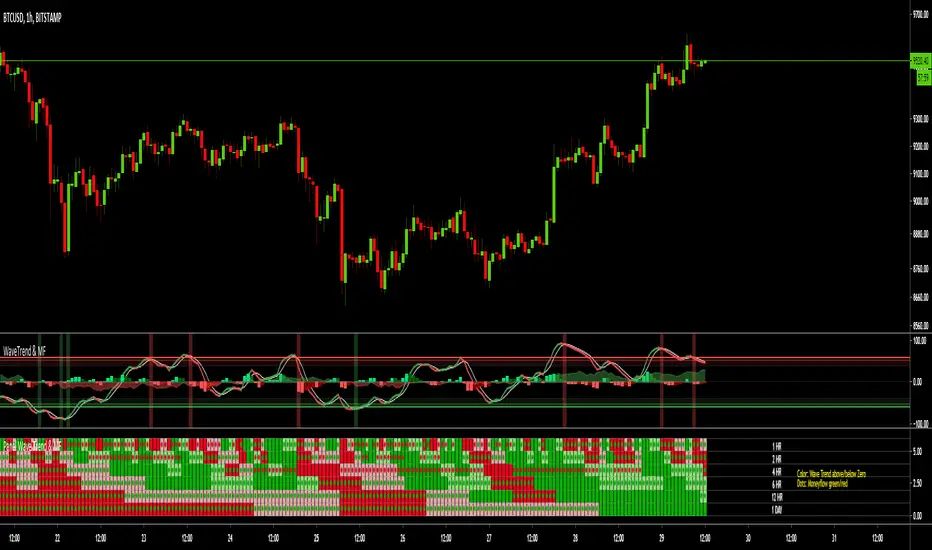
Monitoring panel showing the Wave Trend as color for 6 different timeframes. Additionaly the Money Flow (positive or negative) is indicated as green or red dots.
I find it helpful that with one glance the current Wave Trend and Money Flow on many timeframes is visible.
(Timeframes can be changed, but the description labels are currently hardcoded - if you want to change it, just copy the script and change them)
Meanings of the Colors:
WT above Zero and rising : Dark Green
WT above Zero and declining : Light Green
WT below Zero and declining : Dark Red
WT below Zero and rising : Light Red
Money flow positive : Green dot
Monet flow negative : Red dot
(Currently there are two additional timeframes commented in the code - if you want to use them, just copy the script and uncomment them)
Have fun and as always I am open for constructive feedback.
Cheers!
Cari dalam skrip untuk "WaveTrend"
MTF Wave Trend CrossThis indicator is based on the famous "Wave Trend Oscillator" by LazyBear.
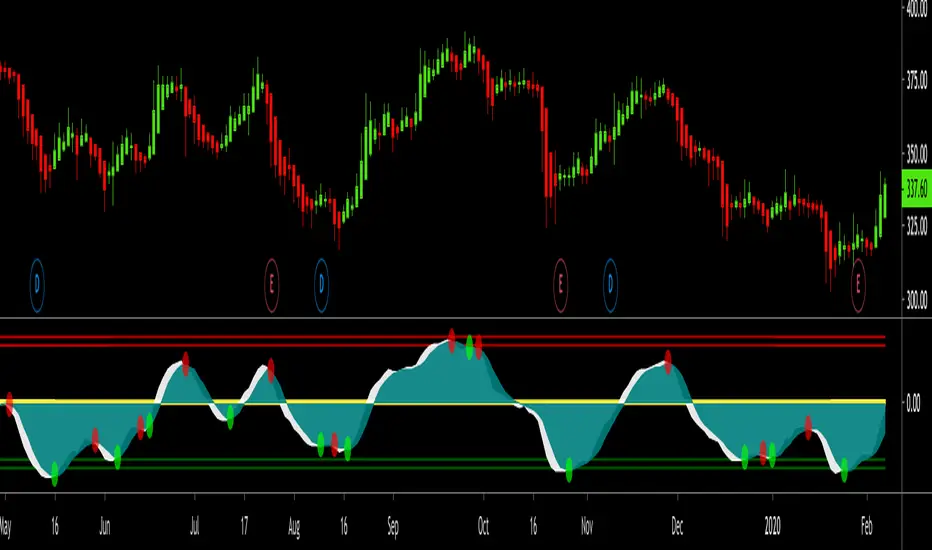
I have noticed that the Wave Trend Crosses (not the waves themselves) give a pretty good indication on the current status of the market (above Zero = bullish / below Zero = bearish ).
This new indicator is a Multi TF Version of this where it is possible to define 4 fixed Higher Time Frames and 4 fixed Lower Time Frames.
The results are then plotted above (higher TF) and below (lower TF) of the result of the current TF. (Offset can be flexibly changed in the settings)
This allows to judge the trend based on the various TFs.
Basically the greener it looks, the more bullish the situation is at the moment. More red color indicates a more bearish situation.
Enjoy.

Squeeze Momentum Indicator [LazyBear] vHMAThis is a remake of the famous LazyBear Indicator, the Squeeze Momentum Indicator.
All i did was take out the SMA's and replace them with HMA's. HMA is a more responsive moving average.
Hull Moving Average.
This is a derivative of John Carter's "TTM Squeeze" volatility indicator, as discussed in his book "Mastering the Trade" (chapter 11).
Black crosses on the midline show that the market just entered a squeeze ( Bollinger Bands are with in Keltner Channel). This signifies low volatility , market preparing itself for an explosive move (up or down). Gray crosses signify "Squeeze release".
Mr.Carter suggests waiting till the first gray after a black cross, and taking a position in the direction of the momentum (for ex., if momentum value is above zero, go long). Exit the position when the momentum changes (increase or decrease --- signified by a color change). My (limited) experience with this shows, an additional indicator like ADX / WaveTrend, is needed to not miss good entry points. Also, Mr.Carter uses simple momentum indicator , while I have used a different method (linreg based) to plot the histogram.
More info:
- Book: Mastering The Trade by John F Carter
Here is the original version:

[CryptoWho] Multi DivergencesThis script looks for divergences on up to six indicators, sums them up and draw a histogram below the chart.
You have several options to customize the output:
1. indicators: RSI, Stoch RSI, MACD, CCI, OBV, WaveTrend (LazyBear)
2. Divergences: Regular, hidden, both
3. Lookback period for divergences
BITSTAMP:BTCUSD

Swing Trade Pros - Wave Trend IndicatorThe STP Wave Trend Indicator allows you to catch big trends before they start by confirming the direction and momentum in real-time. This indicator can be used across all assets on any timeframe. When the oscillator (white area) crosses down the signal (green area), it is a good SELL signal. Similarly, when the oscillator crosses above the signal it is a good BUY signal. Another strategy is to buy when the oscillator crosses the oversold area and sell when it crosses the overbought area
RocketScalper+ Long/Short IndicatorNOTE: To use together with RocketScalper Long/Short Indicator
About the Rocketscalper+ Indicator
Derives from the RocketScalper Long/Short indicator, was worked on by PM
Used by 180+ users as of today
Was first published on Sept 10, 2019
It had 1 iteration so far.
Will be updated as needed so it keeps giving good outputs (so far no update needed).
While the RocketScalper works by merging 3 oscillators and then checking the market balance between sells and buys to give you the final output, the RocketScalper+ uses MA Crossings and adds another layer to filter than final output. It IS NOT an upgrade, use both.
Main notes about the RocketScalper+:
Wavetrend ignored
Took weight off of Godmode for the final output
Added weight to Price Oscillator for the final output
Added TakeProfit and StopLoss conditions editable for users
Turned the scalper more neutral with a slight long bias for the upcoming trend
Has several outputs on the chart that you can activate/deactivate
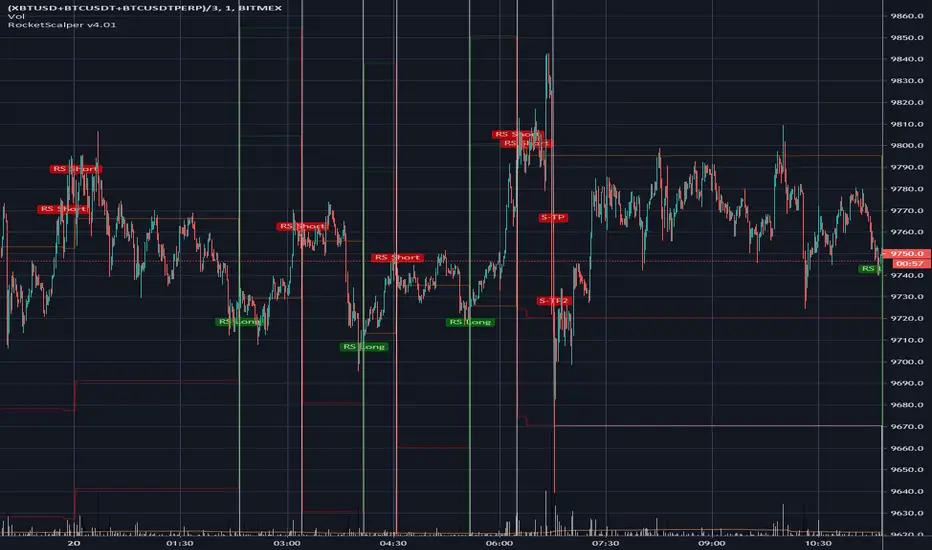
Long / Short Signals
Self Explanatory / It suggests you should long or short the asset.
Show Price Oscillator signals
It'll output long/short signals based on the Price Oscillator.
Show Stop/Support/Resistance warning
Not working as of now, will need to update it soon.
No Text inputs on this indicator.
Should I use it on all timeframes and all pairs?
Yes, works very well with HTF and for all pairs. As you can see above on BTCUSDT (as an example), on the 6h use it as a confirmation to get in a trade, specially if you also use the TMA.
For access, please DM us or visit the link below in our Signature.

RocketScalper Long/Short IndicatorAbout the Rocketscalper Indicator
Was initially made by Rocket, PM, Hav0c, LiteralMonkey and PrimetimeBart.
It's our most used and advanced long/short indicator script so far, with over 450 users
Was first published in December 12, 2018.
It had 3 iterations, this is the 4th.
It has been continuously updated throughout the past year and as long as the market doesn't shift completely, it'll stay updated and giving good outputs.
It works by merging 3 oscillators and then checking the market balance between sells and buys to give you the final output.
Main notes about the 4th iteration:
RSI and Moving Averages back into the filtering conditions (for a while we removed it due to signal spam or trying to make a holy grail and i think we took steps back by doing that so they're back in)
Wavetrend settings closer to neutral
Loosened conditions on Godmode
Price Oscillator Changes
Added TakeProfit and StopLoss conditions editable for users
Turned the scalper more neutral with a slight long bias for the upcoming trend
Has several outputs on the chart that you can activate/deactivate
Long / Short Signals
Self Explanatory - It suggests you should long or short the asset.
Show Price Oscillator signals
It'll output long/short signals based on the Price Oscillator.
Show Stop/Support/Resistance warning
A warning label will pop-up when the trade is going against you. It's good to use as alerts, other than that, I wouldn't read much into it.
Plot Stop/Support/Resistance levels
It'll plot resistance and support horizontal lines in case you need guidance in your stops
Use background for Highlighting
It changes the background to red/green (or a color of your choosing) when its about to output a signal.
You also have, on the inputs tab, text inputs that you can edit such as:
Price Gain for Take Profit 1 and 2
Horizontal line (If you usually get at out at positive 50 points, put 50 in here and a line will plot once you get there) - Good for alerts.
Initial Stop Loss Percentage
Amount of $ Away from entry to Move SL After TP1
Trailing Stop Loss
Should I use it on all timeframes and all pairs?
You can, if you look at the historical outputs and they are good. However, I use it mostly on XBTUSD BTCUSDT ETHUSD XAUUSD and OILUS on LTF and HTF.
For altcoins, I would suggest only looking at 4h candlesticks and above.
For access, please DM us or visit the link below in our Signature.
Parametric Oscillator (Zeiierman)█ Overview
The Parametric Oscillator (Zeiierman) transforms price movement into a structure-aware momentum field, a flowing wave of oscillator-candles wrapped around a smooth Quick Price Action line. Instead of reading raw closes, it constructs a multi-lane view from open, high, low, and close data to capture how price pressure expands, contracts, and shifts through time. These relationships are then projected into a bounded oscillator domain, creating a dynamic visualization of momentum and market balance.
The oscillator-candles flip green or red to signal shifts in buying or selling strength, while the Quick Line tracks underlying momentum on a 0–100 scale. Together, they reveal where pressure is forming, how quickly it’s changing, and whether that change is sustainable, helping traders spot momentum swings, stretched zones, and directional bias across any timeframe.
⚪ What Makes It Unique
The oscillator’s uniqueness lies in how it constructs and interprets price structure. It builds four independent lanes of open, high, low, and close to measure wave relationships and capture micro-drift, wick aggression, and full price behavior rather than relying solely on closing data.
Beneath the surface, the oscillator runs on a balanced motion function that translates market volatility into a clear rhythm of momentum and structure. Each change in color and gradient reflects the balance between acceleration and stability, revealing the underlying pulse of market behavior.
█ Main features
⚪ Parametric Oscillator
The Parametric Oscillator turns market movement into a visual map of buying and selling pressure. Its oscillator-candles reveal how momentum builds, compresses, and releases, showing the balance between strength and exhaustion in real time. As candles shift color and gradient, traders can instantly read acceleration, fading energy, or volatility spikes, allowing for quick interpretation of trend health and potential reversals.
The display captures both immediate bursts of momentum and the underlying trend’s persistence, giving a continuous view of how pressure evolves across market phases. It can be used to spot areas of buildup before breakouts, early signs of compression before expansion, and the transition points where control shifts from buyers to sellers.
⚪ Quick Price Action
The Quick Price Action line provides a smooth, real-time read of market momentum that often shifts before price itself reacts. Acting as a leading momentum gauge, it highlights subtle changes in strength and direction, helping traders anticipate moves rather than chase them.
When the line begins to turn, it frequently does so well ahead of price, signaling acceleration, exhaustion, or an early phase of reversal. A rise toward higher levels reflects building bullish pressure, while a downturn from elevated zones shows fading strength or emerging sell bias.
It adapts smoothly across symbols and timeframes, the Quick Price Action line gives traders a consistent, early warning system and a clear visual cue of when momentum is starting to shift and where the next meaningful move may form.
█ How to Use
⚪ Trend Following
The Momentum Candle Line helps define the underlying directional bias by measuring the strength and persistence of momentum. When momentum holds above or below the midline (50), it reflects whether buyers or sellers maintain control of the trend. Watching how the candles form relative to that level helps identify continuation or potential shifts in direction.
Maintain a bullish bias when the Momentum Candles stay above 50 and candles form higher lows.
Maintain a bearish bias when they stay below 50 and candles form lower highs.
⚪ Detect Leading Momentum
The Quick Price Line helps identify leading momentum moves that often precede price action. These can signal the start of a new move in that direction or the early stages of a reversal.
When the Quick Line peaks above 80, it indicates strong positive momentum.
When it peaks below 30, it signals strong negative momentum.
By observing how the momentum candles behave around these levels, traders can determine whether the move is likely a continuation or a reversal.
⚪ Fading Price Moves
Momentum drives price to new highs and lows, but when that momentum fades, reversals often follow. The Quick Price Line or the Parametric Oscillator candles can reveal weakening momentum before price reacts, giving traders an early signal. When the Quick Line peaks and then begins to fade, it indicates that momentum is losing strength. This can precede a pause, a range, or a full reversal in price. Likewise, if the Parametric Oscillator starts to fade while price continues to move, it suggests that momentum is weakening and a reversal or pullback may be approaching.
█ How It Works
⚪ Dual-Lane Displacement
Price is decomposed into trend and fast components across the open, high, low, and close. These relationships form four signed streams that describe body drive and wick aggression.
Calculation: Builds relative spreads between the trend and fast components, creating a multi-dimensional price-flow state.
⚪ Parametric Mapping
Each data stream is passed through a parametric transform (defaulting to a momentum-sensitive map) and assembled into synthetic OHLC in oscillator space.
Calculation: Applies a state transform over the data, aggregates into oscillator OHLC, and exponentially smooths for stability.
⚪ Quick Price Action
A companion line extracts recent trend displacement, normalizes it in a rolling window around the local mid, and passes it through a smoothing process controlled by Price Trend (softness). This yields a stable 0–100 scale that reacts quickly yet remains consistent across assets and timeframes.
Calculation: Windowed normalization around a dynamic midpoint with adjustable softness to balance responsiveness and stability.
-----------------
Disclaimer
The content provided in my scripts, indicators, ideas, algorithms, and systems is for educational and informational purposes only. It does not constitute financial advice, investment recommendations, or a solicitation to buy or sell any financial instruments. I will not accept liability for any loss or damage, including without limitation any loss of profit, which may arise directly or indirectly from the use of or reliance on such information.
All investments involve risk, and the past performance of a security, industry, sector, market, financial product, trading strategy, backtest, or individual's trading does not guarantee future results or returns. Investors are fully responsible for any investment decisions they make. Such decisions should be based solely on an evaluation of their financial circumstances, investment objectives, risk tolerance, and liquidity needs.

Zenith TraderWarning, all trading involves risk. Be sure to do your own research before placing in a trade and do not realize solely on this indicator.
Zenith Trader is made up of 3 parts
RSI , WaveTrend by LazyBear, & GMMA Oscillator by JustUncleL
It uses crosses of the 0 and/or 50 line on all indicators as a buy/sell indication
You can change which indicator is showing on the main screen in the settings.
You can all change the time frame when the alerts will pop up in order to customize your own time for alerts to go off.

Bollinger Channel Index IndicatorHow does this work:
The two lines of this indicator oscillate between 1 and -1 and quantify the strength of a trend. When the blue line crosses under the yellow line, a sell signal is generated. The opposite is true for when the blue line crosses over the yellow line. The red line represents the overbought area, and the green line represents the oversold area, at 0.7 and -0,7 respectively. When a buy signal is generated below the green line, and a sell signal is generated above the red line, these are usually an indication that a strong up/downtrend is about to begin. Use these signals in conjunction with other indicators or techniques to identify trends.
What do I use this on?
I have done manual testing on forex and it works for me. I have done automated backtesting and it worked on stocks, forex, and commodities. This didn't work well on cryptocurrencies. For the timeframe, I would use 4 hours, but any should work as long as trends are visible. Works best in trending markets.
Technical Details:
This indicator is an adaptation of the Commodity Channel Index. The Commodity Channel Index takes the price, applies a simple moving average to it, and subtracts it from the closing price. This gives us the distance between the two lines, which is how much they deviate from each other. Then the deviation is divided by its mean average deviation. My indicator is also based off of WaveTrend, instead of using simple moving averages, I use exponential moving averages. I also apply an SMA to my version of the CCI line and trade based on crossovers. You can trade based on overbought/oversold or crossovers with my indicator. My indicator does not divide by the mean average deviation. Feel free to use it, but I don't think I will give be giving out the source code.
Disclaimer
This isn't guaranteed to be a financially viable model and I am not accountable for any losses made while using this.
Note:
I have posted a strategy revolving around this before, this script only contains the indicator.

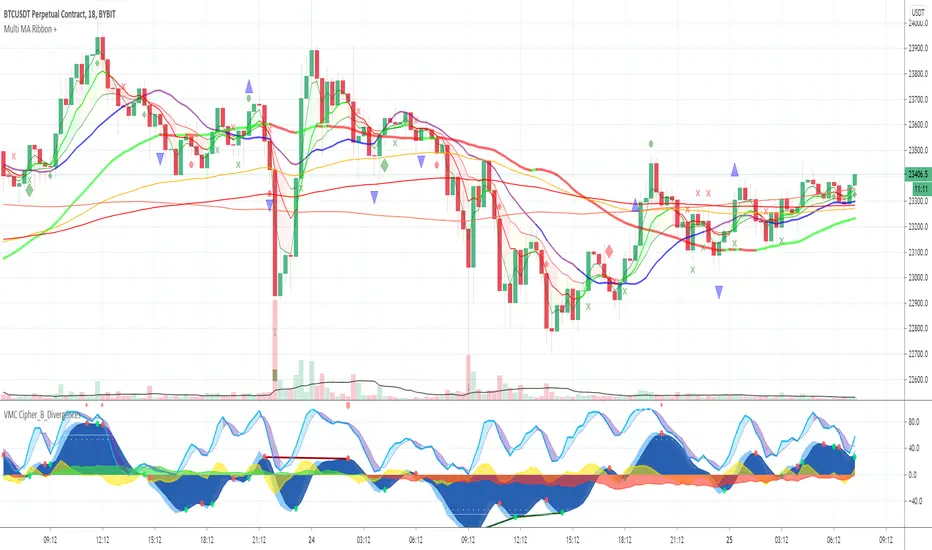
Multi MA Ribbon +Draws an MA Ribbon that highlights major MA's and for easier visibility separates them into different groups including Custom MA's, Baseline MA's, T Line MA's, Short Term MA's and Long Term MA's.
Choose between 11 different types of MA's thanks to JustUncleL and John F. Ehlers super smoother.
The + is for various signals and alerts derived from Market Cipher / Wave Trend indicators and TCG etc.
Happy Trading and remember just follow the flow of the river!
Profit-sync script for TrexenThere are various scripts and indicators on Tradingview, but not many of them combine theories to improve the profitability of an indicator using settings from multiple time frames.
This script takes the Average True Range trailing exit idea to enter trades. Many other ideas have been tested to filter entry signals which may be weak or not profitable such as a second ATR with Higher TF, MFI/VFI, RSI, Momentum wavetrend, Weis Wave, MACD, Stochastic etc, but I felt the following works best:
- Over the ATR entries there is a directional filter very similar to Renko candles which can be set to a higher time frame, I use 4 hour with 15 min candles for example, this will only allow 15 min buy signals to execute if the 4 hour is also on the buy side.
- There is also a Trend directional filter which can be set to a higher/lower time frame, currently I am using this on allow setting to allow more trades
The higher both filter are, the more accurate the trades will be, but less frequent. The filters convert entry signals into exit signal which can be used as take profit point with alerts if there is a position open.
The overall theory is to follow trend and to exit with profit. I have tested different take profit alerts but think it’s better to either catch a whole price move or sell with a set trailing limit order at like 0.4/0.5%.
As I am trading BTC with a bot and not with TA I think it is good to get in on a trend reversal, follow the trend up and get out quick with profit. There is a lot of manipulation with crypto so things like Momentum indicators and money-flow may not represent what is actually happening in the market.

Enthusiasts Crypto Scanner Oscillator SignalsThis indicator prints out buy and sell signals according to a confluence of overbought and oversold conditions of 4 main oscillators, Wavetrend, MFI, RSI and VWAP, as well as automatically detections of divergences between oscillators and price action.

Enthusiasts Crypto Scanner Price SignalsThis indicator is a trend scanner based on wavetrend charactheristics and EMA crossings to print out precise buy and sell signals according to price action.


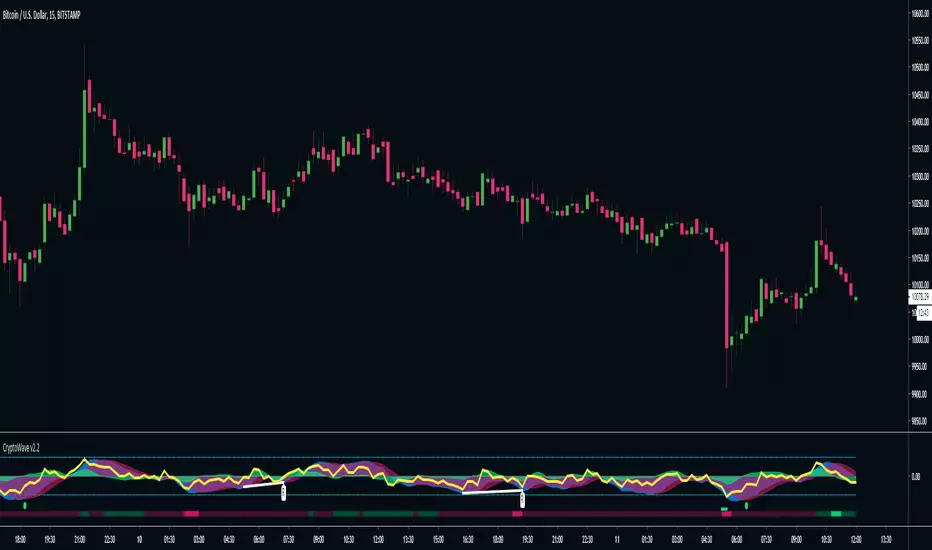
CryptoWave Pro v2CryptoWave Pro v2 delivers the same great wave algorithm as the previous version, but offers more customisation options to allow power users to fine tune every last piece of the puzzle.
In addition to the wave you'll now see the following :
Yellow line = RSI
Red and Green lines (above and below the waves dots) = RSI OB and OS
White lines + labels = Wave Divergence indicator - Showing Regular and Hidden divergences
Coloured Bar at bottom = Money Flow - Bright Red = OS, Bright Green = OB
Super clean and easy to read at a glance, CryptoWave Pro v2 is the upgrade you've been waiting for!
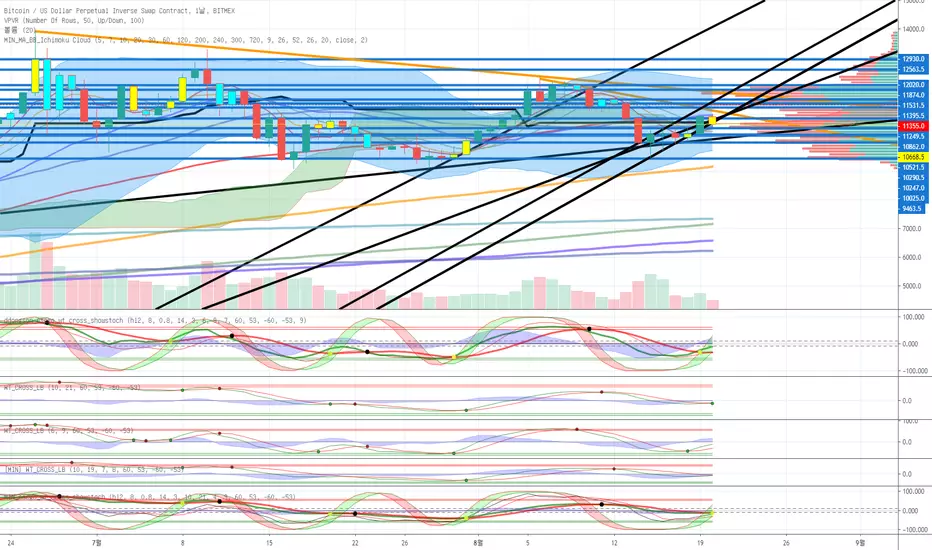
MIN_escgo_wt_cross_showstochehlers stochastic CG oscillator
wavetrend with crosses
slow stochastic
3가지 통합지표입니다.
원지않는 지표는 끌수있습니다.
BitGin 3 Scalping Method AlertCombined 3 indicators
WaveTrend with Crosses
Ehlers Stochastic CG Oscillator
Slow Stochastic

Momentum heatmap @CosmonautCExplanation:
14 different indicators 4 public ones (RSI, StochRSI, CCI and Wavetrend oscillator) the rest are custom private ones of preexisting momentum indicators or completely custom ones created by me.
To determine green-red color the indicators are assesed on 7 different metrics and then given a score of 1-100 based on the current state of those 7 metrics. The length input is universal meaning all indicators and metrics will be affected by it. Source input is only for indicators.
It might take a bit to load as the code is all in all around 600 lines and due to a large amount of custom functions and if statements
Usage:
darker green = buy
Darker red = sell
light green= approaching good buy opportunity/buy opportunity in shaky markets
Light red = same as light green but for sells
gray/almost no color = undecided/turning point
Enjoy!

variousGoogle Translation------------------------------------------------------------------------------------------------------------------------------------------
Even if it does not display various indicators, it is possible to display seven indicators with this one.
From configuration script
You can select “Awesome Oscillator, CCI, MACD, Price Oscillator, RSI, Stochastics, WaveTrend, Moving Average Deviation Rate”.
And the point attached to the line becomes the high price and the bottom price.
If you check "upper & under" from the setting, the line will be pulled high.
I will increase if there is a demand.
日本語---------------------------------------------------------------------------------------------------------------------------------------------------------
様々なインジケータを表示させなくてもこれ一つで7つのインジケータを表示させることが出来ます。
設定のスクリプトから
「オーサムオシレータ、CCI、MACD、プライスオシレータ、RSI、ストキャスティクス、ウェーブトレンド、移動平均線乖離率」が選択できます。
そして、ラインについている点は高値、底値になります。
設定から「upper & under」をにチェックを入れると高値にラインをひきます。
要望があれば増やします。

Minimal Godmode 2.0Second iteration of Minimal Godmode with in-line TTM Squeeze linked to godmode channel length, TTSI from godmode 4.0.0, and new LRSI + CBCI calculations for godmode engine.
Note: Like the original godmode, this indicator is designed specifically for use in trading BTC/XBT pairs.
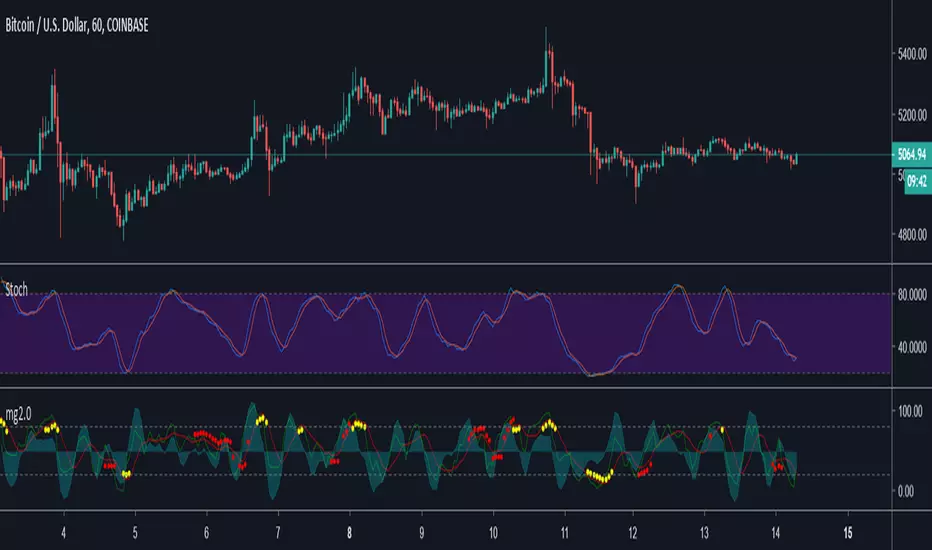
Swing Trader @PuppyTherapy Instead of pushing a lot of scripts I have turned my focus on the actual trading. From this moment on forward, I will publish very little scripts but I will focus solely on quality and actually usability as a trading strategy.
This script combines the following script:
- Wavetrend from Lazybear is probably one of the best single scripts up there the only issue it had is a lot of times the signal comes too soon
- Percentage Rank Spread between Two Moving Averages to focus only on important areas
- RSI and Stochastic to pinpoint entry points
I will not give nor show you the code. Otherwise, the indicator is FREE to use just add it to the chart.
Best timeframes to use on: ( Finetuned for BTCUSD and ETHUSD )
- 1h
- 30m
- 15m
- It works in most markets but avoids going again strong trending markets !
- I recommend you to have an SL use a 2x - 3x multiple ATR
- use Conservative settings Aggressive is only for Advanced users
