Finanja RangeFlow📊 Finanja RangeFlow
This indicator provides essential trading levels and market analysis tools to help with your trading decisions.
🌟 Advanced Version Available!
Upgrade to the Pro version for enhanced features:
Advanced signal filtering
Additional features
Exclusive trading tools
🔗 Get Pro Version::
💬 Questions? Comment on our YouTube channel for details
Note: This is the basic/free version. For full features and enhanced performance, consider the Advanced Pro version available on our website.
Cari dalam skrip untuk "range"
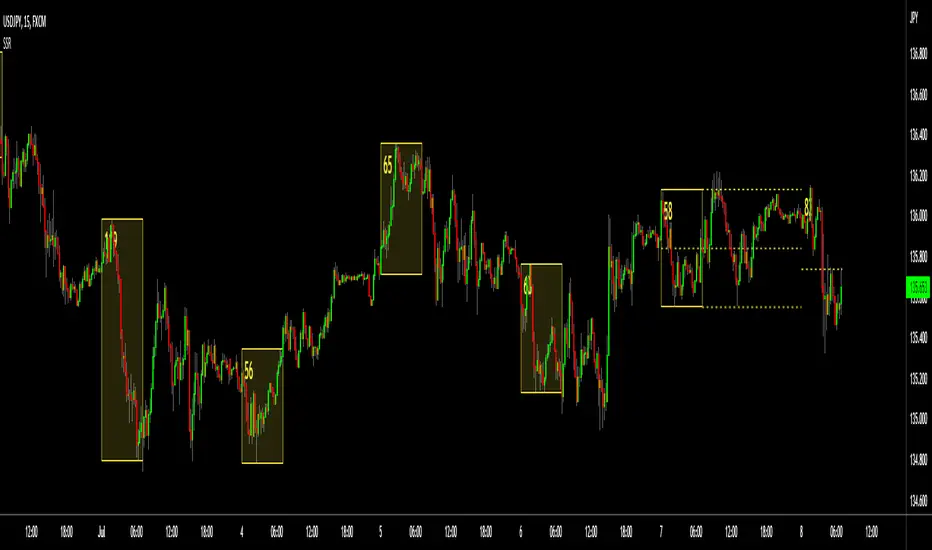
Profile Edge Trading - Range BreakoutOpening Range Breakout (ORB) & Profile Confluence
The indicator is an all-in-one institutional trading system. It combines the volatility of the session open with the structural context of Market Profile (TPO) to identify high-probability breakout entries while filtering out "bull and bear traps."
What It Does
Most ORB strategies fail because they ignore where the market is trading relative to "Value." This indicator solves that by aligning the Opening Range (OR) with the Previous Day’s Value Area (VAH/VAL/POC).
It triggers Buy/Sell marks only when price breaks the opening range and aligns with the broader profile structure, ensuring you are trading with the institutional trend rather than against it.
Key Features
Smart ORB Signals: Automatic Buy/Sell marks based on Opening Range breakouts, filtered by volume and profile structure.
Dual Chart Modes: * Market Profile (TPO): View the historical distribution of price.
Hybrid Candlestick: Toggle to candlesticks for intraday execution while keeping the profile levels visible.
Profile Confluence Filter: Validates breakouts only if they occur relative to the Previous Day High (VAH), Low (VAL), or Point of Control (POC).
Visual Risk Management: Automatically plots Stop Loss (SL) and Take Profit (TP) levels on the chart the moment a signal triggers.
Customizable Reward: Adjust your desired Risk/Reward ratio (e.g., 1:2, 1:3) directly in the input settings.
Multi-Timeframe Logic: Use TPOs for structural context and candlesticks for precise entry timing.
How to Use
Define the Range: Set your Opening Range time (e.g., first 5, 15, or 30 minutes) in the settings.
Risk/Reward Ratio: Input your Reward Ration (e.g., 1.5, 2 )
For more:
SMC Range Box + HTF Matrix [AMD] # SMC Range Box + HTF Matrix
## Overview
**SMC Range Matrix** is a comprehensive Smart Money Concepts (SMC) indicator designed for ICT/SMC traders. It combines multi-timeframe range analysis with advanced Fair Value Gap detection, Inverted FVG tracking, Volume Imbalance zones, and AMD (Accumulation-Manipulation-Distribution) phase detection — all in one powerful tool.
---
## 🔥 Key Features
### 📦 Multi-Timeframe Range Boxes
- Display **1H, 4H, and Daily** candle ranges as visual boxes
- Up to **5 boxes per timeframe** for historical context
- **Bullish/Bearish color coding** based on candle direction
- **Time labels** showing when each range started
- **Range size display** in pips/points
- **Sweep markers** when previous highs/lows are taken
### 📊 Fair Value Gaps (FVG)
- **Auto Threshold Filter** — Only shows significant FVGs, filters out noise
- **Multi-Timeframe Support** — Display FVGs from any timeframe on your current chart
- **Smart Mitigation** — FVGs automatically removed when filled (customizable fill %)
- **Near Price Filter** — Only shows FVGs within X ATR of current price
- **Bullish & Bearish FVG** detection with customizable colors
### 🔄 Inverted Fair Value Gaps (IFVG)
- **Automatic IFVG Detection** — When price closes through an FVG, it converts to IFVG
- **Role Reversal Logic**:
- Bullish FVG → Price closes below → Becomes **Bearish IFVG** (Resistance)
- Bearish FVG → Price closes above → Becomes **Bullish IFVG** (Support)
- **Consequent Encroachment (CE) Line** — 50% level marked for optimal entry (ICT concept)
- **IFVG Invalidation** — Automatically removes IFVG when broken
### 📈 Volume Imbalance (VI)
- Detects gaps between consecutive candle bodies
- **Auto-removal** when mitigated
- Separate color settings for bullish/bearish VI
### ⚖️ Equilibrium Lines
- **50% level** of each range box
- Dynamic color based on price position (support/resistance)
- Helps identify premium/discount zones
### 🎯 AMD Phase Detection
- **Accumulation** — Tight range, consolidation phase
- **Manipulation** — Liquidity sweep with rejection
- **Distribution** — Strong directional move
- Labels displayed on each range box
---
## 🎨 Customization
### Theme Presets
- **Ocean** — Cool blue tones
- **Forest** — Natural green shades
- **Monochrome** — Clean grayscale
- **Neon** — Vibrant colors
- **Custom** — Full color control
### Fully Customizable
- Individual colors for each timeframe
- Border width and styles
- Label sizes and visibility toggles
- FVG/VI transparency and borders
---
## ⚙️ Settings Guide
### FVG Settings
| Setting | Description |
|---------|-------------|
| FVG Timeframe | Leave blank for current TF, or select specific timeframe |
| Auto Threshold | Filters insignificant FVGs based on bar movement % |
| Fill % to Remove | FVG removed when filled by this percentage (default 50%) |
| Near Price Filter | Only show FVGs within X ATR from current price |
| Show CE Line | Display 50% Consequent Encroachment line on IFVGs |
### Range Box Settings
| Setting | Description |
|---------|-------------|
| Boxes to Show | Number of historical boxes (1-5) per timeframe |
| Show Sweep Markers | Highlight when previous high/low is swept |
| Show Time Label | Display start time of each range |
---
## 📖 How to Use
### For ICT/SMC Trading:
1. **Identify the range** — Use 4H or Daily boxes to see the current dealing range
2. **Watch for FVGs** — These are potential entry zones
3. **Monitor IFVG formation** — When FVG fails, it becomes support/resistance
4. **Use CE level** — 50% of IFVG is optimal entry per ICT methodology
5. **Check AMD phase** — Understand current market phase before entry
### For Liquidity Trading:
1. Look for **sweep markers** on range boxes
2. Wait for **manipulation phase** detection
3. Enter on **IFVG retest** at CE level
4. Target opposite side of the range
---
## 🔔 Best Practices
- Use **4H boxes** for swing trading context
- Use **1H boxes** for intraday entries
- Enable **Auto Threshold** to reduce FVG clutter
- Set **Fill % to 50-70%** based on your trading style
- Combine with your own bias analysis (HTF trend, news, etc.)
---
## ⚠️ Disclaimer
This indicator is for educational purposes only. It does not constitute financial advice. Always do your own analysis and manage your risk properly. Past performance does not guarantee future results.
---
## 📝 Release Notes
**v8**
- Added LuxAlgo-style FVG detection with Auto Threshold
- Added Multi-Timeframe FVG support
- Improved IFVG logic — proper inversion detection
- Added Consequent Encroachment (CE) line for IFVGs
- Fixed fill tracking to not interfere with inversion
- Added Volume Imbalance detection
- Added AMD phase detection
- Multiple theme presets
---
## 💬 Feedback
If you find this indicator helpful, please leave a like and comment! Your feedback helps improve future versions.
**Tags:** #SMC #ICT #FVG #IFVG #SmartMoney #OrderFlow #LiquiditySweep #AMD #PriceAction #InstitutionalTrading
Price Range AnalyzerPrice Range Analyzer - 365-Day Market Context
Get instant market perspective with key price metrics calculated from daily timeframe data, regardless of your current chart interval.
📊 KEY FEATURES:
- 365-Day High/Low with percentage distance from current price
- Range Position indicator (0-100%) with color-coded zones
- Comparison vs 365-day average price
- ATR-based volatility assessment
- Automatic adaptation for new assets (uses available data)
- Clean, professional table (top-left position)
- Optional visual lines on chart
🎯 WHAT IT SHOWS:
1. 365D High - Highest price in period + % below current
2. 365D Low - Lowest price in period + % above current
3. Range Position - Where price sits in the range:
• 🟢 Very Low (0-20%): Strong buy zone
• 🟢 Low (20-40%): Bullish territory
• 🟡 Mid (40-60%): Neutral zone
• 🟠 High (60-80%): Bearish territory
• 🔴 Very High (80-100%): Strong sell zone
4. vs 365D Average - Distance from mean (reversion signal)
5. Volatility - ATR as % of price (Low/Medium/High)
💡 USE CASES:
- Quick assessment of support/resistance zones
- Identify overbought/oversold conditions
- Mean reversion trading opportunities
- Risk assessment via volatility levels
- Works on ALL timeframes (always uses daily data)
- Perfect for new listings (auto-adjusts to available history)
⚙️ SETTINGS:
- Adjustable lookback period (30-730 days)
- Toggle high/low/average lines on chart
- White background optimized table
Clean, simple, actionable. Know exactly where you stand in the bigger picture at a glance.
Opening Range SetupOpening Range Setup
Track the opening range and identify high-probability breakout setups with precision.
What It Does
This indicator identifies the high and low price range during the first X minutes of the trading
session (5, 15, 30, or 60 minutes) and projects these levels throughout the day. The opening
range acts as dynamic support and resistance, providing key reference points for intraday
trading decisions.
Key Features
✓ Customizable Range Period - Choose from 5, 15, 30, or 60-minute opening ranges
✓ Extension Levels - Display multiples of the range size (0.5x, 1x, 1.5x, 2x) as profit targets
✓ Breakout Detection - Automatically highlights the first candle that breaks above/below the
range
✓ Moving Average Filter - Built-in SMA/EMA trend filter to avoid counter-trend trades
✓ Visual Clarity - Clean box fills, labels, and customizable line styles
✓ Multiple Themes - Dark, Light, Bull/Bear, and Custom color schemes
How to Use
- Long Setup: Wait for price to break above OR High (preferably with price above MA)
- Short Setup: Wait for price to break below OR Low (preferably with price below MA)
- Range Trading: Use OR High/Low as fade levels when price stays within range
- Targets: Use extension levels for profit-taking zones
Settings
- Configurable session time (default: 9:30 AM - 4:00 PM NY)
- Toggle individual lines, fills, and breakout highlights
- Optional MA trend filter with adjustable length and type
Perfect for day traders looking for structured, rule-based setups on futures, stocks, and forex.
---
License: Mozilla Public License 2.0
Opening Range Breakout (ORB) with Dual Timezones + Auto-OffOpening Range (Dual TZ) + Auto-Off (Clean)
This indicator plots a clean Opening Range Box (ORB) with ORH/ORL levels and a midline, built for traders who want structure without clutter.
The main feature is Dual Timezone support, meaning you can run two separate Opening Ranges in parallel (TZ1 + TZ2) on the same chart — ideal if you track multiple market opens (e.g., NY + London) from one workspace.
Key Features
• Dual ORB sessions (TZ1 + TZ2)
• Customization of both timezones, ORB principles (that suits you the best)
• Run two independent opening range sessions simultaneously
• Each has its own range calculation, box, ORH/ORL lines, labels, fill, and midline
• Clean output (no targets, no breakout signals)
• Focused on the core OR structure only
• Great for discretionary trading and level-based execution
• Separate Auto-Off for TZ1 and TZ2
• Automatically removes ALL drawings after a user-defined time (minutes after OR end)
• Helps keep charts clean during the rest of the day
• TZ1 and TZ2 can be disabled on different timers
• Historical toggle
• If Show Historical Data = OFF, the script deletes previous session drawings at the next session start
• If ON, prior sessions remain visible
What’s Drawn
• Opening Range box (high/low during session)
• ORH (Opening Range High) line + label
• ORL (Opening Range Low) line + label
• Midline (average of ORH/ORL)
• Highlight fill between ORH/ORL
Typical Use Cases
• Track NY ORB + London ORB at the same time
• Use ORH/ORL as intraday support/resistance anchors
• Keep your chart clean with Auto-Off after your active trading window
Notes
• Works best on the 1/5 minute timeframes (the OR is session-based).
• If both sessions overlap, drawings may overlap as well — that’s expected since both ORBs are active simultaneously.
Golden Session ORB - Execution & Visualization Tool🎯 Optimize Your Execution with Golden Session ORB
The Golden Session ORB is a technical execution tool designed for traders who specialize in Opening Range Breakouts. Its primary goal is to provide a clean, professional visualization of liquidity levels across the three most critical trading sessions: Asia (18:00), NYC Pre-Market (08:00), and the Wall Street Open (09:30).
This script is not an automated signal system. It is a decision-support tool that manages range levels and visual structure, allowing the trader to focus exclusively on price action analysis and high-quality execution.
⏱️ Recommended Timeframes For optimal performance and precise box formation, this indicator should be used on:
1 Minute (1m): Ideal for observing the fine details of range formation and breakout precision.
15 Minutes (15m): Ideal for a clearer structural perspective of the session’s development.
💎 Key Features:
Automatic Multi-Session Structure: Automatically identifies and plots support and resistance levels from the opening minutes of each session.
Dynamic Extended Boxes: Ranges project forward automatically to help you identify key supply and demand zones throughout the day.
"Intention Candle" Visual Aid (Optional): The script highlights candles that show a confluence of volume and trend alignment (EMAs).
Note: These highlighted candles are NOT buy/sell alerts. They are a visual guide to help you identify moments of potential interest based on your own criteria.
📊 Backtesting & Risk Management This tool is perfect for manual backtesting, allowing you to study how price historically reacts to each session's levels.
Trading Recommendation: While opening range breakouts can lead to massive expansions, markets remain volatile. It is highly recommended to secure partial profits during the move and actively manage your risk to protect your capital from sudden price reversals.
Custom Time-Range Breakout with 4x EMA Filter Time-Range Breakout Monitor with 4x EMA FilterThis indicator is a powerful tool designed to capture volatility during specific market hours (like London or New York opens). It monitors a custom price range (High/Low) and tracks whether these levels are breached, using a 4x EMA ribbon as a trend filter.Key Features:Adjustable Range: Define your own start and end time (hours and minutes) to mark the session range.Breakout Tracking: The indicator visually tracks if the High or Low of the session has been taken (Broken) and displays the status in a real-time dashboard.4x EMA Ribbon: Integrated trend filter with specific color coding for quick visual confirmation.Smart Alerts: Built-in alerts for both Bullish (Up) and Bearish (Down) breakouts.EMA Color Legend (Rafał's Setup):EMA PeriodColorRoleEMA 20GrayShort-term momentumEMA 50GreenMedium-term trend confirmationEMA 100YellowIntermediate support/resistanceEMA 200RedLong-term baseline (The "Trendline")How to Use:Set the Session: Input your target range in the settings (e.g., 09:00 - 10:00).Monitor the Dashboard: The top-right table shows "TAK" (YES) or "NIE" (NO) if the levels have been breached during the current day.Confirm the Trend: * Long: Price breaks above the range AND is supported by the Green (50) and Red (200) EMAs.Short: Price breaks below the range AND is trending under the Green (50) and Red (200) EMAs.Settings:Start/End Hour & Minute: Full control over the tracked time window.Alerts: Enable "Wybicie Górą" or "Wybicie Dołem" in the TradingView Alert menu.
Chainbey Ai - Swing High/Low Range📈 Chainbey Ai – Swing High / Swing Low Range
Chainbey Ai – Swing High / Swing Low Range is a clean and powerful market-structure indicator designed to automatically identify key swing levels and visualize the active price range on any chart.
This tool helps traders clearly see where price is reacting, consolidating, or preparing for a breakout.
🔹 What This Indicator Does
✔ Automatically detects the latest confirmed Swing High
✔ Automatically detects the latest confirmed Swing Low
✔ Draws horizontal levels for both swings
✔ Labels levels clearly as “Swing High” and “Swing Low”
✔ Highlights the range between swings using a background fill
✔ Updates dynamically as new market structure forms
🔹 Why It’s Useful
Identify support & resistance without manual drawing
Visualize consolidation zones instantly
Spot breakout and fake-out areas faster
Ideal for range trading, breakout trading, and trend confirmation
Works perfectly with price action, volume, and order-flow concepts
🔹 Best Use Cases
Crypto (Spot & Futures)
Forex
Indices
Commodities (Gold, Silver, Oil)
Timeframes: Works on all timeframes (especially strong on 15M, 30M, 1H)
🔹 How to Trade With It
Buy bias when price holds above Swing Low inside the range
Sell bias when price rejects from Swing High
Breakout confirmation when price closes strongly outside the range
Combine with volume, momentum, or liquidity concepts for higher accuracy
🔹 Customization
Adjust Swing Length to control sensitivity
Enable/disable range background fill
Customize colors and transparency
Extend swing levels to the right for forward guidance
⚠️ Disclaimer
This indicator is a technical analysis tool, not financial advice.
Always manage risk and confirm signals with your own strategy.
🔗 Built by Chainbey Ai
Smart Structure • Clean Levels • Clear Ranges 🚀
Opening Range BoxOPENING RANGE BOX + LEVELS (RTH)
OVERVIEW
This indicator draws the Opening Range for the U.S. Regular Trading Hours session starting at 9:30 AM New York time. It plots the Opening Range High, Low, and Midpoint, and can extend those levels for the rest of the session. It also displays the Opening Range size in points and ticks.
WHAT IT DRAWS
• Opening Range box for the first N minutes of RTH (ex: 5, 10, 15)
• OR High (ORH)
• OR Low (ORL)
• OR Midline (midpoint of ORH/ORL)
• Opening Range value label (range in points + ticks)
KEY FEATURES
• Time-anchored drawings (bar_time) so levels stay accurate on any intraday timeframe
• Configurable Opening Range length in minutes
• Configurable box fill/border colors
• Independent styling for OR High / OR Low / Midline (color, width, line style)
• Line extension modes:
Line extension modes
- To RTH Close
- Right Forever
- For N Minutes
- None
Optional label placement to the LEFT of the Opening Range so it doesn’t block new candles
Option to keep previous sessions’ Opening Ranges visible for context
BEST FOR
• Futures: ES / NQ / MNQ (and other RTH-based products)
• Intraday stocks and ETFs
• OR breakout, rejection/fade, and mean reversion workflows
NOTES
• Intended for intraday charts
• Opening Range is calculated strictly inside the selected time window (no extra bars)
• Session is America/New_York, 09:30–16:00
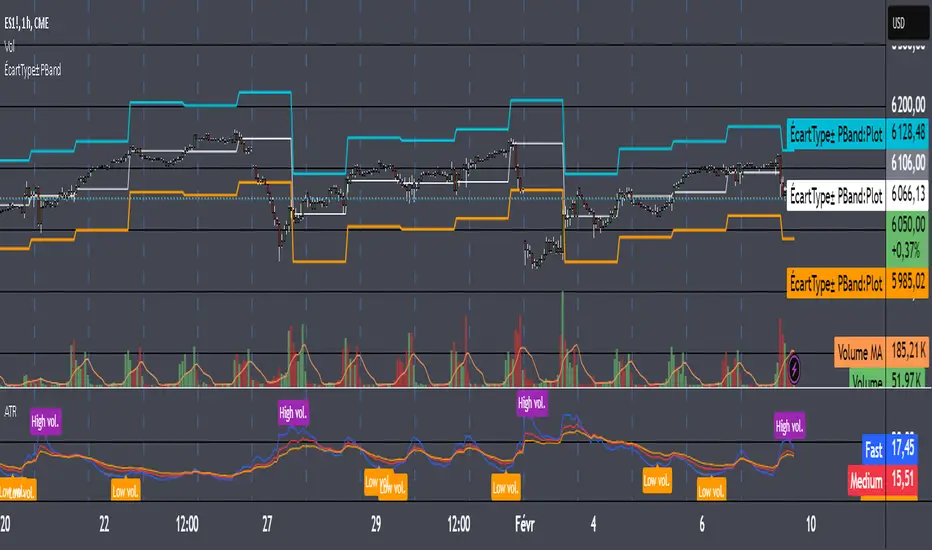
ATR Bands (MA Distance)ATR Bands (MA Distance) plots volatility-based bands at a multiple of ATR away from a selected moving average.
Unlike percentage envelopes or standard deviation bands, this indicator measures distance from the moving average using ATR, representing the market’s normal “breathing range” rather than statistical probability.
Key Features
The center line is a selectable moving average (EMA, SMA, RMA/Wilder, or WMA).
Upper and lower bands are calculated as:
Moving Average ± ATR × Multiplier
Band width automatically adapts to changing market volatility.
Designed for consistent use across different markets and timeframes without parameter re-optimization.
Non-repainting: all values are calculated only from confirmed historical bars.
Intended Use
ATR Bands (MA Distance) is best used as a context and preparation tool , not as a direct entry or exit signal.
Typical use cases include:
Identifying areas where price is extended relative to its recent volatility.
Visualizing normal vs. stretched price distance from the moving average.
Supporting range-based analysis or trade preparation when combined with other indicators (e.g., oscillators).
Important Notes / How NOT to Use
This indicator does NOT generate buy or sell signals by itself .
Touching or crossing a band does not imply an automatic reversal.
In strong trending markets, price may stay outside the bands for extended periods.
ATR Bands should not be interpreted as overbought/oversold levels on their own.
This indicator does NOT repaint. Once a bar is closed, its values will not change.
For best results:
Use ATR Bands as a preparation zone, then wait for confirmation from your own entry logic.
Disable or ignore band-based mean-reversion ideas during strong trend conditions.
Concept Summary (Short)
ATR Bands (MA Distance) visualize how far price has moved from its moving average in terms of volatility, without repainting and without relying on percentage deviation or statistical assumptions.
Optional Short Description (Preview)
Volatility-based, non-repainting ATR bands plotted at a distance from a moving average.
Designed for market context and trade preparation — not standalone signals.
Opening Range Breakout + VWAP + Volume [ORB Strategy]A complete Opening Range Breakout (ORB) strategy with optional VWAP and volume confirmation filters for day trading futures, stocks, and indices.
█ FEATURES
- Configurable Opening Range duration (5-60 minutes)
- VWAP filter — only take longs above VWAP, shorts below
- Volume confirmation — require relative volume (RVOL) spike on breakout
- Adjustable trading time window with timezone support
- Visual OR high/low levels with glow effect
- Real-time dashboard showing filter status and session state
- 6 built-in alerts for signals and filter rejections
- 5 color themes (Supernova, Nebula Core, Aurora Borealis, Ice Giant, Solar Flare)
█ HOW IT WORKS
1. Marks the high/low of the Opening Range after market open
2. Generates BUY signal when price breaks above OR high (with optional filters)
3. Generates SELL signal when price breaks below OR low (with optional filters)
4. Failed breakouts (rejected by filters) shown as small markers
█ FILTER COMBINATIONS
Toggle filters independently:
- ORB only — classic breakout signals
- ORB + VWAP — directional bias confirmation
- ORB + Volume — momentum confirmation
- ORB + VWAP + Volume — maximum filter (recommended)
█ RECOMMENDED USE
- Best on 5-15 minute charts
- Optimized for NQ, MNQ, ES, MES futures
- Works on stocks and indices
- Ideal for 9:30-11:00 AM ET session trading
█ INPUTS
Opening Range: duration, line visibility, extension
Session: start time, trade window, timezone
Filters: VWAP toggle, volume toggle, RVOL threshold
Display: signal size, dashboard position/size, theme
DM for access
Elite Monday Range V3- ProfessionalElite Monday Range V3 - Advanced Institutional Bias & Analysis
Overview
The Elite Monday Range V3 is a high-performance decision-support tool designed for traders who utilize the "Weekly Open" and "Monday's Range" as their primary benchmark for the trading week. Unlike standard range indicators, this script employs an advanced Multi-Asset Analysis Engine to determine the weekly bias with institutional-grade precision.
It doesn't just draw lines; it analyzes Previous Week's Close (PWC), Monday's Candle Structures (Price Action), and Internal Liquidity to provide a definitive "Directional Bias" and "Confidence Score."
Key Features
Smart Multi-Asset Detection: Automatically detects if you are trading Forex, Crypto, or Indices and adjusts its internal logic and strategy suggestions accordingly.
Institutional Bias Engine: Calculates a Confidence Score (from -4 to +4) based on 4 critical criteria:
Price vs. Previous Week Close: Checks if the bulls or bears are maintaining momentum from the prior week.
Monday Candle Analysis: Automatically identifies Pin Bars (Liquidity Grabs) or Strong Engulfing movements.
Price vs. Monday Midpoint (Equilibrium): The ultimate pivot point for weekly trend direction.
Price vs. Weekly Open: Tracks the "true" opening sentiment.
Liquidity Hunt Signals (Judas Swing): Visual alerts for LIQ BUY and LIQ SELL when price sweeps Monday's extremes and returns inside the range—a classic sign of institutional manipulation before a trend.
Symmetric Expansion Levels: Projects +50%, +100%, -50%, and -100% extensions of the Monday range to identify high-probability Take Profit (TP) and reversal zones.
Dynamic Professional Dashboard: A sleek, real-time table on your chart that summarizes Asset Type, Weekly Bias, Candle Info, and the Confidence Score.
Force Overlay Technology: Ensures all lines and labels remain visible and crisp on the top layer, above candles and other indicators.
How to Trade with the Elite Dashboard
Check the "Net Weekly Bias": Look for STRONG BULL or STRONG BEAR.
Verify Confidence Score: A score of 3 or 4 (or -3/-4 for shorts) indicates high-probability conditions.
Identify Entry: If the Bias is "STRONG BULL," wait for a retest of the Monday Mid (MID) or Monday High (MON H).
Confirm with Liquidity: Look for a LIQ BUY signal near the Monday Low for the highest-quality "A+ Setup."
Target: Use the Expansion Levels (+50% / +100%) as your primary targets for the week.
Technical Settings
Lookback Weeks: Choose exactly how many historical weeks to display to keep your chart clean.
Customizable Colors: Fully adjustable colors for Monday ranges and expansion projections.
Line Width: User-defined thickness for professional visual clarity.
EMA RANGEEMA RANGE
EMA RANGE is a simple, price-focused indicator that plots an Exponential Moving Average (EMA) with a dynamic ATR-based range above and below it. The ATR bands adapt to market volatility, helping traders visualize normal price movement and identify potential expansion or compression zones.
🔹 Features
Customizable EMA length
ATR range bands plotted above and below the EMA
Adjustable ATR length and multiplier
Toggle to enable or disable ATR ranges
Fully customizable colors and line thickness from the Style tab
🔹 How It Works
The EMA serves as the central trend reference.
The Average True Range (ATR) measures volatility.
Upper and lower bands are calculated as:
EMA ± (ATR × Multiplier)
When price remains inside the range, conditions are considered normal. Moves outside the range may signal increased volatility, momentum expansion, or potential breakout conditions.
🔹 Best Use Cases
Trend continuation and pullback analysis
Volatility-based risk framing
Dynamic support and resistance visualization
Works on any market and timeframe
EMA RANGE is designed to stay clean, responsive, and easy to interpret—making it suitable for both discretionary and systematic traders.
Market Session Terrain Monitor v1.0Summary
Market Session Terrain Monitor helps traders understand where the market is within its normal intraday behavior, not where it should go. It is a decision-support tool designed to reduce late entries, over-trading, and narrative bias by grounding intraday analysis in historical session statistics.
Purpose
Market Session Terrain Monitor provides statistical context for intraday market movement by analyzing how much each major trading session typically moves, how much it has moved so far, and what market state the current session inherits from previous sessions.
The indicator is designed to answer one core question:
Is the current session early, normal, or already expanded relative to its historical behavior?
This indicator does not predict direction and does not generate buy or sell signals. It is intended as a context and state-awareness tool to support independent, structure-based decision making.
Sessions Analyzed
The trading day is divided into three independent sessions, defined in UTC time:
• Asia
• London
• New York
Each session is analyzed separately using its own historical data. No session is assumed to control or predict the behavior of another.
Session Range
For each session, the indicator measures the session range, defined as the session high minus the session low. This captures how much the market actually moved during that session, regardless of direction.
P90 Expansion Benchmark
For each session, the indicator calculates a P90 expansion benchmark.
• P90 represents the range that only about ten percent of historical sessions exceed
• It reflects a large but repeatable expansion, not an extreme outlier
• It is used as a normalization reference so sessions with different volatility characteristics can be compared on equal terms
The P90 values are displayed in the table header in price units, such as USD, as a reference for scale.
Percent of P90
Current and previous session ranges are expressed as a percentage of that session’s own P90.
This shows:
• How much of a statistically large session has already been used
• Whether the session is still early, behaving normally, or approaching expansion
Rolling Comparative Table
The table displays three rows, ordered by time and anchored to the current active session:
• Current · Session
• Previous · Session
• Previous-2 · Session
Each row shows:
• Session name
• Session range in price units
• Session range as a percentage of that session’s P90
This rolling layout provides context about the market state inherited by the current session without implying causality.
How to Use the Indicator
The indicator helps with:
• Identifying whether a session is early or late in its statistical range
• Avoiding entries when a session is already stretched
• Recognizing compression versus expansion regimes
• Understanding the market state the current session inherits
The indicator does not:
• Predict direction
• Forecast highs or lows
• Assume that one session determines the next
Directional decisions should come from price structure, execution rules, and risk management.
Design Philosophy
• Range first, direction second
• State awareness over narrative
• Statistical normalization instead of absolute numbers
• Comparative, not predictive
The indicator intentionally avoids estimating remaining range or subtracting previous session movement, as those approaches introduce bias and false causality.
Suitable Markets
• Gold and silver
• Forex pairs
• Indices
• Other liquid instruments with clear session behavior
Volatility High/Low Projection (PHOD / PLOD)AP Capital – Volatility + High/Low Projection
This indicator is designed to identify high-probability intraday turning points by combining daily range statistics, session behaviour, and volatility context into a single clean framework.
It is built for index, forex, and metals traders who want structure, not noise.
🔹 Core Features
1️⃣ Potential High of Day (PHOD) & Potential Low of Day (PLOD)
The indicator highlights likely intraday extremes based on:
Session timing (Asia, London, New York)
Current day volatility vs historical averages
Prior day expansion or compression behaviour
Each level is displayed with:
A clear label (PHOD / PLOD)
A forward-extending box acting as a live Point of Interest (POI)
Automatic invalidation when price breaks the zone
2️⃣ Volatility & Range Context (Info Panel)
A compact information panel in the top-right corner provides real-time context without cluttering the chart:
20-Day Average Range
% of the average range already used today
Range status (NORMAL / EXHAUSTED)
Average session ranges for:
Asia
London
New York
This allows traders to immediately assess whether price is:
Early in the day with room to trend
Statistically stretched and prone to reversal
Over-extended where breakout chasing is risky
3️⃣ Session-Aware Logic
The model respects how markets behave across the trading day:
Asia favours accumulation and potential lows
London provides expansion
New York often delivers distribution or exhaustion
This prevents random high/low marking and focuses only on structurally meaningful levels.
🧠 How to Use
Use PHOD / PLOD boxes as reaction zones, not blind entries
Combine with your own confirmation (structure break, momentum, volume, EMA reclaim, etc.)
Avoid chasing trades when the Range Status = EXHAUSTED
Particularly effective on 15m – 1h timeframes
⚠️ Important Notes
This indicator does not repaint
It is contextual, not a buy/sell signal generator
Best used as part of a complete trading plan
📈 Suitable Markets
XAUUSD (Gold)
Indices (NASDAQ, S&P 500, DAX)
Major FX pairs
📌 Disclaimer
This indicator is for educational and analytical purposes only.
It does not constitute financial advice. Trading involves risk.
Opening Range Breakout with VWAP & RSI ConfirmationThis indicator identifies breakout trading opportunities based on the Opening Range Breakout (ORB) strategy combined with intraday VWAP and higher timeframe RSI confirmation.
Opening Range: Calculates the high, low, and midpoint of the first 15 or 30 minutes (configurable) after your specified market open time.
Intraday VWAP: A volume-weighted average price calculated manually and reset daily, tracking price action throughout the trading day.
RSI Confirmation: Uses RSI from a user-selected higher timeframe (1H, 4H, or Daily) to confirm signals.
Buy Signal: Triggered when VWAP breaks above the Opening Range High AND the RSI is below or equal to the buy threshold (default 30).
Sell Signal: Triggered when VWAP breaks below the Opening Range Low AND the RSI is above or equal to the sell threshold (default 70).
Visuals: Plots Opening Range levels and VWAP on the chart with clear buy/sell markers and optional labels showing RSI values.
Alerts: Provides alert conditions for buy and sell signals to facilitate timely trading decisions.
This tool helps traders capture momentum breakouts while filtering trades based on momentum strength indicated by RSI.
RTH Opening Range with ExtensionsTool that maps the opening range, opening range mid and extensions. Defaults are 5min OR with 1x extensions. You can customize to 1min, 5min, 15min or 30min opening ranges. Nothing complicated and certainly vibe coded with the help of Claude AI.
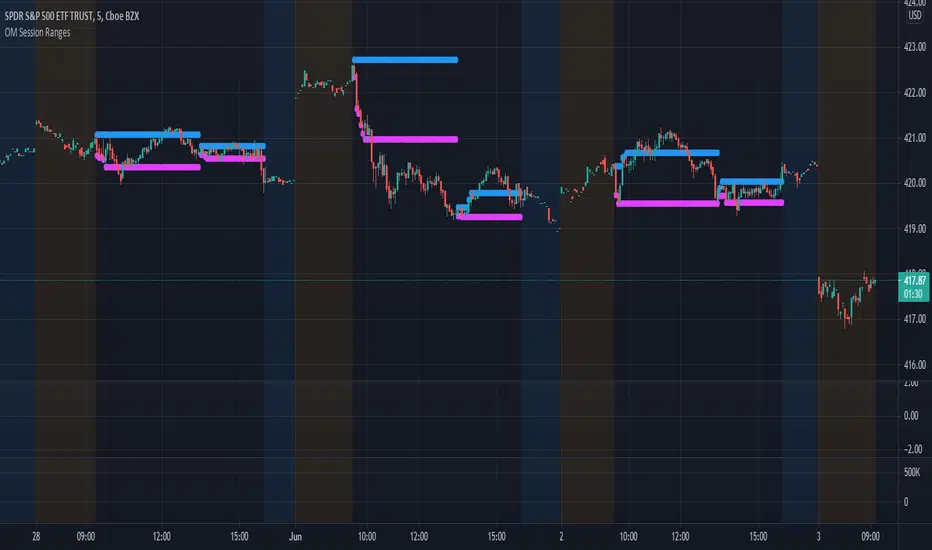
Session Ranges Pro+Session Range Zones – Professional Edition
OVERVIEW
Professional visualization of the classic opening-range / Initial Balance concept across Asian, London, and Regular (US) sessions.
Displays the high/low of the user-defined opening window as thick, hierarchical filled zones with optional Fibonacci and standard-deviation extensions plus full alerting.
CONCEPT BACKGROUND
Using the high and low of the first 30–60 minutes of a session as key support/resistance is public-domain knowledge that has been standard in institutional trading for decades (Initial Balance, Opening Range, Session Range, etc.).
On TradingView the same principle was popularized under the name “Defining / DealingRange / DR/IDR” by TheMas7er and others.
IMPLEMENTATION & VALUE ADDED
This indicator follows the established, public-domain range-calculation methodology but has been completely rewritten with the following original enhancements:
• Clean, filled High / Mid / Low zones for instant visual hierarchy
• Intuitive Asian / London / Regular session labelling and fully custom timing
• Comprehensive dynamic & static Fibonacci and 50%/100% standard-deviation extensions
• Alert conditions on every zone, midline, opening level, and extension line
• Modern, modular code architecture using arrays and custom drawing functions
• No repainting, lightweight performance on any intraday timeframe
HOW TO USE
Apply to 1–15 min charts. Select desired sessions and formation period (30 or 60 min typical).
Shaded zones serve as primary support/resistance; extensions provide measured-move targets.
CREDIT & TRANSPARENCY
Core methodology: public domain (Initial Balance / Opening Range / Session Range).
Early TradingView popularization of the DR/IDR naming and feature set: TheMas7er **(with thanks to community contributors like bmsitiaan and trading-guide for refinements)**.
**Utilizes PineCoders' VisibleChart library for optimized chart rendering.**
This script uses the same foundational principle and logical input options but is an independent implementation. All visual presentation, zone system, multi-session handling, extension systems, alerting framework, and underlying code structure are original.
DISCLAIMER
For educational and informational purposes only. Not financial advice. Past performance is no guarantee of future results. Test thoroughly on your instruments and timeframes.
NQ Manipulation/Distribution Projections + Average RangeThis is not your typical OHLC indicator :)
Overview:
The Manipulation/Distribution Projections (OHLC Stats) indicator is a powerful tool designed to forecast potential price levels for various timeframes. It operates on a simple yet profound principle: price action within a single candle can be broken down into "manipulation" and "distribution" phases. By analyzing over 17 years of historical data for major assets in Python, this script calculates the average (mean) and typical (median) extent of these movements.
These statistical insights are then used to project key levels on your chart based on the current period's opening price, providing a statistically-grounded framework for potential support, resistance, and price targets.
Key Concepts Explained
The indicator's logic is based on how price wicks and bodies form relative to the opening price.
• Manipulation: This refers to the initial move that goes against the candle's eventual direction. For a bullish candle, it's the lower wick (the move from the open down to the low before reversing higher). For a bearish candle, it's the upper wick (the move from the open up to the high before selling off). It represents a "fake out" or a stop hunt.
• Distribution: This is the primary, directional move of the candle from the opening price. For a bullish candle, it's the distance from the open to the high. For a bearish candle, it's the distance from the open to the low. It represents the "real" intended direction of price for that period.
How It Works
This indicator does not calculate these ratios in real-time. Instead, it leverages a comprehensive statistical analysis performed externally in Python on over 17 years of OHLC data. This analysis determined the mean and median ratios for both Manipulation and Distribution movements across different timeframes and, for intraday periods, different times of day.
These pre-computed, static ratios are embedded directly into the script. When a new period begins (e.g., a new day on the Daily timeframe), the indicator:
1. Takes the opening price for that period.
2. Retrieves the corresponding pre-calculated Manipulation and Distribution ratios.
3. Applies these ratios to the opening price to project eight potential price levels:
o + / - Mean Distribution
o + / - Median Distribution
o + / - Mean Manipulation
o + / - Median Manipulation
This approach provides a stable, forward-looking set of levels for the entire duration of the trading period.
________________________________________
Features
• Statistically-Derived Projections: Plots eight key price levels based on historical tendencies, providing clear potential zones for entries, exits, and stop placement.
• Selectable Timeframe: Choose to view projections for the 1H, 4H, 1D, or 1W periods directly from the settings.
• Dynamic Stats Table: A powerful, on-chart dashboard that provides real-time context. For all four timeframes (1H, 4H, 1D, 1W), it shows:
o Position: Where the current price is relative to the projected zones (e.g., "In +Manip Zone," "Below -Dist").
o Range Completed: The percentage of the historical average range that the current period has already covered.
o Current & Average Range: The current high-to-low range in points vs. the historical average.
• Historical Context: You can display levels for previous periods to see how price has interacted with them in the past.
• Full Customization: Control the color, style, and visibility of every line, label, and fill to match your chart's theme.
________________________________________
How to Use
This indicator is versatile and can be integrated into various trading strategies.
• Identifying Targets & Reversal Zones: The Distribution levels (especially the zone between the median and mean) can serve as logical take-profit targets, as they represent a historical point of extension. Conversely, Manipulation levels can indicate areas where price might form a wick and reverse.
• Gauging Volatility: Use the Stats Table's "Range Completed" column to assess market conditions. If the 1D range is only 30% complete by mid-day, there may be room for significant expansion. If it's already at 150%, the market might be overextended and due for consolidation.
• Multi-Timeframe Confluence: Use the Stats Table to quickly check if the price on a lower timeframe (e.g., 1H) is approaching a significant level on a higher timeframe (e.g., 1D), adding more weight to that level.
• Defining Bias: If the price opens and holds above the Manipulation zones, it can signal a strong directional bias for the rest of the period.
________________________________________
Settings
• Projection Timeframe: The primary timeframe for which to calculate and display the levels.
• Historical Periods to Show: Set to 1 for only the current period, or increase to see how levels from past periods held up.
• Timezone: Set the timezone for accurate hourly calculations (defaults to America/New_York).
• Visuals: Customize the appearance of the projection lines, labels, and the shaded zones between mean and median levels.
• Stats Table: Enable/disable the table and configure its position, size, and colors.
________________________________________
Disclaimer: This indicator is for informational and educational purposes only. It does not constitute financial advice or a recommendation to buy or sell any asset. All trading involves risk, and past performance is not indicative of future results. Please do your own research and risk management.
Enjoy!
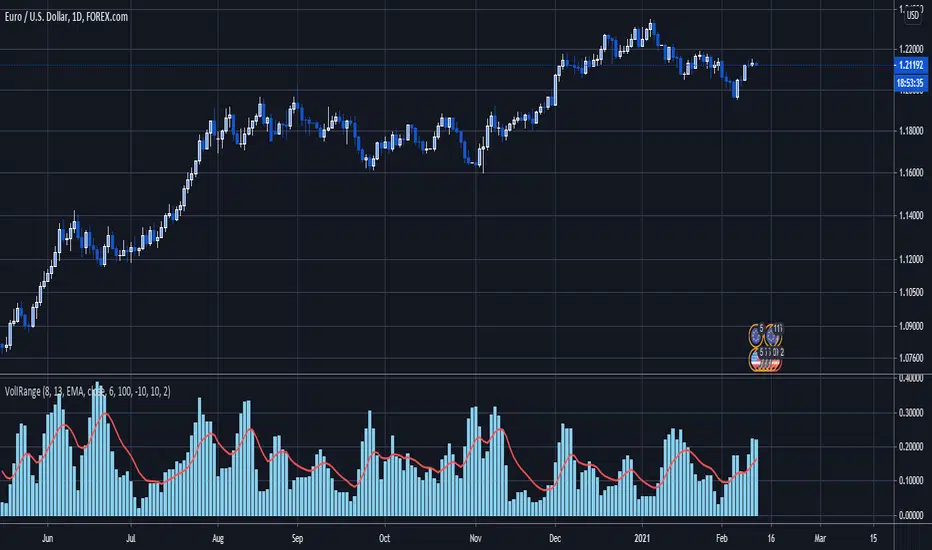
Donchian Channels + Avg Width % DashboardMeasures the average percentage width between the Donchian Channel’s upper and lower bands over a chosen period.
It quantifies how much the market has been moving relative to price — a direct gauge of realized volatility.
When the average width is small, price is range-bound and unlikely to reach fixed TP targets; when it expands, volatility is sufficient for trend or breakout trades.
Based on how fast your strategy is, set your TP% below the average percentage of the Band Width.
Candle Range Theory (CRT) +Candle Range Theory (CRT)+
Summary
Purpose: Projects a Higher Timeframe (HTF) candle’s range onto your current chart and adds a compact multi-timeframe confluence table to judge premium/discount, trend vs pullback, and alignment.
What it draws:
HTF Range: Active HTF High, Low, and the 50% Equilibrium (EQ) line. Range updates while the HTF bar is building and resets when a new HTF bar starts.
Confluence Table (optional): Up to 5 rows, each pairing a configurable HTF and LTF. Background tint shows premium/discount relative to that row’s HTF EQ. The row label reports directional state (bullish/bearish and pullback/continuation) using simple bar-close momentum checks and a configurable lookback.
How the Confluence Table works
Rows: Up to five independent HTF/LTF pairs (each row can be toggled on/off and configured).
Location: Price vs that row’s HTF EQ
Above EQ = Premium (maroon tint by default)
Below EQ = Discount (green tint by default)
Direction/State: A bar-close momentum read combined with HTF location to label:
Bullish continuation / Bearish continuation
Bullish pullback (upward momentum in discount) / Bearish pullback (downward momentum in premium)
Lookback control:
Uniform Lookback ON: HTF and LTF both use a 1-bar lookback (more responsive).
Uniform Lookback OFF: HTF uses a slightly longer lookback on higher frames for stability; LTF remains 1-bar for responsiveness.
Disclaimer:
This script is for educational and informational purposes only and does not constitute financial advice, investment advice, or trading recommendations. Trading involves substantial risk; you can lose some or all of your capital. Past performance or examples are not indicative of future results. The author provides no warranties regarding accuracy, completeness, or fitness for any purpose and disclaims liability for any losses arising from the use of this tool. Always use your own judgment, confirm on bar close, and consider multiple factors (e.g., volatility, liquidity, news) before taking any action. You are solely responsible for your trading decisions.
Nifty Trend vs Range (Final)This indicator is designed to help you quickly identify whether the Nifty market is trending, ranging, or preparing for a breakout by combining three volatility and trend-strength measures:
India VIX (Volatility Index)
ADX (Average Directional Index)
ATR (Average True Range)
It creates a Trend vs Range Decision Matrix that categorizes the market into actionable states such as Range – Quiet, Breakout Watch, Trend – Smooth, Trend – Confirmed, Trend – Volatile, or Choppy / Noisy.
🔑 How it Works
India VIX (Market Volatility)
Pulled directly from NSE:INDIAVIX (or your chosen symbol).
VIX thresholds are defined:
Below VIX Low → Calm market (often ranges).
Between VIX Low & High → Neutral/moderate volatility.
Above VIX High → High volatility (potential big moves or choppiness).
VIX can be scaled and plotted in the same pane with ADX/ATR, or shown separately with a companion script.
ADX (Trend Strength)
Custom calculation (Wilder’s smoothing, not built-in ta.adx), to ensure more consistent results.
Thresholds (auto-tuned by timeframe if enabled):
Low ADX → Weak/no trend, sideways.
High ADX → Strong directional trend.
ATR (Volatility Expansion)
ATR compared to a moving average of ATR detects whether volatility is rising or flat.
Used as confirmation for breakouts or fading moves.
🧠 Market State Logic
The script combines the three signals into an interpretable market state:
Range – Quiet → VIX low, ADX low, ATR flat
Trend – Smooth → VIX low, ADX high
Breakout Watch → VIX neutral, ADX low, ATR rising
Trend – Confirmed → VIX neutral, ADX high, ATR rising
Choppy / Noisy → VIX high, ADX low, ATR rising
Trend – Volatile → VIX high, ADX high, ATR rising
Neutral → fallback if conditions don’t match
Each state is color-coded with background shading and displayed as a persistent label with key metrics (VIX, ADX, ATR).
⚙️ Features
✅ Intraday Auto-Tuning
ADX/ATR thresholds automatically adjust depending on chart timeframe (5m, 15m, etc.).
✅ Scalable VIX Plotting
Option to overlay a scaled VIX line in the same pane or hide it if you use a separate VIX pane.
✅ Persistent State Label
Shows the current regime, timeframe, and key values. Updates every bar without stacking multiple labels.
✅ Alerts Ready
Alerts for each market regime can be set directly in TradingView.
✅ Background Coloring
Quick at-a-glance identification of current state.
🎯 How to Use
Ranging markets (low VIX, low ADX, flat ATR): Favor mean-reversion strategies like option selling, iron condors, or scalping.
Smooth trends (low VIX, high ADX): Favor directional trades with futures/options spreads.
Breakout Watch: Stay alert for possible trend initiation.
Confirmed trends (neutral VIX, high ADX, rising ATR): Ideal for momentum trading.
Volatile trends (high VIX, high ADX): Use caution, hedge positions, or trade with wider stops.
Choppy/Noisy (high VIX, low ADX): Avoid overtrading, expect false signals.