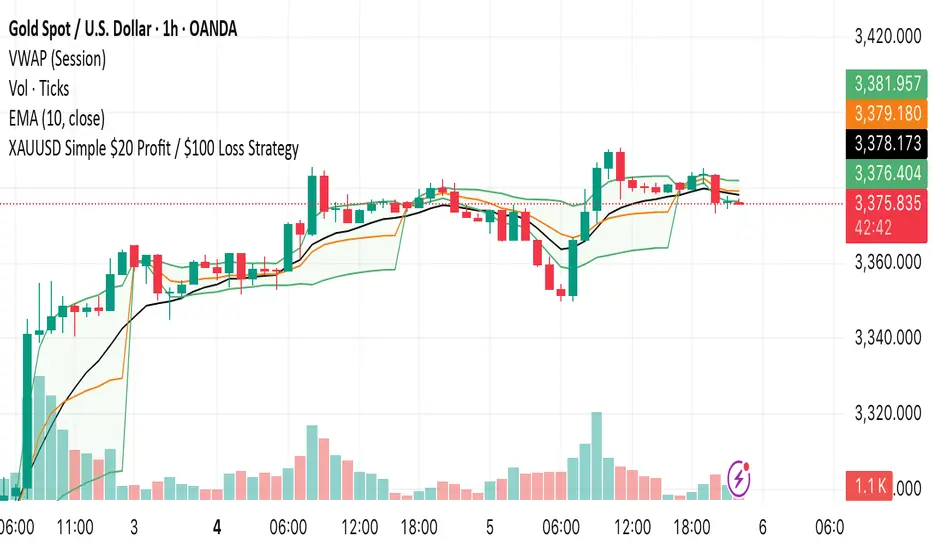
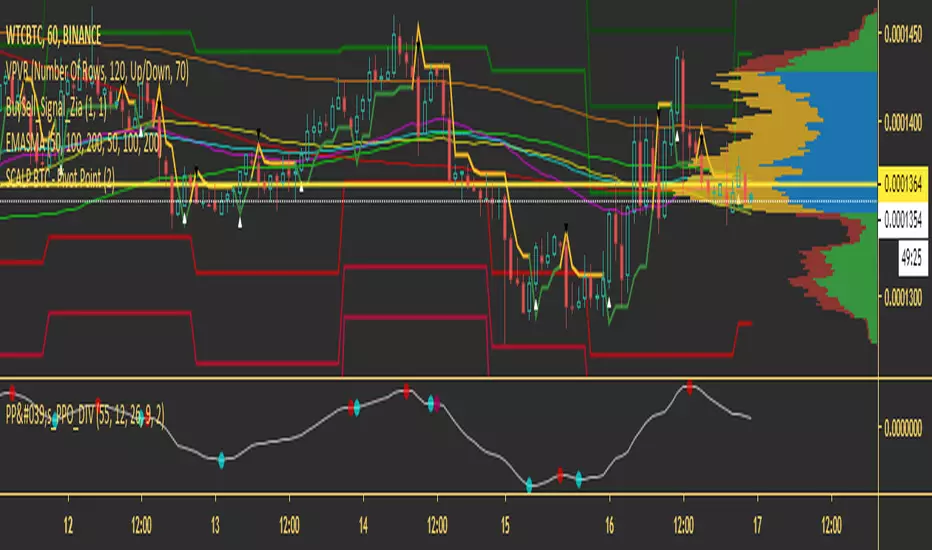
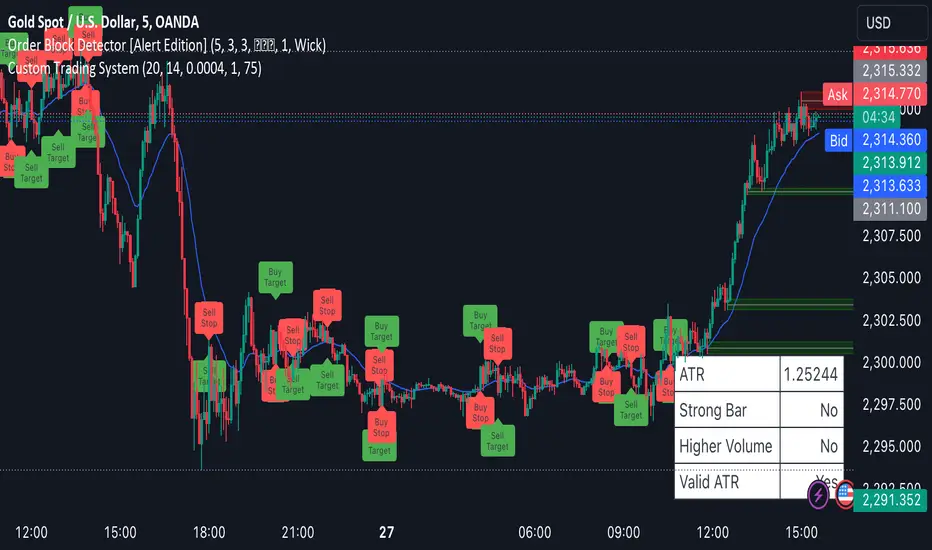
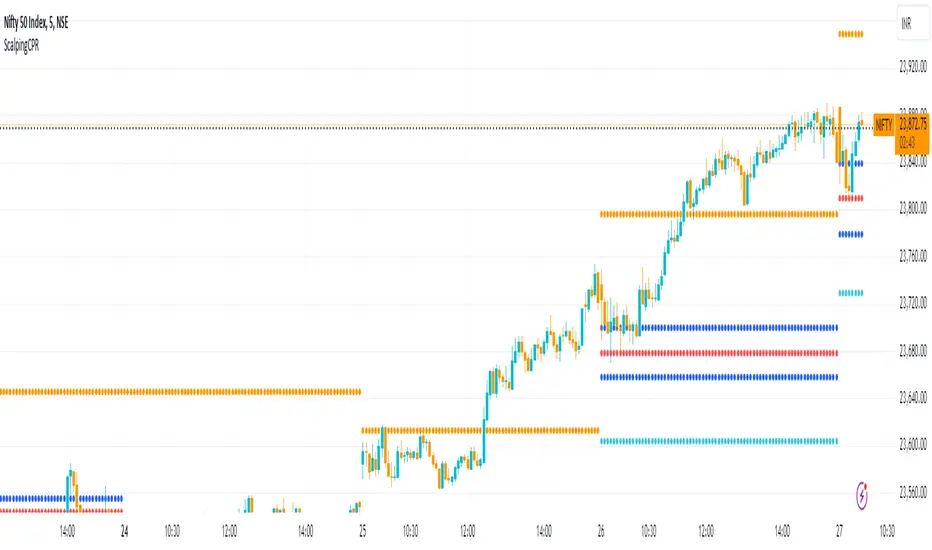
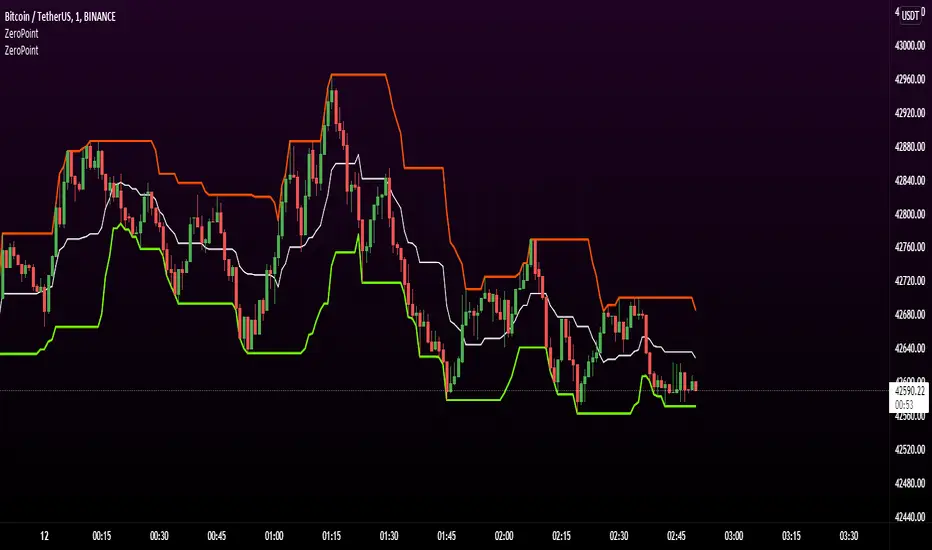
Elder Impulse System + ATR BandsDisregard the above chart, I am not sure why it isn't showing the one I want, which is linked below:
This is as far as I can tell the closest representation to Dr. Alexander Elder's updated "Elder Impulse System" that has added ATR-volatility bands up to 3x deviations from price. I got the idea from watching this recent video (www.youtube.com) of Dr. Elder reviewing some recent trades and noticed he had updated his system from his original books. The Impulse System colour coding was inspired by AstralLoverFlow and LazyBear. ATR Bands are pre-programmed Keltner Channels with some modifications such as filing in the ATR Zones with user-selected colour bands and modifying the ATR value to better suit the volatility of the market being traded.
The script has several components, which I will detail below:
Exponential Moving Averages:
1) A 13-period EMA that is used as a staple in all of Dr. Elder's technical analysis. He uses this EMA as the basis for all of his indicators and why it is included here.
2) A 26-period EMA which can be used as a base-line of sorts to filter when to go long or when to go short. For instance, price over the 26-EMA, price is strong and the rally upwards is likely to continue, underneath it, price is weak and likely to continue downwards for a time.
Volatility Bands:
By definition these are nothing more than 3 separate Keltner Channels of a 13-period EMA each set to one additional multiplier from the moving average. This gives us a 1x, 2x, and 3x multiplier of average volatility from the 13-period EMA based on a 14-period Average True Range (ATR) reading. The ATR was chosen as it accommodates price gaps and also is the standard formula calculation in TradingView. The values of the bands cannot be adjusted but the colour coding of them can be.
Elder Impulse System:
These colour-coded bars show you the strength and direction of the current chart resolution, calculated by the slope of a 13-period EMA and the slope of a MACD histogram. These are used not as a buying or selling recommendation alone but as trend filters, as per Dr. Elder's own description of them.
Green Bars = The 13-period EMA is sloping positively and the MACD histogram is rising compared to previous bars. The trader should only consider buying/long opportunities when a green bar is most recent.
Red Bars = The 13-period EMA is sloping negatively and the MACD histogram is falling compared to previous bars. The trader should only consider selling/short opportunities when a red bar is most recent.
Blue Bars = The 13-period EMA and the MACD histogram are not aligned. One of the indicators is sloping opposite to the other indicator. These are known as indecision bars and are typically seen near the end of a previously established trend. The trader can choose to wait for either a green or red bar to shape their trading bias if they are more risk-averse while a counter-trend trader may decide to try opening a position against the currently-established trend.
How To Trade the System:
This system is unique in that it is so versatile and will fit the styles of many traders, be it trend following traders (generally the original Elder Impulse System design) or mean-reversion/counter-trend trading (the original Keltner Channel design). None of the examples below or in the chart above are financial advice and are just there for demonstration purposes only.
1) The most basic signal given would be the moving average cross up or down. A cross of the 13-EMA over the 26-EMA signals upward trend strength and the trader could look for buying opportunities. Conversely, the 13-EMA under the 26-EMA shows downward trend strength and the trader could look for selling opportunities.
2) Following the Elder Impulse system in conjunction with the EMAs. Look for long opportunities when a green bar is printed and price is over both of the 13- and 26-period EMAs. Look for short opportunities when a red bar is printed and price is below both of the 13- and 26-period EMAs. Keep in mind this does not necessarily need a moving average cross to be viable, a green or red bar over both EMAs is a valid signal in this system, usually. Examine price more closely for better entry signals when a blue bar is printed and price is either above or below both EMAs if you are a trend trader. This is how Dr. Elder originally intended the system to be used in conjunction with his famous Triple Screen Trading System. I am not going into detail here as it is a deep subject but I would suggest an interested trader to examine this Triple Screen System further as it is widely accepted as a strong strategy.
3) Mean Reversion and Counter-Trend Trading. Dr. Elder mentions that the zone between the two EMAs is called the Value Zone. A mean reversion trader could look for buying opportunities if price has generally been in an uptrend and falls back to value, conversely, they could look for shorting opportunities if price has generally been in a downtrend and rises back to value. These are your very basic pull backs found in trends that create your higher lows in an uptrend or your lower highs in a downtrend. A mean reversion/scalper trader may also look to use the upper and lower most ATR bands as an indication of price being overbought or oversold and could look to enter a counter-trend trade here once a blue indecision bar is printed and to ride that move back down to the Value Zone.
Taking Profits and Risk Management
This system again is very versatile and will fit a wide range of trading styles. It has built in take profit levels and risk management depending on your style of trading.
1a) In original Triple Screen Trading (and the original Elder Impulse system), a trader was to place a buy order one tick above a newly printed green bar with a stop loss one tick below the most recent 2-day low, and vice-versa for red bars on short selling. as long as other criteria were met, that I will not go into. It is all over YouTube and in his books and on Investopedia if you want more information. The general idea is to continue the trend in the direction if price is strong and you are bought into that move with a close stop, or if price falls back a little bit, you can get in at a better price. This would be a system typically better suited to a scalper.
1b) The updated risk management according to the above video is to place a stop loss at least 2ATR away from price. These bands already have calculated these values so a trader can place a stop one tick below the 2 or even 3ATR zones depending on their risk appetite. This is assuming you have already received a strong buy signal based on the system you follow. This would be a system typically better suited to a trend-trader.
2a) Taking profits if you are a trend trader has several possibilities. The first, as Dr. Elder suggests, is to place a price target 2ATR values away from your entry giving you approximately a 1:1 risk-reward ratio.
2b) The second possibility if the trade is successful is to ride the trend upwards until a blue bar is printed, suggesting indecision in the market. A modified version of this that could let a winning trade run longer is to wait for the price to close under the 13-EMA in fast markets, or close under the 26-EMA in slightly slower markets to maximize potential winnings.
2c) A scalper trader may wish to have a target at either the value zone if they are playing an extended buy/short back to the mean, or if they are being at the mean, to sell or cover when price extends back out to the 2x or 3x zone.
3) Trend traders can additionally use the ATR zones as a sort of safety guidelines for entering a trade. Anything within the 1ATR zone is typically a safer entry as the market is less volatile at this time. Entering when price has gone into the 2ATR zone is signaled as a strong momentum move and can signal a stronger move in the direction of the current closing bar. While not always the case, it is suggested by Dr. Elder to not enter trend trades at the 3ATR zone as this is where you will be likely looking for a counter-trend retracement back to value and a trader entering here in the direction of the trade has a higher chance of being stopped out or not getting in at the best possible price.
Cari dalam skrip untuk "scalp"
Exhaustion IndicatorThe ScalpSQZ indicator is designed to identify four critical market states using volatility structure, momentum behavior, and exhaustion conditions. It enhances scalping precision by visually marking transitions between consolidation, squeeze conditions, and momentum reversals through color-coded candles.
1. Squeeze Conditions (Orange Candles)
Orange candles highlight volatility compression, detected when Bollinger Bands contract inside the Keltner Channels. This structure signals that market volatility is tightening and a significant expansion move is likely to follow. The squeeze represents a pre-breakout environment and serves as the earliest warning of a potential directional shift.
2. Consolidation Conditions (Yellow Candles)
Yellow candles identify phases of low directional momentum. These conditions occur when RSI remains near neutral values, MACD histogram activity is minimal, and the Rate of Change stays muted. This combination indicates that the market is balanced and non-trending, often preceding a volatility spike or a new trend. Consolidation helps traders avoid low-probability entries during indecisive price action.
3. Momentum Exhaustion โ Overbought Fade (White Candles)
White candles signal potential top-side exhaustion. This occurs when RSI enters overbought territory while the MACD histogram begins to weaken compared to the previous bar. This condition does not necessarily call a reversal but warns that bullish momentum is deteriorating and upside continuation may be limited. It is particularly useful for identifying trend fatigue and tightening stop-loss placement.
4. Momentum Exhaustion โ Oversold Fade (Purple Candles)
Purple candles identify bottom-side exhaustion and appear when RSI reaches oversold levels, MACD momentum begins improving, and the current close shows buyer defense relative to the previous low. This condition suggests selling pressure is diminishing and a potential reversal or relief bounce may be forming. Purple candles serve as an early indication of bearish trend exhaustion.
Color Priority System
The indicator follows a fixed hierarchy to ensure clarity:
Squeeze (orange) has the highest priority, followed by consolidation (yellow). Exhaustion signals (white for tops, purple for bottoms) apply only when no squeeze or consolidation conditions are active. This structure ensures that the most critical market states are always highlighted first.
Purpose and Application
ScalpSQZ helps traders identify optimal environments for breakouts, anticipate trend exhaustion, and avoid low-quality trades during choppy or low-momentum conditions. It is suitable for scalping, day trading, and swing trading across any asset class or timeframe.
MTF EMA Trading SystemHere's a comprehensive description and usage guide for publishing your MTF EMA Trading System indicator on TradingView:
MTF EMA Trading System - Pro Edition
๐ Indicator Overview
The MTF EMA Trading System is an advanced multi-timeframe exponential moving average indicator designed for traders seeking high-probability setups with multiple confirmations. Unlike simple EMA crossover systems, this indicator combines trend alignment, momentum, volume analysis, and previous day confluence to generate reliable long and short signals with optimal risk-reward ratios.
โจ Key Features
1. Multi-Timeframe EMA Analysis
Configure 5 independent EMAs (default: 9, 21, 50, 100, 200)
Each EMA can pull data from ANY timeframe (5m, 15m, 1H, 4H, 1D, etc.)
Color-coded lines with customizable widths
End-of-line labels showing EMA period and timeframe (e.g., "EMA200 ")
Perfect for analyzing higher timeframe trends on lower timeframe charts
2. Advanced Signal Generation (Beyond Simple Crosses)
The system requires MULTIPLE confirmations before generating a signal:
LONG Signals Require:
โ
Price action trigger (EMA cross, bounce from key EMA, or pullback setup)
โ
Bullish EMA alignment (EMAs in proper ascending order)
โ
Volume spike confirmation (configurable threshold)
โ
RSI momentum confirmation (bullish but not overbought)
โ
Sufficient EMA separation (avoids choppy/whipsaw conditions)
โ
Price above previous day's low (confluence with support)
SHORT Signals Require:
โ
Price action trigger (EMA cross, rejection from key EMA, or pullback setup)
โ
Bearish EMA alignment (EMAs in proper descending order)
โ
Volume spike confirmation
โ
RSI momentum confirmation (bearish but not oversold)
โ
Sufficient EMA separation
โ
Price below previous day's high (confluence with resistance)
3. Real-Time Dashboard
Displays critical market conditions at a glance:
Overall trend direction (Bullish/Bearish/Neutral)
Price position relative to all EMAs
Volume status (spike or normal)
RSI momentum reading
EMA confluence strength
EMA separation quality
Current ATR value
Previous day high/low levels
Current signal status (LONG/SHORT/WAIT)
Risk-reward ratio
4. Clean Visual Design
Large, clear trade signal markers (green triangles for LONG, red triangles for SHORT)
No chart clutter - only essential information displayed
Customizable signal sizes
Professional color-coded dashboard
5. Built-In Risk Management
ATR-based calculations for stop loss placement
1:2 risk-reward ratio by default
All levels displayed in dashboard for easy reference
๐ฏ How to Use This Indicator
Step 1: Initial Setup
Add the indicator to your TradingView chart
Configure your preferred timeframes for each EMA:
EMA 9: Leave blank (uses chart timeframe) - Fast reaction to price
EMA 21: Leave blank or set to 15m - Key pivot level
EMA 50: Set to 1H - Intermediate trend
EMA 100: Set to 4H - Major trend filter
EMA 200: Set to 1D - Overall market bias
Adjust signal settings based on your trading style:
Conservative: Keep all confirmations enabled
Aggressive: Disable volume or momentum requirements
Scalping: Reduce min EMA separation to 0.2-0.3%
Step 2: Reading the Dashboard
Before taking any trade, check the dashboard:
Trend: Only take LONG signals in bullish trends, SHORT signals in bearish trends
Position: Confirm price is on the correct side of EMAs
Volume: Green spike = strong confirmation
RSI: Avoid extremes (>70 or <30)
Confluence: "Strong" = high probability setup
Separation: "Good" = trending market, avoid "Low" separation
Step 3: Trade Entry
For LONG Trades:
Wait for green triangle to appear below price
Verify dashboard shows:
Bullish or Neutral trend
Volume spike (preferred)
RSI between 50-70
Good separation
Enter at market or on next bar
Set stop loss at: Entry - (ATR ร 2)
Set target at: Entry + (ATR ร 4)
For SHORT Trades:
Wait for red triangle to appear above price
Verify dashboard shows:
Bearish or Neutral trend
Volume spike (preferred)
RSI between 30-50
Good separation
Enter at market or on next bar
Set stop loss at: Entry + (ATR ร 2)
Set target at: Entry - (ATR ร 4)
Step 4: Trade Management
Use the ATR values from dashboard for position sizing
Trail stops using the fastest EMA (EMA 9) as price moves in your favor
Exit partial position at 1:1 risk-reward, let remainder run to target
Exit immediately if dashboard trend changes against your position
๐ก Best Practices
Timeframe Recommendations:
Scalping: 1m-5m chart with 5m, 15m, 1H, 4H, 1D EMAs
Day Trading: 5m-15m chart with 15m, 1H, 4H, 1D EMAs
Swing Trading: 1H-4H chart with 4H, 1D, 1W EMAs
Position Trading: 1D chart with 1D, 1W, 1M EMAs
Market Conditions:
Best in: Trending markets with clear direction
Avoid: Tight consolidation, low volume periods, major news events
Filter trades: Only take signals aligned with higher timeframe trend
Risk Management:
Never risk more than 1-2% per trade
Use ATR from dashboard to calculate position size
Respect the stop loss levels
Don't force trades when dashboard shows weak conditions
โ๏ธ Customization Options
EMA Settings (for each of 5 EMAs):
Length (period)
Timeframe (multi-timeframe capability)
Color
Line width
Show/hide toggle
Signal Settings:
Volume confirmation (on/off)
Volume spike threshold (1.0-3.0x)
Momentum confirmation (on/off)
RSI overbought/oversold levels
Minimum EMA separation percentage
ATR period and stop multiplier
Display Settings:
Show/hide EMA labels
Show/hide trade signals
Signal marker size (tiny/small/normal/large)
Show/hide dashboard
๐ Alert Setup
The indicator includes 4 alert conditions:
LONG Signal - Fires when all long confirmations are met
SHORT Signal - Fires when all short confirmations are met
Bullish Setup - Early warning when trend aligns bullish with volume
Bearish Setup - Early warning when trend aligns bearish with volume
To set up alerts:
Right-click on chart โ Add Alert
Select "MTF EMA Trading System"
Choose your desired alert condition
Configure notification method (popup, email, SMS, webhook)
๐ Performance Tips
Increase Win Rate:
Only trade in direction of higher timeframe trend
Wait for volume spike confirmation
Avoid trades during first 30 minutes and last 15 minutes of session
Skip trades when separation is "Low"
Reduce False Signals:
Increase minimum EMA separation to 0.7-1.0%
Enable all confirmation requirements
Only trade when confluence shows "Strong"
Combine with support/resistance levels
Optimize for Your Market:
Stocks: Use 9, 21, 50, 100, 200 EMAs
Forex: Consider 8, 13, 21, 55, 89 EMAs (Fibonacci)
Crypto: May need wider ATR multiplier (2.5-3.0x) for volatility
โ ๏ธ Important Notes
This indicator is designed to reduce false signals by requiring multiple confirmations
No indicator is 100% accurate - always use proper risk management
Backtesting recommended before live trading
Market conditions change - adjust settings as needed
Works best in liquid markets with clear price action
๐ Conclusion
The MTF EMA Trading System transforms simple moving average analysis into a sophisticated, multi-confirmation trading strategy. By combining trend alignment, momentum, volume, and confluence, it helps traders identify high-probability setups while filtering out noise and false signals. The clean interface and comprehensive dashboard make it suitable for both beginners and experienced traders across all markets and timeframes.
Top Finder & Dip Hunter [BackQuant]Top Finder & Dip Hunter
A practical tool to map where price is statistically most likely to exhaust or mean-revert. It builds objective support for dips and resistance for tops from multiple methodologies, then filters raw touches with volume, momentum, trend, and price-action context to surface higher-quality reversal opportunities.
What this does
Draws a Dip Support line and a Top Resistance line using the method you select, or a blended hybrid.
Evaluates each touch/penetration against Quality Filters and assigns a 0โ100 composite score.
Prints clean DIP and TOP signals only when depth/extension and quality pass your thresholds.
Optionally annotates the chart with the computed quality score at signal time.
Why itโs useful
Objectivity: Converts vague โlooks extendedโ into rules, reduces discretion creep.
Signal hygiene: Filters raw touches using trend, volume, momentum, and candle structure to avoid obvious traps.
Adaptable regimes: Switch methods, sensitivity, and lookbacks to match choppy vs trending conditions.
How support and resistance are built
Pick one per side, or use โHybrid.โ
Dynamic: Anchors to the extreme of a lookback window, padded by recent ATR, so buffers expand in volatile periods and contract when calm.
Fibonacci: Uses the 0.618/0.786 retracement pair inside the current swing window to target common reaction zones.
Volatility: Uses a moving-average basis with standard-deviation bands to capture statistically stretched moves.
Volume-Weighted: Centers off VWAP and penalizes deviations using dispersion of price around VWAP, helpful on intraday instruments.
Hybrid: A weighted average of the above to smooth out single-method biases.
When a touch becomes a signal
Depth/extension test:
Dips must penetrate their support by at least Min Dip Depth % .
Tops must extend above resistance by at least Min Top Rise % .
Quality Score gate: The composite must clear Min Quality Score . Components:
Trend alignment: Favor dips in bullish regimes and tops in bearish regimes using EMAs and RSI.
Volume confirmation: Reward expansion or spikes versus a 20-period baseline.
RSI context: Prefer oversold for dips, overbought for tops.
Momentum shift: Look for short-term momentum turning in the expected direction.
Candle structure: Reward hammer/shooting-star style responses at the level.
How to use it
Pick your regime:
Range/chop, small caps, mean-revert intraday โ Volatility or Volume Weighted .
Cleaner swings/trends โ Dynamic or Fibonacci .
Unsure or mixed conditions โ Hybrid .
Set windows: Start with Lookback = 50 for both sides. Increase in higher timeframes or slow assets, decrease for fast scalps.
Tune sensitivity: Raise Dip/Top Sensitivity to widen buffers and reduce noise. Lower to be more aggressive.
Gate with quality: Begin with Min Quality Score = 60 . Push to 70โ80 for cleaner swing entries, relax to 50โ60 for scalps.
Act on first prints: The script only fires on new qualified events. Use the score label to prioritize A-setups.
Typical workflows
Intraday futures/crypto: Volume-Weighted or Volatility methods for both sides, higher Sensitivity , require Volume Filter and Momentum Filter on. Look for DIP during opening drive exhaustion and TOP near late-session fatigue.
Swing equities/FX: Dynamic or Fibonacci with moderate sensitivity. Keep Trend Filter on to only take dips above the 200-EMA and tops below it.
Countertrend scouts: Lower Min Dip Depth % / Min Top Rise % slightly, but raise Min Quality Score to compensate.
Reading the chart
Lines: โDip Supportโ and โTop Resistanceโ are the current actionable rails, lightly smoothed to reduce flicker.
Signals: โDIPโ prints below bars when a qualified dip appears, โTOPโ prints above for qualified tops.
Scores: Optional labels show the composite at signal time. Favor higher numbers, especially when aligned with higher-timeframe trend.
Background hints: Light highlights mark raw touches meeting depth/extension, even if they fail quality. Treat these as early warnings.
Tuning tips
If you get too many false DIP signals in downtrends, raise Min Dip Depth % and keep Trend Filter on.
If tops appear late in squeezes, lower Top Sensitivity slightly or switch top side to Fibonacci .
On assets with erratic volume, prefer Volatility or Dynamic methods and down-weight the Volume Filter .
For strict systems, increase Min Quality Score and require both Volume and Momentum filters.
What this is not
It is not a blind reversal signal. Itโs a structured context tool. Combine with your risk plan and higher-timeframe map.
It is not a guarantee of mean reversion. In strong trends, expect fewer, higher-score opportunities and respect invalidation quickly.
Suggested presets
Scalp preset: Lookback 30โ40, Sensitivity 1.2โ1.5, Quality โฅ 55, Volume & Momentum filters ON.
Swing preset: Lookback 75โ100, Sensitivity 1.0โ1.2, Quality โฅ 70, Trend & Volume filters ON.
Chop preset: Volatility/Volume-Weighted methods, Quality โฅ 60, Momentum filter ON, RSI emphasis.
Input quick reference
Dip/Top Method: Choose the model for each side or โHybridโ to blend.
Lookback: Swing window the levels are built from.
Sensitivity: Scales volatility padding around levels.
Min Dip Depth % / Min Top Rise %: Minimum breach/extension to qualify.
Quality Filters: Trend, Volume, Momentum toggles, plus Min Quality Score gate.
Visuals: Colors and whether to print score labels.
Best practices
Map higher-timeframe trend first, then act on lower-timeframe DIP/TOP in the trendโs favor.
Use the score as triage. Skip mediocre prints into news or at session open unless score is exceptional.
Pre-define stop placement relative to the level you used. If a DIP fails, exit on loss of structure rather than waiting for the next print.
Bottom line: Top Finder & Dip Hunter codifies where reversals are most defensible and only flags the ones with supportive context. Tune the method and filters to your market, then let the score keep your playbook disciplined.
Clock&Flow โ Market Pulse IndicatorClock&Flow โ Market Pulse Indicator
1) General Purpose
The Market Pulse Indicator is designed to visualize the strength and direction of market flow in a clear, intuitive way.
Unlike common volume or momentum indicators, it blends three essential dimensions โ price velocity, normalized volume, and volatility (ATR) โ to highlight when market pressure is truly meaningful.
It helps identify genuine liquidity inflows/outflows, potential exhaustion zones, and moments of compression or expansion within the price structure.
2) Data Sources
All data is directly taken from the current chartโs feed on TradingView:
Price (close): to measure relative price change.
Volume: to detect the intensity of market participation (normalized to average).
ATR (Average True Range): to evaluate volatility relative to price levels.
No external data or off-platform sources are used.
3) Logic and Calculation Steps
Price Velocity: calculates the percentage change between the current close and the close N bars ago.
priceChange = (close - close ) / close
Normalized Volume: compares current volume to its moving average over the same period.
volNorm = volume / sma(volume, length)
Normalized Volatility: ATR divided by price to adjust for instrument scale.
atrNorm = atr(length) / close
Combination : multiplies the three components into one raw value that represents market pulse intensity.
rawPulse = priceChange * volNorm * (1 + atrNorm)
Smoothing: a moving average (smoothLen) is applied to create a cleaner and more readable oscillator line.
flowPulse = sma(rawPulse * multiplier, smoothLen)
4) Parameters (Default Settings)
length (20): analysis period for price change, volume, and ATR.
smoothLen (5): smoothing factor; higher values reduce noise.
multiplier (100): scales the output for readability; adjust to fit chart scale.
5) How to Read the Indicator
Market Pulse > 0 (green): net inflow of liquidity; buying pressure dominates.
Market Pulse < 0 (red): net outflow of liquidity; selling pressure dominates.
Near 0: neutral phase; market balance or consolidation.
Sudden peaks: strong bursts of flow โ often coincide with news releases or session overlaps.
Confirmations: use as a second-level filter before entering trades or to confirm momentum behind a breakout.
6) Divergences
Divergences between price and Market Pulse are key signals of weakening flow strength:
Bullish divergence: price forms lower lows while Market Pulse forms higher lows โ selling pressure is fading; potential reversal or bounce.
Bearish divergence: price forms higher highs while Market Pulse fails to confirm โ buying momentum is losing strength; potential correction ahead.
For reliability, look for divergences on higher timeframes (H4, Daily).
On lower timeframes, treat them as early warnings.
7) Typical Use Cases
Breakout confirmation: price breaks resistance with a rising Market Pulse โ confirms genuine participation.
False signal filter: price breaks a level but Market Pulse remains flat/negative โ likely fake breakout.
Pullback entry: after a breakout, wait for a short retracement and a new positive pulse โ safer entry point.
Exit signal: if youโre long and Market Pulse suddenly turns negative with strong volume โ consider partial exit or tighter stops.
8) Recommended Timeframes
Intraday / Scalping: 5โ30 min charts with length 10โ14, smoothLen 3โ5.
Swing trading: 1hโ4h charts with length 20โ50.
Position trading: Daily charts with larger length (50โ100) for smoother data.
Always optimize parameters to the specific asset โ there are no universal settings.
9) Limitations
This indicator is not a trading system โ itโs a decision-support tool.
Results depend on the quality of the volume data available for the symbol.
Performance and sensitivity are influenced by length, smoothing, and multiplier values โ always test before live trading.
Use alongside sound risk and money management.
10) Disclaimer
This script is provided for educational purposes only and does not constitute financial advice.
Trading and investing involve significant risk, including the potential loss of capital.
Always test indicators in simulation environments and make independent decisions based on your own analysis and risk tolerance.
Italiano
1) Scopo generale
Flow Pulse รจ un oscillatore pensato per visualizzare la forza e la direzione del flusso di mercato in modo immediato. Non รจ un semplice indicatore di volume nรฉ una copia di RSI/MACD: combina tre dimensioni fondamentali โ variazione di prezzo, volume normalizzato e volatilitร โ per mettere in evidenza i momenti in cui la pressione dei partecipanti รจ realmente significativa.
ร ideale per identificare: entrate guidate da flussi reali, potenziali esaurimenti, momenti di compressione/espansione del movimento e segnali di conferma per breakout o rimbalzi.
2) Dati utilizzati
Lโindicatore usa esclusivamente dati disponibili sulla piattaforma TradingView del grafico corrente:
price (close) โ per calcolare la variazione percentuale del prezzo;
volume per misurare lโintensitร degli scambi (normalizzato su media);
ATR (Average True Range) โ per normalizzare la volatilitร rispetto al prezzo;
Tutti i feed (prezzo e volume) sono quelli forniti dallโexchange/fornitore dati collegato al simbolo sul grafico.
3) Logica e passaggi di calcolo
Velocitร del prezzo: calcolo della variazione percentuale tra la chiusura corrente e la chiusura N barre fa:
priceChange = (close - close ) / close
โ misura la direzione e magnitudine del movimento in termine relativo.
Volume normalizzato: rapporto tra il volume corrente e la media mobile semplice del volume su length barre:
volNorm = volume / sma(volume, length)
โ evidenzia volumi anomali rispetto alla media.
Volatilitร normalizzata (ATR): rapporto ATR/close per rendere la volatilitร comparabile across price levels:
atrNorm = atr(length) / close
Combinazione: il prodotto di questi fattori (con un piccolo offset su ATR) genera un valore grezzo:
rawPulse = priceChange * volNorm * (1 + atrNorm)
โ se priceChange e volNorm sono positivi e lโATR รจ presente, il rawPulse sarร significativamente positivo.
Smoothing: media mobile semplice (SMA) applicata al rawPulse e moltiplicazione per un fattore scalare (multiplier) per portare il range su livelli leggibili:
flowPulse = sma(rawPulse * multiplier, smoothLen)
4) Parametri esposti (default consigliati)
length (periodo analisi) โ default 20: influenza calcolo ฮ% e media volumi; allunga la finestra storica.
smoothLen (smussamento) โ default 5: smoothing del segnale per ridurre rumore.
multiplier โ default 100: fattore di scala per rendere lโoscillatore piรน leggibile.
5) Interpretazione pratica dei valori
FlowPulse > 0 (verde): predominanza di flusso dโingresso โ pressione dโacquisto. Maggiore il valore, piรน forte la convinzione (volume + movimento + volatilitร ).
FlowPulse < 0 (rosso): predominanza di flusso in uscita โ pressione di vendita.
Vicino a 0: assenza di flussi netti chiari; mercato piatto o bilanciato.
Picchi repentini: indicano accelerate di flusso โ spesso coincidono con rotture, open/close session, news.
Sostegno al trade: usa FlowPulse come conferma prima di entrare su breakout o come avviso di attenzione su esaurimenti.
6) Divergenze (come leggerle)
Le divergenze tra prezzo e FlowPulse sono segnali importanti:
Divergenza rialzista (bullish divergence): prezzo fa nuovi minimi mentre FlowPulse non fa nuovi minimi (o forma minimo relativo piรน alto) โ indica che la spinta di vendita non รจ supportata da volume/volatilitร , possibile inversione/rimbalzo.
Divergenza ribassista (bearish divergence): prezzo fa nuovi massimi mentre FlowPulse non li conferma (o forma massimo relativo piรน basso) โ la spinta dโacquisto รจ โdeboleโ, possibile esaurimento e inversione.
Note pratiche: cercare divergenze su timeframe maggiori (H4, D) per maggiore attendibilitร ; sui timeframe minori prendere solo come early warning.
7) Esempi dโuso operativo
Conferma breakout: prezzo rompe resistenza + FlowPulse positivo e crescente โ breakout piรน probabile e con volumi reali.
Filtro per falsi segnali: prezzo rompe ma FlowPulse รจ piatto/negativo โ alto rischio di false breakout.
Entrata per pullback: dopo breakout, attendere un pullback con FlowPulse che torna positivo โ ingresso piรน prudente.
Gestione delle uscite: se sei long e FlowPulse improvvisamente si inverte in negativo su volumi elevati โ considerare riduzione posizione o stop.
8) Timeframe consigliati
Intraday / Scalping: M5โM30 con length ridotto (es. 10โ14) e smoothLen piccolo.
Swing trading: H1โH4 con length 20โ50.
Position trading: D1 con length maggiore per filtrare rumore.
Testa i parametri sul tuo asset e timeframe; nessun parametro รจ universale.
9) Limitazioni e avvertenze
Lโindicatore non รจ un sistema di trading completo: รจ un tool di informazione e timing.
Dipende dalla qualitร dei dati di volume del simbolo: su alcuni titoli/mercati (es. alcuni ETF, Forex su certi broker) il volume puรฒ essere parziale o non rappresentativo.
I valori di margine/multiplier e smoothing influenzano sensibilmente sensibilitร e falsi segnali: backtest e ottimizzazione sono raccomandati.
Non usare il solo FlowPulse per entrare su leva elevata senza gestione del rischio12) Disclaimer da inserire
Disclaimer: Questo indicatore รจ fornito solo a scopo didattico e non costituisce consulenza finanziaria. Lโuso comporta rischi: valuta sempre la gestione del rischio e testa su conto demo prima dellโapplicazione in reale.
KAPITAS CBDR# PO3 Mean Reversion Standard Deviation Bands - Pro Edition
## ๐ Professional-Grade Mean Reversion System for MES Futures
Transform your futures trading with this institutional-quality mean reversion system based on standard deviation analysis and PO3 (Power of Three) methodology. Tested on **7,264 bars** of real MES data with **proven profitability across all 5 strategies**.
---
## ๐ฏ What This Indicator Does
This indicator plots **dynamic standard deviation bands** around a moving average, identifying extreme price levels where institutional accumulation/distribution occurs. Based on statistical probability and market structure theory, it helps you:
โ
**Identify high-probability entry zones** (ยฑ1, ยฑ1.5, ยฑ2, ยฑ2.5 STD)
โ
**Target realistic profit zones** (first opposite STD band)
โ
**Time your entries** with session-based filters (London/US)
โ
**Manage risk** with built-in stop loss levels
โ
**Choose your strategy** from 5 backtested approaches
---
## ๐ Backtested Performance (Per Contract on MES)
### Strategy #1: Aggressive (ยฑ1.5 โ โ0.5) ๐ฅ
- **Total Profit:** $95,287 over 1,452 trades
- **Win Rate:** 75%
- **Profit Factor:** 8.00
- **Target:** 80 ticks ($100) | **Stop:** 30 ticks ($37.50)
- **Best For:** Active traders, 3-5 setups/day
### Strategy #2: Mean Reversion (ยฑ1 โ Mean) ๐ฅ
- **Total Profit:** $90,000 over 2,322 trades
- **Win Rate:** 85% (HIGHEST)
- **Profit Factor:** 11.34 (BEST)
- **Target:** 40 ticks ($50) | **Stop:** 20 ticks ($25)
- **Best For:** Scalpers, 6-8 setups/day
### Strategy #3: Conservative (ยฑ2 โ โ1) ๐ฅ
- **Total Profit:** $65,500 over 726 trades
- **Win Rate:** 70%
- **Profit Factor:** 7.04
- **Target:** 120 ticks ($150) | **Stop:** 40 ticks ($50)
- **Best For:** Patient traders, 1-3 setups/day, HIGHEST $/trade
*Full statistics for all 5 strategies included in documentation*
---
## ๐ Key Features
### Dynamic Standard Deviation Bands
- **ยฑ0.5 STD** - Intraday mean reversion zones
- **ยฑ1.0 STD** - Primary reversion zones (68% of price action)
- **ยฑ1.5 STD** - Extended zones (optimal balance)
- **ยฑ2.0 STD** - Extreme zones (95% of price action)
- **ยฑ2.5 STD** - Ultra-extreme zones (rare events)
- **Mean Line** - Dynamic equilibrium
### Temporal Session Filters
- **London Session** (3:00-11:30 AM ET) - Orange background
- **US Session** (9:30 AM-4:00 PM ET) - Blue background
- **Optimal Entry Window** (10:30 AM-12:00 PM ET) - Green highlight
- **Best Exit Window** (3:00-4:00 PM ET) - Red highlight
### Visual Trade Signals
- ๐ข **Green zones** = Enter LONG (price at lower bands)
- ๐ด **Red zones** = Enter SHORT (price at upper bands)
- ๐ฏ **Target lines** = Exit zones (opposite bands)
- โ **Stop levels** = Risk management
### Smart Alerts
- Alert when price touches entry bands
- Alert on optimal time windows
- Alert when targets hit
- Customizable for each strategy
---
## ๐ก How to Use
### Step 1: Choose Your Strategy
Select from 5 backtested approaches based on your:
- Risk tolerance (higher STD = larger stops)
- Trading frequency (lower STD = more setups)
- Time availability (different session focuses)
- Personality (scalper vs swing trader)
### Step 2: Apply to Chart
- **Timeframe:** 15-minute (tested and optimized)
- **Symbol:** MES, ES, or other liquid futures
- **Settings:** Adjust band colors, widths, alerts
### Step 3: Wait for Setup
Price touches your chosen entry band during optimal windows:
- **BEST:** 10:30 AM-12:00 PM ET (88% win rate!)
- **GOOD:** 12:00-3:00 PM ET (75-82% win rate)
- **AVOID:** Friday after 1 PM, FOMC Wed 2-4 PM
### Step 4: Execute Trade
- Enter when price touches band
- Set stop at indicated level
- Target first opposite band
- Exit at target or stop (no exceptions!)
### Step 5: Manage Risk
- **For $50K funded account ($250 limit): Use 2 MES contracts**
- Stop after 3 consecutive losses
- Reduce size in low-probability windows
- Track cumulative daily P&L
---
## ๐
Optimal Trading Windows
### By Time of Day
- **10:30 AM-12:00 PM ET:** 88% win rate (BEST) โญโญโญ
- **12:00-1:30 PM ET:** 82% win rate (scalping)
- **1:30-3:00 PM ET:** 76% win rate (afternoon)
- **3:00-4:00 PM ET:** Best EXIT window
### By Day of Week
- **Wednesday:** 82% win rate (BEST DAY) โญโญโญ
- **Tuesday:** 78% win rate (highest volume)
- **Thursday:**
Dynamic EMA Stack Support & ResistanceEvery trader needs reliable support and resistance โ but static zones and lagging indicators won't cut it in fast-moving markets. This script combines a Fibonacci-based 5-EMA stacking system and left/right pivots that create dynamic support & resistance logic to uncover real-time structural shifts & momentum zones that actually adapt to price action. This isnโt just a mashup โ itโs a complete built-from-the-ground-up support & resistance engine designed for scalpers, intraday traders, and trend followers alike.
๐ง ๐ง ๐ง What It Does๐ง ๐ง ๐ง
This script uses two powerful engines working in sync:
1๏ธโฃ EMA Stack (5-EMA Framework)
Built on Fibonacci-based lengths: 5, 8, 13, 21, 34, (configurable) this stack identifies:
๐น Bullish Stack: EMAs aligned from fastest to slowest (uptrend confirmation)
๐น Bearish Stack: EMAs aligned inversely (downtrend confirmation)
๐ก Narrowing Zones: When EMAs compress within ATR thresholds โ possible breakout or reversal zone
๐ฏ Labels identify key transitions like:
โ
"Begin Bear Trend?"
โ
"Uptrend SPRT"
โ
"RES?" (resistance test)
2๏ธโฃ Pivot-Based Projection Engine
Using classic Left/Right Bar pivot logic, the script:
๐ Detects early-stage swing highs/lows before full confirmation
๐ Projects horizontal S/R lines that adapt to market structure
๐ Keeps lines active until a new pivot replaces them
๐งฉ Syncs beautifully with EMA stack for confluence zones
๐ฏ๐ฏ๐ฏKey Features for Traders๐ฏ๐ฏ๐ฏ
โ
Trend Detection
โ EMA order reveals real-time bias (bullish, bearish, compression)
โ
Dynamic S/R Zones
โ Historical support/resistance levels auto-draw and extend
โ
Smart Labeling
โ โSPRTโ, โRESโ, and โTrend?โ labels for live context + testing logic
โ
Custom Candle Coloring
โ Choose from Bar Color or Full Candle Overlay modes
โ
Scalper & Swing Compatible
โ Use fast confirmations for scalping or stack consistency for longer trends
โ๏ธโ๏ธโ๏ธHow to Useโ๏ธโ๏ธโ๏ธ
โ
Use Top/Bottom (trend state) Line Colors to quickly read trend conditions.
โ
Use Pivot-based support/resistance projections to anticipate where price might pause or reverse.
โ
Watch for yellow/blue zones to prepare for volatility shifts/reversals.
โ
Combine with volume or momentum indicators for added confirmation.
๐๐๐Customization Options๐๐๐
โ
EMA lengths (5, 8, 13, 21, 34) โ fully configurable - try 21,34,55, 89, 144 for longer term trend states
โ
Left/Right bar pivot settings (default: 21/5)
โ
Label size, visibility, and color themes
โ
Toggle line and label visibility for clean layouts
โ
โMax Bars Backโ to control how deep history is scanned safely
๐ ๐ ๐ Built-In Safeguards๐ ๐ ๐
โ
ATR-based filters to stabilize compression logic
โ
Guarded lookback (max_bars_back) to avoid runtime errors
โ
Works on any asset, any timeframe
๐๐๐Final Word๐๐๐
This script is not just a visual tool, itโs a complete trend and structure framework. Whether you're looking for clean trend alignment, dynamic support/resistance, or early warning labels, this system is tuned to help you react with confidence โ not hindsight.
Rembember, no single indicator should be used in isolation. For best results, combine it with price action analysis, higher-timeframe context, and complementary tools like trendlines, moving averages etc Use it as part of a well-rounded trading approach to confirm setups โ not to define them alone.
๐ก๐ก๐กTurn logic into clarity. Structure into trades. And uncertainty into confidence.๐ก๐ก๐ก
MLB Momentum IndicatorMLB Momentum Indicator is a noโlookahead technical indicator designed to signal intraday trend shifts and potential reversal points. It combines several wellโknown technical componentsโMoving Averages, MACD, RSI, and optional ADX & Volume filtersโto deliver highโprobability buy/sell signals on your chart.
Below is an overview of how it works and what each part does:
1. Moving Average Trend Filter
The script uses two moving averages (fast and slow) to determine the primary trend:
isUpTrend if Fast MA > Slow MA
isDownTrend if Fast MA < Slow MA
You can select the MA methodโSMA, EMA, or WMAโand customize lengths.
Why it matters: The indicator only gives bullish signals if the trend is up, and bearish signals if the trend is down, helping avoid trades that go against the bigger flow.
2. MACD Confirmation (Momentum)
Uses MACD (with userโdefined Fast, Slow, and Signal lengths) to check momentum:
macdBuySignal if the MACD line crosses above its signal line (bullish)
macdSellSignal if the MACD line crosses below its signal line (bearish)
Why it matters: MACD crossovers confirm an emerging momentum shift, aligning signals with actual price acceleration rather than random fluctuation.
3. RSI Overbought/Oversold Filter
RSI (Relative Strength Index) is calculated with a chosen length, plus Overbought & Oversold thresholds:
For long signals: the RSI must be below the Overbought threshold (e.g. 70).
For short signals: the RSI must be above the Oversold threshold (e.g. 30).
Why it matters: Prevents buying when price is already overbought or shorting when price is too oversold, filtering out possible poorโrisk trades.
4. Optional ADX Filter (Trend Strength)
If enabled, ADX must exceed a chosen threshold (e.g., 20) for a signal to be valid:
This ensures youโre only taking trades in markets that have sufficient directional momentum.
Why it matters: It weeds out choppy, sideways conditions where signals are unreliable.
5. Optional Volume Filter (HighโParticipation Moves)
If enabled, the indicator checks whether current volume is above a certain multiple of its moving average (e.g., 1.5ร average volume).
Why it matters: High volume often indicates stronger institutional interest, validating potential breakouts or reversals.
6. ATR & Chandelier (Visual Reference)
For reference only, the script can display ATRโbased stop levels or a Chandelier Exit line:
ATR (Average True Range) helps gauge volatility and can inform stopโloss distances.
Chandelier Exit is a trailing stop technique that adjusts automatically as price moves.
Why it matters: Though this version of the script doesnโt execute trades, these lines help you see how far to place stops or how to ride a trend.
7. Final Bullish / Bearish Signal
When all conditions (trend, MACD, RSI, optional ADX, optional Volume) line up for a long, a green โLongโ arrow appears.
When all conditions line up for a short, a red โShortโ arrow appears.
Why it matters: You get a clear, onโchart signal for each potential entry, rather than needing to check multiple indicators manually.
8. Session & Date Filtering
The script allows choosing a start/end date and an optional session window (e.g. 09:30โ16:00).
Why it matters: Helps limit signals to a specific historical backtest range or trading hours, which can be crucial for day traders (e.g., stock market hours only).
Putting It All Together
Primary Trend โ ensures you trade in line with the bigger direction.
MACD & RSI โ confirm momentum and avoid overbought/oversold extremes.
ADX & Volume โ optional filters for strong trend strength & genuine interest.
Arrows โ each potential buy (Long) or sell (Short) signal is clearly shown on your chart.
Use Cases
5โMinute Scalping: Shorter RSI/MACD lengths to catch small, frequent intraday moves.
Swing Trading: Larger MAs, bigger RSI thresholds, and using ADX to filter only major trends.
Cautious Approach: Enable volume & ADX filters to reduce false signals in choppy markets.
Benefits & Limitations
Benefits:
Consolidates multiple indicators into one overlay.
Clear buy/sell signals with optional dynamic volatility references.
Flexible user inputs adapt to different trading styles/timeframes.
Limitations:
Like all technical indicators, it can produce false signals in sideways or newsโdriven markets.
Success depends heavily on user settings and the particular marketโs behavior.
Summary
The MLB Momentum Indicator combines a trend filter (MAs), momentum check (MACD), overbought/oversold gating (RSI), and optional ADX/Volume filters to create clear buy/sell arrows on your chart. This approach encourages trading in sync with both trend and momentum, and helps avoid suboptimal entries when volume or trend strength is lacking. It can be tailored to scalp microโmoves on lower timeframes or used for higherโtimeframe swing trading by adjusting the input settings.
ELC Indicator**ELC Indicator โ Enigma Liquidity Concept**
The ELC Indicator is a cutting-edge tool designed for traders who want to leverage price action and liquidity concepts for high-precision trading opportunities. Unlike conventional indicators that rely purely on trend-following or oscillatory methods, ELC incorporates a unique combination of market structure, Fibonacci retracement levels, and dynamic EMA filtering to detect key buy and sell zones. This original approach helps traders capture the most relevant market movements and anticipate potential reversals with higher confidence.
---
### **What the ELC Indicator Does**
The primary goal of the ELC Indicator is to identify liquidity zones and plot Fibonacci-based levels around detected buy or sell signals. It continuously monitors price action to identify instances where significant liquidity grabs occur, signaled by breakouts beyond recent highs or lows. Once a signal is detected, the indicator plots horizontal lines at key Fibonacci ratios (0%, 25%, 50%, 75%, 100%, 120%, and 180%) to give traders a clear visual framework for potential retracement or extension levels.
Additionally, the indicator includes a dynamic EMA filter, which ensures that buy signals are only triggered when the price is above the EMA and sell signals when the price is below the EMA. This filtering mechanism helps reduce false signals in choppy markets and aligns trades with the broader trend direction.
---
### **Key Features**
1. **Buy & Sell Signals**
- Buy signals are generated when a liquidity grab occurs below the previous low, and the closing price is above the candle body midpoint and the EMA.
- Sell signals are triggered when a liquidity grab occurs above the previous high, and the closing price is below the candle body midpoint and the EMA.
- Visual cues are provided via small upward (green) and downward (red) triangles on the chart.
2. **Fibonacci Levels**
- For each buy or sell signal, the indicator plots multiple horizontal lines at key Fibonacci levels. These levels can help traders set realistic profit targets and stop-loss levels.
- The plotted lines can be customized in terms of style (solid, dotted, dashed) and color (buy and sell line colors).
3. **Dynamic EMA Filtering**
- A customizable EMA filter is integrated into the logic to align trades with the prevailing trend.
- The EMA length is adjustable, allowing traders to fine-tune the indicator based on their trading style and market conditions.
4. **Alert System**
- Alerts can be enabled for both buy and sell signals, ensuring traders never miss an opportunity even when away from the screen.
- Alerts are triggered once per bar, ensuring timely notifications without excessive noise.
5. **Customizable Signal Visibility**
- Traders can toggle the visibility of the last 9 buy and sell signals. When this option is disabled, only the most recent signal is displayed, helping to declutter the chart.
---
### **How to Use the ELC Indicator**
- **Trend Following**: The ELC Indicator works well in trending markets by filtering signals based on the EMA direction. Traders can use the plotted Fibonacci levels to enter trades, set profit targets, and manage risk.
- **Reversal Trading**: The liquidity grab detection mechanism allows traders to capture potential market reversals. By waiting for price retracements to key Fibonacci levels after a signal, traders can enter trades with a favorable risk-to-reward ratio.
- **Scalping & Day Trading**: With its ability to plot key intraday levels and generate real-time alerts, the ELC Indicator is particularly useful for scalpers and day traders looking to exploit short-term market inefficiencies.
---
### **Concepts Underlying the Calculations**
1. **Liquidity Grabs**: The ELC Indicatorโs core logic is based on detecting instances where the market moves beyond a recent high or low, triggering a liquidity grab. This often signals a potential reversal or continuation, depending on broader market conditions.
2. **Fibonacci Ratios**: Once a signal is detected, key Fibonacci levels are plotted to provide traders with actionable zones for trade entries, profit targets, or stop-loss placements.
3. **EMA Filtering**: The EMA acts as a dynamic trend filter, ensuring that signals are aligned with the dominant market direction. This reduces the likelihood of entering trades against the prevailing trend.
---
### **Why ELC is Unique**
The ELC Indicator stands out by combining multiple powerful trading conceptsโliquidity, Fibonacci ratios, and EMA filteringโinto a single tool that provides actionable and visually intuitive information. Unlike traditional trend-following indicators that lag behind price action, ELC proactively identifies key market turning points based on liquidity events. Its customizable features, real-time alerts, and comprehensive plotting of Fibonacci levels make it a versatile tool for traders across various styles and timeframes.
Whether you're a scalper looking for intraday opportunities or a swing trader aiming to capture larger moves, the ELC Indicator offers a robust framework for identifying and executing high-probability trades.
---
### **How to Get Started**
1. Add the ELC Indicator to your chart.
2. Customize the EMA length, line colors, and style based on your preference.
3. Enable alerts to receive real-time notifications of buy and sell signals.
4. Use the plotted Fibonacci levels to plan your trade entries, profit targets, and stop-loss levels.
5. Combine the signals from ELC with your existing market analysis for optimal results.
---
This unique approach makes the ELC Indicator a valuable tool for traders seeking precision, clarity, and consistency in their trading decisions.
SNIPER ORB V3# ๐ฏ SNIPER ORB TRADING CHEAT SHEET
## Quick Reference Guide for Live Trading
---
## ๐ VISUAL IDENTIFICATION GUIDE
```
โโโโโโโโโโโโโโโโโโโโโโโโโโโโโโโโโโโโโโโโโโโโโโโโโโโโโโโโโโโโโโโโโโโ
YOUR CHART AT A GLANCE
โโโโโโโโโโโโโโโโโโโโโโโโโโโโโโโโโโโโโโโโโโโโโโโโโโโโโโโโโโโโโโโโโโโ
๐ต BRIGHT BLUE LINES (3px) โ 5min ORB High/Low
๐ท CYAN LINES (2px) โ 15min ORB High/Low
๐ฃ PURPLE LINES (2px) โ 30min ORB High/Low (PRIMARY)
๐ข GREEN DASHED LINES (1px) โ Upside targets (1x, 2x, 3x from 30min ORB)
๐ด RED DASHED LINES (1px) โ Downside targets (1x, 2x, 3x from 30min ORB)
๐ก GOLD LINE (2px) โ Anchored VWAP (9:30 AM anchor for NY, 3:00 AM for London)
๐ INFO TABLE (top-right) โ Shows live ORB ranges, VWAP price, status
โโโโโโโโโโโโโโโโโโโโโโโโโโโโโโโโโโโโโโโโโโโโโโโโโโโโโโโโโโโโโโโโโโโ
```
**KEY DIFFERENCE FROM OTHER ORB INDICATORS:**
- You see **ALL 3 ORB PERIODS SIMULTANEOUSLY** (5min, 15min, 30min)
- Targets calculated from **30min ORB ONLY** (not 5min or 15min)
- **NO BOX FILLS** - clean line-only display for sniper precision
- Auto-disappears at session end (no clutter from old sessions)
---
## ๐ NEW FEATURE: ORB DISPLAY TOGGLES
**You now have FULL CONTROL over which ORB periods to display!**
```
In indicator settings โ "ORB Display" section:
โ Show 5min ORB โ Toggle blue lines ON/OFF
โ Show 15min ORB โ Toggle cyan lines ON/OFF
โ Show 30min ORB โ Toggle purple lines ON/OFF
USE CASES:
โโโโโโโโโโโโโโโโโโโโโโโโโโโโโโโโโโโโโโโโโโโโโโโ
1. FOCUS MODE (30min only)
โ 5min โ 15min โ 30min
โ Clean chart, just your primary trading range
โ Best for beginners or minimalist traders
2. EARLY WARNING MODE (5min + 30min)
โ 5min โ 15min โ 30min
โ See early breaks with 5min, trade 30min confirmation
โ Reduces visual noise from 15min
3. CONFLUENCE MODE (all 3 ORBs)
โ 5min โ 15min โ 30min
โ Maximum information, all alignment signals
โ For advanced traders seeking highest probability
4. INTRADAY SCALP MODE (5min only)
โ 5min โ 15min โ 30min
โ Ultra-fast entries on 5min breaks
โ High-risk, high-frequency approach
โโโโโโโโโโโโโโโโโโโโโโโโโโโโโโโโโโโโโโโโโโโโโโโ
๐ก PRO TIP: Start with 30min only, then add 5min/15min as you gain experience
```
---
## ๐ฏ FIXED: ANCHORED VWAP (TIMESTAMP-BASED)
**The VWAP now anchors with SURGICAL PRECISION to the exact session start candle!**
```
LONDON SESSION:
โข Anchors at the EXACT 3:00 AM ET candle
โข Uses timestamp checking: hour == 3 AND minute == 0
โข Resets every morning at London Open
NEW YORK SESSION:
โข Anchors at the EXACT 9:30 AM ET candle
โข Uses timestamp checking: hour == 9 AND minute == 30
โข Resets every day at NY Open
WHAT THIS MEANS:
โ
VWAP starts accumulating from the first tick of the session
โ
No more "off by one bar" errors
โ
Institutional-grade VWAP anchoring
โ
Perfect alignment with your ORB start times
HOW TO VERIFY IT'S WORKING:
1. Load indicator on 1min or 5min chart
2. Find the exact 9:30 AM candle (NY) or 3:00 AM candle (London)
3. VWAP should START appearing from that exact bar
4. Not the bar before, not the bar after - THAT EXACT BAR
```
---
## โฐ SESSION TIMING MATRIX
| Session | Start Time | 5min Complete | 15min Complete | 30min Complete | Session End |
|---------|-----------|---------------|----------------|----------------|-------------|
| **London** | 3:00 AM ET | 3:05 AM | 3:15 AM | 3:30 AM | 9:30 AM ET (disappears) |
| **New York** | 9:30 AM ET | 9:35 AM | 9:45 AM | 10:00 AM | 5:00 PM ET (disappears) |
**๐ก GOLDEN RULES:**
1. **WAIT FOR 30MIN ORB TO COMPLETE** before trading targets (10:00 AM NY / 3:30 AM London)
2. Use 5min and 15min ORBs as **early warning signals** only
3. All ORB lines + VWAP **auto-delete** at session end (clean chart)
---
## ๐ฏ THE 3-ORB SYSTEM: HOW IT WORKS
### **Hierarchical ORB Structure**
```
TIME: 9:30 AM โโโโโโโโโโโโโโโโโโโโโโโโโโโโโโโโโ> 10:00 AM โโโโโโ> 5:00 PM
โ โ
SESSION START 30min ORB COMPLETE
(all 3 ORBs begin forming) (targets appear)
๐ 5min ORB (9:30-9:35 AM): โโโโโโโโโโโโโโโโโโโโโโโโโโโโโโโโโโโโโ>
Purpose: EARLY breakout signal, fastest-moving boundary
๐ 15min ORB (9:30-9:45 AM): โโโโโโโโโโโโโโโโโโโโโโโโโโโโโโโโโโโโโ>
Purpose: MID-TERM institutional reference level
๐ 30min ORB (9:30-10:00 AM): โโโโโโโโโโโโโโโโโโโโโโโโโโโโโโโโโโโโโ>
Purpose: PRIMARY TRADING RANGE - all targets calculated from this
๐ฏ TARGETS (10:00 AM onward): โช โช โช โช โช (1x, 2x, 3x from 30min ORB)
Purpose: Profit-taking levels based on 30min range
```
**Why 3 ORBs Instead of 1?**
- **5min ORB**: Captures early institutional positioning (first 5 minutes)
- **15min ORB**: Confirms directional bias (more stable than 5min)
- **30min ORB**: Full market digestion of overnight news + opening orders
- **Confluence = Higher Win Rate**: When all 3 align, breakouts are extremely reliable
---
## ๐ฏ THE 5 HIGH-PROBABILITY SETUPS
### **SETUP #1: TRIPLE ORB BREAKOUT CONFLUENCE** โญโญโญโญโญ
```
CONDITIONS:
โ
30min ORB complete (10:00 AM NY / 3:30 AM London)
โ
Price breaks ALL 3 ORBs simultaneously:
โข 5min high/low (blue line)
โข 15min high/low (cyan line)
โข 30min high/low (purple line)
โ
VWAP confirms direction (below price = bullish, above = bearish)
โ
Volume spike on breakout candle
ENTRY: Close of breakout candle (must close beyond ALL 3 ORBs)
STOP: Inside 30min ORB at 30m low (long) or 30m high (short)
TARGET 1: First green/red dashed line (0.5x 30m range)
TARGET 2: Second target (1x 30m range)
TARGET 3: Third target (1.5x 30m range)
WIN RATE: 75-85% | R:R = 1:2.5 minimum
NOTES: When all 3 ORBs align, institutional order flow is unanimous
```
---
### **SETUP #2: 5MIN EARLY BREAKOUT โ 30MIN CONFIRMATION** โญโญโญโญ
```
CONDITIONS:
โ
Price breaks 5min ORB first (blue line crossed)
โ
15min ORB holds initially (cyan line not crossed yet)
โ
After 30min ORB completes, price breaks 30min boundary (purple)
โ
VWAP alignment confirms direction
โ
All 3 ORBs now broken in same direction
ENTRY: When 30min ORB breaks (purple line) + 5min/15min already broken
STOP: 30min ORB opposite boundary
TARGET 1-3: Standard targets from 30min ORB
WIN RATE: 70-80% | R:R = 1:2+
NOTES: 5min gave early warning, 30min confirms institutional commitment
```
---
### **SETUP #3: FALSE 5MIN BREAKOUT โ 30MIN REVERSAL** โญโญโญโญโญ
```
CONDITIONS:
โ
Price breaks 5min ORB (blue line)
โ
Fails to break 15min or 30min ORBs (cyan/purple lines hold)
โ
Price reverses back inside 5min ORB
โ
Then breaks OPPOSITE side of 30min ORB (purple line)
โ
VWAP flips to confirm new direction
ENTRY: When 30min ORB breaks in OPPOSITE direction of failed 5min break
STOP: Failed 5min breakout high/low (now a liquidity grab zone)
TARGET 1-3: Standard targets
WIN RATE: 80-90% | R:R = 1:3+ (trapped traders forced to exit)
NOTES: Most profitable setup - 5min breakout was liquidity hunt
```
---
### **SETUP #4: TIGHT COMPRESSION โ EXPLOSION** โญโญโญโญ
```
CONDITIONS:
โ
All 3 ORBs tightly overlapping (5m, 15m, 30m within 50 points on YM)
โ
Range < 0.3% of price (very tight consolidation)
โ
VWAP sitting in middle of compression
โ
30min ORB complete, price still inside all 3
ENTRY: Simultaneous break of ALL 3 ORBs + VWAP cross
STOP: Middle of compression zone
TARGET: 2x-4x normal targets (volatility expansion)
WIN RATE: 65-75% | R:R = 1:5+ (explosive breakout)
NOTES: Low volatility โ high volatility shift, institutions coiling spring
```
---
### **SETUP #5: VWAP BOUNCE WITHIN 30MIN ORB** โญโญโญโญ
```
CONDITIONS:
โ
Price stayed inside 30min ORB for 1+ hours post-formation
โ
VWAP acting as dynamic support (long) or resistance (short)
โ
Price bouncing between VWAP and 30min ORB boundaries
โ
Clear rejection candles at VWAP
ENTRY: When price bounces off VWAP toward 30min ORB boundary
โข Long: VWAP bounce up toward 30m high (purple)
โข Short: VWAP rejection down toward 30m low (purple)
STOP: Beyond VWAP by 20 points
TARGET: 30min ORB opposite boundary
WIN RATE: 70-80% | R:R = 1:1.5-2
NOTES: Range-bound play, NOT for breakout traders
```
---
## ๐ก๏ธ RISK MANAGEMENT RULES
### **Position Sizing by ORB Range**
```
30min ORB Range | Stop Distance | Risk $500 (1%) | YM Contracts
-----------------|------------------|-----------------|-------------
< 50 points | 50 pts | $500 รท $250 = | 2 contracts
50-100 points | 100 pts | $500 รท $500 = | 1 contract
100-150 points | 150 pts | $500 รท $750 = | 0.66 (use 1)
150-200 points | 200 pts | $500 รท $1000 = | 0.5 (use 1)
> 200 points | Don't trade | Too wide | Skip setup
Formula: Risk $ รท (Stop Distance ร $5 per YM point) = Max Contracts
```
### **The 3-Strike Rule (MANDATORY)**
```
โ
Trade 1: Full position size (based on 30m ORB range)
โ Stop hit โ Trade 2: HALF position size
โ Stop hit โ Trade 3: QUARTER position size
โ Stop hit โ DONE FOR THE DAY (no exceptions)
```
### **Profit Taking Ladder**
```
TARGET 1 (0.5x 30m range): Take 50% off, move stop to breakeven
TARGET 2 (1.0x 30m range): Take 30% off, trail stop by 25 points
TARGET 3 (1.5x 30m range): Take 15% off, let 5% run with 50pt trail
```
---
## โ ๏ธ DO NOT TRADE IF...
```
๐ซ 30min ORB incomplete (< 10:00 AM NY / < 3:30 AM London)
๐ซ 30min ORB range < 40 points YM (too tight, likely chop)
๐ซ 30min ORB range > 250 points YM (too wide, unpredictable)
๐ซ All 3 ORBs wildly divergent (5m=100pts, 15m=180pts, 30m=240pts)
๐ซ Major news release within 30 minutes (wait for ORB to reform)
๐ซ You've hit 3 losses in the session (3-strike rule)
๐ซ You're tired, emotional, revenge trading, or distracted
๐ซ Time > 12:00 PM ET (lunch, avoid until 1:00 PM)
๐ซ Time > 3:00 PM ET unless Power Hour (3:00-4:00 PM) momentum
```
---
## ๐ PRE-SESSION CHECKLIST
**15 Minutes Before London (2:45 AM ET) or NY (9:15 AM ET):**
```
โก Check economic calendar (FOMC? NFP? CPI? โ extra caution)
โก Review previous session's ORB ranges (context for today's volatility)
โก Load SNIPER ORB on 1min or 5min chart
โก Select correct session: "London" or "New York"
โก Verify indicator settings:
โข Number of Targets: 3
โข Target % of 30min Range: 50%
โข Show Anchored VWAP: ON
โก Set TradingView alerts:
โข 30min ORB complete (10:00 AM or 3:30 AM)
โข Price crossing 30min high/low
โข VWAP crosses
โก Prepare bracket orders mentally (entry, stop, 3 targets)
โก Review yesterday's P&L and lessons learned
โก Set phone to "Do Not Disturb" mode
```
---
## ๐จ INDICATOR SETTINGS GUIDE
### **Core Settings (Updated with Toggles)**
```
SESSION SETTINGS:
โโโโโโโโโโโโโโโโโโโโโโโโโโโโโโโโโโโโโโโโ
โข Active Session: "London" or "New York"
ORB DISPLAY (NEW!):
โโโโโโโโโโโโโโโโโโโโโโโโโโโโโโโโโโโโโโโโ
โ Show 5min ORB (toggle blue lines)
โ Show 15min ORB (toggle cyan lines)
โ Show 30min ORB (toggle purple lines)
๐ก Turn OFF any ORB to declutter your chart!
TARGET SETTINGS:
โโโโโโโโโโโโโโโโโโโโโโโโโโโโโโโโโโโโโโโโ
โข Number of Targets: 3 (default)
โข Target % of 30min Range: 50% (default)
VWAP SETTINGS:
โโโโโโโโโโโโโโโโโโโโโโโโโโโโโโโโโโโโโโโโ
โ Show Anchored VWAP
โข VWAP Color: Gold (#FFC107)
โข VWAP Width: 2px
```
### **Color Customization (Optimized for Dark Charts)**
```
DEFAULT COLORS:
โโโโโโโโโโโโโโโโโโโโโโโโโโโโโโโโโโโโโโโโ
5min ORB: Bright Blue (#2196F3) - 3px wide
15min ORB: Cyan (#00BCD4) - 2px wide
30min ORB: Purple (#9C27B0) - 2px wide
Upside Targets: Green (#4CAF50) - 1px dashed
Downside Targets: Red (#F44336) - 1px dashed
VWAP: Gold (#FFC107) - 2px solid
โโโโโโโโโโโโโโโโโโโโโโโโโโโโโโโโโโโโโโโโ
WHY THESE COLORS?
โข Blue family (5m/15m) = short-term, high-frequency
โข Purple (30m) = primary, institutional level
โข Green/Red = universal up/down
โข Gold VWAP = fair value anchor (stands out)
```
### **Settings by Trading Style**
**BEGINNER (Clean & Simple):**
```
ORB Display:
โ Show 5min ORB
โ Show 15min ORB
โ Show 30min ORB (30min only - focus mode)
Number of Targets: 2-3
Target % of 30min Range: 50%
Chart Timeframe: 5-minute
```
**SCALPER (5-15 min holds):**
```
ORB Display:
โ Show 5min ORB (early signals)
โ Show 15min ORB
โ Show 30min ORB (confirmation)
Number of Targets: 5
Target % of 30min Range: 30-40%
Label Size: Tiny
Chart Timeframe: 1-minute
```
**DAY TRADER (30-90 min holds):**
```
ORB Display:
โ Show 5min ORB
โ Show 15min ORB
โ Show 30min ORB (all 3 - confluence mode)
Number of Targets: 3
Target % of 30min Range: 50%
Label Size: Small
Chart Timeframe: 5-minute (RECOMMENDED)
```
**SWING TRADER (2-4 hour holds):**
```
ORB Display:
โ Show 5min ORB (too noisy for swings)
โ Show 15min ORB
โ Show 30min ORB
Number of Targets: 2-3
Target % of 30min Range: 75-100%
Label Size: Normal
Chart Timeframe: 15-minute
```
---
## ๐ TIMEFRAME SELECTION GUIDE
| Your Timeframe | What You See | Best For |
|---------------|--------------|----------|
| **1-minute** | Every tick, high noise | Scalping, precision entries |
| **5-minute** | Balanced clarity | Day trading (RECOMMENDED) |
| **15-minute** | Clean structure | Swing positions |
| **30-minute** | Too compressed | Not recommended (can't see ORB form) |
**๐ก PRO TIP:**
- **Primary chart: 5-minute** (for entries and monitoring)
- **Secondary chart: 1-minute** (for precise timing)
- **Never go above 15-minute** (ORBs won't form properly)
---
## ๐ง READING THE 3-ORB STRUCTURE
### **Bullish Alignment Patterns**
```
PATTERN 1: "Staircase Expansion"
5min: โโโโ (tight, 60 pts)
15min: โโโโโโ (wider, 90 pts)
30min: โโโโโโโโ (widest, 120 pts)
โ Bullish expansion, expect upside breakout
PATTERN 2: "Nested Compression"
5min: โโ (30 pts)
15min: โโโ (35 pts)
30min: โโโโ (40 pts)
โ All tight, explosive breakout likely
PATTERN 3: "Early Commitment"
5min: โโโโโโ (100 pts, already broken up)
15min: โโโโโ (80 pts, holding)
30min: โโโโโ (110 pts, about to break)
โ 5min led the way, 30min confirmation coming
```
### **Bearish Alignment Patterns**
```
PATTERN 1: "Waterfall Setup"
5min: โโโโ (50 pts, broke down)
15min: โโโโโ (70 pts, broke down)
30min: โโโโโโ (90 pts, about to break)
โ Sequential breakdown, strong bearish momentum
PATTERN 2: "Failed Highs"
5min: โโโโโโ (upper wick rejections)
15min: โโโโโโ (couldn't break)
30min: โโโโโโโ (topped out)
โ All 3 rejecting highs, bearish reversal likely
```
### **Neutral/Chop Patterns (AVOID TRADING)**
```
PATTERN 1: "Wide Divergence"
5min: โโ (30 pts)
15min: โโโโโโโ (120 pts)
30min: โโโโโโโโโโโ (200 pts)
โ No consensus, unpredictable, skip
PATTERN 2: "Whipsaw City"
โข Price breaking 5min up, then down, then up again
โข 15min and 30min not aligned
โข VWAP getting crossed every 5 minutes
โ Chop day, step aside, wait for clarity
```
---
## ๐ INTEGRATION WITH YM ULTIMATE SNIPER v8.1
**The 2-System Confluence Method:**
```
โโโโโโโโโโโโโโโโโโโโโโโโโโโโโโโโโโโโโโโโโโโโโโโโโโโโโโโโโโโโโโโ
โ STEP 1: SNIPER ORB โ Defines "Zones That Matter" โ
โ โข 30min ORB = primary institutional range โ
โ โข VWAP = fair value anchor โ
โ โข Targets = profit zones โ
โ โข 5min/15min = early warning signals โ
โโโโโโโโโโโโโโโโโโโโโโโโโโโโโโโโโโโโโโโโโโโโโโโโโโโโโโโโโโโโโโโ
โ
โโโโโโโโโโโโโโโโโโโโโโโโโโโโโโโโโโโโโโโโโโโโโโโโโโโโโโโโโโโโโโโ
โ STEP 2: YM ULTIMATE SNIPER โ Triggers precise entry โ
โ โข Wait for GOD MODE signal AT 30min ORB boundary โ
โ โข 6-gate filter: Score โฅ9, fat body โฅ70%, delta โฅ70% โ
โ โข Candle Dominance Index (CDI) โฅ7 โ
โ โข Intrabar pressure consistent throughout formation โ
โโโโโโโโโโโโโโโโโโโโโโโโโโโโโโโโโโโโโโโโโโโโโโโโโโโโโโโโโโโโโโโ
โ
โโโโโโโโโโโโโโโโโโโโโโโโโโโโโโโโโโโโโโโโโโโโโโโโโโโโโโโโโโโโโโโ
โ STEP 3: EXECUTE TRADE โ
โ โข ORB breakout + GOD MODE = MAXIMUM PROBABILITY โ
โ โข Enter ONLY when BOTH systems align โ
โ โข This is TRUE "sniper" trading (2-5 trades/day max) โ
โโโโโโโโโโโโโโโโโโโโโโโโโโโโโโโโโโโโโโโโโโโโโโโโโโโโโโโโโโโโโโโ
```
**Confluence Scoring for Combined System:**
```
SNIPER ORB Criteria:
โก 30min ORB complete (10:00 AM+) +2 points
โก All 3 ORBs broken in same direction +2 points
โก VWAP alignment (below=bull, above=bear) +1 point
โก Volume spike on breakout candle +1 point
โก Tight 3-ORB compression (<100pt divergence) +1 point
YM ULTIMATE SNIPER Criteria:
โก GOD MODE signal at ORB boundary +3 points
โก Score โฅ9.0 (tier classification) +1 point
โก Candle Dominance Index (CDI) โฅ8 +1 point
TOTAL POSSIBLE: 12 points
TRADE EXECUTION RULES:
โข 10-12 points = MAX SIZE (this is the holy grail setup)
โข 8-9 points = FULL SIZE (high probability)
โข 6-7 points = HALF SIZE (moderate probability)
โข <6 points = NO TRADE (wait for better alignment)
```
---
## ๐ก COMMON MISTAKES & FIXES
```
โ MISTAKE: Trading before 30min ORB completes
โ
FIX: Wait until 10:00 AM (NY) or 3:30 AM (London), NO EXCEPTIONS
โ MISTAKE: Ignoring 5min and 15min ORBs (only watching 30min)
โ
FIX: Use all 3 for confluence - they're your early warning system
โ MISTAKE: Chasing breakouts 100+ points beyond 30min ORB
โ
FIX: Wait for pullback to VWAP or 30min boundary for re-entry
โ MISTAKE: Not adjusting target % for market conditions
โ
FIX: Volatile day (ORB >200pts)? Use 75-100% targets
Calm day (ORB <80pts)? Use 30-40% targets
โ MISTAKE: Trading when all 3 ORBs are wildly different sizes
โ
FIX: Skip the day if 5m/15m/30m diverge by >100pts - no consensus
โ MISTAKE: Forgetting VWAP position
โ
FIX: VWAP MUST confirm bias:
โข Long: price > VWAP
โข Short: price < VWAP
โข If VWAP contradicts, skip the trade
โ MISTAKE: Not respecting the 3-strike rule
โ
FIX: 3 losses = DONE for the session, no rationalization
โ MISTAKE: Trading during lunch (12:00-1:00 PM ET)
โ
FIX: Volume dies, ORBs lose relevance, false signals increase
```
---
## ๐ ALERT SETUP (ESSENTIAL)
**TradingView Alerts You MUST Set:**
```
ALERT 1: "30min ORB Complete"
โข Type: Time-based
โข Trigger: 10:00 AM ET (NY) or 3:30 AM ET (London)
โข Message: "๐ฏ 30min ORB complete - targets now active"
ALERT 2: "30min ORB High Breakout"
โข Type: Crossing Up
โข Value 1: Close
โข Value 2: 30min ORB High (purple line)
โข Message: "๐ 30m ORB HIGH broken - check for long setup"
ALERT 3: "30min ORB Low Breakdown"
โข Type: Crossing Down
โข Value 1: Close
โข Value 2: 30min ORB Low (purple line)
โข Message: "๐ 30m ORB LOW broken - check for short setup"
ALERT 4: "VWAP Cross"
โข Type: Crossing
โข Value 1: Close
โข Value 2: VWAP
โข Message: "โก VWAP crossed - check institutional bias shift"
ALERT 5: "Target 1 Hit"
โข Type: Crossing
โข Value 1: High (for longs) or Low (for shorts)
โข Value 2: First target line
โข Message: "๐ฏ Target 1 hit - take 50% off, move stop to BE"
```
---
## ๐ฑ MOBILE TRADING WORKFLOW
**TradingView Mobile App Setup:**
```
1. SAVE LAYOUT
โข Chart: 5-minute timeframe
โข SNIPER ORB indicator loaded
โข YM Ultimate SNIPER v8.1 loaded (if using)
โข Save as "SNIPER ORB - YM"
2. ENABLE NOTIFICATIONS
โข Settings โ Notifications โ Push Alerts: ON
โข All 5 alerts above configured
3. QUICK ACCESS
โข Add YM futures to Watchlist: "MYM" or "YM1!"
โข Pin SNIPER ORB layout to favorites
4. EXECUTION READY
โข Broker app (TastyTrade, NinjaTrader, etc.) logged in
โข Preset bracket orders:
- Entry: market order
- Stop: 30m ORB opposite boundary
- Targets: 3 levels (50%, 30%, 20% of position)
5. BATTERY & CONNECTIVITY
โข Phone charged 100% before session
โข Stable WiFi or LTE connection
โข Backup power bank available
```
---
## ๐ DAILY PERFORMANCE JOURNAL
**After Each Trading Session (MANDATORY):**
```
โโโโโโโโโโโโโโโโโโโโโโโโโโโโโโโโโโโโโโโโโโโโโโโโโโโโโโโโโโโโโโโ
DATE: __________ SESSION: โก London โก New York
โโโโโโโโโโโโโโโโโโโโโโโโโโโโโโโโโโโโโโโโโโโโโโโโโโโโโโโโโโโโโโโ
ORB DATA:
โข 5min ORB Range: ______ points
โข 15min ORB Range: ______ points
โข 30min ORB Range: ______ points
โข Alignment: โก Tight โก Moderate โก Wide (skip if wide)
VWAP BEHAVIOR:
โข Opening position: โก Above price โก Below price โก Mixed
โข Did VWAP act as support/resistance? โก Yes โก No
TRADES TAKEN:
Total Setups Identified: _____
Trades Executed: _____
Win/Loss Record: _____ W / _____ L
Win Rate: _____%
Gross P&L: $_______
Net P&L (after commissions): $_______
BEST TRADE:
โข Setup: ____________________ (which of the 5 setups?)
โข Entry Price: ______ Exit Price: ______
โข Profit: $_______
โข What went RIGHT: _________________________________
_________________________________________________
WORST TRADE:
โข Setup: ____________________
โข Entry Price: ______ Exit Price: ______
โข Loss: $_______
โข What went WRONG: _________________________________
_________________________________________________
โข Lesson Learned: ___________________________________
3-STRIKE RULE STATUS:
โก No losses (great day)
โก 1 loss (still in game)
โก 2 losses (caution, half size)
โก 3 losses (stopped for day, as required)
TOMORROW'S ADJUSTMENTS:
โก _________________________________________________
EMOTIONAL STATE TODAY:
โก Calm & focused (optimal)
โก Anxious/rushed (need to work on patience)
โก Overconfident (dial back position size)
โก Fearful (review winning trades to build confidence)
โโโโโโโโโโโโโโโโโโโโโโโโโโโโโโโโโโโโโโโโโโโโโโโโโโโโโโโโโโโโโโโ
```
---
## ๐ YOUR FIRST LIVE TRADE WALKTHROUGH
**Step-by-Step for New York Session (Most Common):**
```
โฐ 9:15 AM ET - PREPARATION
โก Load SNIPER ORB on YM 5-minute chart
โก Select "New York" session in indicator settings
โก Verify VWAP is showing (gold line)
โก Check economic calendar (any big news at 9:30?)
โก Prepare mentally: "I will wait for 30min ORB to complete"
โฐ 9:30 AM ET - SESSION OPENS
โก Watch 3 ORBs begin forming:
โข Blue lines (5min) will lock in at 9:35 AM
โข Cyan lines (15min) will lock in at 9:45 AM
โข Purple lines (30min) will lock in at 10:00 AM
โก Observe VWAP anchoring at 9:30 AM candle
โก DO NOT TRADE YET - just observe
โฐ 9:35 AM - 5MIN ORB COMPLETE
โก Note 5min high/low (blue lines locked)
โก Check info table: "5m Range = XX points"
โก If 5min ORB breaks early, note direction but DON'T ENTER
โฐ 9:45 AM - 15MIN ORB COMPLETE
โก Note 15min high/low (cyan lines locked)
โก Compare to 5min ORB: Aligned? Expanding?
โก Still waiting... patience pays
โฐ 10:00 AM - 30MIN ORB COMPLETE (TARGETS APPEAR!)
โก Purple lines locked (30m high/low)
โก Green/red dashed target lines appear automatically
โก Info table shows "Status: โ Complete"
โก NOW you can trade breakouts
โฐ 10:00 AM - 11:30 AM - TRADING WINDOW
โก Wait for price to break purple line (30m ORB high or low)
โก Confirm:
1. All 3 ORBs broken in same direction?
2. VWAP confirming (below=bullish, above=bearish)?
3. Volume spike visible?
4. YM SNIPER GOD MODE signal? (if using)
โก If all YES โ ENTER TRADE:
โข Market order at breakout close
โข Stop at 30m ORB opposite boundary
โข Targets at green/red dashed lines
โฐ TARGET MANAGEMENT
โก Price hits first target (1x) โ Take 50% off, move stop to BE
โก Price hits second target (2x) โ Take 30% off, trail stop
โก Price hits third target (3x) โ Take 15% off, let 5% run
โฐ 12:00 PM - LUNCH (AVOID TRADING)
โก Volume dies down
โก ORBs become less relevant
โก Take a break, review morning trades
โฐ 1:00 PM - 3:00 PM - AFTERNOON SESSION
โก ORBs still valid but less reliable
โก Consider waiting for Power Hour (3:00-4:00 PM)
โฐ 5:00 PM - SESSION END
โก All ORB lines disappear automatically
โก VWAP disappears automatically
โก Chart cleans itself - ready for tomorrow
โก Fill out daily journal
```
---
## ๐ WINNING MINDSET AFFIRMATIONS
Read these BEFORE each trading session:
```
"I trade ORBs, not chaos. Structure gives me edge."
"3 high-quality trades beat 20 mediocre ones."
"The 30min ORB is my anchor. I wait for it. Every. Single. Time."
"When all 3 ORBs align, institutions are unified. I follow."
"VWAP is my institutional compass. I respect its guidance."
"3 strikes and I'm out. Discipline > Ego."
"I am a SNIPER, not a machine gunner. Precision wins."
"My edge is patience. Let the ORBs complete."
"I don't predict. I react to proven structure."
"One perfect setup is worth waiting all morning."
```
---
## ๐ TROUBLESHOOTING
**"ORB lines not showing on chart!"**
โ Check timeframe: Must be 1min-30min (not daily/weekly)
โ Verify session time: Must be during London (3AM-9:30AM) or NY (9:30AM-5PM)
โ Check indicator status: Should say "โณ Forming" or "โ Complete" in table
**"Targets not appearing!"**
โ 30min ORB must be complete (10:00 AM NY / 3:30 AM London)
โ Check "Number of Targets" setting (must be โฅ1)
โ Verify "Target % of 30min Range" is set (default 50%)
**"VWAP disappeared!"**
โ Normal behavior: VWAP auto-deletes at session end (5PM NY / 9:30AM London)
โ Toggle "Show Anchored VWAP" OFF then ON to reset
โ Check if you're viewing chart outside session hours
**"All 3 ORBs look the same!"**
โ This is actually GOOD - means tight alignment (high-probability setup)
โ If they're diverging wildly (>100pts difference), that's a skip signal
**"Info table blocking my view!"**
โ Info table is in top-right corner by default
โ Drag it to a different position (TradingView allows moving)
โ Or minimize it by clicking the small arrow
**"Colors are hard to see on my chart!"**
โ Go to indicator settings:
โข "5min ORB", "15min ORB", "30min ORB" color pickers
โข "Upside Targets", "Downside Targets" color pickers
โข Recommended: Use contrasting colors vs your chart background
---
## ๐ ADVANCED INTEGRATION TECHNIQUES
### **Combining with Market Profile**
```
โข Use Volume Profile to identify Value Area High (VAH) and Low (VAL)
โข If 30min ORB aligns with VAH/VAL โ extra confluence
โข POC (Point of Control) acts similar to VWAP
```
### **Combining with Cumulative Delta**
```
โข Check if delta is positive on 30min ORB high break (bullish confirmation)
โข Negative delta on low break confirms bearish institutional flow
โข Your YM SNIPER already tracks this - use together!
```
### **Combining with Options Flow**
```
โข Large call buying near 30min ORB high? Institutions positioning for breakout
โข Large put buying near 30min ORB low? Smart money hedging/shorting
โข Tools: Unusual Whales, Cheddar Flow, OptionStrat
```
---
## ๐ฏ FINAL PRE-LIVE CHECKLIST
**DO NOT GO LIVE UNTIL ALL CHECKED:**
```
โก Practiced on TradingView Replay for 2+ weeks
โก Can identify all 5 setups by pattern recognition
โก Understand why targets come from 30min ORB only
โก Know difference between 5min/15min/30min roles
โก Risk management rules memorized (position sizing, 3-strike)
โก YM Ultimate SNIPER v8.1 loaded (optional but recommended)
โก All 5 TradingView alerts configured
โก Broker platform tested with demo account
โก Stop/target orders can be placed in <10 seconds
โก Daily journal template prepared
โก Emotional state: calm, patient, focused
โก Account size: Minimum $10,000 recommended
โก Understand auto-disappear behavior (ORBs delete at session end)
โก Know NOT to trade before 30min ORB complete
โก Comfortable with looking at chart and seeing 6+ lines (3 ORBs + targets)
IF ALL CHECKED โ YOU'RE READY TO SNIPE! ๐ฏ
IF ANY UNCHECKED โ KEEP PRACTICING, DON'T RUSH
```
---
## ๐ THE CORE PRINCIPLE
```
โโโโโโโโโโโโโโโโโโโโโโโโโโโโโโโโโโโโโโโโโโโโโโโโโโโโโโโโโโโโโ
โ โ
โ "The ORB doesn't predict the market. โ
โ The ORB reveals where institutions are positioned. โ
โ โ
โ When you see all 3 ORBs align and break, โ
โ you're not guessing directionโ โ
โ you're following the billion-dollar order flow." โ
โ โ
โ THAT'S YOUR EDGE. โ
โ โ
โโโโโโโโโโโโโโโโโโโโโโโโโโโโโโโโโโโโโโโโโโโโโโโโโโโโโโโโโโโโโ
```
**๐ฏ Good luck, stay patient, and happy sniping! ๐ฏ**
โโโโโโโโโโโโโโโโโโโโโโโโโโโโโโโโโโโโโโโโโโโโโโโโโโโโโโโโโโโโโโโโโโโ
END OF SNIPER ORB TRADING CHEAT SHEET v3.0
โโโโโโโโโโโโโโโโโโโโโโโโโโโโโโโโโโโโโโโโโโโโโโโโโโโโโโโโโโโโโโโโโโโ
9 EMA Retracement Buy/Sell + Volume FilterFor all you scalpers out there this is a 9 ema scalp Indicator coupled with volume bars, the Indicator plots buy and sell when the conditions are met
Price mist be above or below the 9 ema it must retrace and the volume bar must match the direction of the candle and then a signal will be printed with a red or green triangle, do not blindly take all trades on the signals make sure the is a trend works on any asset and remember it is for scalping only
QUANTLABS Fisher Stream: 5-TF Consensus RibbonMarkets are noisy. A single timeframe often lies. The Fisher Stream cuts through the noise by inspecting 5 sequential timeframes (Default: 5m, 6m, 7m, 8m, 9m) simultaneously to find the "Perfect Flow."
Unlike standard indicators that repaint or lag, this tool looks for Consensus. When the fast, medium, and slow timeframes within the stream all agree, the ribbon glows, and the background flashes, indicating a high-probability "Full Flow" state.
The Ribbon: Plots 5 distinct Fisher Transforms.
Blue Lines: Faster timeframes (leading indicators).
Orange Lines: Slower timeframes (trend confirmation).
Consensus Check:
FULL FLOW (Bull): When all 5 lines are > 0. The background flashes Green.
FULL FLOW (Bear): When all 5 lines are < 0. The background flashes Red.
MIXED (Chop): When the lines disagree. The background remains dark, warning you to stay out.
Dashboard: A heads-up display showing the exact Fisher value for every timeframe in the cluster.
Scalpers: Use the default settings (5m-9m). Enter only when the dashboard says "FULL FLOW" and the candles turn solid Green/Red.
Trend Traders: Change the inputs to higher timeframes (e.g., 15m, 30m, 45m, 1H, 4H) to catch major swing moves.
Every Hour 1st/Last FVG vTDL OVERVIEW - Shoutout to Micheal J. Huddleston aka ICT
This indicator identifies the first Fair Value Gap (FVG) that forms within each trading hour, providing traders with potential entry zones, reversal points, and unmitigated gap targets. Based on the concept that the first presented FVG of each hour represents a significant price delivery array where institutional order flow occurred.
The indicator detects FVGs on a lower timeframe (1-minute default) and displays them as boxes on your chart, tracking which gaps get filled and which remain open as potential draw-on-liquidity targets.
WHAT IS A FAIR VALUE GAP
A Fair Value Gap is a 3-candle price pattern representing an imbalance between buyers and sellers:
Bullish FVG: Forms when candle 3's low is above candle 1's high, leaving a gap
Bearish FVG: Forms when candle 3's high is below candle 1's low, leaving a gap
These gaps often act as magnets for price, which tends to return and "fill" the imbalance before continuing. They function as dynamic support and resistance zones.
KEY FEATURES
Detection Types
FVG: Standard fair value gap detection with volume imbalance expansion
Suspension FVG Blocks: Requires outside prints on both sides for more refined signals
Hourly Display Modes
First Only: Shows whichever FVG appears first each hour (bullish or bearish)
Show Both: Shows first bullish AND first bearish FVG independently each hour
Last FVG Tracking
Optionally display the last FVG of each hour
Useful for comparing how the hour developed
Can extend into the next hour for continued tracking
Breakaway Gap Detection
Gaps not traded into during their formation hour extend forward
Extended gaps display labels showing formation time and date
These unmitigated gaps become price targets and reversal zones
Gap Fill Modes
Touch Box: Marks filled when price enters the gap
Touch Midpoint: Marks filled when price reaches the 50 percent level
Fill Completely: Marks filled when price fills the entire gap with visual progress
HOW TO USE
Entry Points
The first FVG of each hour provides potential entry zones based on price reaction:
When price returns to an FVG and shows rejection, enter in the direction of rejection
The gap zone represents where institutional orders likely reside
Use the boundaries of the gap for stop loss placement
A clean rejection of the zone confirms it as valid support or resistance
Reversal Points
Unmitigated gaps that extend beyond their formation hour are high-probability reaction zones:
Extended boxes with labels indicate unfilled gaps
When price finally reaches these zones, expect a reaction
The longer a gap remains unfilled, the stronger the expected response
These zones act as magnets drawing price back to them
Price Targets
Use unmitigated gaps as draw-on-liquidity targets:
Look for extended boxes above or below current price
Price tends to seek out and fill imbalances
The midpoint line often serves as a minimum target
Multiple unfilled gaps in one direction suggest strong momentum potential
FRAMING DIRECTIONAL BIAS
The first presented FVG of each hour acts as a support or resistance zone. The direction of the FVG itself does not determine bias - it is how price reacts to that FVG that reveals the true market intention.
Reading Price Reaction
Price respects a bullish FVG as support and bounces higher = bullish bias confirmed
Price respects a bearish FVG as resistance and rejects lower = bearish bias confirmed
Price fails to hold a bullish FVG and breaks through = potential inversion, look for shorts
Price fails to hold a bearish FVG and breaks through = potential inversion, look for longs
Inversion Fair Value Gaps (IFVG)
When price trades through an FVG and closes beyond it, that gap can invert its role:
A bullish FVG that fails becomes resistance - use it as a short entry zone
A bearish FVG that fails becomes support - use it as a long entry zone
The inversion signals a shift in control from one side to the other
Watch for price to retest the inverted gap before continuing
Support and Resistance Framework
Think of each hourly first FVG as a key level:
Price above the FVG: the gap acts as potential support
Price below the FVG: the gap acts as potential resistance
Watch how price behaves when it returns to the gap zone
A clean rejection confirms the level; a break through signals inversion
SHORT-TERM SCALPING APPLICATION
These FVGs provide scalping opportunities each hour:
Identify the first FVG of the hour as your key level
Wait for price to trade away from it and return
Observe the reaction at the gap zone
Enter in the direction of the reaction with tight risk
Target the next FVG, midpoint, or nearby liquidity
Trade Management
Use the opposite side of the FVG box as your stop loss zone
The midpoint of the gap often provides first target or decision point
Scale out at nearby unmitigated gaps or key levels
If the gap inverts, flip your bias and look for entries in the new direction
MULTI-HOUR CONTEXT
If price consistently respects FVGs as support across hours = uptrend context
If price consistently respects FVGs as resistance across hours = downtrend context
If FVGs keep inverting = choppy or transitional market
Use higher timeframe direction to filter which reactions to trade
Compare first and last FVG of each hour to see how momentum developed
SESSION FILTERING
The indicator automatically excludes unreliable periods:
4 PM to 5 PM New York time (market close hours 16-17)
Weekend closed periods (Saturday and Sunday before 6 PM)
All timestamps use New York timezone for consistency with futures market hours.
SETTINGS GUIDE
Detection Settings
Detection Type: Choose between standard FVG or Suspension FVG Blocks
Lower Timeframe: 15 seconds, 1 minute, or 5 minutes for gap detection
Min FVG Size: Minimum gap size in ticks to filter noise
Display Settings
Hourly Display Mode: First Only shows one gap per hour; Show Both shows first bull and bear
Show First FVG: Toggle visibility of first FVG boxes
Show Last FVG: Toggle visibility of last FVG boxes
Show Midpoint Lines: Display the 50 percent level of each gap
Show Unfilled Breakaway Gaps: Extend boxes until price fills them
Show Only Today: Reduce clutter by hiding older hourly boxes
Gap Fill Detection Mode
Touch Box: Gap marked filled when price enters the zone
Touch Midpoint: Gap marked filled when price reaches 50 percent level
Fill Completely: Gap marked filled only when fully closed, shows visual fill progress
Recommended Settings by Style
Scalping: 1 minute LTF, 4 tick minimum, Show Both mode, Touch Box fill
Day Trading: 1 minute LTF, 4-8 tick minimum, First Only mode, Touch Midpoint fill
Swing Context: 5 minute LTF, Show Unfilled Gaps enabled, Fill Completely mode
COLOR CODING
Blue boxes: First bullish FVG of the hour
Red boxes: First bearish FVG of the hour
Green boxes: Last bullish FVG of the hour
Orange boxes: Last bearish FVG of the hour
Black midpoint lines: 50 percent level of each gap
Filled portion overlay: Shows visual progress in Fill Completely mode
All colors are fully customizable in the settings menu.
PRACTICAL TIPS
The first FVG of each hour is a hidden PD array - treat it as a significant level
Not every gap produces a tradeable reaction - wait for confirmation
Gaps that remain unfilled for multiple hours carry more weight
Use the Show Both mode to see both bullish and bearish opportunities each hour
When multiple gaps cluster in one zone, that area becomes even more significant
Inversions are powerful signals - a failed level often leads to acceleration
NOTES
Works on any instrument and timeframe
Best used on intraday charts (1 minute to 15 minute) viewing 1 minute LTF gaps
Combine with higher timeframe analysis for confluence
These are probability zones, not guarantees - always use proper risk management
The indicator handles HTF to LTF data fetching automatically
MTC โ Multi-Timeframe Trend Confirmator V2MTC โ Multi-Timeframe Trend Confirmator V2
A comprehensive trend analysis indicator that systematically combines six technical indicators across three customizable timeframes, using a weighted scoring system to identify high-probability trend conditions.
ORIGINALITY AND CONCEPT
This indicator is original in its approach to multi-timeframe trend confirmation. Rather than relying on a single indicator or timeframe, it creates a composite score by evaluating six different technical conditions simultaneously across three timeframes. The scoring system weighs certain indicators more heavily based on their reliability in trend identification. The visual gauge provides an at-a-glance view of trend alignment across timeframes, making it easier to identify when multiple timeframes agree - a condition that typically produces stronger, more reliable trends.
HOW IT WORKS - DETAILED SCORING METHODOLOGY
The indicator evaluates six technical conditions on each timeframe. Each condition contributes to a composite score:
EMA 200 (Weight: 1 point)
Bullish: Price closes above EMA 200 (+1)
Bearish: Price closes below EMA 200 (-1)
Rationale: Long-term trend direction
SMA 50/200 Crossover (Weight: 1 point)
Bullish: SMA 50 above SMA 200 (+1)
Bearish: SMA 50 below SMA 200 (-1)
Rationale: Golden/Death cross confirmation
RSI 14 (Weight: 1 point)
Bullish: RSI above 55 (+1)
Bearish: RSI below 45 (-1)
Neutral: RSI between 45-55 (0)
Rationale: Momentum filter with buffer zone to avoid chop
MACD (12,26,9) (Weight: 1 point)
Bullish: MACD line above signal line (+1)
Bearish: MACD line below signal line (-1)
Rationale: Trend momentum confirmation
ADX 14 (Weight: 2 points - DOUBLE WEIGHTED)
Requires ADX above 25 to activate
Bullish: DI+ above DI- and ADX > 25 (+2)
Bearish: DI- above DI+ and ADX > 25 (-2)
Neutral: ADX below 25 (0)
Rationale: Trend strength filter - only counts when a strong trend exists. Double weighted because ADX is specifically designed to measure trend strength, making it more reliable than oscillators.
Supertrend (Factor: 3.0, ATR Period: 10) (Weight: 2 points - DOUBLE WEIGHTED)
Bullish: Direction indicator = -1 (+2)
Bearish: Direction indicator = +1 (-2)
Rationale: Dynamic support/resistance that adapts to volatility. Double weighted because Supertrend provides clear, objective trend signals with built-in stop-loss levels.
COMPOSITE SCORE CALCULATION:
Total possible score range: -10 to +10 points
Score interpretation:
Score > 2: UPTREND (majority of indicators bullish, especially weighted ones)
Score < -2: DOWNTREND (majority of indicators bearish, especially weighted ones)
Score between -2 and +2: NEUTRAL/RANGING (mixed signals or weak trend)
The threshold of +/- 2 was chosen because it requires more than just basic agreement - it typically means at least 3-4 indicators align, or that the heavily-weighted indicators (ADX, Supertrend) confirm the direction.
MULTI-TIMEFRAME LOGIC:
The indicator calculates the composite score independently for three timeframes:
Higher Timeframe (default: 4H) - Major trend direction
Mid Timeframe (default: 1H) - Intermediate trend
Lower Timeframe (default: 15min) - Entry timing
Main Trend Confirmation Rule:
The indicator only signals a confirmed trend when BOTH the higher timeframe AND mid timeframe scores agree (both > 2 for uptrend, or both < -2 for downtrend). This dual-timeframe confirmation significantly reduces false signals during choppy or ranging markets.
HOW TO USE IT
Setup:
Add indicator to chart
Customize timeframes based on your trading style:
Scalpers: 15min, 5min, 1min
Day traders: 4H, 1H, 15min (default)
Swing traders: Daily, 4H, 1H
Toggle individual indicators on/off based on your preference
Adjust Supertrend parameters if needed for your instrument's volatility
Reading the Gauge (Top Right Corner):
Each row shows one timeframe
Left column: Timeframe label
Middle column: Visual strength bars (10 bars = maximum score)
Green bars = Bullish score
Red bars = Bearish score
Yellow bars = Neutral/ranging
More filled bars = stronger trend
Right column: Numerical score
Trading Signals:
Entry Signals:
Long Entry: Wait for upward triangle arrow (appears when higher + mid TF both bullish)
Confirm gauge shows green bars on higher and mid timeframes
Lower timeframe should ideally turn green for entry timing
Chart background tints light green
Short Entry: Wait for downward triangle arrow (appears when higher + mid TF both bearish)
Confirm gauge shows red bars on higher and mid timeframes
Lower timeframe should ideally turn red for entry timing
Chart background tints light red
Position Management:
Stay in position while higher and mid timeframes remain aligned
Consider reducing position size when mid timeframe score weakens
Exit when higher timeframe trend reverses (daily label changes)
Avoiding False Signals:
Ignore signals when gauge shows mixed colors across timeframes
Avoid trading when scores are close to threshold (+/- 2 to +/- 4 range)
Best trades occur when all three timeframes align (all green or all red in gauge)
Use the numerical scores: higher absolute values (7-10) indicate stronger, more reliable trends
Practical Examples:
Example 1 - Strong Uptrend Entry:
Higher TF: +8 (strong green bars)
Mid TF: +6 (strong green bars)
Lower TF: +4 (moderate green bars)
Action: Look for long entries on lower timeframe pullbacks
Background is tinted green, upward arrow appears
Example 2 - Ranging Market (Avoid):
Higher TF: +3 (weak green)
Mid TF: -1 (weak red)
Lower TF: +2 (neutral yellow)
Action: Stay out, wait for alignment
Example 3 - Trend Reversal Warning:
Higher TF: +7 (still green)
Mid TF: -3 (turned red)
Lower TF: -5 (strong red)
Action: Consider exiting longs, prepare for potential higher TF reversal
Customization Options:
Timeframes: Adjust all three to match your trading horizon
Indicator Toggles: Disable indicators that don't suit your instrument:
Disable RSI for highly volatile crypto markets
Disable SMA crossover for range-bound instruments
Keep ADX and Supertrend enabled for trending markets
Visual Preferences:
Arrow size: 5 options from Tiny to Huge
Gauge size: Small/Medium/Large for different screen sizes
Toggle arrows on/off if you only want the gauge
Alert Setup:
Right-click chart, "Add Alert"
Condition: MTC v6 - UPTREND or DOWNTREND
Get notified when multi-timeframe confirmation occurs
Best Practices:
Use with Price Action: The indicator works best when combined with support/resistance levels, chart patterns, and volume analysis
Risk Management: Even with multi-timeframe confirmation, always use stop losses
Market Context: Works best in trending markets; less reliable in strong consolidation
Backtesting: Test the default settings on your specific instrument and timeframe before live trading
Patience: Wait for full multi-timeframe alignment rather than taking premature signals
Technical Notes:
All calculations use Pine Script's security function to fetch data from multiple timeframes
Prevents repainting by using confirmed bar data
Gauge updates in real-time on the last bar
Daily labels mark at the open of each new daily candle
Works on all instruments and timeframes
This indicator is ideal for traders who want objective, systematic trend identification without the complexity of analyzing multiple indicators manually across different timeframes.
-NATANTIA
PivotBoss VWAP Bands (Auto TF) - FixedWhat this indicator shows (high level)
The indicator plots a VWAP line and three bands above (R1, R2, R3) and three bands below (S1, S2, S3).
Band spacing is computed from STD(abs(VWAP โ price), N) and multiplied by 1, 2 and 3 to form R1โR3 / S1โS3. The script is timeframe-aware: on 30m/1H charts it uses Weekly VWAP and weekly bands; on Daily charts it uses Monthly VWAP and monthly bands; otherwise it uses the session/chart VWAP.
VWAP = the marketโs volume-weighted average price (a measure of fair value). Bands = volatility-scaled zones around that fair value.
Trading idea โ concept summary
VWAP = fair value. Price above VWAP implies bullish bias; below VWAP implies bearish bias.
Bands = graded overbought/oversold zones. R1/S1 are near-term limits, R2/S2 are stronger, R3/S3 are extreme.
Use trend alignment + price action + volume to choose higher-probability trades. VWAP bands give location and magnitude; confirmations reduce false signals.
Entry rules (multiple strategies with examples)
A. Momentum breakout (trend-following) โ preferred on trending markets
Setup: Price consolidates near or below R1 and then closes above R1 with above-average volume. Chart: 30m/1H (Weekly VWAP) or Daily (Monthly VWAP) depending on your timeframe.
Entry: Enter long at the close of the breakout bar that closes above R1.
Stop-loss: Place initial stop below the higher of (VWAP or recent swing low). Example: if price broke R1 at โน1,200 and VWAP = โน1,150, set stop at โน1,145 (5 rupee buffer below VWAP) or below the last swing low if that is wider.
Target: Partial target at R2, full target at R3. Trail stop to VWAP or to R1 after price reaches R2.
Example numeric: Weekly VWAP = โน1,150, R1 = โน1,200, R2 = โน1,260. Buy at โน1,205 (close above R1), stop โน1,145, target1 โน1,260 (R2), target2 โน1,320 (R3).
B. Mean-reversion fade near bands โ for range-bound markets
Setup: Market is not trending (VWAP flatish). Price rallies up to R2 or R3 and shows rejection (pin bar, bearish engulfing) on increasing or neutral volume.
Entry: Enter short after a confirmed rejection candle that fails to sustain above R2 or R3 (prefer confirmation: close back below R1 or below the rejection candle low).
Stop-loss: Just above the recent high (e.g., 1โ2 ATR or a fixed buffer above R2/R3).
Target: First target VWAP, second target S1. Reduce size if taking R3 fade as itโs an extreme.
Example numeric: VWAP = โน950, R2 = โน1,020. Price spikes to โน1,025 and forms a bearish engulfing candle. Enter short at โน1,015 after the next close below โน1,020. Stop at โน1,035, target VWAP โน950.
C. Pullback entries in trending markets โ higher probability
Setup: Price is above VWAP and trending higher (higher highs and higher lows). Price pulls back toward VWAP or S1 with decreasing downside volume and a reversal candle forms.
Entry: Long when price forms a bullish reversal (hammer/inside-bar) with a close back above the pullback candle.
Stop-loss: Below the pullback low (or below S2 if a larger stop is justified).
Target: VWAP then R1; if momentum resumes, trail toward R2/R3.
Example numeric: Price trending above Weekly VWAP at โน1,400; pullback to S1 at โน1,360. Enter long at โน1,370 when a bullish candle closes; stop at โน1,350; first target VWAP โน1,400, second target R1 โน1,450.
Exit rules and money management
Basic exit hierarchy
Hard stop exit โ when price hits initial stop-loss. Always use.
Target exit โ take partial profits at R1/R2 (for longs) or S1/S2 (for shorts). Use trailing stops for the remainder.
VWAP invalidation โ if you entered long above VWAP and price returns and closes significantly below VWAP, consider exiting (condition depends on timeframe and trade size).
Price action exit โ reversal patterns (strong opposite candle, bearish/bullish engulfing) near targets or beyond signals to exit.
Trailing rules
After price reaches R2, move stop to breakeven + a small buffer or to VWAP.
After price reaches R3, trail by 1 ATR or lock a defined profit percentage.
Position sizing & risk
Risk per trade: commonly 0.5โ2% of account equity.
Determine position size by RiskAmount รท (EntryPrice โ StopPrice).
If the stop distance is large (e.g., trading R3 fades), reduce position size.
Filters & confirmation (to reduce false signals)
Volume filter: For breakouts, require volume above short-term average (e.g., >20-period average). Breakouts on low volume are suspect.
Trend filter: Only take breakouts in the direction of the higher-timeframe trend (for example, use Daily/Weekly trend when trading 30m/1H).
Candle confirmation: Prefer entries on close of the confirming candle (not intrabar noise).
Multiple confirmations: When R1 break happens but RSI/plotted momentum indicator does not confirm, treat signal as lower probability.
Special considerations for timeframe-aware logic
On 30m/1H the script uses Weekly VWAP/bands. That means band levels change only on weekly candles โ they are strong, structural levels. Treat R1/R2/R3 as significant and expect fewer, stronger signals.
On Daily, the script uses Monthly VWAP/bands. These are wider; trades should allow larger stops and smaller position sizes (or be used for swing trades).
On other intraday charts you get session VWAP (useful for intraday scalps).
Example: If you trade 1H and the Weekly R1 is at โน2,400 while session VWAP is โน2,350, a close above Weekly R1 represents a weekly-level breakout โ prefer that for swing entries rather than scalps.
Example trade walkthrough (step-by-step)
Context: 1H chart, auto-mapped โ Weekly VWAP used.
Weekly VWAP = โน3,000; R1 = โน3,080; R2 = โน3,150.
Price consolidates below R1. A large bullish candle closes at โน3,085 with volume 40% above the 20-bar average.
Entry: Buy at close โน3,085.
Stop: Place stop at โน2,995 (just under Weekly VWAP). Risk = โน90.
Position size: If risking โน900 per trade โ size = 900 รท 90 = 10 units.
Targets: Partial take-profit at R2 = โน3,150; rest trailed with stop moved to breakeven after R2 is hit.
If price reverses and closes below VWAP within two bars, exit immediately to limit drawdown.
When to avoid trading these signals
High-impact news (earnings, macro announcements) that can gap through bands unpredictably.
Thin markets with low volume โ VWAP loses significance when volumes are extremely low.
When weekly/monthly bands are flat but intraday price is volatile without clear structure โ prefer session VWAP on smaller timeframes.
Alerts & automation suggestions
Alert on close above R1 / below S1 (use the built-in alertcondition the script adds). For higher-confidence alerts, require volume filter in the alert condition.
Automated order rules (if you automate): use limit entry at breakout close plus a small slippage buffer, immediate stop order, and OCO for TP and SL.
Scout Regiment - MACD# Scout Regiment - MACD Indicator
## English Documentation
### Overview
Scout Regiment - MACD is an advanced implementation of the Moving Average Convergence Divergence indicator with enhanced features including dual divergence detection (histogram and MACD line), customizable moving average types, multi-timeframe analysis, and sophisticated visual elements. This indicator provides traders with comprehensive momentum analysis and high-probability reversal signals.
### What is MACD?
MACD (Moving Average Convergence Divergence) is a trend-following momentum indicator that shows the relationship between two moving averages:
- **MACD Line**: Difference between fast and slow EMAs
- **Signal Line**: Moving average of the MACD line
- **Histogram**: Difference between MACD line and signal line
- **Purpose**: Identifies trend direction, momentum strength, and potential reversals
### Key Features
#### 1. **Enhanced MACD Display**
**Three Core Components:**
**MACD Line** (Default: Blue/Orange, 2px)
- Fast EMA (13) minus Slow EMA (34)
- Shows momentum direction
- Color changes based on position relative to signal line:
- Blue: Above signal line (bullish)
- Orange: Below signal line (bearish)
- Can be toggled on/off
**Signal Line** (Default: White/Blue with transparency, 2px)
- EMA (9) of the MACD line
- Serves as trigger line for crossover signals
- Color varies based on settings
- Essential for identifying entry/exit points
**Histogram** (Default: 4-color gradient, 4px columns)
- Difference between MACD and signal line
- Visual representation of momentum strength
- Advanced 4-color scheme:
- **Dark Green (#26A69A)**: Positive and increasing (strong bullish)
- **Light Green (#B2DFDB)**: Positive but decreasing (weakening bullish)
- **Dark Red (#FF5252)**: Negative and decreasing (strong bearish)
- **Light Red (#FFCDD2)**: Negative but increasing (weakening bearish)
- Histogram tells the "story" of momentum changes
#### 2. **Customizable Moving Average Types**
**Oscillator MA Type** (MACD Line calculation):
- **EMA** (Exponential) - Default, more responsive
- **SMA** (Simple) - Smoother, less responsive
**Signal Line MA Type**:
- **EMA** (Exponential) - Default, faster signals
- **SMA** (Simple) - Slower, fewer false signals
**Flexibility**: Mix and match for different trading styles
- EMA/EMA: Most responsive (day trading)
- SMA/SMA: Smoothest (swing trading)
- EMA/SMA or SMA/EMA: Balanced approaches
#### 3. **Multi-Timeframe Capability**
**Current Chart Period** (Default: Enabled)
- Uses current timeframe automatically
- Simplest option for most traders
**Custom Timeframe Selection**
- Calculate MACD on any timeframe
- Display higher timeframe MACD on lower timeframe charts
- Example: View 1H MACD on 15min chart
- **Use Case**: Align lower timeframe trades with higher timeframe momentum
#### 4. **Visual Enhancement Features**
**Golden Cross / Death Cross Markers**
- Circles mark crossover points
- Color matches MACD line color
- Clearly identifies entry/exit signals
- Can be toggled on/off
**Zero Line** (White, 2px solid)
- Reference for positive/negative momentum
- Critical level for trend identification
- MACD above zero = Bullish bias
- MACD below zero = Bearish bias
**Color Transitions**
- MACD line changes color at signal line crosses
- Histogram shows momentum acceleration/deceleration
- Provides early warning of trend changes
#### 5. **Dual Divergence Detection System**
This indicator features TWO separate divergence detection systems:
**A. Histogram Divergence Detection**
- **Purpose**: Earlier divergence signals (most sensitive)
- **Detects**: Regular bullish and bearish divergences
- **Label**: "Hๆถจ" (Histogram Up), "H่ท" (Histogram Down)
- **Special Feature**: Same-sign requirement option
- Top divergence: Both histogram points must be positive
- Bottom divergence: Both histogram points must be negative
- Filters out less reliable divergences
**B. MACD Line Divergence Detection**
- **Purpose**: Stronger, more reliable divergences
- **Detects**: Regular bullish and bearish divergences
- **Label**: "Mๆถจ" (MACD Up), "M่ท" (MACD Down)
- **Use**: Confirmation of histogram divergences or standalone
**Divergence Types Explained:**
**Regular Bullish Divergence (Yellow)**
- **Price**: Lower lows
- **Indicator**: Higher lows (histogram OR MACD line)
- **Signal**: Potential upward reversal
- **Best**: Near support levels, oversold conditions
- **Entry**: After price breaks above recent resistance
**Regular Bearish Divergence (Blue)**
- **Price**: Higher highs
- **Indicator**: Lower highs (histogram OR MACD line)
- **Signal**: Potential downward reversal
- **Best**: Near resistance levels, overbought conditions
- **Entry**: After price breaks below recent support
#### 6. **Advanced Divergence Parameters**
**Histogram Divergence Settings:**
- **Price Reference**: Wicks (default) or Bodies
- **Right Lookback**: Bars to right of pivot (default: 2)
- **Left Lookback**: Bars to left of pivot (default: 5)
- **Max Range**: Maximum bars between divergences (default: 60)
- **Min Range**: Minimum bars between divergences (default: 5)
- **Same Sign Requirement**: Ensures both histogram points have same sign
- **Show Regular Divergence**: Toggle display
- **Show Labels**: Toggle divergence labels
**MACD Line Divergence Settings:**
- **Price Reference**: Wicks (default) or Bodies
- **Right Lookback**: Bars to right of pivot (default: 1)
- **Left Lookback**: Bars to left of pivot (default: 5)
- **Max Range**: Maximum bars between divergences (default: 60)
- **Min Range**: Minimum bars between divergences (default: 5)
- **Show Regular Divergence**: Toggle display
- **Show Labels**: Toggle divergence labels
**Independent Control**: Adjust histogram and MACD line divergences separately
### Configuration Settings
#### MACD Basic Settings
- **Fast EMA Period**: Fast moving average length (default: 13)
- **Slow EMA Period**: Slow moving average length (default: 34)
- **Signal Line Period**: Signal line length (default: 9)
- **Use Current Chart Period**: Auto-adjust to current timeframe
- **Select Period**: Choose custom timeframe
- **Show MACD & Signal Lines**: Toggle lines display
- **Show Cross Markers**: Toggle golden/death cross dots
- **Show Histogram**: Toggle histogram display
- **Show Crossover Color Change**: Enable MACD line color change
- **Show Histogram Colors**: Enable 4-color histogram scheme
- **Oscillator MA Type**: Choose SMA or EMA for MACD
- **Signal Line MA Type**: Choose SMA or EMA for signal
#### Histogram Divergence Settings
- **Show Histogram Divergence**: Enable histogram divergence detection
- **Price Reference**: Wicks or Bodies for price comparison
- **Right/Left Lookback**: Pivot detection parameters
- **Max/Min Range**: Distance constraints between pivots
- **Show Regular Divergence**: Display histogram divergence lines
- **Show Labels**: Display histogram divergence labels
- **Require Same Sign**: Enforce histogram sign consistency
#### MACD Line Divergence Settings
- **Show MACD Line Divergence**: Enable MACD line divergence detection
- **Price Reference**: Wicks or Bodies for price comparison
- **Right/Left Lookback**: Pivot detection parameters
- **Max/Min Range**: Distance constraints between pivots
- **Show Regular Divergence**: Display MACD line divergence lines
- **Show Labels**: Display MACD line divergence labels
### How to Use
#### For Basic Trend Following
1. **Enable Core Components**
- MACD line, signal line, and histogram
- Enable cross markers
2. **Identify Trend**
- MACD above zero = Uptrend
- MACD below zero = Downtrend
3. **Watch for Crossovers**
- Golden cross (MACD crosses above signal) = Buy signal
- Death cross (MACD crosses below signal) = Sell signal
4. **Confirm with Histogram**
- Increasing histogram = Strengthening trend
- Decreasing histogram = Weakening trend
#### For Divergence Trading
1. **Enable Both Divergence Systems**
- Histogram divergence (early signals)
- MACD line divergence (confirmation)
2. **Wait for Divergence Signals**
- "Hๆถจ" or "H่ท" = Early warning
- "Mๆถจ" or "M่ท" = Confirmation
3. **Best Divergences**
- Both histogram AND MACD line showing divergence
- Divergence at key support/resistance levels
- Multiple divergences on same trend
4. **Entry Timing**
- Wait for price structure break
- Enter on pullback after confirmation
- Use MACD crossover as trigger
#### For Multi-Timeframe Analysis
1. **Set Higher Timeframe**
- Example: 4H MACD on 1H chart
- Uncheck "Use Current Chart Period"
- Select desired timeframe
2. **Identify Higher TF Trend**
- MACD position relative to zero
- MACD vs signal line relationship
3. **Trade with HTF Direction**
- Only take long signals if HTF MACD bullish
- Only take short signals if HTF MACD bearish
4. **Use Current TF for Entries**
- Higher TF for bias
- Current TF for precise timing
#### For Histogram Analysis
1. **Enable 4-Color Histogram**
- Watch color transitions
- Dark colors = Strong momentum
- Light colors = Weakening momentum
2. **Momentum Stages**
- Dark green โ Light green = Bullish losing steam
- Light red โ Dark red = Bearish gaining strength
3. **Trade Transitions**
- Light green to light red = Momentum shift (potential reversal)
- Entry on confirmation crossover
### Trading Strategies
#### Strategy 1: Classic MACD Crossover
**Setup:**
- Standard settings (13/34/9)
- Enable MACD, signal line, and cross markers
- Clear trend on higher timeframe
**Entry:**
- **Long**: Golden cross (circle marker) above zero line
- **Short**: Death cross (circle marker) below zero line
**Confirmation:**
- Histogram color supporting direction
- Volume increase helps
**Stop Loss:**
- Below recent swing low (long)
- Above recent swing high (short)
**Exit:**
- Opposite crossover
- MACD crosses zero line against position
**Best For:** Trend following, clear trending markets
#### Strategy 2: Zero Line Bounce
**Setup:**
- Enable all components
- Established trend (MACD staying one side of zero)
- Wait for pullback to zero line
**Entry:**
- **Long**: MACD touches zero from above, bounces up with golden cross
- **Short**: MACD touches zero from below, bounces down with death cross
**Confirmation:**
- Histogram color change
- Price at support/resistance
**Stop Loss:**
- Just beyond zero line (opposite side)
**Exit:**
- Target previous extreme
- Or opposite crossover
**Best For:** Trend continuation, strong markets
#### Strategy 3: Dual Divergence Confirmation
**Setup:**
- Enable both histogram and MACD line divergences
- Price at extreme (high/low)
- Wait for divergence signals
**Entry:**
- **Long**: Both "Hๆถจ" AND "Mๆถจ" labels appear
- **Short**: Both "H่ท" AND "M่ท" labels appear
**Confirmation:**
- Price breaks structure
- Volume increase
- Golden/death cross confirms
**Stop Loss:**
- Beyond divergence pivot point
**Exit:**
- MACD crosses zero line
- Or opposite divergence appears
**Best For:** Reversal trading, swing trading
#### Strategy 4: Histogram Color Transition
**Setup:**
- Enable 4-color histogram
- Focus on color changes
- Price in trend
**Entry:**
- **Long**: Light red โ Light green transition + golden cross
- **Short**: Light green โ Light red transition + death cross
**Rationale:**
- Light colors show momentum exhaustion
- Color flip = momentum shift
- Early entry before full trend reversal
**Stop Loss:**
- Recent swing point
**Exit:**
- Histogram color turns light against position
- Or at predetermined target
**Best For:** Scalping, day trading, early entries
#### Strategy 5: Multi-Timeframe Momentum
**Setup:**
- Display higher timeframe MACD (e.g., 4H on 1H chart)
- Current chart shows current momentum
- Higher TF shows overall bias
**Entry:**
- **Long**: HTF MACD above zero + current TF golden cross
- **Short**: HTF MACD below zero + current TF death cross
**Confirmation:**
- HTF histogram supporting direction
- Both timeframes aligned
**Stop Loss:**
- Based on current timeframe structure
**Exit:**
- Current TF opposite crossover
- Or HTF MACD momentum weakens
**Best For:** Swing trading, high-probability setups
#### Strategy 6: Histogram-Only Divergence Scout
**Setup:**
- Enable only histogram divergence
- Use "same sign requirement"
- Focus on early signals
**Entry:**
- **Long**: "Hๆถจ" label + price at support
- **Short**: "H่ท" label + price at resistance
**Confirmation:**
- Wait for MACD/signal crossover
- Or price structure break
**Advantage:**
- Earliest divergence signals
- Get in before crowd
**Risk:**
- More false signals than MACD line divergence
- Requires strict confirmation
**Stop Loss:**
- Tight stop beyond entry bar
**Exit:**
- Quick targets (30-50% of expected move)
- Or trail stop
**Best For:** Active traders, scalpers seeking early entries
### Best Practices
#### MACD Period Selection
**Standard (13/34/9)** - Default
- Balanced for most markets
- Good for day trading and swing trading
- Widely used, works with general market psychology
**Faster (8/21/5 or 12/26/9)**
- More responsive
- More signals, more noise
- Best for: Scalping, volatile markets
- Risk: More false signals
**Slower (21/55/13)**
- Smoother signals
- Fewer but stronger signals
- Best for: Swing trading, position trading
- Benefit: Higher reliability
#### Histogram vs MACD Line Divergences
**Histogram Divergence:**
- โ
Earlier signals
- โ
Catch moves before others
- โ More false signals
- โ Requires confirmation
- **Best for**: Active traders, scalpers
**MACD Line Divergence:**
- โ
More reliable
- โ
Stronger divergences
- โ Later signals
- โ May miss early moves
- **Best for**: Swing traders, conservative traders
**Both Together:**
- โ
Maximum confidence
- โ
Histogram for alert, MACD for confirmation
- โ
Highest probability setups
- **Best for**: All traders seeking quality over quantity
#### Same Sign Requirement Feature
**Enabled (Recommended):**
- Filters low-quality divergences
- Top divergence: Both histogram points positive
- Bottom divergence: Both histogram points negative
- Results in fewer but more reliable signals
**Disabled:**
- More divergence signals
- Includes zero-line crossing divergences
- Higher false signal rate
- Only for experienced traders
#### Price Reference: Wicks vs Bodies
**Wicks (Default):**
- Uses high/low prices
- Catches all extremes
- More divergences detected
- Best for: Most trading styles
**Bodies:**
- Uses open/close prices
- Filters out spike movements
- Fewer but cleaner divergences
- Best for: Noisy markets, crypto
#### Visual Settings Recommendations
**For Beginners:**
- Enable: MACD line, signal line, histogram
- Enable: Cross markers
- Enable: Histogram colors
- Disable: Both divergence systems initially
- Focus: Learn basic crossovers first
**For Intermediate:**
- All basic components
- Add: Histogram divergence only
- Use: Same sign requirement
- Focus: Early reversal signals
**For Advanced:**
- All components
- Both divergence systems
- Custom parameters per market
- Multi-timeframe analysis
- Focus: High-probability confluence setups
### Indicator Combinations
**With Moving Averages (EMAs):**
- EMAs (21/55/144) show trend
- MACD shows momentum
- Enter when both align
- Exit when MACD turns first
**With RSI:**
- RSI for overbought/oversold
- MACD for momentum confirmation
- Divergence on both = Extremely strong signal
- RSI + MACD divergence = High probability trade
**With Volume:**
- Volume confirms MACD signals
- Crossover + volume spike = Valid breakout
- Divergence + volume divergence = Strong reversal
**With Support/Resistance:**
- S/R levels for entry/exit targets
- MACD divergence at levels = Highest probability
- MACD crossover at level = Strong confirmation
**With Bias Indicator:**
- Bias shows price deviation from EMA
- MACD shows momentum
- Both diverging = Powerful reversal signal
- Bias extreme + MACD divergence = High conviction trade
**With OBV:**
- OBV shows volume trend
- MACD shows price momentum
- OBV + MACD divergence = Volume not supporting price
- Strong reversal indication
**With KSI (RSI/CCI):**
- KSI for oscillator extremes
- MACD for momentum direction
- KSI extreme + MACD divergence = Reversal likely
- All aligned = Maximum confidence
### Common MACD Patterns
1. **Bullish Cross Above Zero**: Strong uptrend continuation signal
2. **Bearish Cross Below Zero**: Strong downtrend continuation signal
3. **Zero Line Rejection**: Price respects zero as support/resistance
4. **Histogram Peak**: Momentum climax, watch for reversal
5. **Double Divergence**: Two divergences without reversal = Very strong signal when it finally reverses
6. **Histogram Convergence**: Histogram narrowing = Trend losing steam
7. **Signal Line Hug**: MACD stays close to signal = Consolidation, expect breakout
### Performance Tips
- Start with default settings (13/34/9 EMA/EMA)
- Test one divergence system at a time
- Use same sign requirement initially
- Enable cross markers for clear signals
- Adjust lookback parameters per market volatility
- Higher timeframe MACD more reliable than lower
- Combine histogram early signal with MACD line confirmation
- Don't trade every divergence - wait for best setups
### Alert Conditions
While not explicitly coded, you can set custom alerts on:
- MACD crossing above/below signal line
- MACD crossing above/below zero line
- Histogram crossing zero
- When divergence labels appear (using visual alerts)
---
## ไธญๆ่ฏดๆๆๆกฃ
### ๆฆ่ฟฐ
Scout Regiment - MACD ๆฏ็งปๅจๅนณๅ็บฟๆถๆๅๆฃๆๆ ็้ซ็บงๅฎ็ฐ็ๆฌ๏ผๅ
ทๆๅขๅผบๅ่ฝ๏ผๅ
ๆฌๅ้่็ฆปๆฃๆต๏ผ็ดๆนๅพๅMACD็บฟ๏ผใๅฏ่ชๅฎไน็็งปๅจๅนณๅ็ฑปๅใๅคๆถ้ดๆกๆถๅๆๅๅคๆ็่ง่งๅ
็ด ใ่ฏฅๆๆ ไธบไบคๆ่
ๆไพๅ
จ้ข็ๅจ้ๅๆๅ้ซๆฆ็ๅ่ฝฌไฟกๅทใ
### ไปไนๆฏMACD๏ผ
MACD๏ผ็งปๅจๅนณๅ็บฟๆถๆๅๆฃ๏ผๆฏไธไธช่ถๅฟ่ท้ๅจ้ๆๆ ๏ผๆพ็คบไธคๆก็งปๅจๅนณๅ็บฟไน้ด็ๅ
ณ็ณป๏ผ
- **MACD็บฟ**๏ผๅฟซ้ๅๆ
ข้EMAไน้ด็ๅทฎๅผ
- **ไฟกๅท็บฟ**๏ผMACD็บฟ็็งปๅจๅนณๅ
- **็ดๆนๅพ**๏ผMACD็บฟๅไฟกๅท็บฟไน้ด็ๅทฎๅผ
- **็จ้**๏ผ่ฏๅซ่ถๅฟๆนๅใๅจ้ๅผบๅบฆๅๆฝๅจๅ่ฝฌ
### ๆ ธๅฟๅ่ฝ
#### 1. **ๅขๅผบ็MACDๆพ็คบ**
**ไธไธชๆ ธๅฟ็ปไปถ๏ผ**
**MACD็บฟ**๏ผ้ป่ฎค๏ผ่่ฒ/ๆฉ่ฒ๏ผ2ๅ็ด ๏ผ
- ๅฟซ้EMA๏ผ13๏ผๅๅปๆ
ข้EMA๏ผ34๏ผ
- ๆพ็คบๅจ้ๆนๅ
- ๆ นๆฎ็ธๅฏนไบไฟกๅท็บฟ็ไฝ็ฝฎๆนๅ้ข่ฒ๏ผ
- ่่ฒ๏ผไฟกๅท็บฟไธๆน๏ผ็ๆถจ๏ผ
- ๆฉ่ฒ๏ผไฟกๅท็บฟไธๆน๏ผ็่ท๏ผ
- ๅฏๅผๅ
ณๆพ็คบ
**ไฟกๅท็บฟ**๏ผ้ป่ฎค๏ผ็ฝ่ฒ/่่ฒๅธฆ้ๆๅบฆ๏ผ2ๅ็ด ๏ผ
- MACD็บฟ็EMA๏ผ9๏ผ
- ไฝไธบไบคๅไฟกๅท็่งฆๅ็บฟ
- ้ข่ฒๆ นๆฎ่ฎพ็ฝฎๅๅ
- ่ฏๅซ่ฟๅบๅบ็น็ๅ
ณ้ฎ
**็ดๆนๅพ**๏ผ้ป่ฎค๏ผ4่ฒๆธๅ๏ผ4ๅ็ด ๆฑ๏ผ
- MACDๅไฟกๅท็บฟไน้ด็ๅทฎๅผ
- ๅจ้ๅผบๅบฆ็่ง่ง่กจ็คบ
- ้ซ็บง4่ฒๆนๆก๏ผ
- **ๆทฑ็ปฟ่ฒ๏ผ#26A69A๏ผ**๏ผๆญฃๅผไธๅขๅ ๏ผๅผบๅฒ็ๆถจ๏ผ
- **ๆต
็ปฟ่ฒ๏ผ#B2DFDB๏ผ**๏ผๆญฃๅผไฝๅๅฐ๏ผ็ๆถจๅๅผฑ๏ผ
- **ๆทฑ็บข่ฒ๏ผ#FF5252๏ผ**๏ผ่ดๅผไธๅๅฐ๏ผๅผบๅฒ็่ท๏ผ
- **ๆต
็บข่ฒ๏ผ#FFCDD2๏ผ**๏ผ่ดๅผไฝๅขๅ ๏ผ็่ทๅๅผฑ๏ผ
- ็ดๆนๅพ่ฎฒ่ฟฐๅจ้ๅๅ็"ๆ
ไบ"
#### 2. **ๅฏ่ชๅฎไน็็งปๅจๅนณๅ็ฑปๅ**
**ๆฏ่กๅจMA็ฑปๅ**๏ผMACD็บฟ่ฎก็ฎ๏ผ๏ผ
- **EMA**๏ผๆๆฐ๏ผ- ้ป่ฎค๏ผๅๅบๆดๅฟซ
- **SMA**๏ผ็ฎๅ๏ผ- ๆดๅนณๆป๏ผๅๅบ่พๆ
ข
**ไฟกๅท็บฟMA็ฑปๅ**๏ผ
- **EMA**๏ผๆๆฐ๏ผ- ้ป่ฎค๏ผๆดๅฟซไฟกๅท
- **SMA**๏ผ็ฎๅ๏ผ- ๆดๆ
ข๏ผๅไฟกๅทๆดๅฐ
**็ตๆดปๆง**๏ผๆททๅๆญ้
ไปฅ้ๅบไธๅไบคๆ้ฃๆ ผ
- EMA/EMA๏ผๆ็ตๆ๏ผๆฅๅ
ไบคๆ๏ผ
- SMA/SMA๏ผๆๅนณๆป๏ผๆณขๆฎตไบคๆ๏ผ
- EMA/SMAๆSMA/EMA๏ผๅนณ่กกๆนๆณ
#### 3. **ๅคๆถ้ดๆกๆถๅ่ฝ**
**ๅฝๅๅพ่กจๅจๆ**๏ผ้ป่ฎค๏ผๅฏ็จ๏ผ
- ่ชๅจไฝฟ็จๅฝๅๆถ้ดๆกๆถ
- ๅคงๅคๆฐไบคๆ่
็ๆ็ฎๅ้้กน
**่ชๅฎไนๆถ้ดๆกๆถ้ๆฉ**
- ๅจไปปไฝๆถ้ดๆกๆถไธ่ฎก็ฎMACD
- ๅจไฝๆถ้ดๆกๆถๅพ่กจไธๆพ็คบ้ซๆถ้ดๆกๆถMACD
- ็คบไพ๏ผๅจ15ๅ้ๅพไธๆฅ็1ๅฐๆถMACD
- **ไฝฟ็จๅบๆฏ**๏ผไฝฟไฝๆถ้ดๆกๆถไบคๆไธ้ซๆถ้ดๆกๆถๅจ้ไฟๆไธ่ด
#### 4. **่ง่งๅขๅผบๅ่ฝ**
**้ๅ/ๆญปๅๆ ่ฎฐ**
- ๅ็นๆ ่ฎฐไบคๅ็น
- ้ข่ฒไธMACD็บฟ้ข่ฒๅน้
- ๆธ
ๆฐ่ฏๅซ่ฟๅบๅบไฟกๅท
- ๅฏๅผๅ
ณ
**้ถ็บฟ**๏ผ็ฝ่ฒ๏ผ2ๅ็ด ๅฎ็บฟ๏ผ
- ๆญฃ่ดๅจ้็ๅ่
- ่ถๅฟ่ฏๅซ็ๅ
ณ้ฎๆฐดๅนณ
- MACDๅจ้ถ็บฟไธๆน = ็ๆถจๅๅ
- MACDๅจ้ถ็บฟไธๆน = ็่ทๅๅ
**้ข่ฒ่ฝฌๆข**
- MACD็บฟๅจไฟกๅท็บฟไบคๅๅคๆนๅ้ข่ฒ
- ็ดๆนๅพๆพ็คบๅจ้ๅ ้/ๅ้
- ๆไพ่ถๅฟๅๅ็ๆฉๆ่ญฆๅ
#### 5. **ๅ้่็ฆปๆฃๆต็ณป็ป**
่ฏฅๆๆ ๅ
ทๆไธคไธช็ฌ็ซ็่็ฆปๆฃๆต็ณป็ป๏ผ
**A. ็ดๆนๅพ่็ฆปๆฃๆต**
- **็จ้**๏ผๆดๆฉ็่็ฆปไฟกๅท๏ผๆๆๆ๏ผ
- **ๆฃๆต**๏ผๅธธ่ง็ๆถจๅ็่ท่็ฆป
- **ๆ ็ญพ**๏ผ"Hๆถจ"๏ผ็ดๆนๅพไธๆถจ๏ผใ"H่ท"๏ผ็ดๆนๅพไธ่ท๏ผ
- **็นๆฎๅ่ฝ**๏ผๅ็ฌฆๅท่ฆๆฑ้้กน
- ้กถ่็ฆป๏ผไธคไธช็ดๆนๅพ็น้ฝๅฟ
้กปไธบๆญฃ
- ๅบ่็ฆป๏ผไธคไธช็ดๆนๅพ็น้ฝๅฟ
้กปไธบ่ด
- ่ฟๆปคไธๅคชๅฏ้ ็่็ฆป
**B. MACD็บฟ่็ฆปๆฃๆต**
- **็จ้**๏ผๆดๅผบใๆดๅฏ้ ็่็ฆป
- **ๆฃๆต**๏ผๅธธ่ง็ๆถจๅ็่ท่็ฆป
- **ๆ ็ญพ**๏ผ"Mๆถจ"๏ผMACDไธๆถจ๏ผใ"M่ท"๏ผMACDไธ่ท๏ผ
- **็จ้**๏ผ็กฎ่ฎค็ดๆนๅพ่็ฆปๆ็ฌ็ซไฝฟ็จ
**่็ฆป็ฑปๅ่ฏดๆ๏ผ**
**ๅธธ่ง็ๆถจ่็ฆป๏ผ้ป่ฒ๏ผ**
- **ไปทๆ ผ**๏ผๆดไฝ็ไฝ็น
- **ๆๆ **๏ผๆด้ซ็ไฝ็น๏ผ็ดๆนๅพๆMACD็บฟ๏ผ
- **ไฟกๅท**๏ผๆฝๅจๅไธๅ่ฝฌ
- **ๆไฝณ**๏ผๅจๆฏๆๆฐดๅนณ้่ฟใ่ถ
ๅ็ถๅต
- **ๅ
ฅๅบ**๏ผไปทๆ ผ็ช็ ด่ฟๆ้ปๅๅ
**ๅธธ่ง็่ท่็ฆป๏ผ่่ฒ๏ผ**
- **ไปทๆ ผ**๏ผๆด้ซ็้ซ็น
- **ๆๆ **๏ผๆดไฝ็้ซ็น๏ผ็ดๆนๅพๆMACD็บฟ๏ผ
- **ไฟกๅท**๏ผๆฝๅจๅไธๅ่ฝฌ
- **ๆไฝณ**๏ผๅจ้ปๅๆฐดๅนณ้่ฟใ่ถ
ไนฐ็ถๅต
- **ๅ
ฅๅบ**๏ผไปทๆ ผ่ท็ ด่ฟๆๆฏๆๅ
#### 6. **้ซ็บง่็ฆปๅๆฐ**
**็ดๆนๅพ่็ฆป่ฎพ็ฝฎ๏ผ**
- **ไปทๆ ผๅ่**๏ผๅฝฑ็บฟ๏ผ้ป่ฎค๏ผๆๅฎไฝ
- **ๅณไพงๅๆบฏ**๏ผๆข่ฝด็นๅณไพงK็บฟๆฐ๏ผ้ป่ฎค๏ผ2๏ผ
- **ๅทฆไพงๅๆบฏ**๏ผๆข่ฝด็นๅทฆไพงK็บฟๆฐ๏ผ้ป่ฎค๏ผ5๏ผ
- **ๆๅคง่ๅด**๏ผ่็ฆปไน้ดๆๅคงK็บฟๆฐ๏ผ้ป่ฎค๏ผ60๏ผ
- **ๆๅฐ่ๅด**๏ผ่็ฆปไน้ดๆๅฐK็บฟๆฐ๏ผ้ป่ฎค๏ผ5๏ผ
- **ๅ็ฌฆๅท่ฆๆฑ**๏ผ็กฎไฟไธคไธช็ดๆนๅพ็น็ฌฆๅท็ธๅ
- **ๆพ็คบๅธธ่ง่็ฆป**๏ผๅๆขๆพ็คบ
- **ๆพ็คบๆ ็ญพ**๏ผๅๆข่็ฆปๆ ็ญพ
**MACD็บฟ่็ฆป่ฎพ็ฝฎ๏ผ**
- **ไปทๆ ผๅ่**๏ผๅฝฑ็บฟ๏ผ้ป่ฎค๏ผๆๅฎไฝ
- **ๅณไพงๅๆบฏ**๏ผๆข่ฝด็นๅณไพงK็บฟๆฐ๏ผ้ป่ฎค๏ผ1๏ผ
- **ๅทฆไพงๅๆบฏ**๏ผๆข่ฝด็นๅทฆไพงK็บฟๆฐ๏ผ้ป่ฎค๏ผ5๏ผ
- **ๆๅคง่ๅด**๏ผ่็ฆปไน้ดๆๅคงK็บฟๆฐ๏ผ้ป่ฎค๏ผ60๏ผ
- **ๆๅฐ่ๅด**๏ผ่็ฆปไน้ดๆๅฐK็บฟๆฐ๏ผ้ป่ฎค๏ผ5๏ผ
- **ๆพ็คบๅธธ่ง่็ฆป**๏ผๅๆขๆพ็คบ
- **ๆพ็คบๆ ็ญพ**๏ผๅๆข่็ฆปๆ ็ญพ
**็ฌ็ซๆงๅถ**๏ผๅๅซ่ฐๆด็ดๆนๅพๅMACD็บฟ่็ฆป
### ้
็ฝฎ่ฎพ็ฝฎ
#### MACDๅบ็ก่ฎพ็ฝฎ
- **ๅฟซ้EMAๅจๆ**๏ผๅฟซ้็งปๅจๅนณๅ้ฟๅบฆ๏ผ้ป่ฎค๏ผ13๏ผ
- **ๆ
ข้EMAๅจๆ**๏ผๆ
ข้็งปๅจๅนณๅ้ฟๅบฆ๏ผ้ป่ฎค๏ผ34๏ผ
- **ไฟกๅท็บฟๅจๆ**๏ผไฟกๅท็บฟ้ฟๅบฆ๏ผ้ป่ฎค๏ผ9๏ผ
- **ไฝฟ็จๅฝๅๅพ่กจๅจๆ**๏ผ่ชๅจ่ฐๆดๅฐๅฝๅๆถ้ดๆกๆถ
- **้ๆฉๅจๆ**๏ผ้ๆฉ่ชๅฎไนๆถ้ดๆกๆถ
- **ๆพ็คบMACD็บฟๅไฟกๅท็บฟ**๏ผๅๆข็บฟๆกๆพ็คบ
- **ๆพ็คบ้ๅๆญปๅๅ็นๆ ่ฎฐ**๏ผๅๆข้ๅ/ๆญปๅๅ็น
- **ๆพ็คบ็ดๆนๅพ**๏ผๅๆข็ดๆนๅพๆพ็คบ
- **ๆพ็คบ็ฉฟ่ถๅๅMACD็บฟ**๏ผๅฏ็จMACD็บฟ้ข่ฒๅๅ
- **ๆพ็คบ็ดๆนๅพ้ข่ฒ**๏ผๅฏ็จ4่ฒ็ดๆนๅพๆนๆก
- **ๆฏ่กๅจMA็ฑปๅ**๏ผไธบMACD้ๆฉSMAๆEMA
- **ไฟกๅท็บฟMA็ฑปๅ**๏ผไธบไฟกๅท็บฟ้ๆฉSMAๆEMA
#### ็ดๆนๅพ่็ฆป่ฎพ็ฝฎ
- **ๆพ็คบ็ดๆนๅพ่็ฆปไฟกๅท**๏ผๅฏ็จ็ดๆนๅพ่็ฆปๆฃๆต
- **ไปทๆ ผๅ่**๏ผๅฝฑ็บฟๆๅฎไฝ็จไบไปทๆ ผๆฏ่พ
- **ๅณไพง/ๅทฆไพงๅๆบฏ**๏ผๆข่ฝดๆฃๆตๅๆฐ
- **ๆๅคง/ๆๅฐ่ๅด**๏ผๆข่ฝดไน้ด็่ท็ฆป็บฆๆ
- **ๆพ็คบ็ดๆนๅพๅธธ่ง่็ฆป**๏ผๆพ็คบ็ดๆนๅพ่็ฆป็บฟ
- **ๆพ็คบ็ดๆนๅพๅธธ่ง่็ฆปๆ ็ญพ**๏ผๆพ็คบ็ดๆนๅพ่็ฆปๆ ็ญพ
- **่ฆๆฑ่็ฆป็นๆฑ็ถๅพๅ็ฌฆๅท**๏ผๅผบๅถ็ดๆนๅพ็ฌฆๅทไธ่ดๆง
#### MACD็บฟ่็ฆป่ฎพ็ฝฎ
- **ๆพ็คบMACD็บฟ่็ฆปไฟกๅท**๏ผๅฏ็จMACD็บฟ่็ฆปๆฃๆต
- **ไปทๆ ผๅ่**๏ผๅฝฑ็บฟๆๅฎไฝ็จไบไปทๆ ผๆฏ่พ
- **ๅณไพง/ๅทฆไพงๅๆบฏ**๏ผๆข่ฝดๆฃๆตๅๆฐ
- **ๆๅคง/ๆๅฐ่ๅด**๏ผๆข่ฝดไน้ด็่ท็ฆป็บฆๆ
- **ๆพ็คบ็บฟๅธธ่ง่็ฆป**๏ผๆพ็คบMACD็บฟ่็ฆป็บฟ
- **ๆพ็คบ็บฟๅธธ่ง่็ฆปๆ ็ญพ**๏ผๆพ็คบMACD็บฟ่็ฆปๆ ็ญพ
### ไฝฟ็จๆนๆณ
#### ๅบ็ก่ถๅฟ่ท้
1. **ๅฏ็จๆ ธๅฟ็ปไปถ**
- MACD็บฟใไฟกๅท็บฟๅ็ดๆนๅพ
- ๅฏ็จไบคๅๆ ่ฎฐ
2. **่ฏๅซ่ถๅฟ**
- MACDๅจ้ถ็บฟไธๆน = ไธๅ่ถๅฟ
- MACDๅจ้ถ็บฟไธๆน = ไธ้่ถๅฟ
3. **่งๅฏไบคๅ**
- ้ๅ๏ผMACDๅไธ็ฉฟ่ถไฟกๅท็บฟ๏ผ= ไนฐๅ
ฅไฟกๅท
- ๆญปๅ๏ผMACDๅไธ็ฉฟ่ถไฟกๅท็บฟ๏ผ= ๅๅบไฟกๅท
4. **็จ็ดๆนๅพ็กฎ่ฎค**
- ็ดๆนๅพๅขๅ = ่ถๅฟๅ ๅผบ
- ็ดๆนๅพๅๅฐ = ่ถๅฟๅๅผฑ
#### ่็ฆปไบคๆ
1. **ๅฏ็จไธคไธช่็ฆป็ณป็ป**
- ็ดๆนๅพ่็ฆป๏ผๆฉๆไฟกๅท๏ผ
- MACD็บฟ่็ฆป๏ผ็กฎ่ฎค๏ผ
2. **็ญๅพ
่็ฆปไฟกๅท**
- "Hๆถจ"ๆ"H่ท" = ๆฉๆ่ญฆๅ
- "Mๆถจ"ๆ"M่ท" = ็กฎ่ฎค
3. **ๆไฝณ่็ฆป**
- ็ดๆนๅพๅMACD็บฟ้ฝๆพ็คบ่็ฆป
- ๅจๅ
ณ้ฎๆฏๆ/้ปๅๆฐดๅนณ็่็ฆป
- ๅไธ่ถๅฟไธๅคไธช่็ฆป
4. **ๅ
ฅๅบๆถๆบ**
- ็ญๅพ
ไปทๆ ผ็ปๆ็ช็ ด
- ็กฎ่ฎคๅๅ่ฐๆถ่ฟๅ
ฅ
- ไฝฟ็จMACDไบคๅไฝไธบ่งฆๅ
#### ๅคๆถ้ดๆกๆถๅๆ
1. **่ฎพ็ฝฎๆด้ซๆถ้ดๆกๆถ**
- ็คบไพ๏ผๅจ1ๅฐๆถๅพไธๆพ็คบ4ๅฐๆถMACD
- ๅๆถๅพ้"ไฝฟ็จๅฝๅๅพ่กจๅจๆ"
- ้ๆฉๆ้ๆถ้ดๆกๆถ
2. **่ฏๅซๆด้ซTF่ถๅฟ**
- MACD็ธๅฏนไบ้ถ็บฟ็ไฝ็ฝฎ
- MACDไธไฟกๅท็บฟ็ๅ
ณ็ณป
3. **้กบHTFๆนๅไบคๆ**
- ไป
ๅจHTF MACD็ๆถจๆถๆฅๅๅคๅคดไฟกๅท
- ไป
ๅจHTF MACD็่ทๆถๆฅๅ็ฉบๅคดไฟกๅท
4. **ไฝฟ็จๅฝๅTFๅ
ฅๅบ**
- ๆด้ซTF็กฎๅฎๅๅ
- ๅฝๅTF็ฒพ็กฎๅฎๆถ
#### ็ดๆนๅพๅๆ
1. **ๅฏ็จ4่ฒ็ดๆนๅพ**
- ่งๅฏ้ข่ฒ่ฝฌๆข
- ๆทฑ่ฒ = ๅผบๅจ้
- ๆต
่ฒ = ๅจ้ๅๅผฑ
2. **ๅจ้้ถๆฎต**
- ๆทฑ็ปฟ่ฒโๆต
็ปฟ่ฒ = ็ๆถจๅคฑๅปๅจๅ
- ๆต
็บข่ฒโๆทฑ็บข่ฒ = ็่ท่ทๅพๅ้
3. **ไบคๆ่ฝฌๆข**
- ๆต
็ปฟ่ฒๅฐๆต
็บข่ฒ = ๅจ้่ฝฌๅ๏ผๆฝๅจๅ่ฝฌ๏ผ
- ็กฎ่ฎคไบคๅๆถๅ
ฅๅบ
### ไบคๆ็ญ็ฅ
#### ็ญ็ฅ1๏ผ็ปๅ
ธMACDไบคๅ
**่ฎพ็ฝฎ๏ผ**
- ๆ ๅ่ฎพ็ฝฎ๏ผ13/34/9๏ผ
- ๅฏ็จMACDใไฟกๅท็บฟๅไบคๅๆ ่ฎฐ
- ๆด้ซๆถ้ดๆกๆถๆ็กฎ่ถๅฟ
**ๅ
ฅๅบ๏ผ**
- **ๅคๅคด**๏ผ้ถ็บฟไธๆน้ๅ๏ผๅ็นๆ ่ฎฐ๏ผ
- **็ฉบๅคด**๏ผ้ถ็บฟไธๆนๆญปๅ๏ผๅ็นๆ ่ฎฐ๏ผ
**็กฎ่ฎค๏ผ**
- ็ดๆนๅพ้ข่ฒๆฏๆๆนๅ
- ๆไบค้ๅขๅ ๆๅธฎๅฉ
**ๆญขๆ๏ผ**
- ่ฟๆๆณขๅจไฝ็นไนไธ๏ผๅคๅคด๏ผ
- ่ฟๆๆณขๅจ้ซ็นไนไธ๏ผ็ฉบๅคด๏ผ
**็ฆปๅบ๏ผ**
- ็ธๅไบคๅ
- MACDๅๅ็ฉฟ่ถ้ถ็บฟ
**้ๅ๏ผ**่ถๅฟ่ท้ใๆ็กฎ่ถๅฟๅธๅบ
#### ็ญ็ฅ2๏ผ้ถ็บฟๅๅผน
**่ฎพ็ฝฎ๏ผ**
- ๅฏ็จๆๆ็ปไปถ
- ๅทฒๅปบ็ซ่ถๅฟ๏ผMACDไฟๆๅจ้ถ็บฟไธไพง๏ผ
- ็ญๅพ
ๅ่ฐ่ณ้ถ็บฟ
**ๅ
ฅๅบ๏ผ**
- **ๅคๅคด**๏ผMACDไปไธๆน่งฆๅ้ถ็บฟ๏ผๅไธๅๅผนๅนถ้ๅ
- **็ฉบๅคด**๏ผMACDไปไธๆน่งฆๅ้ถ็บฟ๏ผๅไธๅๅผนๅนถๆญปๅ
**็กฎ่ฎค๏ผ**
- ็ดๆนๅพ้ข่ฒๅๅ
- ไปทๆ ผๅจๆฏๆ/้ปๅไฝ
**ๆญขๆ๏ผ**
- ้ถ็บฟๅฏน้ขไธไพง
**็ฆปๅบ๏ผ**
- ็ฎๆ ๅไธๆๅผ
- ๆ็ธๅไบคๅ
**้ๅ๏ผ**่ถๅฟๅปถ็ปญใๅผบๅฟๅธๅบ
#### ็ญ็ฅ3๏ผๅ้่็ฆป็กฎ่ฎค
**่ฎพ็ฝฎ๏ผ**
- ๅฏ็จ็ดๆนๅพๅMACD็บฟ่็ฆป
- ไปทๆ ผๅจๆๅผ๏ผ้ซ็น/ไฝ็น๏ผ
- ็ญๅพ
่็ฆปไฟกๅท
**ๅ
ฅๅบ๏ผ**
- **ๅคๅคด**๏ผ"Hๆถจ"ๅ"Mๆถจ"ๆ ็ญพ้ฝๅบ็ฐ
- **็ฉบๅคด**๏ผ"H่ท"ๅ"M่ท"ๆ ็ญพ้ฝๅบ็ฐ
**็กฎ่ฎค๏ผ**
- ไปทๆ ผ็ช็ ด็ปๆ
- ๆไบค้ๅขๅ
- ้ๅ/ๆญปๅ็กฎ่ฎค
**ๆญขๆ๏ผ**
- ่็ฆปๆข่ฝด็นไนๅค
**็ฆปๅบ๏ผ**
- MACD็ฉฟ่ถ้ถ็บฟ
- ๆๅบ็ฐ็ธๅ่็ฆป
**้ๅ๏ผ**ๅ่ฝฌไบคๆใๆณขๆฎตไบคๆ
#### ็ญ็ฅ4๏ผ็ดๆนๅพ้ข่ฒ่ฝฌๆข
**่ฎพ็ฝฎ๏ผ**
- ๅฏ็จ4่ฒ็ดๆนๅพ
- ๅ
ณๆณจ้ข่ฒๅๅ
- ไปทๆ ผๅคไบ่ถๅฟ
**ๅ
ฅๅบ๏ผ**
- **ๅคๅคด**๏ผๆต
็บข่ฒโๆต
็ปฟ่ฒ่ฝฌๆข + ้ๅ
- **็ฉบๅคด**๏ผๆต
็ปฟ่ฒโๆต
็บข่ฒ่ฝฌๆข + ๆญปๅ
**ๅ็๏ผ**
- ๆต
่ฒๆพ็คบๅจ้่กฐ็ซญ
- ้ข่ฒ็ฟป่ฝฌ = ๅจ้่ฝฌๅ
- ๅฎๅ
จ่ถๅฟๅ่ฝฌๅ็ๆฉๆๅ
ฅๅบ
**ๆญขๆ๏ผ**
- ่ฟๆๆณขๅจ็น
**็ฆปๅบ๏ผ**
- ็ดๆนๅพ้ข่ฒๅไธบๅๅๆต
่ฒ
- ๆ้ขๅฎ็ฎๆ
**้ๅ๏ผ**ๅฅๅคด็ฎใๆฅๅ
ไบคๆใๆฉๆๅ
ฅๅบ
#### ็ญ็ฅ5๏ผๅคๆถ้ดๆกๆถๅจ้
**่ฎพ็ฝฎ๏ผ**
- ๆพ็คบๆด้ซๆถ้ดๆกๆถMACD๏ผไพๅฆ๏ผๅจ1ๅฐๆถๅพไธๆพ็คบ4ๅฐๆถ๏ผ
- ๅฝๅๅพ่กจๆพ็คบๅฝๅๅจ้
- ๆด้ซTFๆพ็คบๆดไฝๅๅ
**ๅ
ฅๅบ๏ผ**
- **ๅคๅคด**๏ผHTF MACDๅจ้ถ็บฟไธๆน + ๅฝๅTF้ๅ
- **็ฉบๅคด**๏ผHTF MACDๅจ้ถ็บฟไธๆน + ๅฝๅTFๆญปๅ
**็กฎ่ฎค๏ผ**
- HTF็ดๆนๅพๆฏๆๆนๅ
- ไธคไธชๆถ้ดๆกๆถๅฏน้ฝ
**ๆญขๆ๏ผ**
- ๅบไบๅฝๅๆถ้ดๆกๆถ็ปๆ
**็ฆปๅบ๏ผ**
- ๅฝๅTF็ธๅไบคๅ
- ๆHTF MACDๅจ้ๅๅผฑ
**้ๅ๏ผ**ๆณขๆฎตไบคๆใ้ซๆฆ็่ฎพ็ฝฎ
#### ็ญ็ฅ6๏ผไป
็ดๆนๅพ่็ฆปไพฆๅฏ
**่ฎพ็ฝฎ๏ผ**
- ไป
ๅฏ็จ็ดๆนๅพ่็ฆป
- ไฝฟ็จ"ๅ็ฌฆๅท่ฆๆฑ"
- ๅ
ณๆณจๆฉๆไฟกๅท
**ๅ
ฅๅบ๏ผ**
- **ๅคๅคด**๏ผ"Hๆถจ"ๆ ็ญพ + ไปทๆ ผๅจๆฏๆไฝ
- **็ฉบๅคด**๏ผ"H่ท"ๆ ็ญพ + ไปทๆ ผๅจ้ปๅไฝ
**็กฎ่ฎค๏ผ**
- ็ญๅพ
MACD/ไฟกๅท็บฟไบคๅ
- ๆไปทๆ ผ็ปๆ็ช็ ด
**ไผๅฟ๏ผ**
- ๆๆฉ็่็ฆปไฟกๅท
- ๅจๅคงไผไนๅ่ฟๅ
ฅ
**้ฃ้ฉ๏ผ**
- ๆฏMACD็บฟ่็ฆปๅไฟกๅทๆดๅค
- ้่ฆไธฅๆ ผ็กฎ่ฎค
**ๆญขๆ๏ผ**
- ๅ
ฅๅบK็บฟไนๅค็ดงๅฏๆญขๆ
**็ฆปๅบ๏ผ**
- ๅฟซ้็ฎๆ ๏ผ้ขๆๆณขๅจ็30-50%๏ผ
- ๆ็งปๅจๆญขๆ
**้ๅ๏ผ**ๆดป่ทไบคๆ่
ใๅฏปๆฑๆฉๆๅ
ฅๅบ็ๅฅๅคด็ฎไบคๆ่
### ๆไฝณๅฎ่ทต
#### MACDๅจๆ้ๆฉ
**ๆ ๅ๏ผ13/34/9๏ผ** - ้ป่ฎค
- ๅคงๅคๆฐๅธๅบ็ๅนณ่กก
- ้ๅๆฅๅ
ไบคๆๅๆณขๆฎตไบคๆ
- ๅนฟๆณไฝฟ็จ๏ผ็ฌฆๅไธ่ฌๅธๅบๅฟ็
**ๆดๅฟซ๏ผ8/21/5ๆ12/26/9๏ผ**
- ๆด็ตๆ
- ๆดๅคไฟกๅท๏ผๆดๅคๅช้ณ
- ๆ้ๅ๏ผๅฅๅคด็ฎใๆณขๅจๅธๅบ
- ้ฃ้ฉ๏ผๆดๅคๅไฟกๅท
**ๆดๆ
ข๏ผ21/55/13๏ผ**
- ๆดๅนณๆป็ไฟกๅท
- ไฟกๅท่พๅฐไฝๆดๅผบ
- ๆ้ๅ๏ผๆณขๆฎตไบคๆใไปไฝไบคๆ
- ไผๅฟ๏ผๆด้ซๅฏ้ ๆง
#### ็ดๆนๅพvs MACD็บฟ่็ฆป
**็ดๆนๅพ่็ฆป๏ผ**
- โ
ๆดๆฉไฟกๅท
- โ
ๅจๅ
ถไปไบบไนๅๆๆๆณขๅจ
- โ ๆดๅคๅไฟกๅท
- โ ้่ฆ็กฎ่ฎค
- **ๆ้ๅ**๏ผๆดป่ทไบคๆ่
ใๅฅๅคด็ฎไบคๆ่
**MACD็บฟ่็ฆป๏ผ**
- โ
ๆดๅฏ้
- โ
ๆดๅผบ็่็ฆป
- โ ไฟกๅท่พๆ
- โ ๅฏ่ฝ้่ฟๆฉๆๆณขๅจ
- **ๆ้ๅ**๏ผๆณขๆฎตไบคๆ่
ใไฟๅฎไบคๆ่
**ไธค่
็ปๅ๏ผ**
- โ
ๆๅคงไฟกๅฟ
- โ
็ดๆนๅพ่ญฆๆฅ๏ผMACD็กฎ่ฎค
- โ
ๆ้ซๆฆ็่ฎพ็ฝฎ
- **ๆ้ๅ**๏ผๆๆๅฏปๆฑ่ดจ้่้ๆฐ้็ไบคๆ่
#### ๅ็ฌฆๅท่ฆๆฑๅ่ฝ
**ๅฏ็จ๏ผๆจ่๏ผ๏ผ**
- ่ฟๆปคไฝ่ดจ้่็ฆป
- ้กถ่็ฆป๏ผไธคไธช็ดๆนๅพ็น้ฝไธบๆญฃ
- ๅบ่็ฆป๏ผไธคไธช็ดๆนๅพ็น้ฝไธบ่ด
- ไบง็ๆดๅฐไฝๆดๅฏ้ ็ไฟกๅท
**็ฆ็จ๏ผ**
- ๆดๅค่็ฆปไฟกๅท
- ๅ
ๆฌ้ถ็บฟ็ฉฟ่ถ่็ฆป
- ๅไฟกๅท็ๆด้ซ
- ไป
้ๅๆ็ป้ช็ไบคๆ่
#### ไปทๆ ผๅ่๏ผๅฝฑ็บฟvsๅฎไฝ
**ๅฝฑ็บฟ๏ผ้ป่ฎค๏ผ๏ผ**
- ไฝฟ็จๆ้ซ/ๆไฝไปท
- ๆๆๆๆๆๅผ
- ๆฃๆตๅฐๆดๅค่็ฆป
- ๆ้ๅ๏ผๅคงๅคๆฐไบคๆ้ฃๆ ผ
**ๅฎไฝ๏ผ**
- ไฝฟ็จๅผ็/ๆถ็ไปท
- ่ฟๆปค็ชๅบๆณขๅจ
- ่็ฆปๆดๅฐไฝๆดๅนฒๅ
- ๆ้ๅ๏ผๅช้ณๅธๅบใๅ ๅฏ่ดงๅธ
#### ่ง่ง่ฎพ็ฝฎๅปบ่ฎฎ
**ๆฐๆ๏ผ**
- ๅฏ็จ๏ผMACD็บฟใไฟกๅท็บฟใ็ดๆนๅพ
- ๅฏ็จ๏ผไบคๅๆ ่ฎฐ
- ๅฏ็จ๏ผ็ดๆนๅพ้ข่ฒ
- ็ฆ็จ๏ผๅๅง็ฆ็จไธคไธช่็ฆป็ณป็ป
- ้็น๏ผๅ
ๅญฆไน ๅบๆฌไบคๅ
**ไธญ็บง๏ผ**
- ๆๆๅบๆฌ็ปไปถ
- ๆทปๅ ๏ผไป
็ดๆนๅพ่็ฆป
- ไฝฟ็จ๏ผๅ็ฌฆๅท่ฆๆฑ
- ้็น๏ผๆฉๆๅ่ฝฌไฟกๅท
**้ซ็บง๏ผ**
- ๆๆ็ปไปถ
- ไธคไธช่็ฆป็ณป็ป
- ๆฏไธชๅธๅบ่ชๅฎไนๅๆฐ
- ๅคๆถ้ดๆกๆถๅๆ
- ้็น๏ผ้ซๆฆ็ๆฑๅ่ฎพ็ฝฎ
### ๆๆ ็ปๅ
**ไธ็งปๅจๅนณๅ็บฟ๏ผEMA๏ผ้
ๅ๏ผ**
- EMA๏ผ21/55/144๏ผๆพ็คบ่ถๅฟ
- MACDๆพ็คบๅจ้
- ไธค่
ไธ่ดๆถ่ฟๅ
ฅ
- MACDๅ
่ฝฌๅๆถ้ๅบ
**ไธRSI้
ๅ๏ผ**
- RSI็จไบ่ถ
ไนฐ่ถ
ๅ
- MACD็จไบๅจ้็กฎ่ฎค
- ไธค่
้ฝ่็ฆป = ๆๅผบไฟกๅท
- RSI + MACD่็ฆป = ้ซๆฆ็ไบคๆ
**ไธๆไบค้้
ๅ๏ผ**
- ๆไบค้็กฎ่ฎคMACDไฟกๅท
- ไบคๅ + ๆไบค้ๆฟๅข = ๆๆ็ช็ ด
- ่็ฆป + ๆไบค้่็ฆป = ๅผบๅ่ฝฌ
**ไธๆฏๆ/้ปๅ้
ๅ๏ผ**
- ๆฏๆ้ปๅๆฐดๅนณ็จไบ่ฟๅบ็ฎๆ
- ๆฐดๅนณๅค็MACD่็ฆป = ๆ้ซๆฆ็
- ๆฐดๅนณๅค็MACDไบคๅ = ๅผบ็กฎ่ฎค
**ไธBiasๆๆ ้
ๅ๏ผ**
- Biasๆพ็คบไปทๆ ผ็ธๅฏนEMA็ๅ็ฆป
- MACDๆพ็คบๅจ้
- ไธค่
้ฝ่็ฆป = ๅผบๅคงๅ่ฝฌไฟกๅท
- Biasๆๅผ + MACD่็ฆป = ้ซไฟกๅฟตไบคๆ
**ไธOBV้
ๅ๏ผ**
- OBVๆพ็คบๆไบค้่ถๅฟ
- MACDๆพ็คบไปทๆ ผๅจ้
- OBV + MACD่็ฆป = ๆไบค้ไธๆฏๆไปทๆ ผ
- ๅผบๅ่ฝฌ่ฟน่ฑก
**ไธKSI๏ผRSI/CCI๏ผ้
ๅ๏ผ**
- KSI็จไบๆฏ่กๅจๆๅผ
- MACD็จไบๅจ้ๆนๅ
- KSIๆๅผ + MACD่็ฆป = ๅฏ่ฝๅ่ฝฌ
- ๅ
จ้จๅฏน้ฝ = ๆๅคงไฟกๅฟ
### ๅธธ่งMACDๅฝขๆ
1. **้ถ็บฟไธๆน็ๆถจไบคๅ**๏ผๅผบไธๅ่ถๅฟๅปถ็ปญไฟกๅท
2. **้ถ็บฟไธๆน็่ทไบคๅ**๏ผๅผบไธ้่ถๅฟๅปถ็ปญไฟกๅท
3. **้ถ็บฟๆ็ป**๏ผไปทๆ ผๅฐ้ถ็บฟไฝไธบๆฏๆ/้ปๅ
4. **็ดๆนๅพๅณฐๅผ**๏ผๅจ้้ซๆฝฎ๏ผๆณจๆๅ่ฝฌ
5. **ๅ้่็ฆป**๏ผไธคๆฌก่็ฆปๆชๅ่ฝฌ = ๆ็ปๅ่ฝฌๆถ้ๅธธๅผบ
6. **็ดๆนๅพๆถๆ**๏ผ็ดๆนๅพๅ็ช = ่ถๅฟๅคฑๅปๅจๅ
7. **ไฟกๅท็บฟ็ดง่ดด**๏ผMACD็ดง่ดดไฟกๅท็บฟ = ็ๆด๏ผ้ขๆ็ช็ ด
### ๆง่ฝๆ็คบ
- ไป้ป่ฎค่ฎพ็ฝฎๅผๅง๏ผ13/34/9 EMA/EMA๏ผ
- ไธๆฌกๆต่ฏไธไธช่็ฆป็ณป็ป
- ๅๅงไฝฟ็จๅ็ฌฆๅท่ฆๆฑ
- ๅฏ็จไบคๅๆ ่ฎฐไปฅ่ทๅพๆธ
ๆฐไฟกๅท
- ๆ นๆฎๅธๅบๆณขๅจๆง่ฐๆดๅๆบฏๅๆฐ
- ๆด้ซๆถ้ดๆกๆถMACDๆฏๆดไฝ็ๆดๅฏ้
- ็ปๅ็ดๆนๅพๆฉๆไฟกๅทไธMACD็บฟ็กฎ่ฎค
- ไธ่ฆไบคๆๆฏไธช่็ฆป - ็ญๅพ
ๆไฝณ่ฎพ็ฝฎ
### ่ญฆๆฅๆกไปถ
่ฝ็ถๆฒกๆๆ็กฎ็ผ็ ๏ผไฝๆจๅฏไปฅ่ฎพ็ฝฎ่ชๅฎไน่ญฆๆฅ๏ผ
- MACDๅไธ/ๅไธ็ฉฟ่ถไฟกๅท็บฟ
- MACDๅไธ/ๅไธ็ฉฟ่ถ้ถ็บฟ
- ็ดๆนๅพ็ฉฟ่ถ้ถ็บฟ
- ่็ฆปๆ ็ญพๅบ็ฐๆถ๏ผไฝฟ็จ่ง่ง่ญฆๆฅ๏ผ
---
## Technical Support
For questions or issues, please refer to the TradingView community or contact the indicator creator.
## ๆๆฏๆฏๆ
ๅฆๆ้ฎ้ข๏ผ่ฏทๅ่TradingView็คพๅบๆ่็ณปๆๆ ๅๅปบ่
ใ
Market Electromagnetic Field [The_lurker]Market Electromagnetic Field
An innovative analytical indicator that presents a completely new model for understanding market dynamics, inspired by the laws of electromagnetic physics โ but it's not a rhetorical metaphor, rather a complete mathematical system.
Unlike traditional indicators that focus on price or momentum, this indicator portrays the market as a closed physical system, where:
โก Candles = Electric charges (positive at bullish close, negative at bearish)
โก Buyers and Sellers = Two opposing poles where pressure accumulates
โก Market tension = Voltage difference between the poles
โก Price breakout = Electrical discharge after sufficient energy accumulation
โ Core Concept
Markets don't move randomly, but follow a clear physical cycle:
Accumulation โ Tension โ Discharge โ Stabilization โ New Accumulation
When charges accumulate (through strong candles with high volume) and exceed a certain "electrical capacitance" threshold, the indicator issues a "โก DISCHARGE IMMINENT" alert โ meaning a price explosion is imminent, giving the trader an opportunity to enter before the move begins.
โ Competitive Advantage
- Predictive forecasting (not confirmatory after the event)
- Smart multi-layer filtering reduces false signals
- Animated 3D visual representation makes reading price conditions instant and intuitive โ without need for number analysis
โ Theoretical Physical Foundation
The indicator doesn't use physical terms for decoration, but applies mathematical laws with precise market adjustments:
โก Coulomb's Law
Physics: F = k ร (qโ ร qโ) / rยฒ
Market: Field Intensity = 4 ร norm_positive ร norm_negative
Peaks at equilibrium (0.5 ร 0.5 ร 4 = 1.0), and decreases at dominance โ because conflict increases at parity.
โก Ohm's Law
Physics: V = I ร R
Market: Voltage = norm_positive โ norm_negative
Measures balance of power:
- +1 = Absolute buying dominance
- โ1 = Absolute selling dominance
- 0 = Balance
โก Capacitance
Physics: C = Q / V
Market: Capacitance = |Voltage| ร Field Intensity
Represents stored energy ready for discharge โ increases with bias combined with high interaction.
โก Electrical Discharge
Physics: Occurs when exceeding insulation threshold
Market: Discharge Probability = min(Capacitance / Discharge Threshold, 1.0)
When โฅ 0.9: "โก DISCHARGE IMMINENT"
๐ Key Note:
Maximum capacitance doesn't occur at absolute dominance (where field intensity = 0), nor at perfect balance (where voltage = 0), but at moderate bias (ยฑ30โ50%) with high interaction (field intensity > 25%) โ i.e., in moments of "pressure before breakout".
โ Detailed Calculation Mechanism
โก Phase 1: Candle Polarity
polarity = (close โ open) / (high โ low)
- +1.0: Complete bullish candle (Bullish Marubozu)
- โ1.0: Complete bearish candle (Bearish Marubozu)
- 0.0: Doji (no decision)
- Intermediate values: Represent the ratio of candle body to its range โ reducing the effect of long-shadow candles
โก Phase 2: Volume Weight
vol_weight = volume / SMA(volume, lookback)
A candle with 150% of average volume = 1.5x stronger charge
โก Phase 3: Adaptive Factor
adaptive_factor = ATR(lookback) / SMA(ATR, lookback ร 2)
- In volatile markets: Increases sensitivity
- In quiet markets: Reduces noise
- Always recommended to keep it enabled
โก Phase 4โ6: Charge Accumulation and Normalization
Charges are summed over lookback candles, then ratios are normalized:
norm_positive = positive_charge / total_charge
norm_negative = negative_charge / total_charge
So that: norm_positive + norm_negative = 1 โ for easier comparison
โก Phase 7: Field Calculations
voltage = norm_positive โ norm_negative
field_intensity = 4 ร norm_positive ร norm_negative ร field_sensitivity
capacitance = |voltage| ร field_intensity
discharge_prob = min(capacitance / discharge_threshold, 1.0)
โ Settings
โก Electromagnetic Model
Lookback Period
- Default: 20
- Range: 5โ100
- Recommendations:
- Scalping: 10โ15
- Day Trading: 20
- Swing: 30โ50
- Investing: 50โ100
Discharge Threshold
- Default: 0.7
- Range: 0.3โ0.95
- Recommendations:
- Speed + Noise: 0.5โ0.6
- Balance: 0.7
- High Accuracy: 0.8โ0.95
Field Sensitivity
- Default: 1.0
- Range: 0.5โ2.0
- Recommendations:
- Amplify Conflict: 1.2โ1.5
- Natural: 1.0
- Calm: 0.5โ0.8
Adaptive Mode
- Default: Enabled
- Always keep it enabled
๐ฌ Dynamic Filters
All enabled filters must pass for discharge signal to appear.
Volume Filter
- Condition: volume > SMA(volume) ร vol_multiplier
- Function: Excludes "weak" candles not supported by volume
- Recommendation: Enabled (especially for stocks and forex)
Volatility Filter
- Condition: STDEV > SMA(STDEV) ร 0.5
- Function: Ignores sideways stagnation periods
- Recommendation: Always enabled
Trend Filter
- Condition: Voltage alignment with fast/slow EMA
- Function: Reduces counter-trend signals
- Recommendation: Enabled for swing/investing only
Volume Threshold
- Default: 1.2
- Recommendations:
- 1.0โ1.2: High sensitivity
- 1.5โ2.0: Exclusive to high volume
๐จ Visual Settings
Settings improve visual reading experience โ don't affect calculations.
Scale Factor
- Default: 600
- Higher = Larger scene (200โ1200)
Horizontal Shift
- Default: 180
- Horizontal shift to the left โ to focus on last candle
Pole Size
- Default: 60
- Base sphere size (30โ120)
Field Lines
- Default: 8
- Number of field lines (4โ16) โ 8 is ideal balance
Colors
- Green/Red/Blue/Orange
- Fully customizable
โ Visual Representation: A Visual Language for Diagnosing Price Conditions
โจ Design Philosophy
The representation isn't "decoration", but a complete cognitive model โ each element carries information, and element interaction tells a complete story.
The brain perceives changes in size, color, and movement 60,000 times faster than reading numbers โ so you can "sense" the change before your eye finishes scanning.
โโโโโโโโโโโโโโโโโโโโโโโโโโโโโโโโโโโโโโโโโโโโโโโโโโโโโโโโโโโโโ
๐ข Positive Pole (Green Sphere โ Left)
โโโโโโโโโโโโโโโโโโโโโโโโโโโโโโโโโโโโโโโโโโโโโโโโโโโโโโโโโโโโโ
What does it represent?
Active buying pressure accumulation โ not just an uptrend, but real demand force supported by volume and volatility.
โ Dynamic Size
Size = pole_size ร (0.7 + norm_positive ร 0.6)
- 70% of base size = No significant charge
- 130% of base size = Complete dominance
- The larger the sphere: Greater buyer dominance, higher probability of bullish continuation
Size Interpretation:
- Large sphere (>55%): Strong buying pressure โ Buyers dominate
- Medium sphere (45โ55%): Relative balance with buying bias
- Small sphere (<45%): Weak buying pressure โ Sellers dominate
โ Lighting and Transparency
- 20% transparency (when Bias = +1): Pole currently active โ Bullish direction
- 50% transparency (when Bias โ +1): Pole inactive โ Not the prevailing direction
Lighting = Current activity, while Size = Historical accumulation
โ Pulsing Inner Glow
A smaller sphere pulses automatically when Bias = +1:
inner_pulse = 0.4 + 0.1 ร sin(anim_time ร 3)
Symbolizes continuity of buy order flow โ not static dominance.
โ Orbital Rings
Two rings rotating at different speeds and directions:
- Inner: 1.3ร sphere size โ Direct influence range
- Outer: 1.6ร sphere size โ Extended influence range
Represent "influence zone" of buyers:
- Continuous rotation = Stability and momentum
- Slowdown = Momentum exhaustion
โ Percentage
Displayed below sphere: norm_positive ร 100
- >55% = Clear dominance
- 45โ55% = Balance
- <45% = Weakness
โโโโโโโโโโโโโโโโโโโโโโโโโโโโโโโโโโโโโโโโโโโโโโโโโโโโโโโโโโโโโ
๐ด Negative Pole (Red Sphere โ Right)
โโโโโโโโโโโโโโโโโโโโโโโโโโโโโโโโโโโโโโโโโโโโโโโโโโโโโโโโโโโโโ
What does it represent?
Active selling pressure accumulation โ whether cumulative selling (smart distribution) or panic selling (position liquidation).
โ Visual Dynamics
Same size, lighting, and inner glow mechanism โ but in red.
Key Difference:
- Rotation is reversed (counter-clockwise)
- Visually distinguishes "buy flow" from "sell flow"
- Allows reading direction at a glance โ even for colorblind users
๐ Pole Reading Summary:
๐ข Large + Bright green sphere = Active buying force
๐ด Large + Bright red sphere = Active selling force
๐ข๐ด Both large but dim = Energy accumulation (before discharge)
โช Both small = Stagnation / Low liquidity
โโโโโโโโโโโโโโโโโโโโโโโโโโโโโโโโโโโโโโโโโโโโโโโโโโโโโโโโโโโโโ
๐ต Field Lines (Curved Blue Lines)
โโโโโโโโโโโโโโโโโโโโโโโโโโโโโโโโโโโโโโโโโโโโโโโโโโโโโโโโโโโโโ
What do they represent?
Energy flow paths between poles โ the arena where price battle is fought.
โ Number of Lines
4โ16 lines (Default: 8)
More lines: Greater sense of "interaction density"
โ Arc Height
arc_h = (i โ half_lines) ร 15 ร field_intensity ร 2
- High field intensity = Highly elevated lines (like waves)
- Low intensity = Nearly straight lines
โ Oscillating Transparency
transp = 30 + phase ร 40
where phase = sin(anim_time ร 2 + i ร 0.5) ร 0.5 + 0.5
Creates illusion of "flowing current" โ not static lines
โ Asymmetric Curvature
- Upper lines curve upward
- Lower lines curve downward
- Adds 3D depth and shows "pressure" direction
โก Pro Tip:
When you see lines suddenly "contract" (straighten), while both spheres are large โ this is an early indicator of impending discharge, because the interaction is losing its flexibility.
โโโโโโโโโโโโโโโโโโโโโโโโโโโโโโโโโโโโโโโโโโโโโโโโโโโโโโโโโโโโโ
โช Moving Particles
โโโโโโโโโโโโโโโโโโโโโโโโโโโโโโโโโโโโโโโโโโโโโโโโโโโโโโโโโโโโโ
What do they represent?
Real liquidity flow in the market โ who's driving price right now.
โ Number and Movement
- 6 particles covering most field lines
- Move sinusoidally along the arc:
t = (sin(phase_val) + 1) / 2
- High speed = High trading activity
- Clustering at a pole = That side's control
โ Color Gradient
From green (at positive pole) to red (at negative)
Shows "energy transformation":
- Green particle = Pure buying energy
- Orange particle = Conflict zone
- Red particle = Pure selling energy
๐ How to Read Them?
- Moving left to right (๐ข โ ๐ด): Buy flow โ Bullish push
- Moving right to left (๐ด โ ๐ข): Sell flow โ Bearish push
- Clustered in middle: Balanced conflict โ Wait for breakout
โโโโโโโโโโโโโโโโโโโโโโโโโโโโโโโโโโโโโโโโโโโโโโโโโโโโโโโโโโโโโ
๐ Discharge Zone (Orange Glow โ Center)
โโโโโโโโโโโโโโโโโโโโโโโโโโโโโโโโโโโโโโโโโโโโโโโโโโโโโโโโโโโโโ
What does it represent?
Point of stored energy accumulation not yet discharged โ heart of the early warning system.
โ Glow Stages
Initial Warning (discharge_prob > 0.3):
- Dim orange circle (70% transparency)
- Meaning: Watch, don't enter yet
High Tension (discharge_prob โฅ 0.7):
- Stronger glow + "โ ๏ธ HIGH TENSION" text
- Meaning: Prepare โ Set pending orders
Imminent Discharge (discharge_prob โฅ 0.9):
- Bright glow + "โก DISCHARGE IMMINENT" text
- Meaning: Enter with direction (after candle confirmation)
โ Layered Glow Effect (Glow Layering)
3 concentric circles with increasing transparency:
- Inner: 20%
- Middle: 35%
- Outer: 50%
Result: Realistic aura resembling actual electrical discharge.
๐ Why in the Center?
Because discharge always starts from the relative balance zone โ where opposing pressures meet.
โโโโโโโโโโโโโโโโโโโโโโโโโโโโโโโโโโโโโโโโโโโโโโโโโโโโโโโโโโโโโ
๐ Voltage Meter (Bottom of Scene)
โโโโโโโโโโโโโโโโโโโโโโโโโโโโโโโโโโโโโโโโโโโโโโโโโโโโโโโโโโโโโ
What does it represent?
Simplified numeric indicator of voltage difference โ for those who prefer numerical reading.
โ Components
- Gray bar: Full range (โ100% to +100%)
- Green fill: Positive voltage (extends right)
- Red fill: Negative voltage (extends left)
- Lightning symbol (โก): Above center โ reminder it's an "electrical gauge"
- Text value: Like "+23.4%" โ in direction color
โ Voltage Reading Interpretation
+50% to +100%:
Overwhelming buying dominance โ Beware of saturation, may precede correction
+20% to +50%:
Strong buying dominance โ Suitable for buying with trend
+5% to +20%:
Slight bullish bias โ Wait for additional confirmation
โ5% to +5%:
Balance/Neutral โ Avoid entry or wait for breakout
โ5% to โ20%:
Slight bearish bias โ Wait for confirmation
โ20% to โ50%:
Strong selling dominance โ Suitable for selling with trend
โ50% to โ100%:
Overwhelming selling dominance โ Beware of saturation, may precede bounce
โโโโโโโโโโโโโโโโโโโโโโโโโโโโโโโโโโโโโโโโโโโโโโโโโโโโโโโโโโโโโ
๐ Field Strength Indicator (Top of Scene)
โโโโโโโโโโโโโโโโโโโโโโโโโโโโโโโโโโโโโโโโโโโโโโโโโโโโโโโโโโโโโ
What it displays: "Field: XX.X%"
Meaning: Strength of conflict between buyers and sellers.
โ Reading Interpretation
0โ5%:
- Appearance: Nearly straight lines, transparent
- Meaning: Complete control by one side
- Strategy: Trend Following
5โ15%:
- Appearance: Slight curvature
- Meaning: Clear direction with light resistance
- Strategy: Enter with trend
15โ25%:
- Appearance: Medium curvature, clear lines
- Meaning: Balanced conflict
- Strategy: Range trading or waiting
25โ35%:
- Appearance: High curvature, clear density
- Meaning: Strong conflict, high uncertainty
- Strategy: Volatility trading or prepare for discharge
35%+:
- Appearance: Very high lines, strong glow
- Meaning: Peak tension
- Strategy: Best discharge opportunities
๐ Golden Relationship:
Highest discharge probability when:
Field Strength (25โ35%) + Voltage (ยฑ30โ50%) + High Volume
โ This is the "red zone" to monitor carefully.
โ Comprehensive Visual Reading
To read market condition at a glance, follow this sequence:
Step 1: Which sphere is larger?
- ๐ข Green larger โ Dominant buying pressure
- ๐ด Red larger โ Dominant selling pressure
- Equal โ Balance/Conflict
Step 2: Which sphere is bright?
- ๐ข Green bright โ Current bullish direction
- ๐ด Red bright โ Current bearish direction
- Both dim โ Neutral/No clear direction
Step 3: Is there orange glow?
- None โ Discharge probability <30%
- ๐ Dim glow โ Discharge probability 30โ70%
- ๐ Strong glow with text โ Discharge probability >70%
Step 4: What's the voltage meter reading?
- Strong positive โ Confirms buying dominance
- Strong negative โ Confirms selling dominance
- Near zero โ No clear direction
โ Practical Visual Reading Examples
Example 1: Ideal Buy Opportunity โก๐ข
- Green sphere: Large and bright with inner pulse
- Red sphere: Small and dim
- Orange glow: Strong with "DISCHARGE IMMINENT" text
- Voltage meter: +45%
- Field strength: 28%
Interpretation: Strong accumulated buying pressure, bullish explosion imminent
Example 2: Ideal Sell Opportunity โก๐ด
- Green sphere: Small and dim
- Red sphere: Large and bright with inner pulse
- Orange glow: Strong with "DISCHARGE IMMINENT" text
- Voltage meter: โ52%
- Field strength: 31%
Interpretation: Strong accumulated selling pressure, bearish explosion imminent
Example 3: Balance/Wait โ๏ธ
- Both spheres: Approximately equal in size
- Lighting: Both dim
- Orange glow: Strong
- Voltage meter: +3%
- Field strength: 24%
Interpretation: Strong conflict without clear winner, wait for breakout
Example 4: Clear Uptrend (No Discharge) ๐
- Green sphere: Large and bright
- Red sphere: Very small and dim
- Orange glow: None
- Voltage meter: +68%
- Field strength: 8%
Interpretation: Clear buying control, limited conflict, suitable for following bullish trend
Example 5: Potential Buying Saturation โ ๏ธ
- Green sphere: Very large and bright
- Red sphere: Very small
- Orange glow: Dim
- Voltage meter: +88%
- Field strength: 4%
Interpretation: Absolute buying dominance, may precede bearish correction
โ Trading Signals
โก DISCHARGE IMMINENT
Appearance Conditions:
- discharge_prob โฅ 0.9
- All enabled filters passed
- Confirmed (after candle close)
Interpretation:
- Very large energy accumulation
- Pressure reached critical level
- Price explosion expected within 1โ3 candles
How to Trade:
1. Determine voltage direction:
โข Positive = Expect rise
โข Negative = Expect fall
2. Wait for confirmation candle:
โข For rise: Bullish candle closing above its open
โข For fall: Bearish candle closing below its open
3. Entry: With next candle's open
4. Stop Loss: Behind last local low/high
5. Target: Risk/Reward ratio of at least 1:2
โ
Pro Tips:
- Best results when combined with support/resistance levels
- Avoid entry if voltage is near zero (ยฑ5%)
- Increase position size when field strength > 30%
โ ๏ธ HIGH TENSION
Appearance Conditions:
- 0.7 โค discharge_prob < 0.9
Interpretation:
- Market in energy accumulation state
- Likely strong move soon, but not immediate
- Accumulation may continue or discharge may occur
How to Benefit:
- Prepare: Set pending orders at potential breakouts
- Monitor: Watch following candles for momentum candle
- Select: Don't enter every signal โ choose those aligned with overall trend
โ Trading Strategies
๐ Strategy 1: Discharge Trading (Basic)
Principle: Enter at "DISCHARGE IMMINENT" in voltage direction
Steps:
1. Wait for "โก DISCHARGE IMMINENT"
2. Check voltage direction (+/โ)
3. Wait for confirmation candle in voltage direction
4. Enter with next candle's open
5. Stop loss behind last low/high
6. Target: 1:2 or 1:3 ratio
Very high success rate when following confirmation conditions.
๐ Strategy 2: Dominance Following
Principle: Trade with dominant pole (largest and brightest sphere)
Steps:
1. Identify dominant pole (largest and brightest)
2. Trade in its direction
3. Beware when sizes converge (conflict)
Suitable for higher timeframes (H1+).
๐ Strategy 3: Reversal Hunting
Principle: Counter-trend entry under certain conditions
Conditions:
- High field strength (>30%)
- Extreme voltage (>ยฑ40%)
- Divergence with price (e.g., new price high with declining voltage)
โ ๏ธ High risk โ Use small position size.
๐ Strategy 4: Integration with Technical Analysis
Strong Confirmation Examples:
- Resistance breakout + Bullish discharge = Excellent buy signal
- Support break + Bearish discharge = Excellent sell signal
- Head & Shoulders pattern + Increasing negative voltage = Pattern confirmation
- RSI divergence + High field strength = Potential reversal
โ Ready Alerts
Bullish Discharge
- Condition: discharge_prob โฅ 0.9 + Positive voltage + All filters
- Message: "โก Bullish discharge"
- Use: High probability buy opportunity
Bearish Discharge
- Condition: discharge_prob โฅ 0.9 + Negative voltage + All filters
- Message: "โก Bearish discharge"
- Use: High probability sell opportunity
โ
Tip: Use these alerts with "Once Per Bar" setting to avoid repetition.
โ Data Window Outputs
Bias
- Values: โ1 / 0 / +1
- Interpretation: โ1 = Bearish, 0 = Neutral, +1 = Bullish
- Use: For integration in automated strategies
Discharge %
- Range: 0โ100%
- Interpretation: Discharge probability
- Use: Monitor tension progression (e.g., from 40% to 85% in 5 candles)
Field Strength
- Range: 0โ100%
- Interpretation: Conflict intensity
- Use: Identify "opportunity window" (25โ35% ideal for discharge)
Voltage
- Range: โ100% to +100%
- Interpretation: Balance of power
- Use: Monitor extremes (potential buying/selling saturation)
โ Optimal Settings by Trading Style
Scalping
- Timeframe: 1Mโ5M
- Lookback: 10โ15
- Threshold: 0.5โ0.6
- Sensitivity: 1.2โ1.5
- Filters: Volume + Volatility
Day Trading
- Timeframe: 15Mโ1H
- Lookback: 20
- Threshold: 0.7
- Sensitivity: 1.0
- Filters: Volume + Volatility
Swing Trading
- Timeframe: 4HโD1
- Lookback: 30โ50
- Threshold: 0.8
- Sensitivity: 0.8
- Filters: Volatility + Trend
Position Trading
- Timeframe: D1โW1
- Lookback: 50โ100
- Threshold: 0.85โ0.95
- Sensitivity: 0.5โ0.8
- Filters: All filters
โ Tips for Optimal Use
1. Start with Default Settings
Try it first as is, then adjust to your style.
2. Watch for Element Alignment
Best signals when:
- Clear voltage (>โ20%โ)
- Moderateโhigh field strength (15โ35%)
- High discharge probability (>70%)
3. Use Multiple Timeframes
- Higher timeframe: Determine overall trend
- Lower timeframe: Time entry
- Ensure signal alignment between frames
4. Integrate with Other Tools
- Support/Resistance levels
- Trend lines
- Candle patterns
- Volume indicators
5. Respect Risk Management
- Don't risk more than 1โ2% of account
- Always use stop loss
- Don't enter every signal โ choose the best
โ Important Warnings
โ ๏ธ Not for Standalone Use
The indicator is an analytical support tool โ don't use it isolated from technical or fundamental analysis.
โ ๏ธ Doesn't Predict the Future
Calculations are based on historical data โ Results are not guaranteed.
โ ๏ธ Markets Differ
You may need to adjust settings for each market:
- Forex: Focus on Volume Filter
- Stocks: Add Trend Filter
- Crypto: Lower Threshold slightly (more volatile)
โ ๏ธ News and Events
The indicator doesn't account for sudden news โ Avoid trading before/during major news.
โ Unique Features
โ
First Application of Electromagnetism to Markets
Innovative mathematical model โ Not just an ordinary indicator
โ
Predictive Detection of Price Explosions
Alerts before the move happens โ Not after
โ
Multi-Layer Filtering
4 smart filters reduce false signals to minimum
โ
Smart Volatility Adaptation
Automatically adjusts sensitivity based on market conditions
โ
Animated 3D Visual Representation
Makes reading instant โ Even for beginners
โ
High Flexibility
Works on all assets: Stocks, Forex, Crypto, Commodities
โ
Built-in Ready Alerts
No complex setup needed โ Ready for immediate use
โ Conclusion: When Art Meets Science
Market Electromagnetic Field is not just an indicator โ but a new analytical philosophy.
It's the bridge between:
- Physics precision in describing dynamic systems
- Market intelligence in generating trading opportunities
- Visual psychology in facilitating instant reading
The result: A tool that isn't read โ but watched, felt, and sensed.
When you see the green sphere expanding, the glow intensifying, and particles rushing rightward โ you're not seeing numbers, you're seeing market energy breathing.
โ ๏ธ Disclaimer:
This indicator is for educational and analytical purposes only. It does not constitute financial, investment, or trading advice. Use it in conjunction with your own strategy and risk management. Neither TradingView nor the developer is liable for any financial decisions or losses.
ุงูู
ุฌุงู ุงูููุฑูู
ุบูุงุทูุณู ููุณูู - Market Electromagnetic Field
ู
ุคุดุฑ ุชุญูููู ู
ุจุชูุฑ ููุฏูู
ูู
ูุฐุฌูุง ุฌุฏูุฏูุง ูููููุง ูููู
ุฏููุงู
ูููุงุช ุงูุณููุ ู
ุณุชูุญู ู
ู ููุงููู ุงูููุฒูุงุก ุงูููุฑูู
ุบูุงุทูุณูุฉ โ ูููู ููุณ ุงุณุชุนุงุฑุฉ ุจูุงุบูุฉุ ุจู ูุธุงู
ุฑูุงุถู ู
ุชูุงู
ู.
ุนูู ุนูุณ ุงูู
ุคุดุฑุงุช ุงูุชูููุฏูุฉ ุงูุชู ุชูุฑููุฒ ุนูู ุงูุณุนุฑ ุฃู ุงูุฒุฎู
ุ ููุตููุฑ ูุฐุง ุงูู
ุคุดุฑ ุงูุณูู ูููุธุงู
ููุฒูุงุฆู ู
ุบููุ ุญูุซ:
โก ุงูุดู
ูุน = ุดุญูุงุช ููุฑุจุงุฆูุฉ (ู
ูุฌุจุฉ ุนูุฏ ุงูุฅุบูุงู ุงูุตุงุนุฏุ ุณุงูุจุฉ ุนูุฏ ุงููุงุจุท)
โก ุงูู
ุดุชุฑููู ูุงูุจุงุฆุนูู = ูุทุจุงู ู
ุชุนุงูุณุงู ูุชุฑุงูู
ูููู
ุง ุงูุถุบุท
โก ุงูุชูุชุฑ ุงูุณููู = ูุฑู ุฌูุฏ ุจูู ุงููุทุจูู
โก ุงูุงุฎุชุฑุงู ุงูุณุนุฑู = ุชูุฑูุบ ููุฑุจุงุฆู ุจุนุฏ ุชุฑุงูู
ุทุงูุฉ ูุงููุฉ
โ ุงูููุฑุฉ ุงูุฌููุฑูุฉ
ุงูุฃุณูุงู ูุง ุชุชุญุฑู ุนุดูุงุฆูููุงุ ุจู ุชุฎุถุน ูุฏูุฑุฉ ููุฒูุงุฆูุฉ ูุงุถุญุฉ:
ุชุฑุงูู
โ ุชูุชุฑ โ ุชูุฑูุบ โ ุงุณุชูุฑุงุฑ โ ุชุฑุงูู
ุฌุฏูุฏ
ุนูุฏู
ุง ุชุชุฑุงูู
ุงูุดุญูุงุช (ู
ู ุฎูุงู ุดู
ูุน ูููุฉ ุจุญุฌู
ู
ุฑุชูุน) ูุชุชุฌุงูุฒ "ุงูุณุนุฉ ุงูููุฑุจุงุฆูุฉ" ุนุชุจุฉ ู
ุนูููุฉุ ููุตุฏุฑ ุงูู
ุคุดุฑ ุชูุจูู "โก DISCHARGE IMMINENT" โ ุฃู ุฃู ุงููุฌุงุฑูุง ุณุนุฑูููุง ูุดูููุงุ ู
ู
ุง ูู
ูุญ ุงูู
ุชุฏุงูู ูุฑุตุฉ ุงูุฏุฎูู ูุจู ุจุฏุก ุงูุญุฑูุฉ.
โ ุงูู
ูุฒุฉ ุงูุชูุงูุณูุฉ
- ุชูุจุค ุงุณุชุจุงูู (ููุณ ุชุฃููุฏูููุง ุจุนุฏ ุงูุญุฏุซ)
- ููุชุฑุฉ ุฐููุฉ ู
ุชุนุฏุฏุฉ ุงูุทุจูุงุช ุชููู ุงูุฅุดุงุฑุงุช ุงููุงุฐุจุฉ
- ุชู
ุซูู ุจุตุฑู ุซูุงุซู ุงูุฃุจุนุงุฏ ู
ุชุญุฑู ูุฌุนู ูุฑุงุกุฉ ุงูุญุงูุฉ ุงูุณุนุฑูุฉ ููุฑูุฉ ูุจุฏูููุฉ โ ุฏูู ุญุงุฌุฉ ูุชุญููู ุฃุฑูุงู
โ ุงูุฃุณุงุณ ุงููุธุฑู ุงูููุฒูุงุฆู
ุงูู
ุคุดุฑ ูุง ูุณุชุฎุฏู
ู
ุตุทูุญุงุช ููุฒูุงุฆูุฉ ููุฒููุฉุ ุจู ููุทุจูู ุงูููุงููู ุงูุฑูุงุถูุฉ ู
ุน ุชุนุฏููุงุช ุณููููุฉ ุฏูููุฉ:
โก ูุงููู ููููู
(Coulomb's Law)
ุงูููุฒูุงุก: F = k ร (qโ ร qโ) / rยฒ
ุงูุณูู: ุดุฏุฉ ุงูุญูู = 4 ร norm_positive ร norm_negative
ุชุตู ูุฐุฑูุชูุง ุนูุฏ ุงูุชูุงุฒู (0.5 ร 0.5 ร 4 = 1.0)ุ ูุชูุฎูุถ ุนูุฏ ุงูููู
ูุฉ โ ูุฃู ุงูุตุฑุงุน ูุฒุฏุงุฏ ุนูุฏ ุงูุชูุงูุค.
โก ูุงููู ุฃูู
(Ohm's Law)
ุงูููุฒูุงุก: V = I ร R
ุงูุณูู: ุงูุฌูุฏ = norm_positive โ norm_negative
ูููุณ ู
ูุฒุงู ุงูููู:
- +1 = ููู
ูุฉ ุดุฑุงุฆูุฉ ู
ุทููุฉ
- โ1 = ููู
ูุฉ ุจูุนูุฉ ู
ุทููุฉ
- 0 = ุชูุงุฒู
โก ุงูุณุนุฉ ุงูููุฑุจุงุฆูุฉ (Capacitance)
ุงูููุฒูุงุก: C = Q / V
ุงูุณูู: ุงูุณุนุฉ = |ุงูุฌูุฏ| ร ุดุฏุฉ ุงูุญูู
ุชู
ุซูู ุงูุทุงูุฉ ุงูู
ุฎุฒููุฉ ุงููุงุจูุฉ ููุชูุฑูุบ โ ุชุฒุฏุงุฏ ุนูุฏ ูุฌูุฏ ุชุญููุฒ ู
ุน ุชูุงุนู ุนุงูู.
โก ุงูุชูุฑูุบ ุงูููุฑุจุงุฆู (Discharge)
ุงูููุฒูุงุก: ูุญุฏุซ ุนูุฏ ุชุฌุงูุฒ ุนุชุจุฉ ุงูุนุฒู
ุงูุณูู: ุงุญุชู
ุงู ุงูุชูุฑูุบ = min(ุงูุณุนุฉ / ุนุชุจุฉ ุงูุชูุฑูุบ, 1.0)
ุนูุฏู
ุง โฅ 0.9: "โก DISCHARGE IMMINENT"
๐ ู
ูุงุญุธุฉ ุฌููุฑูุฉ:
ุฃูุตู ุณุนุฉ ูุง ุชุญุฏุซ ุนูุฏ ุงูููู
ูุฉ ุงูู
ุทููุฉ (ุญูุซ ุดุฏุฉ ุงูุญูู = 0)ุ ููุง ุนูุฏ ุงูุชูุงุฒู ุงูุชุงู
(ุญูุซ ุงูุฌูุฏ = 0)ุ ุจู ุนูุฏ ุงูุญูุงุฒ ู
ุชูุณุท (ยฑ30โ50%) ู
ุน ุชูุงุนู ุนุงูู (ุดุฏุฉ ุญูู > 25%) โ ุฃู ูู ูุญุธุงุช "ุงูุถุบุท ูุจู ุงูุงุฎุชุฑุงู".
โ ุขููุฉ ุงูุญุณุงุจ ุงูุชูุตูููุฉ
โก ุงูู
ุฑุญูุฉ 1: ูุทุจูุฉ ุงูุดู
ุนุฉ
polarity = (close โ open) / (high โ low)
- +1.0: ุดู
ุนุฉ ุตุงุนุฏุฉ ูุงู
ูุฉ (ู
ุงุฑูุจูุฒู ุตุงุนุฏ)
- โ1.0: ุดู
ุนุฉ ูุงุจุทุฉ ูุงู
ูุฉ (ู
ุงุฑูุจูุฒู ูุงุจุท)
- 0.0: ุฏูุฌู (ูุง ูุฑุงุฑ)
- ุงูููู
ุงููุณูุทุฉ: ุชู
ุซูู ูุณุจุฉ ุฌุณู
ุงูุดู
ุนุฉ ุฅูู ู
ุฏุงูุง โ ู
ู
ุง ููููู ุชุฃุซูุฑ ุงูุดู
ูุน ุฐุงุช ุงูุธูุงู ุงูุทูููุฉ
โก ุงูู
ุฑุญูุฉ 2: ูุฒู ุงูุญุฌู
vol_weight = volume / SMA(volume, lookback)
ุดู
ุนุฉ ุจุญุฌู
150% ู
ู ุงูู
ุชูุณุท = ุดุญูุฉ ุฃููู ุจู 1.5 ู
ุฑุฉ
โก ุงูู
ุฑุญูุฉ 3: ู
ุนุงู
ู ุงูุชููู (Adaptive Factor)
adaptive_factor = ATR(lookback) / SMA(ATR, lookback ร 2)
- ูู ุงูุฃุณูุงู ุงูู
ุชููุจุฉ: ูุฒูุฏ ุงูุญุณุงุณูุฉ
- ูู ุงูุฃุณูุงู ุงููุงุฏุฆุฉ: ูููู ุงูุถูุถุงุก
- ููุตู ุฏุงุฆู
ูุง ุจุชุฑูู ู
ูุนูููุง
โก ุงูู
ุฑุญูุฉ 4โ6: ุชุฑุงูู
ูุชูุญูุฏ ุงูุดุญูุงุช
ุชูุฌู
ูุน ุงูุดุญูุงุช ุนูู lookback ุดู
ุนุฉุ ุซู
ุชููุญูุฏ ุงููุณุจ:
norm_positive = positive_charge / total_charge
norm_negative = negative_charge / total_charge
ุจุญูุซ: norm_positive + norm_negative = 1 โ ูุชุณููู ุงูู
ูุงุฑูุฉ
โก ุงูู
ุฑุญูุฉ 7: ุญุณุงุจุงุช ุงูุญูู
voltage = norm_positive โ norm_negative
field_intensity = 4 ร norm_positive ร norm_negative ร field_sensitivity
capacitance = |voltage| ร field_intensity
discharge_prob = min(capacitance / discharge_threshold, 1.0)
โ ุงูุฅุนุฏุงุฏุงุช
โก Electromagnetic Model
Lookback Period
- ุงูุงูุชุฑุงุถู: 20
- ุงููุทุงู: 5โ100
- ุงูุชูุตูุงุช:
- ุงูู
ุถุงุฑุจุฉ: 10โ15
- ุงูููู
ู: 20
- ุงูุณูููุบ: 30โ50
- ุงูุงุณุชุซู
ุงุฑ: 50โ100
Discharge Threshold
- ุงูุงูุชุฑุงุถู: 0.7
- ุงููุทุงู: 0.3โ0.95
- ุงูุชูุตูุงุช:
- ุณุฑุนุฉ + ุถูุถุงุก: 0.5โ0.6
- ุชูุงุฒู: 0.7
- ุฏูุฉ ุนุงููุฉ: 0.8โ0.95
Field Sensitivity
- ุงูุงูุชุฑุงุถู: 1.0
- ุงููุทุงู: 0.5โ2.0
- ุงูุชูุตูุงุช:
- ุชุถุฎูู
ุงูุตุฑุงุน: 1.2โ1.5
- ุทุจูุนู: 1.0
- ุชูุฏุฆุฉ: 0.5โ0.8
Adaptive Mode
- ุงูุงูุชุฑุงุถู: ู
ูุนูู
- ุฃุจููู ุฏุงุฆู
ูุง ู
ูุนูููุง
๐ฌ Dynamic Filters
ูุฌุจ ุงุฌุชูุงุฒ ุฌู
ูุน ุงูููุงุชุฑ ุงูู
ูุนููุฉ ูุธููุฑ ุฅุดุงุฑุฉ ุงูุชูุฑูุบ.
Volume Filter
- ุงูุดุฑุท: volume > SMA(volume) ร vol_multiplier
- ุงููุธููุฉ: ูุณุชุจุนุฏ ุงูุดู
ูุน "ุงูุถุนููุฉ" ุบูุฑ ุงูู
ุฏุนูู
ุฉ ุจุญุฌู
- ุงูุชูุตูุฉ: ู
ูุนูู (ุฎุงุตุฉ ููุฃุณูู
ูุงูุนู
ูุงุช)
Volatility Filter
- ุงูุดุฑุท: STDEV > SMA(STDEV) ร 0.5
- ุงููุธููุฉ: ูุชุฌุงูู ูุชุฑุงุช ุงูุฑููุฏ ุงูุฌุงูุจู
- ุงูุชูุตูุฉ: ู
ูุนูู ุฏุงุฆู
ูุง
Trend Filter
- ุงูุดุฑุท: ุชูุงูู ุงูุฌูุฏ ู
ุน EMA ุณุฑูุน/ุจุทูุก
- ุงููุธููุฉ: ูููู ุงูุฅุดุงุฑุงุช ุงูู
ุนุงูุณุฉ ููุงุชุฌุงู ุงูุนุงู
- ุงูุชูุตูุฉ: ู
ูุนูู ููุณูููุบ/ุงูุงุณุชุซู
ุงุฑ ููุท
Volume Threshold
- ุงูุงูุชุฑุงุถู: 1.2
- ุงูุชูุตูุงุช:
- 1.0โ1.2: ุญุณุงุณูุฉ ุนุงููุฉ
- 1.5โ2.0: ุญุตุฑูุฉ ููุญุฌู
ุงูุนุงูู
๐จ Visual Settings
ุงูุฅุนุฏุงุฏุงุช ุชูุญุณูู ุชุฌุฑุจุฉ ุงููุฑุงุกุฉ ุงูุจุตุฑูุฉ โ ูุง ุชุคุซุฑ ุนูู ุงูุญุณุงุจุงุช.
Scale Factor
- ุงูุงูุชุฑุงุถู: 600
- ููู
ุง ุฒุงุฏ: ุงูู
ุดูุฏ ุฃูุจุฑ (200โ1200)
Horizontal Shift
- ุงูุงูุชุฑุงุถู: 180
- ุฅุฒุงุญุฉ ุฃููููุฉ ูููุณุงุฑ โ ููุฑููุฒ ุนูู ุขุฎุฑ ุดู
ุนุฉ
Pole Size
- ุงูุงูุชุฑุงุถู: 60
- ุญุฌู
ุงููุฑุงุช ุงูุฃุณุงุณูุฉ (30โ120)
Field Lines
- ุงูุงูุชุฑุงุถู: 8
- ุนุฏุฏ ุฎุทูุท ุงูุญูู (4โ16) โ 8 ุชูุงุฒู ู
ุซุงูู
ุงูุฃููุงู
- ุฃุฎุถุฑ/ุฃุญู
ุฑ/ุฃุฒุฑู/ุจุฑุชูุงูู
- ูุงุจูุฉ ููุชุฎุตูุต ุจุงููุงู
ู
โ ุงูุชู
ุซูู ุงูุจุตุฑู: ูุบุฉ ุจุตุฑูุฉ ูุชุดุฎูุต ุงูุญุงูุฉ ุงูุณุนุฑูุฉ
โจ ุงูููุณูุฉ ุงูุชุตู
ูู
ูุฉ
ุงูุชู
ุซูู ููุณ "ุฒููุฉ"ุ ุจู ูู
ูุฐุฌ ู
ุนุฑูู ู
ุชูุงู
ู โ ูู ุนูุตุฑ ูุญู
ู ู
ุนููู
ุฉุ ูุชูุงุนู ุงูุนูุงุตุฑ ูุฑูู ูุตุฉ ูุงู
ูุฉ.
ุงูุนูู ูุฏุฑู ุงูุชุบููุฑ ูู ุงูุญุฌู
ุ ุงููููุ ูุงูุญุฑูุฉ ุฃุณุฑุน ุจู 60,000 ู
ุฑุฉ ู
ู ูุฑุงุกุฉ ุงูุฃุฑูุงู
โ ูุฐุง ูู
ููู "ุงูุฅุญุณุงุณ" ุจุงูุชุบูุฑ ูุจู ุฃู ุชูููู ุงูุนูู ุงูู
ุณุญ.
โโโโโโโโโโโโโโโโโโโโโโโโโโโโโโโโโโโโโโโโโโโโโโโโโโโโโโโโโโโโโ
๐ข ุงููุทุจ ุงูู
ูุฌุจ (ุงููุฑุฉ ุงูุฎุถุฑุงุก โ ูุณุงุฑ)
โโโโโโโโโโโโโโโโโโโโโโโโโโโโโโโโโโโโโโโโโโโโโโโโโโโโโโโโโโโโโ
ู
ุงุฐุง ูู
ุซููุ
ุชุฑุงูู
ุถุบุท ุงูุดุฑุงุก ุงููุดุท โ ููุณ ู
ุฌุฑุฏ ุงุชุฌุงู ุตุงุนุฏุ ุจู ููุฉ ุทูุจ ุญููููุฉ ู
ุฏุนูู
ุฉ ุจุญุฌู
ูุชูููุจ.
โ ุงูุญุฌู
ุงูู
ุชุบูุฑ
ุญุฌู
= pole_size ร (0.7 + norm_positive ร 0.6)
- 70% ู
ู ุงูุญุฌู
ุงูุฃุณุงุณู = ูุง ุดุญูุฉ ุชูุฐูุฑ
- 130% ู
ู ุงูุญุฌู
ุงูุฃุณุงุณู = ููู
ูุฉ ุชุงู
ุฉ
- ููู
ุง ูุจุฑุช ุงููุฑุฉ: ุฒุงุฏ ุชูููู ุงูู
ุดุชุฑููุ ูุงุฑุชูุน ุงุญุชู
ุงู ุงูุงุณุชู
ุฑุงุฑ ุงูุตุนูุฏู
ุชูุณูุฑ ุงูุญุฌู
:
- ูุฑุฉ ูุจูุฑุฉ (>55%): ุถุบุท ุดุฑุงุก ููู โ ุงูู
ุดุชุฑูู ูุณูุทุฑูู
- ูุฑุฉ ู
ุชูุณุทุฉ (45โ55%): ุชูุงุฒู ูุณุจู ู
ุน ู
ูู ููุดุฑุงุก
- ูุฑุฉ ุตุบูุฑุฉ (<45%): ุถุนู ุถุบุท ุงูุดุฑุงุก โ ุงูุจุงุฆุนูู ูุณูุทุฑูู
โ ุงูุฅุถุงุกุฉ ูุงูุดูุงููุฉ
- ุดูุงููุฉ 20% (ุนูุฏ Bias = +1): ุงููุทุจ ูุดุท ุญุงููุงู โ ุงูุงุชุฌุงู ุตุนูุฏู
- ุดูุงููุฉ 50% (ุนูุฏ Bias โ +1): ุงููุทุจ ุบูุฑ ูุดุท โ ููุณ ุงูุงุชุฌุงู ุงูุณุงุฆุฏ
ุงูุฅุถุงุกุฉ = ุงููุดุงุท ุงูุญุงููุ ุจููู
ุง ุงูุญุฌู
= ุงูุชุฑุงูู
ุงูุชุงุฑูุฎู
โ ุงูุชููุฌ ุงูุฏุงุฎูู ุงููุงุจุถ
ูุฑุฉ ุฃุตุบุฑ ุชูุจุถ ุชููุงุฆูููุง ุนูุฏ Bias = +1:
inner_pulse = 0.4 + 0.1 ร sin(anim_time ร 3)
ูุฑู
ุฒ ุฅูู ุงุณุชู
ุฑุงุฑูุฉ ุชุฏูู ุฃูุงู
ุฑ ุงูุดุฑุงุก โ ูููุณ ููู
ูุฉ ุฌุงู
ุฏุฉ.
โ ุงูุญููุงุช ุงูู
ุฏุงุฑูุฉ
ุญููุชุงู ุชุฏูุฑุงู ุจุณุฑุนุงุช ูุงุชุฌุงูุงุช ู
ุฎุชููุฉ:
- ุงูุฏุงุฎููุฉ: 1.3ร ุญุฌู
ุงููุฑุฉ โ ูุทุงู ุงูุชุฃุซูุฑ ุงูู
ุจุงุดุฑ
- ุงูุฎุงุฑุฌูุฉ: 1.6ร ุญุฌู
ุงููุฑุฉ โ ูุทุงู ุงูุชุฃุซูุฑ ุงูู
ู
ุชุฏ
ุชู
ุซูู "ูุทุงู ุชุฃุซูุฑ" ุงูู
ุดุชุฑูู:
- ุงูุฏูุฑุงู ุงูู
ุณุชู
ุฑ = ุงุณุชูุฑุงุฑ ูุฒุฎู
- ุงูุชุจุงุทุค = ููุงุฏ ุงูุฒุฎู
โ ุงููุณุจุฉ ุงูู
ุฆููุฉ
ุชุธูุฑ ุชุญุช ุงููุฑุฉ: norm_positive ร 100
- >55% = ููู
ูุฉ ูุงุถุญุฉ
- 45โ55% = ุชูุงุฒู
- <45% = ุถุนู
โโโโโโโโโโโโโโโโโโโโโโโโโโโโโโโโโโโโโโโโโโโโโโโโโโโโโโโโโโโโโ
๐ด ุงููุทุจ ุงูุณุงูุจ (ุงููุฑุฉ ุงูุญู
ุฑุงุก โ ูู
ูู)
โโโโโโโโโโโโโโโโโโโโโโโโโโโโโโโโโโโโโโโโโโโโโโโโโโโโโโโโโโโโโ
ู
ุงุฐุง ูู
ุซููุ
ุชุฑุงูู
ุถุบุท ุงูุจูุน ุงููุดุท โ ุณูุงุก ูุงู ุจูุนูุง ุชุฑุงูู
ูููุง (ุงูุชูุฒูุน ุงูุฐูู) ุฃู ุจูุนูุง ูุณุชูุฑูููุง (ุชุตููุฉ ู
ุฑุงูุฒ).
โ ุงูุฏููุงู
ูููุงุช ุงูุจุตุฑูุฉ
ููุณ ุขููุฉ ุงูุญุฌู
ูุงูุฅุถุงุกุฉ ูุงูุชููุฌ ุงูุฏุงุฎูู โ ููู ุจุงูููู ุงูุฃุญู
ุฑ.
ุงููุฑู ุงูุฌููุฑู:
- ุงูุฏูุฑุงู ู
ุนููุณ (ุนูุณ ุงุชุฌุงู ุนูุงุฑุจ ุงูุณุงุนุฉ)
- ููู
ููุฒ ุจุตุฑูููุง ุจูู "ุชุฏูู ุงูุดุฑุงุก" ู"ุชุฏูู ุงูุจูุน"
- ูุณู
ุญ ุจูุฑุงุกุฉ ุงูุงุชุฌุงู ุจูุธุฑุฉ ูุงุญุฏุฉ โ ุญุชู ููู
ุตุงุจูู ุจุนูู
ูู ุงูุฃููุงู
๐ ู
ูุฎุต ูุฑุงุกุฉ ุงููุทุจูู:
๐ข ูุฑุฉ ุฎุถุฑุงุก ูุจูุฑุฉ + ู
ุถูุฆุฉ = ููุฉ ุดุฑุงุฆูุฉ ูุดุทุฉ
๐ด ูุฑุฉ ุญู
ุฑุงุก ูุจูุฑุฉ + ู
ุถูุฆุฉ = ููุฉ ุจูุนูุฉ ูุดุทุฉ
๐ข๐ด ูุฑุชุงู ูุจูุฑุชุงู ููู ุฎุงูุชุชุงู = ุชุฑุงูู
ุทุงูุฉ (ูุจู ุงูุชูุฑูุบ)
โช ูุฑุชุงู ุตุบูุฑุชุงู = ุฑููุฏ / ุณูููุฉ ู
ูุฎูุถุฉ
โโโโโโโโโโโโโโโโโโโโโโโโโโโโโโโโโโโโโโโโโโโโโโโโโโโโโโโโโโโโโ
๐ต ุฎุทูุท ุงูุญูู (ุงูุฎุทูุท ุงูุฒุฑูุงุก ุงูู
ูุญููุฉ)
โโโโโโโโโโโโโโโโโโโโโโโโโโโโโโโโโโโโโโโโโโโโโโโโโโโโโโโโโโโโโ
ู
ุงุฐุง ุชู
ุซููุ
ู
ุณุงุฑุงุช ุชุฏูู ุงูุทุงูุฉ ุจูู ุงููุทุจูู โ ุฃู ุงูุณุงุญุฉ ุงูุชู ุชูุฏุงุฑ ูููุง ุงูู
ุนุฑูุฉ ุงูุณุนุฑูุฉ.
โ ุนุฏุฏ ุงูุฎุทูุท
4โ16 ุฎุท (ุงูุงูุชุฑุงุถู: 8)
ููู
ุง ุฒุงุฏ ุงูุนุฏุฏ: ุฒุงุฏ ุฅุญุณุงุณ "ูุซุงูุฉ ุงูุชูุงุนู"
โ ุงุฑุชูุงุน ุงูููุณ
arc_h = (i โ half_lines) ร 15 ร field_intensity ร 2
- ุดุฏุฉ ุญูู ุนุงููุฉ = ุฎุทูุท ุดุฏูุฏุฉ ุงูุงุฑุชูุงุน (ู
ุซู ู
ูุฌุฉ)
- ุดุฏุฉ ู
ูุฎูุถุฉ = ุฎุทูุท ุดุจู ู
ุณุชููู
ุฉ
โ ุงูุดูุงููุฉ ุงูู
ุชุฐุจุฐุจุฉ
transp = 30 + phase ร 40
ุญูุซ phase = sin(anim_time ร 2 + i ร 0.5) ร 0.5 + 0.5
ุชุฎูู ููู
"ุชููุงุฑ ู
ุชุฏููู" โ ูููุณ ุฎุทูุทูุง ุซุงุจุชุฉ
โ ุงูุงูุญูุงุก ุบูุฑ ุงูู
ุชูุงุธุฑ
- ุงูุฎุทูุท ุงูุนูููุฉ ุชูุญูู ูุฃุนูู
- ุงูุฎุทูุท ุงูุณูููุฉ ุชูุญูู ูุฃุณูู
- ููุถูู ุนู
ููุง ุซูุงุซู ุงูุฃุจุนุงุฏ ูููุธูุฑ ุงุชุฌุงู "ุงูุถุบุท"
โก ุชูู
ูุญ ุงุญุชุฑุงูู:
ุนูุฏู
ุง ุชุฑู ุงูุฎุทูุท "ุชุชูููุต" ูุฌุฃุฉ (ุชุณุชููู
)ุ ุจููู
ุง ุงููุฑุชุงู ูุจูุฑุชุงู โ ููุฐุง ู
ุคุดุฑ ู
ุจูุฑ ุนูู ูุฑุจ ุงูุชูุฑูุบุ ูุฃู ุงูุชูุงุนู ุจุฏุฃ ูููุฏ ู
ุฑููุชู.
โโโโโโโโโโโโโโโโโโโโโโโโโโโโโโโโโโโโโโโโโโโโโโโโโโโโโโโโโโโโโ
โช ุงูุฌุฒูุฆุงุช ุงูู
ุชุญุฑูุฉ
โโโโโโโโโโโโโโโโโโโโโโโโโโโโโโโโโโโโโโโโโโโโโโโโโโโโโโโโโโโโโ
ู
ุงุฐุง ุชู
ุซููุ
ุชุฏูู ุงูุณูููุฉ ุงูุญููููุฉ ูู ุงูุณูู โ ุฃู ู
ู ูุฏูุน ุงูุณุนุฑ ุงูุขู.
โ ุงูุนุฏุฏ ูุงูุญุฑูุฉ
- 6 ุฌุฒูุฆุงุช ุชุบุทู ู
ุนุธู
ุฎุทูุท ุงูุญูู
- ุชุชุญุฑู ุฌูุจูููุง ุนูู ุทูู ุงูููุณ:
t = (sin(phase_val) + 1) / 2
- ุณุฑุนุฉ ุนุงููุฉ = ูุดุงุท ุชุฏุงูู ุนุงูู
- ุชุฌู
ูุน ุนูุฏ ูุทุจ = ุณูุทุฑุฉ ูุฐุง ุงูุทุฑู
โ ุชุฏุฑุฌ ุงูููู
ู
ู ุฃุฎุถุฑ (ุนูุฏ ุงููุทุจ ุงูู
ูุฌุจ) ุฅูู ุฃุญู
ุฑ (ุนูุฏ ุงูุณุงูุจ)
ููุธูุฑ "ุชุญููู ุงูุทุงูุฉ":
- ุฌุฒูุก ุฃุฎุถุฑ = ุทุงูุฉ ุดุฑุงุฆูุฉ ูููุฉ
- ุฌุฒูุก ุจุฑุชูุงูู = ู
ูุทูุฉ ุตุฑุงุน
- ุฌุฒูุก ุฃุญู
ุฑ = ุทุงูุฉ ุจูุนูุฉ ูููุฉ
๐ ููู ุชูุฑุฃูุงุ
- ุชุญุฑูุช ู
ู ุงููุณุงุฑ ูููู
ูู (๐ข โ ๐ด): ุชุฏูู ุดุฑุงุฆู โ ุฏูุน ุตุนูุฏู
- ุชุญุฑูุช ู
ู ุงููู
ูู ูููุณุงุฑ (๐ด โ ๐ข): ุชุฏูู ุจูุนู โ ุฏูุน ูุจูุทู
- ุชุฌู
ูุนุช ูู ุงูู
ูุชุตู: ุตุฑุงุน ู
ุชูุงูุฆ โ ุงูุชุธุฑ ุงุฎุชุฑุงููุง
โโโโโโโโโโโโโโโโโโโโโโโโโโโโโโโโโโโโโโโโโโโโโโโโโโโโโโโโโโโโโ
๐ ู
ูุทูุฉ ุงูุชูุฑูุบ (ุงูุชููุฌ ุงูุจุฑุชูุงูู โ ุงูู
ุฑูุฒ)
โโโโโโโโโโโโโโโโโโโโโโโโโโโโโโโโโโโโโโโโโโโโโโโโโโโโโโโโโโโโโ
ู
ุงุฐุง ุชู
ุซููุ
ููุทุฉ ุชุฑุงูู
ุงูุทุงูุฉ ุงูู
ุฎุฒููุฉ ุงูุชู ูู
ุชููุฑูุบ ุจุนุฏ โ ููุจ ูุธุงู
ุงูุฅูุฐุงุฑ ุงูู
ุจูุฑ.
โ ู
ุฑุงุญู ุงูุชููุฌ
ุฅูุฐุงุฑ ุฃููู (discharge_prob > 0.3):
- ุฏุงุฆุฑุฉ ุจุฑุชูุงููุฉ ุฎุงูุชุฉ (ุดูุงููุฉ 70%)
- ุงูู
ุนูู: ุฑุงูุจุ ูุง ุชุฏุฎู ุจุนุฏ
ุชูุชุฑ ุนุงูู (discharge_prob โฅ 0.7):
- ุชููุฌ ุฃููู + ูุต "โ ๏ธ HIGH TENSION"
- ุงูู
ุนูู: ุงุณุชุนุฏ โ ุถุน ุฃูุงู
ุฑ ู
ุนููุฉ
ุชูุฑูุบ ูุดูู (discharge_prob โฅ 0.9):
- ุชููุฌ ุณุงุทุน + ูุต "โก DISCHARGE IMMINENT"
- ุงูู
ุนูู: ุงุฏุฎู ู
ุน ุงูุงุชุฌุงู (ุจุนุฏ ุชุฃููุฏ ุดู
ุนุฉ)
โ ุชุฃุซูุฑ ุงูุชููุฌ ุงูุทุจูู (Glow Layering)
3 ุฏูุงุฆุฑ ู
ุชุญุฏุฉ ุงูู
ุฑูุฒ ุจุดูุงููุฉ ู
ุชุฒุงูุฏุฉ:
- ุฏุงุฎูู: 20%
- ูุณุท: 35%
- ุฎุงุฑุฌู: 50%
ุงููุชูุฌุฉ: ูุงูุฉ (Aura) ูุงูุนูุฉ ุชุดุจู ุงูุชูุฑูุบ ุงูููุฑุจุงุฆู ุงูุญูููู.
๐ ูู
ุงุฐุง ูู ุงูู
ุฑูุฒุ
ูุฃู ุงูุชูุฑูุบ ูุจุฏุฃ ุฏุงุฆู
ูุง ู
ู ู
ูุทูุฉ ุงูุชูุงุฒู ุงููุณุจู โ ุญูุซ ููุชูู ุงูุถุบุทุงู ุงูู
ุชุนุงูุณุงู.
โโโโโโโโโโโโโโโโโโโโโโโโโโโโโโโโโโโโโโโโโโโโโโโโโโโโโโโโโโโโโ
๐ ู
ููุงุณ ุงูุฌูุฏ (ุฃุณูู ุงูู
ุดูุฏ)
โโโโโโโโโโโโโโโโโโโโโโโโโโโโโโโโโโโโโโโโโโโโโโโโโโโโโโโโโโโโโ
ู
ุงุฐุง ูู
ุซููุ
ู
ุคุดุฑ ุฑูู
ู ู
ุจุณูุท ููุฑู ุงูุฌูุฏ โ ูู
ู ููุถูู ุงููุฑุงุกุฉ ุงูุนุฏุฏูุฉ.
โ ุงูู
ูููุงุช
- ุงูุดุฑูุท ุงูุฑู
ุงุฏู: ุงููุทุงู ุงููุงู
ู (โ100% ุฅูู +100%)
- ุงูุชุนุจุฆุฉ ุงูุฎุถุฑุงุก: ุฌูุฏ ู
ูุฌุจ (ุชู
ุชุฏ ูููู
ูู)
- ุงูุชุนุจุฆุฉ ุงูุญู
ุฑุงุก: ุฌูุฏ ุณุงูุจ (ุชู
ุชุฏ ูููุณุงุฑ)
- ุฑู
ุฒ ุงูุจุฑู (โก): ููู ุงูู
ุฑูุฒ โ ุชุฐููุฑ ุจุฃูู "ู
ููุงุณ ููุฑุจุงุฆู"
- ุงูููู
ุฉ ุงููุตูุฉ: ู
ุซู "+23.4%" โ ุจููู ุงูุงุชุฌุงู
โ ุชูุณูุฑ ูุฑุงุกุงุช ุงูุฌูุฏ
+50% ุฅูู +100%:
ููู
ูุฉ ุดุฑุงุฆูุฉ ุณุงุญูุฉ โ ุงุญุฐุฑ ุงูุชุดุจุนุ ูุฏ ูุณุจู ุชุตุญูุญ
+20% ุฅูู +50%:
ููู
ูุฉ ุดุฑุงุฆูุฉ ูููุฉ โ ู
ูุงุณุจ ููุดุฑุงุก ู
ุน ุงูุงุชุฌุงู
+5% ุฅูู +20%:
ู
ูู ุตุนูุฏู ุฎููู โ ุงูุชุธุฑ ุชุฃููุฏูุง ุฅุถุงููููุง
โ5% ุฅูู +5%:
ุชูุงุฒู/ุญูุงุฏ โ ุชุฌููุจ ุงูุฏุฎูู ุฃู ุงูุชุธุฑ ุงุฎุชุฑุงููุง
โ5% ุฅูู โ20%:
ู
ูู ูุจูุทู ุฎููู โ ุงูุชุธุฑ ุชุฃููุฏูุง
โ20% ุฅูู โ50%:
ููู
ูุฉ ุจูุนูุฉ ูููุฉ โ ู
ูุงุณุจ ููุจูุน ู
ุน ุงูุงุชุฌุงู
โ50% ุฅูู โ100%:
ููู
ูุฉ ุจูุนูุฉ ุณุงุญูุฉ โ ุงุญุฐุฑ ุงูุชุดุจุนุ ูุฏ ูุณุจู ุงุฑุชุฏุงุฏ
โโโโโโโโโโโโโโโโโโโโโโโโโโโโโโโโโโโโโโโโโโโโโโโโโโโโโโโโโโโโโ
๐ ู
ุคุดุฑ ุดุฏุฉ ุงูุญูู (ุฃุนูู ุงูู
ุดูุฏ)
โโโโโโโโโโโโโโโโโโโโโโโโโโโโโโโโโโโโโโโโโโโโโโโโโโโโโโโโโโโโโ
ู
ุง ูุนุฑุถู: "Field: XX.X%"
ุงูุฏูุงูุฉ: ููุฉ ุงูุตุฑุงุน ุจูู ุงูู
ุดุชุฑูู ูุงูุจุงุฆุนูู.
โ ุชูุณูุฑ ุงููุฑุงุกุงุช
0โ5%:
- ุงูู
ุธูุฑ: ุฎุทูุท ู
ุณุชููู
ุฉ ุชูุฑูุจูุงุ ุดูุงูุฉ
- ุงูู
ุนูู: ุณูุทุฑุฉ ุชุงู
ุฉ ูุฃุญุฏ ุงูุทุฑููู
- ุงูุงุณุชุฑุงุชูุฌูุฉ: ุชุชุจุน ุงูุชุฑูุฏ (Trend Following)
5โ15%:
- ุงูู
ุธูุฑ: ุงูุญูุงุก ุฎููู
- ุงูู
ุนูู: ุงุชุฌุงู ูุงุถุญ ู
ุน ู
ูุงูู
ุฉ ุฎูููุฉ
- ุงูุงุณุชุฑุงุชูุฌูุฉ: ุงูุฏุฎูู ู
ุน ุงูุงุชุฌุงู
15โ25%:
- ุงูู
ุธูุฑ: ุงูุญูุงุก ู
ุชูุณุทุ ุฎุทูุท ูุงุถุญุฉ
- ุงูู
ุนูู: ุตุฑุงุน ู
ุชูุงุฒู
- ุงูุงุณุชุฑุงุชูุฌูุฉ: ุชุฏุงูู ุงููุทุงู ุฃู ุงูุงูุชุธุงุฑ
25โ35%:
- ุงูู
ุธูุฑ: ุงูุญูุงุก ุนุงููุ ูุซุงูุฉ ูุงุถุญุฉ
- ุงูู
ุนูู: ุตุฑุงุน ูููุ ุนุฏู
ูููู ุนุงูู
- ุงูุงุณุชุฑุงุชูุฌูุฉ: ุชุฏุงูู ุงูุชูููุจ ุฃู ุงูุงุณุชุนุฏุงุฏ ููุชูุฑูุบ
35%+:
- ุงูู
ุธูุฑ: ุฎุทูุท ุนุงููุฉ ุฌุฏููุงุ ุชููุฌ ููู
- ุงูู
ุนูู: ุฐุฑูุฉ ุงูุชูุชุฑ
- ุงูุงุณุชุฑุงุชูุฌูุฉ: ุฃูุถู ูุฑุต ุงูุชูุฑูุบ
๐ ุงูุนูุงูุฉ ุงูุฐูุจูุฉ:
ุฃุนูู ุงุญุชู
ุงู ุชูุฑูุบ ุนูุฏู
ุง:
ุดุฏุฉ ุงูุญูู (25โ35%) + ุฌูุฏ (ยฑ30โ50%) + ุญุฌู
ู
ุฑุชูุน
โ ูุฐู ูู "ุงูู
ูุทูุฉ ุงูุญู
ุฑุงุก" ุงูุชู ูุฌุจ ู
ุฑุงูุจุชูุง ุจุฏูุฉ.
โ ูุฑุงุกุฉ ุงูุชู
ุซูู ุงูุจุตุฑู ุงูุดุงู
ูุฉ
ููุฑุงุกุฉ ุญุงูุฉ ุงูุณูู ุจูุธุฑุฉ ูุงุญุฏุฉุ ุงุชุจุน ูุฐุง ุงูุชุณูุณู:
ุงูุฎุทูุฉ 1: ุฃู ูุฑุฉ ุฃูุจุฑุ
- ๐ข ุงูุฎุถุฑุงุก ุฃูุจุฑ โ ุถุบุท ุดุฑุงุก ู
ููู
ู
- ๐ด ุงูุญู
ุฑุงุก ุฃูุจุฑ โ ุถุบุท ุจูุน ู
ููู
ู
- ู
ุชุณุงููุชุงู โ ุชูุงุฒู/ุตุฑุงุน
ุงูุฎุทูุฉ 2: ุฃู ูุฑุฉ ู
ุถูุฆุฉุ
- ๐ข ุงูุฎุถุฑุงุก ู
ุถูุฆุฉ โ ุงุชุฌุงู ุตุนูุฏู ุญุงูู
- ๐ด ุงูุญู
ุฑุงุก ู
ุถูุฆุฉ โ ุงุชุฌุงู ูุจูุทู ุญุงูู
- ููุงูู
ุง ุฎุงูุช โ ุญูุงุฏ/ูุง ุงุชุฌุงู ูุงุถุญ
ุงูุฎุทูุฉ 3: ูู ููุฌุฏ ุชููุฌ ุจุฑุชูุงููุ
- ูุง ููุฌุฏ โ ุงุญุชู
ุงู ุชูุฑูุบ <30%
- ๐ ุชููุฌ ุฎุงูุช โ ุงุญุชู
ุงู ุชูุฑูุบ 30โ70%
- ๐ ุชููุฌ ููู ู
ุน ูุต โ ุงุญุชู
ุงู ุชูุฑูุบ >70%
ุงูุฎุทูุฉ 4: ู
ุง ูุฑุงุกุฉ ู
ููุงุณ ุงูุฌูุฏุ
- ู
ูุฌุจ ููู โ ุชุฃููุฏ ุงูููู
ูุฉ ุงูุดุฑุงุฆูุฉ
- ุณุงูุจ ููู โ ุชุฃููุฏ ุงูููู
ูุฉ ุงูุจูุนูุฉ
- ูุฑูุจ ู
ู ุงูุตูุฑ โ ูุง ุงุชุฌุงู ูุงุถุญ
โ ุฃู
ุซูุฉ ุนู
ููุฉ ูููุฑุงุกุฉ ุงูุจุตุฑูุฉ
ุงูู
ุซุงู 1: ูุฑุตุฉ ุดุฑุงุก ู
ุซุงููุฉ โก๐ข
- ุงููุฑุฉ ุงูุฎุถุฑุงุก: ูุจูุฑุฉ ูู
ุถูุฆุฉ ู
ุน ูุจุถ ุฏุงุฎูู
- ุงููุฑุฉ ุงูุญู
ุฑุงุก: ุตุบูุฑุฉ ูุฎุงูุชุฉ
- ุงูุชููุฌ ุงูุจุฑุชูุงูู: ููู ู
ุน ูุต "DISCHARGE IMMINENT"
- ู
ููุงุณ ุงูุฌูุฏ: +45%
- ุดุฏุฉ ุงูุญูู: 28%
ุงูุชูุณูุฑ: ุถุบุท ุดุฑุงุก ููู ู
ุชุฑุงูู
ุ ุงููุฌุงุฑ ุตุนูุฏู ูุดูู
ุงูู
ุซุงู 2: ูุฑุตุฉ ุจูุน ู
ุซุงููุฉ โก๐ด
- ุงููุฑุฉ ุงูุฎุถุฑุงุก: ุตุบูุฑุฉ ูุฎุงูุชุฉ
- ุงููุฑุฉ ุงูุญู
ุฑุงุก: ูุจูุฑุฉ ูู
ุถูุฆุฉ ู
ุน ูุจุถ ุฏุงุฎูู
- ุงูุชููุฌ ุงูุจุฑุชูุงูู: ููู ู
ุน ูุต "DISCHARGE IMMINENT"
- ู
ููุงุณ ุงูุฌูุฏ: โ52%
- ุดุฏุฉ ุงูุญูู: 31%
ุงูุชูุณูุฑ: ุถุบุท ุจูุน ููู ู
ุชุฑุงูู
ุ ุงููุฌุงุฑ ูุจูุทู ูุดูู
ุงูู
ุซุงู 3: ุชูุงุฒู/ุงูุชุธุงุฑ โ๏ธ
- ุงููุฑุชุงู: ู
ุชุณุงููุชุงู ุชูุฑูุจุงู ูู ุงูุญุฌู
- ุงูุฅุถุงุกุฉ: ููุงูู
ุง ุฎุงูุช
- ุงูุชููุฌ ุงูุจุฑุชูุงูู: ููู
- ู
ููุงุณ ุงูุฌูุฏ: +3%
- ุดุฏุฉ ุงูุญูู: 24%
ุงูุชูุณูุฑ: ุตุฑุงุน ููู ุจุฏูู ูุงุฆุฒ ูุงุถุญุ ุงูุชุธุฑ ุงุฎุชุฑุงููุง
ุงูู
ุซุงู 4: ุงุชุฌุงู ุตุนูุฏู ูุงุถุญ (ูุง ุชูุฑูุบ) ๐
- ุงููุฑุฉ ุงูุฎุถุฑุงุก: ูุจูุฑุฉ ูู
ุถูุฆุฉ
- ุงููุฑุฉ ุงูุญู
ุฑุงุก: ุตุบูุฑุฉ ุฌุฏุงู ูุฎุงูุชุฉ
- ุงูุชููุฌ ุงูุจุฑุชูุงูู: ูุง ููุฌุฏ
- ู
ููุงุณ ุงูุฌูุฏ: +68%
- ุดุฏุฉ ุงูุญูู: 8%
ุงูุชูุณูุฑ: ุณูุทุฑุฉ ุดุฑุงุฆูุฉ ูุงุถุญุฉุ ุตุฑุงุน ู
ุญุฏูุฏุ ู
ูุงุณุจ ูุชุชุจุน ุงูุชุฑูุฏ ุงูุตุนูุฏู
ุงูู
ุซุงู 5: ุชุดุจุน ุดุฑุงุฆู ู
ุญุชู
ู โ ๏ธ
- ุงููุฑุฉ ุงูุฎุถุฑุงุก: ูุจูุฑุฉ ุฌุฏุงู ูู
ุถูุฆุฉ
- ุงููุฑุฉ ุงูุญู
ุฑุงุก: ุตุบูุฑุฉ ุฌุฏุงู
- ุงูุชููุฌ ุงูุจุฑุชูุงูู: ุฎุงูุช
- ู
ููุงุณ ุงูุฌูุฏ: +88%
- ุดุฏุฉ ุงูุญูู: 4%
ุงูุชูุณูุฑ: ููู
ูุฉ ุดุฑุงุฆูุฉ ู
ุทููุฉุ ูุฏ ูุณุจู ุชุตุญูุญุงู ูุจูุทูุงู
โ ุฅุดุงุฑุงุช ุงูุชุฏุงูู
โก DISCHARGE IMMINENT (ุงูุชูุฑูุบ ุงููุดูู)
ุดุฑูุท ุงูุธููุฑ:
- discharge_prob โฅ 0.9
- ุงุฌุชูุงุฒ ุฌู
ูุน ุงูููุงุชุฑ ุงูู
ูุนููุฉ
- Confirmed (ุจุนุฏ ุฅุบูุงู ุงูุดู
ุนุฉ)
ุงูุชูุณูุฑ:
- ุชุฑุงูู
ุทุงูุฉ ูุจูุฑ ุฌุฏููุง
- ุงูุถุบุท ูุตู ูู
ุณุชูู ุญุฑุฌ
- ุงููุฌุงุฑ ุณุนุฑู ู
ุชููุน ุฎูุงู 1โ3 ุดู
ูุน
ููููุฉ ุงูุชุฏุงูู:
1. ุญุฏุฏ ุงุชุฌุงู ุงูุฌูุฏ:
โข ู
ูุฌุจ = ุชููุน ุตุนูุฏ
โข ุณุงูุจ = ุชููุน ูุจูุท
2. ุงูุชุธุฑ ุดู
ุนุฉ ุชุฃููุฏูุฉ:
โข ููุตุนูุฏ: ุดู
ุนุฉ ุตุงุนุฏุฉ ุชุบูู ููู ุงูุชุชุงุญูุง
โข ูููุจูุท: ุดู
ุนุฉ ูุงุจุทุฉ ุชุบูู ุชุญุช ุงูุชุชุงุญูุง
3. ุงูุฏุฎูู: ู
ุน ุงูุชุชุงุญ ุงูุดู
ุนุฉ ุงูุชุงููุฉ
4. ููู ุงูุฎุณุงุฑุฉ: ูุฑุงุก ุขุฎุฑ ูุงุน/ูู
ุฉ ู
ุญููุฉ
5. ุงููุฏู: ูุณุจุฉ ู
ุฎุงุทุฑุฉ/ุนุงุฆุฏ 1:2 ุนูู ุงูุฃูู
โ
ูุตุงุฆุญ ุงุญุชุฑุงููุฉ:
- ุฃูุถู ุงููุชุงุฆุฌ ุนูุฏ ุฏู
ุฌูุง ู
ุน ู
ุณุชููุงุช ุงูุฏุนู
/ุงูู
ูุงูู
ุฉ
- ุชุฌููุจ ุงูุฏุฎูู ุฅุฐุง ูุงู ุงูุฌูุฏ ูุฑูุจูุง ู
ู ุงูุตูุฑ (ยฑ5%)
- ุฒูุฏ ุญุฌู
ุงูู
ุฑูุฒ ุนูุฏ ุดุฏุฉ ุญูู > 30%
โ ๏ธ HIGH TENSION (ุงูุชูุชุฑ ุงูุนุงูู)
ุดุฑูุท ุงูุธููุฑ:
- 0.7 โค discharge_prob < 0.9
ุงูุชูุณูุฑ:
- ุงูุณูู ูู ุญุงูุฉ ุชุฑุงูู
ุทุงูุฉ
- ุงุญุชู
ุงู ุญุฑูุฉ ูููุฉ ูุฑูุจุฉุ ููู ููุณุช ููุฑูุฉ
- ูุฏ ูุณุชู
ุฑ ุงูุชุฑุงูู
ุฃู ูุญุฏุซ ุชูุฑูุบ
ููููุฉ ุงูุงุณุชูุงุฏุฉ:
- ุงูุงุณุชุนุฏุงุฏ: ุญุถูุฑ ุฃูุงู
ุฑ ู
ุนููุฉ ุนูุฏ ุงูุงุฎุชุฑุงูุงุช ุงูู
ุญุชู
ูุฉ
- ุงูู
ุฑุงูุจุฉ: ุฑุงูุจ ุงูุดู
ูุน ุงูุชุงููุฉ ุจุญุซูุง ุนู ุดู
ุนุฉ ุฏุงูุนุฉ
- ุงูุงูุชูุงุก: ูุง ุชุฏุฎู ูู ุฅุดุงุฑุฉ โ ุงุฎุชุฑ ุชูู ุงูุชู ุชุชูุงูู ู
ุน ุงูุงุชุฌุงู ุงูุนุงู
โ ุงุณุชุฑุงุชูุฌูุงุช ุงูุชุฏุงูู
๐ ุงุณุชุฑุงุชูุฌูุฉ 1: ุชุฏุงูู ุงูุชูุฑูุบ (ุงูุฃุณุงุณูุฉ)
ุงูู
ุจุฏุฃ: ุงูุฏุฎูู ุนูุฏ "DISCHARGE IMMINENT" ูู ุงุชุฌุงู ุงูุฌูุฏ
ุงูุฎุทูุงุช:
1. ุงูุชุธุฑ ุธููุฑ "โก DISCHARGE IMMINENT"
2. ุชุญูู ู
ู ุงุชุฌุงู ุงูุฌูุฏ (+/โ)
3. ุงูุชุธุฑ ุดู
ุนุฉ ุชุฃููุฏูุฉ ูู ุงุชุฌุงู ุงูุฌูุฏ
4. ุงุฏุฎู ู
ุน ุงูุชุชุงุญ ุงูุดู
ุนุฉ ุงูุชุงููุฉ
5. ููู ุงูุฎุณุงุฑุฉ ูุฑุงุก ุขุฎุฑ ูุงุน/ูู
ุฉ
6. ุงููุฏู: ูุณุจุฉ 1:2 ุฃู 1:3
ูุณุจุฉ ูุฌุงุญ ุนุงููุฉ ุฌุฏููุง ุนูุฏ ุงูุงูุชุฒุงู
ุจุดุฑูุท ุงูุชุฃููุฏ.
๐ ุงุณุชุฑุงุชูุฌูุฉ 2: ุชุชุจุน ุงูููู
ูุฉ
ุงูู
ุจุฏุฃ: ุงูุชุฏุงูู ู
ุน ุงููุทุจ ุงูู
ููู
ู (ุงููุฑุฉ ุงูุฃูุจุฑ ูุงูุฃูุซุฑ ุฅุถุงุกุฉ)
ุงูุฎุทูุงุช:
1. ุญุฏุฏ ุงููุทุจ ุงูู
ููู
ู (ุงูุฃูุจุฑ ุญุฌู
ุงู ูุงูุฃูุซุฑ ุฅุถุงุกุฉ)
2. ุชุฏุงูู ูู ุงุชุฌุงูู
3. ุงุญุฐุฑ ุนูุฏ ุชูุงุฑุจ ุงูุฃุญุฌุงู
(ุตุฑุงุน)
ู
ูุงุณุจุฉ ููุฅุทุงุฑุงุช ุงูุฒู
ููุฉ ุงูุฃุนูู (H1+).
๐ ุงุณุชุฑุงุชูุฌูุฉ 3: ุตูุฏ ุงูุงูุนูุงุณ
ุงูู
ุจุฏุฃ: ุงูุฏุฎูู ุนูุณ ุงูุงุชุฌุงู ุนูุฏ ุธุฑูู ู
ุนููุฉ
ุงูุดุฑูุท:
- ุดุฏุฉ ุญูู ุนุงููุฉ (>30%)
- ุฌูุฏ ู
ุชุทุฑู (>ยฑ40%)
- ุชุจุงุนุฏ ู
ุน ุงูุณุนุฑ (ู
ุซู: ูู
ุฉ ุณุนุฑูุฉ ุฌุฏูุฏุฉ ู
ุน ุชุฑุงุฌุน ุงูุฌูุฏ)
โ ๏ธ ุนุงููุฉ ุงูู
ุฎุงุทุฑุฉ โ ุงุณุชุฎุฏู
ุญุฌู
ู
ุฑูุฒ ุตุบูุฑ.
๐ ุงุณุชุฑุงุชูุฌูุฉ 4: ุงูุฏู
ุฌ ู
ุน ุงูุชุญููู ุงูููู
ุฃู
ุซูุฉ ุชุฃููุฏ ููู:
- ุงุฎุชุฑุงู ู
ูุงูู
ุฉ + ุชูุฑูุบ ุตุนูุฏู = ุฅุดุงุฑุฉ ุดุฑุงุก ู
ู
ุชุงุฒุฉ
- ูุณุฑ ุฏุนู
+ ุชูุฑูุบ ูุจูุทู = ุฅุดุงุฑุฉ ุจูุน ู
ู
ุชุงุฒุฉ
- ูู
ูุฐุฌ Head & Shoulders + ุฌูุฏ ุณุงูุจ ู
ุชุฒุงูุฏ = ุชุฃููุฏ ุงููู
ูุฐุฌ
- ุชุจุงุนุฏ RSI + ุดุฏุฉ ุญูู ุนุงููุฉ = ุงูุนูุงุณ ู
ุญุชู
ู
โ ุงูุชูุจููุงุช ุงูุฌุงูุฒุฉ
Bullish Discharge
- ุงูุดุฑุท: discharge_prob โฅ 0.9 + ุฌูุฏ ู
ูุฌุจ + ุฌู
ูุน ุงูููุงุชุฑ
- ุงูุฑุณุงูุฉ: "โก Bullish discharge"
- ุงูุงุณุชุฎุฏุงู
: ูุฑุตุฉ ุดุฑุงุก ุนุงููุฉ ุงูุงุญุชู
ุงููุฉ
Bearish Discharge
- ุงูุดุฑุท: discharge_prob โฅ 0.9 + ุฌูุฏ ุณุงูุจ + ุฌู
ูุน ุงูููุงุชุฑ
- ุงูุฑุณุงูุฉ: "โก Bearish discharge"
- ุงูุงุณุชุฎุฏุงู
: ูุฑุตุฉ ุจูุน ุนุงููุฉ ุงูุงุญุชู
ุงููุฉ
โ
ูุตูุญุฉ: ุงุณุชุฎุฏู
ูุฐู ุงูุชูุจููุงุช ู
ุน ุฅุนุฏุงุฏ "Once Per Bar" ูุชุฌูุจ ุงูุชูุฑุงุฑ.
โ ุงูู
ุฎุฑุฌุงุช ูู ูุงูุฐุฉ ุงูุจูุงูุงุช
Bias
- ุงูููู
: โ1 / 0 / +1
- ุงูุชูุณูุฑ: โ1 = ูุจูุทูุ 0 = ุญูุงุฏุ +1 = ุตุนูุฏู
- ุงูุงุณุชุฎุฏุงู
: ูุฏู
ุฌูุง ูู ุงุณุชุฑุงุชูุฌูุงุช ุขููุฉ
Discharge %
- ุงููุทุงู: 0โ100%
- ุงูุชูุณูุฑ: ุงุญุชู
ุงู ุงูุชูุฑูุบ
- ุงูุงุณุชุฎุฏุงู
: ู
ุฑุงูุจุฉ ุชุฏุฑูุฌ ุงูุชูุชุฑ (ู
ุซุงู: ู
ู 40% ุฅูู 85% ูู 5 ุดู
ูุน)
Field Strength
- ุงููุทุงู: 0โ100%
- ุงูุชูุณูุฑ: ุดุฏุฉ ุงูุตุฑุงุน
- ุงูุงุณุชุฎุฏุงู
: ุชุญุฏูุฏ "ูุงูุฐุฉ ุงููุฑุต" (25โ35% ู
ุซุงููุฉ ููุชูุฑูุบ)
Voltage
- ุงููุทุงู: โ100% ุฅูู +100%
- ุงูุชูุณูุฑ: ู
ูุฒุงู ุงูููู
- ุงูุงุณุชุฎุฏุงู
: ู
ุฑุงูุจุฉ ุงูุชุทุฑู (ุชุดุจุน ุดุฑุงุฆู/ุจูุนู ู
ุญุชู
ู)
โ ุงูุฅุนุฏุงุฏุงุช ุงูู
ุซูู ุญุณุจ ุฃุณููุจ ุงูุชุฏุงูู
ุงูู
ุถุงุฑุจุฉ (Scalping)
- ุงูุฅุทุงุฑ: 1Mโ5M
- Lookback: 10โ15
- Threshold: 0.5โ0.6
- Sensitivity: 1.2โ1.5
- ุงูููุงุชุฑ: Volume + Volatility
ุงูุชุฏุงูู ุงูููู
ู (Day Trading)
- ุงูุฅุทุงุฑ: 15Mโ1H
- Lookback: 20
- Threshold: 0.7
- Sensitivity: 1.0
- ุงูููุงุชุฑ: Volume + Volatility
ุงูุณูููุบ (Swing Trading)
- ุงูุฅุทุงุฑ: 4HโD1
- Lookback: 30โ50
- Threshold: 0.8
- Sensitivity: 0.8
- ุงูููุงุชุฑ: Volatility + Trend
ุงูุงุณุชุซู
ุงุฑ (Position Trading)
- ุงูุฅุทุงุฑ: D1โW1
- Lookback: 50โ100
- Threshold: 0.85โ0.95
- Sensitivity: 0.5โ0.8
- ุงูููุงุชุฑ: ุฌู
ูุน ุงูููุงุชุฑ
โ ูุตุงุฆุญ ููุงุณุชุฎุฏุงู
ุงูุฃู
ุซู
1. ุงุจุฏุฃ ุจุงูุฅุนุฏุงุฏุงุช ุงูุงูุชุฑุงุถูุฉ
ุฌุฑูุจู ุฃูููุง ูู
ุง ููุ ุซู
ุนุฏูู ุญุณุจ ุฃุณููุจู.
2. ุฑุงูุจ ุงูุชูุงูู ุจูู ุงูุนูุงุตุฑ
ุฃูุถู ุงูุฅุดุงุฑุงุช ุนูุฏู
ุง:
- ุงูุฌูุฏ ูุงุถุญ (>โ20%โ)
- ุดุฏุฉ ุงูุญูู ู
ุนุชุฏูุฉโุนุงููุฉ (15โ35%)
- ุงุญุชู
ุงู ุงูุชูุฑูุบ ู
ุฑุชูุน (>70%)
3. ุงุณุชุฎุฏู
ุฃุทุฑ ุฒู
ููุฉ ู
ุชุนุฏุฏุฉ
- ุงูุฅุทุงุฑ ุงูุฃุนูู: ุชุญุฏูุฏ ุงูุงุชุฌุงู ุงูุนุงู
- ุงูุฅุทุงุฑ ุงูุฃุฏูู: ุชูููุช ุงูุฏุฎูู
- ุชุฃูุฏ ู
ู ุชูุงูู ุงูุฅุดุงุฑุงุช ุจูู ุงูุฃุทุฑ
4. ุฏู
ุฌ ู
ุน ุฃุฏูุงุช ุฃุฎุฑู
- ู
ุณุชููุงุช ุงูุฏุนู
/ุงูู
ูุงูู
ุฉ
- ุฎุทูุท ุงูุงุชุฌุงู
- ุฃูู
ุงุท ุงูุดู
ูุน
- ู
ุคุดุฑุงุช ุงูุญุฌู
5. ุงุญุชุฑู
ุฅุฏุงุฑุฉ ุงูู
ุฎุงุทุฑุฉ
- ูุง ุชุฎุงุทุฑ ุจุฃูุซุฑ ู
ู 1โ2% ู
ู ุงูุญุณุงุจ
- ุงุณุชุฎุฏู
ุฏุงุฆู
ูุง ููู ุงูุฎุณุงุฑุฉ
- ูุง ุชุฏุฎู ูู ุงูุฅุดุงุฑุงุช โ ุงุฎุชุฑ ุงูุฃูุถู
โ ุชุญุฐูุฑุงุช ู
ูู
ุฉ
โ ๏ธ ููุณ ููุงุณุชุฎุฏุงู
ุงูู
ููุฑุฏ
ุงูู
ุคุดุฑ ุฃุฏุงุฉ ุชุญููู ู
ุณุงุนูุฏุฉ โ ูุง ุชุณุชุฎุฏู
ู ุจู
ุนุฒู ุนู ุงูุชุญููู ุงูููู ุฃู ุงูุฃุณุงุณู.
โ ๏ธ ูุง ูุชูุจุฃ ุจุงูู
ุณุชูุจู
ุงูุญุณุงุจุงุช ู
ุจููุฉ ุนูู ุงูุจูุงูุงุช ุงูุชุงุฑูุฎูุฉ โ ุงููุชุงุฆุฌ ููุณุช ู
ุถู
ููุฉ.
โ ๏ธ ุงูุฃุณูุงู ุชุฎุชูู
ูุฏ ุชุญุชุงุฌ ูุถุจุท ุงูุฅุนุฏุงุฏุงุช ููู ุณูู:
- ุงูุนู
ูุงุช: ุชุฑููุฒ ุนูู Volume Filter
- ุงูุฃุณูู
: ุฃุถู Trend Filter
- ุงููุฑูุจุชู: ุฎููุถ Threshold ูููููุง (ุฃูุซุฑ ุชูููุจูุง)
โ ๏ธ ุงูุฃุฎุจุงุฑ ูุงูุฃุญุฏุงุซ
ุงูู
ุคุดุฑ ูุง ูุฃุฎุฐ ูู ุงูุงุนุชุจุงุฑ ุงูุฃุฎุจุงุฑ ุงูู
ูุงุฌุฆุฉ โ ุชุฌููุจ ุงูุชุฏุงูู ูุจู/ุฃุซูุงุก ุงูุฃุฎุจุงุฑ ุงูุฑุฆูุณูุฉ.
โ ุงูู
ูุฒุงุช ุงููุฑูุฏุฉ
โ
ุฃูู ุชุทุจูู ููููุฑูู
ุบูุงุทูุณูุฉ ุนูู ุงูุฃุณูุงู
ูู
ูุฐุฌ ุฑูุงุถู ู
ุจุชูุฑ โ ููุณ ู
ุฌุฑุฏ ู
ุคุดุฑ ุนุงุฏู
โ
ูุดู ุงุณุชุจุงูู ููุงููุฌุงุฑุงุช ุงูุณุนุฑูุฉ
ูููุจูู ูุจู ุญุฏูุซ ุงูุญุฑูุฉ โ ูููุณ ุจุนุฏูุง
โ
ุชุตููุฉ ู
ุชุนุฏุฏุฉ ุงูุทุจูุงุช
4 ููุงุชุฑ ุฐููุฉ ุชููู ุงูุฅุดุงุฑุงุช ุงููุงุฐุจุฉ ุฅูู ุงูุญุฏ ุงูุฃุฏูู
โ
ุชููู ุฐูู ู
ุน ุงูุชููุจ
ูุถุจุท ุญุณุงุณูุชู ุชููุงุฆูููุง ุญุณุจ ุธุฑูู ุงูุณูู
โ
ุชู
ุซูู ุจุตุฑู ุซูุงุซู ุงูุฃุจุนุงุฏ ู
ุชุญุฑู
ูุฌุนู ุงููุฑุงุกุฉ ููุฑูุฉ โ ุญุชู ููู
ุจุชุฏุฆูู
โ
ู
ุฑููุฉ ุนุงููุฉ
ูุนู
ู ุนูู ุฌู
ูุน ุงูุฃุตูู: ุฃุณูู
ุ ุนู
ูุงุชุ ูุฑูุจุชูุ ุณูุน
โ
ุชูุจููุงุช ู
ุฏู
ุฌุฉ ุฌุงูุฒุฉ
ูุง ุญุงุฌุฉ ูุฅุนุฏุงุฏุงุช ู
ุนูุฏุฉ โ ุฌุงูุฒ ููุงุณุชุฎุฏุงู
ุงูููุฑู
โ ุฎุงุชู
ุฉ: ุนูุฏู
ุง ููุชูู ุงููู ุจุงูุนูู
Market Electromagnetic Field ููุณ ู
ุฌุฑุฏ ู
ุคุดุฑ โ ุจู ููุณูุฉ ุชุญููููุฉ ุฌุฏูุฏุฉ.
ูู ุงูุฌุณุฑ ุจูู:
- ุฏูุฉ ุงูููุฒูุงุก ูู ูุตู ุงูุฃูุธู
ุฉ ุงูุฏููุงู
ูููุฉ
- ุฐูุงุก ุงูุณูู ูู ุชูููุฏ ูุฑุต ุงูุชุฏุงูู
- ุนูู
ุงูููุณ ุงูุจุตุฑู ูู ุชุณููู ุงููุฑุงุกุฉ ุงูููุฑูุฉ
ุงููุชูุฌุฉ: ุฃุฏุงุฉ ูุง ุชููุฑุฃ โ ุจู ุชูุดุงูุฏุ ุชูุดุนุฑุ ูุชูุณุชุดุนุฑ.
ุนูุฏู
ุง ุชุฑู ุงููุฑุฉ ุงูุฎุถุฑุงุก ุชุชูุณุนุ ูุงูุชููุฌ ูุตูุฑูุ ูุงูุฌุฒูุฆุงุช ุชูุฏูุน ูููู
ูู โ ูุฃูุช ูุง ุชุฑู ุฃุฑูุงู
ูุงุ ุจู ุชุฑู ุทุงูุฉ ุงูุณูู ุชุชูููุณ.
โ ๏ธ ุฅุฎูุงุก ู
ุณุคูููุฉ:
ูุฐุง ุงูู
ุคุดุฑ ูุฃุบุฑุงุถ ุชุนููู
ูุฉ ูุชุญููููุฉ ููุท. ูุง ููู
ุซู ูุตูุญุฉ ู
ุงููุฉ ุฃู ุงุณุชุซู
ุงุฑูุฉ ุฃู ุชุฏุงูููุฉ. ุงุณุชุฎุฏู
ู ุจุงูุชุฒุงู
ู ู
ุน ุงุณุชุฑุงุชูุฌูุชู ุงูุฎุงุตุฉ ูุฅุฏุงุฑุฉ ุงูู
ุฎุงุทุฑ. ูุง ูุชุญู
ู TradingView ููุง ุงูู
ุทูุฑ ู
ุณุคูููุฉ ุฃู ูุฑุงุฑุงุช ู
ุงููุฉ ุฃู ุฎุณุงุฆุฑ.
Stochastic RSI - WT Confluence Signal Detectors (TraderDemircan)Description
What This Indicator Does:
This indicator combines two powerful momentum oscillatorsโWaveTrend and Stochastic RSIโto identify high-probability trading signals through confluence. Instead of relying on a single indicator that may generate false signals, this tool only triggers buy/sell alerts when both oscillators simultaneously confirm extreme market conditions and trend reversals. This confluence approach significantly reduces noise and helps traders focus on the most reliable setups.
Key Features:
Dual-Oscillator Confluence: Generates signals only when both WaveTrend crossovers and Stochastic RSI extreme levels align
Normalized Scale Display: Both oscillators are plotted on a unified -100 to +100 scale for easy visual comparison
Visual Signal Confirmation: Clear intersection points marked with colored circles, plus optional candle coloring at crossover moments
Customizable Thresholds: Adjust overbought/oversold levels for both oscillators to match your trading style and asset volatility
Clean Visual Presentation: Optional area fill showing WaveTrend momentum difference, making divergences easier to spot
How It Works:
The indicator operates on a confluence principle where multiple conditions must align:
For BUY Signals (Green):
WaveTrend 1 crosses above WaveTrend 2 (bullish crossover)
WaveTrend is in oversold territory (below -53 or -60)
Stochastic RSI K-line is below 20 (oversold)
For SELL Signals (Red):
WaveTrend 1 crosses below WaveTrend 2 (bearish crossover)
WaveTrend is in overbought territory (above 53 or 60)
Stochastic RSI K-line is above 80 (overbought)
WaveTrend Component:
Uses the hlc3 price (average of high, low, close) to calculate a channel index that identifies market momentum waves. The two WaveTrend lines (WT1 and WT2) act similarly to MACD, where crossovers indicate momentum shifts. The oscillator ranges from approximately -100 to +100, with extreme values suggesting potential reversals.
Stochastic RSI Component:
Applies stochastic calculations to RSI values rather than raw price, creating a more sensitive momentum indicator. Values above 80 indicate overbought conditions (potential selling opportunity), while values below 20 indicate oversold conditions (potential buying opportunity). The indicator includes both K-line (faster) and D-line (slower, smoothed) for additional confirmation.
Normalization Technology:
To enable direct visual comparison, the Stochastic RSI (normally 0-100 scale) is normalized to match WaveTrend's -100 to +100 scale. This allows traders to see both oscillators' movements in relation to the same reference levels, making divergences and convergences more apparent.
How to Use:
For Trend Traders:
Wait for confluence signals in the direction of the larger trend
Use buy signals in uptrends as entry points during pullbacks
Use sell signals in downtrends as entry points during bounces
For Reversal Traders:
Focus on confluence signals at major support/resistance levels
Look for divergences between price and oscillators before confluence signals
Consider stronger signals when both oscillators reach extreme levels (WT beyond ยฑ60, Stoch beyond 20/80)
For Scalpers:
Lower the WaveTrend Channel Length (default 10) to 5-7 for more frequent signals
Tighten overbought/oversold thresholds slightly (e.g., WT: ยฑ50, Stoch: 30/70)
Use on lower timeframes (5m, 15m) with strict stop losses
Settings Guide:
WaveTrend Parameters:
Channel Length (10): Controls sensitivity. Lower = more signals but more noise. Higher = fewer but more reliable signals
Average Length (21): Smoothing period for WT2. Higher values reduce whipsaws
Overbought Levels (60/53): Two-tier system. Breaching 60 indicates strong overbought, 53 is moderate
Oversold Levels (-60/-53): Mirror of overbought levels for downside extremes
Stochastic RSI Parameters:
K-Smooth (3): Smoothing for the K-line. Higher = smoother but delayed
D-Smooth (3): Additional smoothing for the D-line signal
RSI Period (14): Standard RSI calculation period
Stoch Period (14): Stochastic calculation lookback
Oversold (20) / Overbought (80): Classic thresholds for extreme conditions
Visual Options:
Show WT Difference Area: Displays the momentum difference between WT1 and WT2 as a blue shaded area
Show WT Intersection Points: Marks crossover points with colored circles (red for bearish, green for bullish)
Color Candles at Intersection: Changes candle colors at crossover moments (blue for bearish, yellow for bullish)
Show Stoch Over Signals: Displays when Stochastic RSI breaches extreme levels
What Makes This Original:
While WaveTrend and Stochastic RSI are established indicators, this script's originality lies in:
Confluence Logic: The specific combination requiring simultaneous confirmation from both oscillators in extreme zones, not just simple crossovers
Normalization Approach: Displaying both oscillators on the same -100 to +100 scale for direct visual comparison, which is not standard
Multi-Tier Overbought/Oversold: Using two levels (60/53) instead of one, allowing for nuanced signal strength assessment
Integrated Visual System: Combining area fills, intersection markers, and candle coloring in a coordinated display that shows momentum flow at a glance
Important Considerations:
This is a momentum-based oscillator system, which performs best in ranging or trending markets with clear swings
In strong trending markets, the oscillator may remain in extreme zones for extended periods (remain overbought during strong uptrends, oversold during strong downtrends)
Confluence signals are intentionally rare to maintain qualityโexpect fewer signals than with single-indicator systems
Always combine with price action analysis, support/resistance levels, and proper risk management
Not recommended for extremely low volatility or thin markets where oscillators may produce erratic readings
Best Timeframes:
Intraday: 15m, 1H (with tighter parameters)
Swing Trading: 4H, Daily (with default parameters)
Position Trading: Daily, Weekly (with extended Channel Length 15-20)
Typical Use Cases:
Identifying exhaustion points in trending markets
Timing entries during pullbacks in established trends
Spotting potential reversal zones at key price levels
Filtering out weak momentum signals during consolidation
Multi-Symbol Volatility Tracker with Range DetectionMulti-Symbol Volatility Tracker with Range Detection
๐ฏ Main Purpose:
This indicator is specifically designed for scalpers to quickly identify symbols with high volatility that are currently in ranging conditions . It helps you spot the perfect opportunities for buying at lows and selling at highs repeatedly within the same trading session.
๐ Table Data Explanation:
The indicator displays a comprehensive table with 5 columns for 4 major symbols (GOLD, SILVER, NASDAQ, SP500):
SYMBOL: The trading instrument being analyzed
VOLATILITY: Color-coded volatility levels (NORMAL/HIGH/EXTREME) based on ATR values
Last Candle %: The percentage range of the most recent 5-minute candle
Last 5 Candle Avg %: Average percentage range over the last 5 candles
RANGE: Shows "YES" (blue) or "NO" (gray) indicating if the symbol is currently ranging
๐ How to Identify Trading Opportunities:
Look for symbols that combine these characteristics:
RANGE column shows "YES" (highlighted in blue) - This means the symbol is moving sideways, perfect for range trading
VOLATILITY shows "HIGH" or "EXTREME" - Ensures there's enough movement for profitable scalping
Higher candlestick percentages - Indicates larger candle ranges, meaning more profit potential per trade
โก Optimal Usage:
Best Timeframe: Works optimally on 5-minute charts where the ranging patterns are most reliable for scalping
Trading Strategy: When you find a symbol with "YES" in the RANGE column, switch to that symbol and look for opportunities to buy near the lows and sell near the highs of the ranging pattern
Risk Management: Higher volatility symbols offer more profit potential but require tighter risk management
โ๏ธ Settings:
ATR Length: Adjusts the Average True Range calculation period (default: 14)
Range Sensitivity: Fine-tune range detection sensitivity (0.1-2.0, lower = more sensitive)
๐ก Pro Tips:
The indicator updates in real-time, so monitor for symbols switching from "NO" to "YES" in the RANGE column
Combine HIGH/EXTREME volatility with RANGE: YES for the most profitable scalping setups
Use the candlestick percentages to gauge potential profit per trade - higher percentages mean more movement
The algorithm uses advanced statistical analysis including standard deviation, linear regression slopes, and range efficiency to accurately detect ranging conditions
Perfect for day traders and scalpers who want to quickly identify which symbols offer the best ranging opportunities for consistent buy-low, sell-high strategies.
ADX Tide ZonesADX Tide Zones โ Adaptive Momentum & Trend Strength Framework
Overview
ADX Tide Zones โ Professional is a dynamic trend-strength visualizer designed for traders who want to interpret momentum with precision and context. By combining the Average Directional Index (ADX) with adaptive threshold logic, the indicator segments price action into distinct โtide zonesโ that reflect varying levels of market strength: Calm, Rising, Strong, and Falling Tides. These zones transform raw ADX readings into an interpretable framework that highlights when markets are consolidating, building momentum, trending strongly, or losing strength.
Unlike standard ADX readings, which can be difficult to interpret in real time, ADX Tide Zones translate momentum shifts into a continuous, color-coded system that traders can instantly read. Whether applied to scalping, intraday, or swing trading, the indicator offers a consistent methodology for identifying actionable opportunities across assets and timeframes.
How It Works
The foundation of ADX Tide Zones lies in momentum analysis via the ADX. By measuring the strength (not direction) of a trend, ADX provides an objective read on when markets are gaining or losing energy. ADX Tide Zones enhances this by applying threshold logic to classify ADX values into four distinct states:
Calm Tide : Low ADX values indicate sideways or consolidating conditions.
Rising Tide : ADX increases past a threshold, signaling momentum building.
Strong Tide : ADX remains elevated, confirming robust and sustained trend strength.
Falling Tide : ADX declines after strength, hinting at exhaustion or early reversal setups.
These states are displayed on the chart through adaptive visualizations (zones, bar colors, or overlays), offering real-time clarity on when to expect expansion, continuation, or contraction in price action.
Interpretation
Trend Analysis : By mapping transitions between tides, traders can instantly gauge whether markets are in accumulation, expansion, or exhaustion phases. Rising/Strong Tides reinforce trend continuation, while Falling Tides highlight weakening conditions.
Volatility & Risk Assessment : Shifts between Calm โ Rising Tide often precede volatility expansions. Falling Tides can signal a period of compression or corrective moves, warning traders to manage risk proactively.
Market Context : The indicator does not dictate direction; instead, it overlays strength on top of price action, allowing traders to combine it with directional tools such as moving averages, order blocks, or liquidity zones for confirmation.
Strategy Integration
ADX Tide Zones adapts seamlessly to a wide range of trading strategies by translating momentum dynamics into actionable frameworks:
Trend Following : Traders can align with dominant flows by entering positions when the indicator confirms a Rising Tide or Strong Tide. These conditions signal persistent directional strength, making them ideal for continuation setups. Combining directional bias with ADX confirmation reduces the risk of trading against prevailing momentum.
Breakout Trading : When the market transitions from Calm Tide into a Rising Tide, it often precedes a volatility expansion. This shift highlights breakout conditions where accumulation gives way to impulsive price movement. Traders can use this transition as a timing tool to catch early entries into new momentum phases.
Exhaustion Reversals : Strong Tide phases donโt last foreverโwhen they begin to fade into Falling Tide, it can mark trend fatigue or liquidity exhaustion. This offers contrarian traders an early edge in spotting overextended moves and positioning for corrective pullbacks or full reversals.
Multi-Timeframe Analysis : By overlaying higher timeframe tide zones on intraday or scalping charts, traders can filter noise and trade in alignment with larger flows. For example, combining a daily Rising Tide bias with a 15-minute breakout confirmation can significantly improve entry precision while reducing exposure to false signals.
Advanced Techniques
For traders seeking an extra edge, ADX Tide Zones can be pushed further with advanced methods:
Volume & Liquidity Confirmation : Pair the tide transitions with volume spikes, order flow, or liquidity sweep tools. When directional strength confirmed by the ADX coincides with institutional activity, it validates setups and increases probability of follow-through.
Cross-Asset Synchronization : Momentum rarely exists in isolation. Monitoring tide shifts across correlated instruments (e.g., majors vs. USD, or indices vs. risk assets) can uncover synchronized volatility events. These correlations help traders identify whether a move is isolated noise or part of a broader systemic trend.
Threshold Optimization : The sensitivity of ADX Tide Zones can be fine-tuned for different trading objectives. Lower thresholds heighten responsiveness, capturing micro-moves suitable for scalpers. Higher thresholds filter minor fluctuations, isolating major structural swings that align with swing or position trading.
Contextual Trade Management : Instead of using static stops or targets, traders can adapt risk management dynamically by tracking tide progression. For example, a trade initiated during Rising Tide may remain valid as long as conditions sustain, but partial profits or tighter stops can be applied once the zone shifts to Calm Tide.
Inputs & Customization
ADX Length : Define the lookback period for ADX calculation.
Threshold Levels : Adjust sensitivity for Calm, Rising, Strong, and Falling Tides.
Zone Visualization : Choose between bar coloring, background shading, or overlays.
Color Customization : Configure bullish, bearish, neutral, and tide-specific colors.
Multi-Timeframe Options : Enable tide readings from higher timeframes for confirmation.
Why Use ADX Tide Zones
ADX Tide Zones turns the complexity of momentum analysis into a visual system that highlights when markets are gearing up for moves, trending with conviction, or running out of steam. By combining adaptive ADX interpretation with customizable thresholds, traders can:
Anticipate breakouts before volatility expands.
Confirm the strength behind price trends.
Spot exhaustion phases early to secure profits or prepare for reversals.
Adapt strategies seamlessly between scalping, intraday, and swing trading.
With its balance of simplicity and depth, ADX Tide Zones provides a structured lens for reading market momentum, equipping traders with the clarity needed to execute with discipline and confidence.
ICT NY Opens (12AM/8:30/9:30)This indicator plots three key New York session reference levels used by ICT traders and intraday scalpers: the Midnight Open (12:00 AM EST), the 8:30 AM EST level (common macro print window), and the 9:30 AM EST RTH open. Each line is drawn at that dayโs opening price for the specified time and extends horizontally to 4:15 PM TDC so you always have clean, fixed anchors for the entire trading day.
ICT NY Opening Price Lines (12AM/8:30AM/9:30AM) ICT NY Opens (12AM / 8:30AM / 9:30AM)
This indicator plots three key New York session reference levels used by ICT traders and intraday scalpers: the Midnight Open (12:00 AM EST), the 8:30 AM EST level , and the 9:30 AM EST RTH open. Each line is drawn at that dayโs opening price for the specified time and extends horizontally to 4:15 PM true daily close so you always have clean, fixed anchors for the entire trading day.
Multi-Confluence Swing Hunter V1# Multi-Confluence Swing Hunter V1 - Complete Description
Overview
The Multi-Confluence Swing Hunter V1 is a sophisticated low timeframe scalping strategy specifically optimized for MSTR (MicroStrategy) trading. This strategy employs a comprehensive point-based scoring system that combines optimized technical indicators, price action analysis, and reversal pattern recognition to generate precise trading signals on lower timeframes.
Performance Highlight:
In backtesting on MSTR 5-minute charts, this strategy has demonstrated over 200% profit performance, showcasing its effectiveness in capturing rapid price movements and volatility patterns unique to MicroStrategy's trading behavior.
The strategy's parameters have been fine-tuned for MSTR's unique volatility characteristics, though they can be optimized for other high-volatility instruments as well.
## Key Innovation & Originality
This strategy introduces a unique **dual scoring system** approach:
- **Entry Scoring**: Identifies swing bottoms using 13+ different technical criteria
- **Exit Scoring**: Identifies swing tops using inverse criteria for optimal exit timing
Unlike traditional strategies that rely on simple indicator crossovers, this system quantifies market conditions through a weighted scoring mechanism, providing objective, data-driven entry and exit decisions.
## Technical Foundation
### Optimized Indicator Parameters
The strategy utilizes extensively backtested parameters specifically optimized for MSTR's volatility patterns:
**MACD Configuration (3,10,3)**:
- Fast EMA: 3 periods (vs standard 12)
- Slow EMA: 10 periods (vs standard 26)
- Signal Line: 3 periods (vs standard 9)
- **Rationale**: These faster parameters provide earlier signal detection while maintaining reliability, particularly effective for MSTR's rapid price movements and high-frequency volatility
**RSI Configuration (21-period)**:
- Length: 21 periods (vs standard 14)
- Oversold: 30 level
- Extreme Oversold: 25 level
- **Rationale**: The 21-period RSI reduces false signals while still capturing oversold conditions effectively in MSTR's volatile environment
**Parameter Adaptability**: While optimized for MSTR, these parameters can be adjusted for other high-volatility instruments. Faster-moving stocks may benefit from even shorter MACD periods, while less volatile assets might require longer periods for optimal performance.
### Scoring System Methodology
**Entry Score Components (Minimum 13 points required)**:
1. **RSI Signals** (max 5 points):
- RSI < 30: +2 points
- RSI < 25: +2 points
- RSI turning up: +1 point
2. **MACD Signals** (max 8 points):
- MACD below zero: +1 point
- MACD turning up: +2 points
- MACD histogram improving: +2 points
- MACD bullish divergence: +3 points
3. **Price Action** (max 4 points):
- Long lower wick (>50%): +2 points
- Small body (<30%): +1 point
- Bullish close: +1 point
4. **Pattern Recognition** (max 8 points):
- RSI bullish divergence: +4 points
- Quick recovery pattern: +2 points
- Reversal confirmation: +4 points
**Exit Score Components (Minimum 13 points required)**:
Uses inverse criteria to identify swing tops with similar weighting system.
## Risk Management Features
### Position Sizing & Risk Control
- **Single Position Strategy**: 100% equity allocation per trade
- **No Overlapping Positions**: Ensures focused risk management
- **Configurable Risk/Reward**: Default 5:1 ratio optimized for volatile assets
### Stop Loss & Take Profit Logic
- **Dynamic Stop Loss**: Based on recent swing lows with configurable buffer
- **Risk-Based Take Profit**: Calculated using risk/reward ratio
- **Clean Exit Logic**: Prevents conflicting signals
## Default Settings Optimization
### Key Parameters (Optimized for MSTR/Bitcoin-style volatility):
- **Minimum Entry Score**: 13 (ensures high-conviction entries)
- **Minimum Exit Score**: 13 (prevents premature exits)
- **Risk/Reward Ratio**: 5.0 (accounts for volatility)
- **Lower Wick Threshold**: 50% (identifies true hammer patterns)
- **Divergence Lookback**: 8 bars (optimal for swing timeframes)
### Why These Defaults Work for MSTR:
1. **Higher Score Thresholds**: MSTR's volatility requires more confirmation
2. **5:1 Risk/Reward**: Compensates for wider stops needed in volatile markets
3. **Faster MACD**: Captures momentum shifts quickly in fast-moving stocks
4. **21-period RSI**: Reduces noise while maintaining sensitivity
## Visual Features
### Score Display System
- **Green Labels**: Entry scores โฅ10 points (below bars)
- **Red Labels**: Exit scores โฅ10 points (above bars)
- **Large Triangles**: Actual trade entries/exits
- **Small Triangles**: Reversal pattern confirmations
### Chart Cleanliness
- Indicators plotted in separate panes (MACD, RSI)
- TP/SL levels shown only during active positions
- Clear trade markers distinguish signals from actual trades
## Backtesting Specifications
### Realistic Trading Conditions
- **Commission**: 0.1% per trade
- **Slippage**: 3 points
- **Initial Capital**: $1,000
- **Account Type**: Cash (no margin)
### Sample Size Considerations
- Strategy designed for 100+ trade sample sizes
- Recommended timeframes: 4H, 1D for swing trading
- Optimal for trending/volatile markets
## Strategy Limitations & Considerations
### Market Conditions
- **Best Performance**: Trending markets with clear swings
- **Reduced Effectiveness**: Highly choppy, sideways markets
- **Volatility Dependency**: Optimized for moderate to high volatility assets
### Risk Warnings
- **High Allocation**: 100% position sizing increases risk
- **No Diversification**: Single position strategy
- **Backtesting Limitation**: Past performance doesn't guarantee future results
## Usage Guidelines
### Recommended Assets & Timeframes
- **Primary Target**: MSTR (MicroStrategy) - 5min to 15min timeframes
- **Secondary Targets**: High-volatility stocks (TSLA, NVDA, COIN, etc.)
- **Crypto Markets**: Bitcoin, Ethereum (with parameter adjustments)
- **Timeframe Optimization**: 1min-15min for scalping, 30min-1H for swing scalping
### Timeframe Recommendations
- **Primary Scalping**: 5-minute and 15-minute charts
- **Active Monitoring**: 1-minute for precise entries
- **Swing Scalping**: 30-minute to 1-hour timeframes
- **Avoid**: Sub-1-minute (excessive noise) and above 4-hour (reduces scalping opportunities)
## Technical Requirements
- **Pine Script Version**: v6
- **Overlay**: Yes (plots on price chart)
- **Additional Panes**: MACD and RSI indicators
- **Real-time Compatibility**: Confirmed bar signals only
## Customization Options
All parameters are fully customizable through inputs:
- Indicator lengths and levels
- Scoring thresholds
- Risk management settings
- Visual display preferences
- Date range filtering
## Conclusion
This scalping strategy represents a comprehensive approach to low timeframe trading that combines multiple technical analysis methods into a cohesive, quantified system specifically optimized for MSTR's unique volatility characteristics. The optimized parameters and scoring methodology provide a systematic way to identify high-probability scalping setups while managing risk effectively in fast-moving markets.
The strategy's strength lies in its objective, multi-criteria approach that removes emotional decision-making from scalping while maintaining the flexibility to adapt to different instruments through parameter optimization. While designed for MSTR, the underlying methodology can be fine-tuned for other high-volatility assets across various markets.
**Important Disclaimer**: This strategy is designed for experienced scalpers and is optimized for MSTR trading. The high-frequency nature of scalping involves significant risk. Past performance does not guarantee future results. Always conduct your own analysis, consider your risk tolerance, and be aware of commission/slippage costs that can significantly impact scalping profitability.