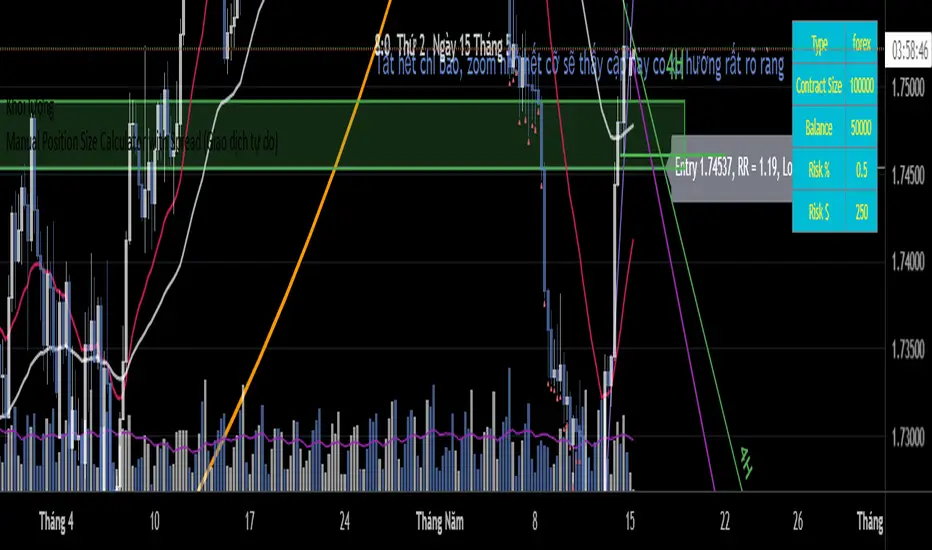
Position Size Calculator (FX, Crypto, CFD)Visual display for information:
-Account capital
-Type of asset, for example forex or cfd or crypto...
-Display Contract Size
-Display the risk level in % and amount
-Show Entry, Stoploss, TakeProfit
-Display Risk Reward Ratio, Risk and Reward in Pips
-Calculating the volume of the entry position
-Display 3 red labels when the order of Stoploss - Entry - Profit is not correct to warn.
**Note:
1-This tool is only available for the following assets: Forex, USOIL, UKOIL, XAUUSD, BTCUSD, ETHUSD
2-Using with other asset pairs will cause errors due to the difference in contract size and exchange rate
3-Please close the indicator and reopen it after switching to another
SIZE
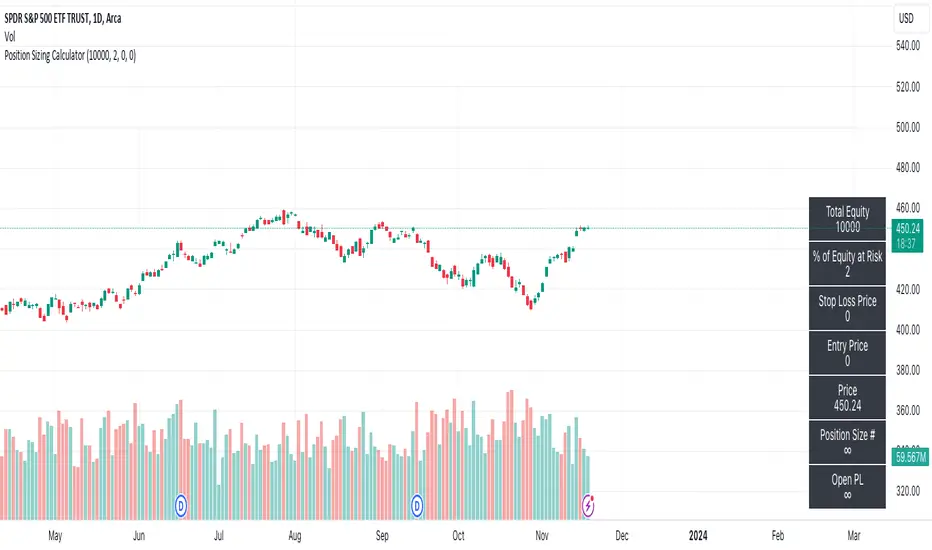
Position Sizing CalculatorThis script calculates the position size base on the stop loss price, entry price, and the percent of equity willing to risk.
Formula:
(Asset Quantity) = (Amount Risk at Trade) / (Price Difference Between Entry Price and Stop Loss)
or
Position size = (% Equity at Risk) * (Equity) / (Entry Price - Stop Loss Price)
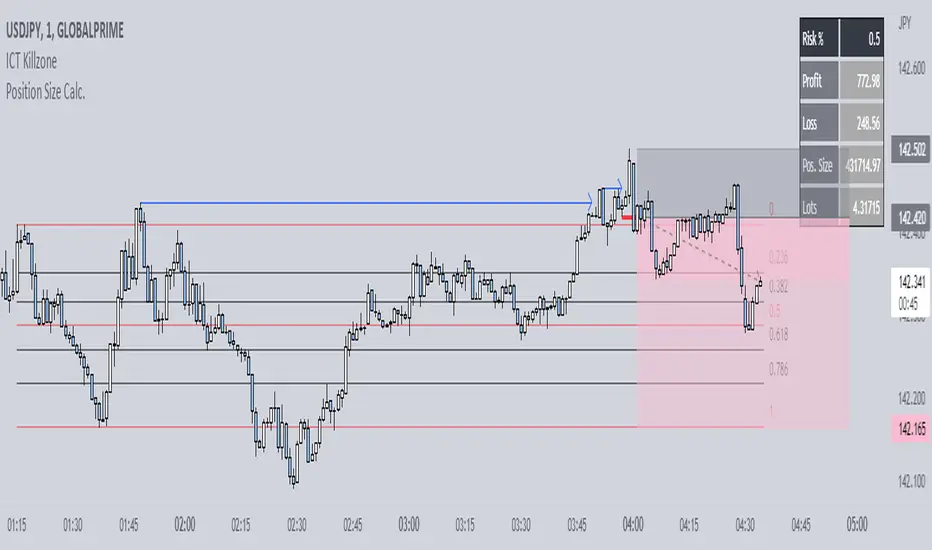
Position Size Calc. (Minimalist)This is a simplified position size calculator in the form of a table.
The reason I published this script is because all other position size calculator scripts try to provide way too much when it should be much simpler, position in strange areas of the chart and leave unwanted chart pollution.
This is a bare-bones functional table that takes your risk level, entry, stop and take profit as inputs, and calculates your loss, profit and required position size for your chosen risk level as a result.
Inspired by a table type position size calculator made by DojiEmoji design/color-wise. Functionally different however.
I hope you find this script useful and include it on your trading journey.
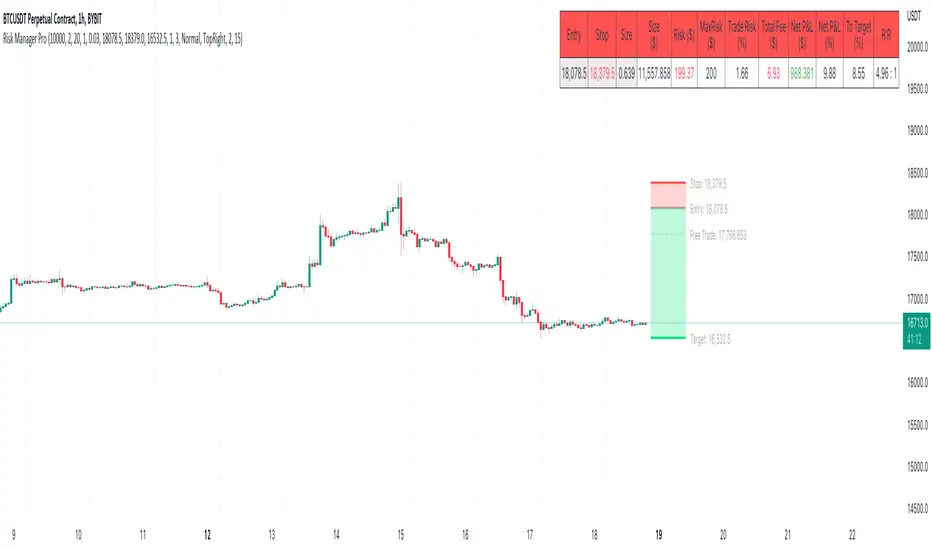
Risk Management & Position Size Dashboard ProThis version of the dashboard system factors in trading fees to your max risk to account per trade. This comes in handy when trading very low timeframes where trade risk can be tiny and leverage high where traditional position size calculations can yield huge position sizes where just the fees can far exceed your risk appetite. This system calculates your position size factoring in fees so you will never exceed your risk settings. Details below.
****
This indicator is designed to assist traders by instantly providing the necessary information to execute orders based on defined risk parameters. This is not an indicator that tells you WHEN to buy or sell, but HOW MUCH to buy or sell based on your risk appetite. The indicator is compatible with any strategy and any instrument
The indicator uses some great pinescript features, allowing you to drag and drop your levels directly on the chart for instant feedback from the risk management dashboard. Huge timesaver.
Instructions:
1. The first time you add the indicator to your chart, you will be asked to identify your Entry, Stop and Target levels by clicking on them directly on the chart. You can at any point adjust these levels directly on the chart, or you can manually enter them in settings
2. Setup your risk profile in the indicator settings:
(a) Current Capital: Enter the current value of your trading account
(b) Max Risk Per Trade: Enter the maximum % of your Capital you want to risk per trade
(c) Max Leverage: Enter the maximum leverage you want applied to your account. This comes in handy when you trade on very low timeframes where position sizes can become very large. No matter what you enter here, position size will never exceed Max Risk Per Trade
(d) Stop Ticks: Number of ticks to use above/below the identified high/low for stops
(e) % fee per trade: enter your brokers fees here to ensure the system takes this into consideration while calculating position size
(e) Use Current Price as Entry (Market Orders): By default, the system will use the entry level you have selected for limit orders. If you want to use the system to display data based on current price for market orders, select “Use Current Price as Entry (Market Orders)”
(f) number of TP levels: enter the number of TP levels you are planning to use to ensure the fees are calculated for them
3. Based on your stop and target levels, the system will automatically determine if you're looking to long or short and accordingly display all relevant data to you.
4. Display Free Trade Level: toggle this on to display the level you should exit 50% of your position to make the trade risk free
5. Dashboard / Text size / level colours and positions are customisable
The Dashboard displays the following information at all times:
1. Entry
2. Stop
3. Trade Risk (%): Percentage price difference between Entry and Stop
4. Max Risk ($): Currency value of loss if the trade is stopped out
5. Size: Position Size to execute your trade based on your risk profile/appetite
6. Size($): Position Size in currency value
7. Total Fees: Total fees for the trade based on settings above
7. P&L($): Potential profit to your Capital in currency value
8. P&L(%): Potential profit to your Capital in %
9. Risk to account: % risk to account - used as confirmation that the max risk to your account, factoring fees is circa your risk appetite
10. R:R: Risk to Reward Ratio
11. % to Target: Percent price needs to move to achieve your target
Hope this helps you with your trading. I built this as I was tired of wasting time opening up spreadsheets or calculators to execute trades - especially on lower timeframes. Making the code open source so if you do make improvements to this I'd love to hear from you. Also open to suggestions.
Happy Trading!
crypto Position Size CalculatorCrypto Position Size Calculator
this indicator helps you to figure out the position size your trade . and its only used for crypto
the indicator needs to fill the input section in order to give you the information table that includes position size .
The input section consists two section the first section you will give the trade info like entry , stop loss and take profit .
then the next section its about your account balance and risk per trade . then you can get your position size .
you can have also option where you can display your table like bottom right , bottom left or top right its your choice.
special thanks : Ahmed busury
special thanks : Aj group family

[TTI] Position Sizing Calculatorb]HISTORY AND CREDITS –––––––––––––––––––––––––––––––––––––––––––––––––––––––
"Perhaps the greatest secret to top trading and investing success is appropriate money management or what we now call POSITION SIZING" - Dr. Van Tharp, Definite Guide to Position Sizing (Market Wizard Book #1)
For those of you who have studied position sizing you know the power it can have to the bottom line of your portfolio.
WHAT IT DOES ––––––––––––––––––––––––––––––––––––––––––––––––––––––––––––––
The indicator allows you to quickly determine your position size after you decide to open a trading or investing position. Additionally, it gives you targets in terms of R-multiples (R) that tell you at what price level you achieve 2R or 200% return to a given risk.
The indicator also has the option to print these levels on chart for you.
You can use the calculator for the loaded ticker or other ticker that you wish.
1️⃣ Percent Calculator
👉 Choose position size (%) of total trading portfolio. General guideline here is 25% to be maximum (as per Mark Minervini criteria)
👉 Choose stop loss (%) of total position. This means that if you have 100k portfolio and your position size is 25% (25k), how much of that 25k are you willing to lose in order to asses you are wrong.
OR
2️⃣ Dollar Value Calculator
👉 Choose Stop Price ($) - general guidance is to use technical stop price.
👉 Choose Amount to risk ($) - this is the absolute amount of money you are willing to risk on a position
Both 1️⃣ & 2️⃣ calculate the targets and the target prices in order to determine where to take profits
Additionally, you get instant information for:
👉 How many shares you ought to buy
👉 What is the total size of the position to open
👉 What is your stop amount (either in $ terms or in $ of portfolio)
👉 What is the Risk to Total Equity with the current parameters.
HOW TO USE IT –––––––––––––––––––––––––––––––––––––––––––––––––––––––––––––
✅ STEP 1
Choose ticker and input the price at which you open a position
✅ STEP 2
Choose 1️⃣ Percent Calculator OR 2️⃣ Dollar Value Calculator
Depending on the parameters you use to open a position
✅ STEP 3
Review the table and the Additional data section to see how much Shares you ought to buy and what is the Risk To Total Equity
✅ STEP 4
Put Alerts for Stop Loss and Take Profits

Position size FX and CryptoThis indicator I am using to calculate the position size to order for Forex and Crypto Future

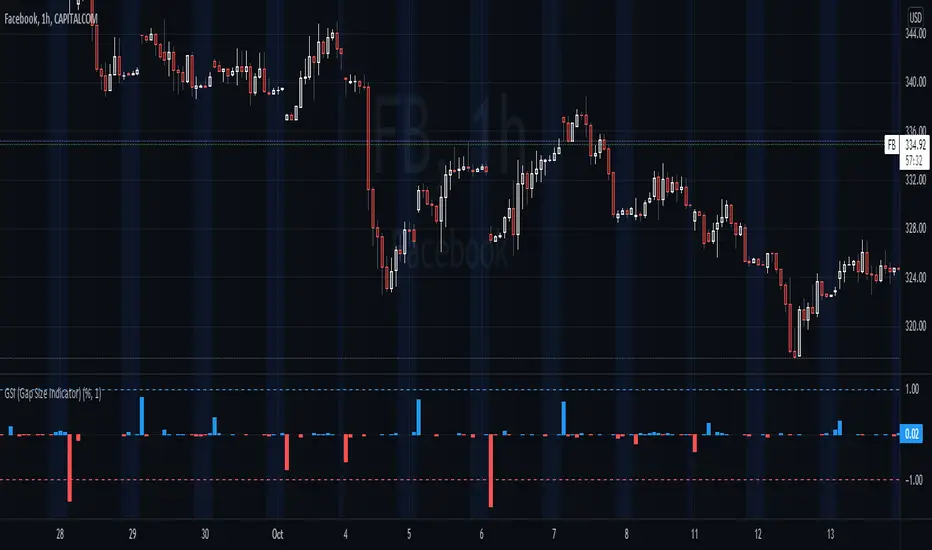
GSI (Gap Size Indicator)The purpose of this indicator is to give a quick view of a gap size between two candles, and to detect any gap bigger than the trigger setting.
Options
Mode: Select the display mode (% or Value)
Variation Trigger: Defines the minimum gap size to give a signal, for both positive and negative sides. This option depends on the Mode setting
Show trigger lines: Enable/Disable the display of the Variation Trigger setting lines
Color signals only: When enabled, bars crossing the trigger value are still colored, but other are gray
Show signals only: When enabled, will only show bars corresponding to gaps crossing the trigger value
Notes
Basic alerts on Bullish , Bearish and All gaps are available.
Feel free to suggest any improvement.
NumberOfSharesBuyLibrary "NumberOfSharesBuy"
Library for the number of shares purchased
SizeCalc(totalAssets, unit, lossPercent, maxLossPerShere) Calculate the number of shares to be purchased from the initial capital and the maximum loss per share
Parameters:
totalAssets : Initial capital
unit : A unit of the number of shares to be traded in one trade
lossPercent : What percentage of loss is allowed in one loss cut
maxLossPerShere : Maximum loss per share
Returns: Number of shares purchased
=====================================
ライブラリ "株数に関するライブラリ"
SizeCalc(totalAssets, unit, lossPercent, maxLossPerShere) 初期資本と一株当たり最大損失から購入株数を求める
引数一覧:
totalAssets : 初期資本
unit : 一回のトレードで行う株数の単位
lossPercent : 一回の損切で何%までの損失を許容するか
maxLossPerShere : 一株当たり最大損失
戻り値: 購入株数

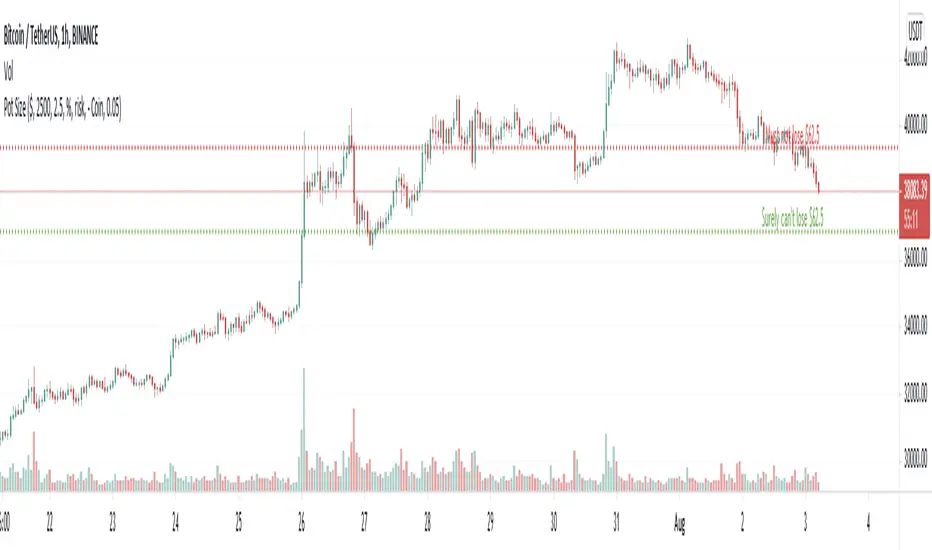
Pot SizeA little FREE script - which may help people set their trade size and stop levels for bitcoin trades.
NOTE :- This script conveys information that requires "indicator arguments" to be turned on.
TO USE :- To adjust to your requirements, click the cog wheel next to the indicator, and adjust "POT SIZE" (how much dollar you have), "RISK %" (the percentage of your dollar portfolio you would like to risk on this trade) and "BITCOIN AMOUNT" - until the short and long 'stop' lines are in the right place in your estimation, for a stop loss that represents the risk you want in relation to the current price for this trade.
The script takes its reference from the closing price; and doesn't include calculations for spread, fees, true range, and volatility etc. That is left open for anyone to add that if they wish. Anyone using this has to make their own adjustments for such considerations not being in this script and therefore make their own compensations.
Anyone wanting to change anything (because values don't go far enough for you) but doesn't know pinescript, can change the numbers next to "defval", "minval", "maxval", and "step" to their suiting in the script itself.
If you use this, you have to work out for yourself if it is useful for you or not. If you depend on it, you must have your own confidence that the calculations in it are acceptable and correct for your use, and you should check yourself and seek advice before trusting it. I convey no confidence in these calculations or this script, and they must be assumed to be acceptable by you if you use it.
Thanks
M
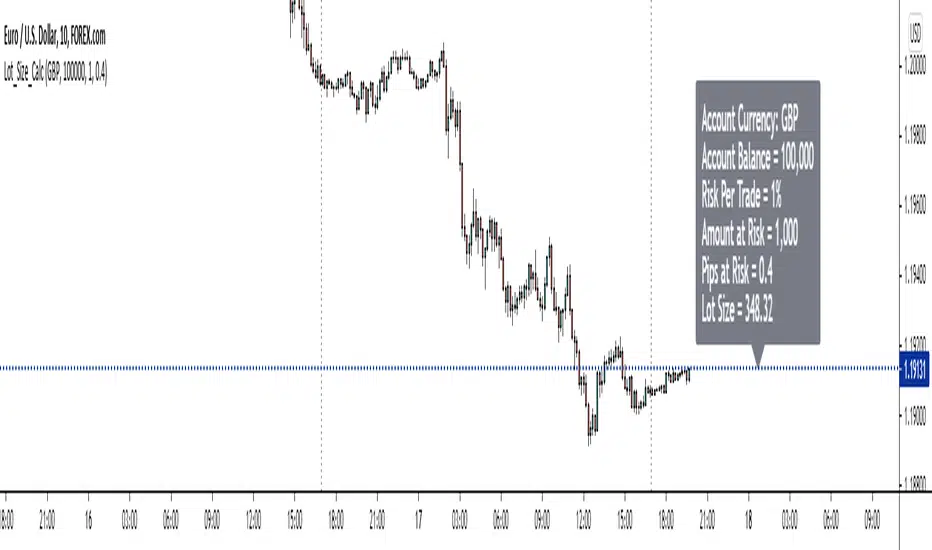
Forex Position Size CalculatorThe purpose of this position size calculator is to assist fellow traders in their position size calculations straight from tradingview without having to rely on other apps or websites.
Account balance in the 8 major currency pairs are also available as an input option (i.e. if the account balance is based in pounds, dollars, euros, it can be selected).
Right now this only works on the 28 forex cross currency pairs. At a later date, the indicator will be updated to handle exotic pairs, commodities, and gold.
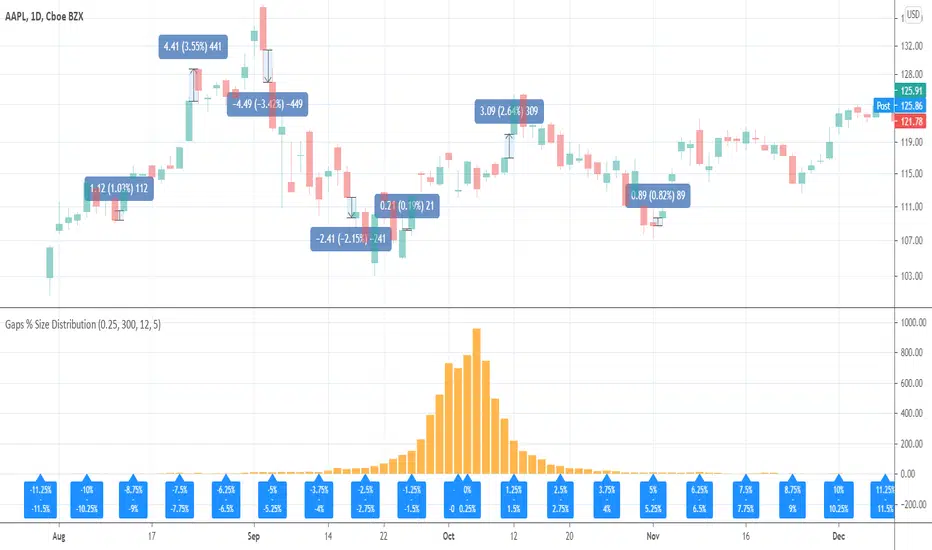
Gaps % Size DistributionThis tool is to visualize the distribution of gap % sizes, i.e. those things that I marked on the main chart. The tool uses the entire history of an instrument.
The detalization depends on the Binning Step parameter. The lower chart timeframe the lower that step should be.
Good luck.
Supertrend / Position SizingSuperTrend with position sizing calculator.
This is based on SuperTrend by Kivanc. I only added the position size calculation and displaying the result.
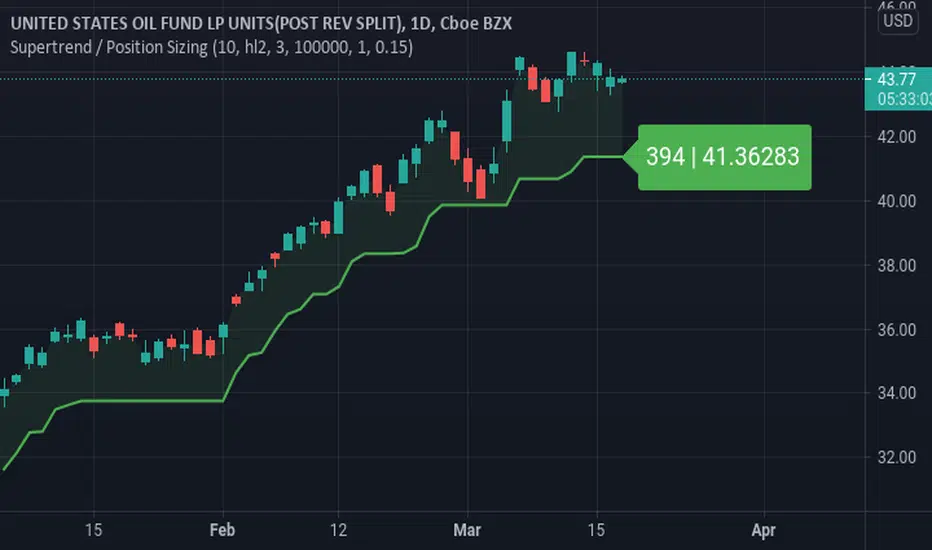
Position SizingATR based position sizing calculator that takes into account the capital, risk percentage and commissions to be paid. Color changes to green as the affordable position size significantly increases relative to recent history.
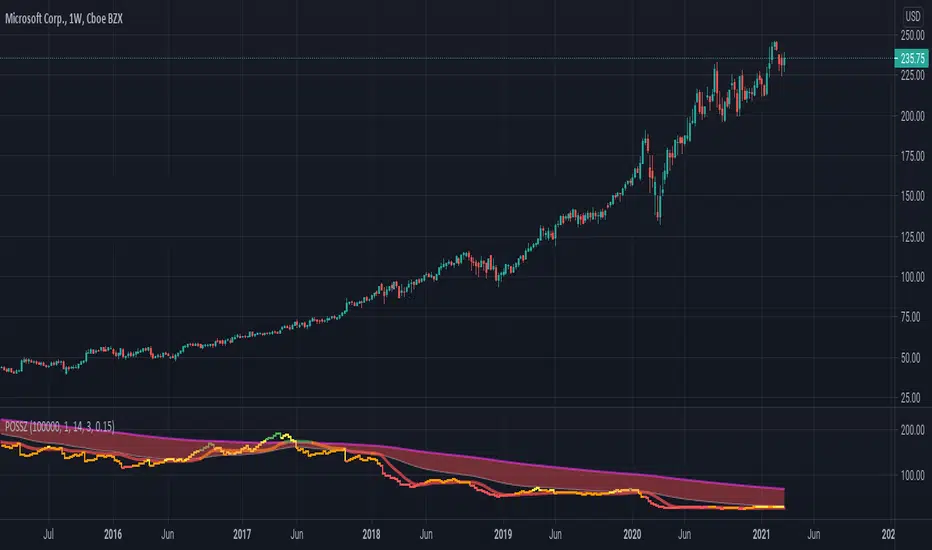
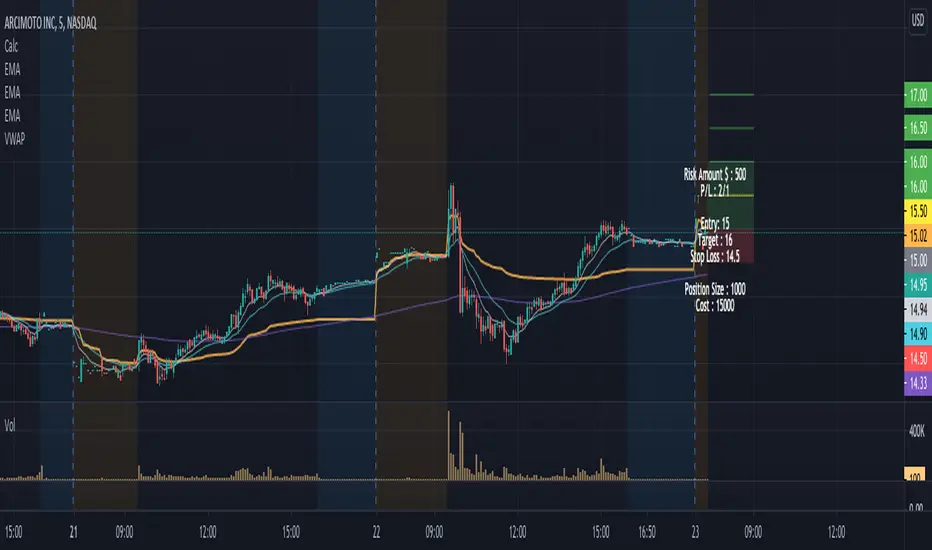
Position Size Calculator w/ profit targetsThis script helps the user visualize profit targets and calculates position size based on the input risk amount.
Input variables:
- Risk amount
- Entry price
- Stop loss amount
- Profit target amount
Calculated variables:
- Profit loss ratio
- Position size
- Postion cost
Plotted variables:
- shaded: entry price --> price target (green filled)
- shaded: entry price --> stop loss target (red filled)
- 1:1 p/l ratio --> yellow line
- 2:1, 3:1, 4:1 p/l ratios --> green lines
Overlay text can be toggled on/off in parameter input section
Entry Size 1barCalculates how many lots (100) you should buy/sell for any given bar with a fixed risk in USD and shows if Long (L), Short (S) or wait (w) with a label.
Requires max loss per week, trading days per day and lossing trading per day.

Position Size CalculatorThis is a script to make calculating position size easier. It calculates position size as a percentage of account balance and Risk/Reward based on input values of entry, exit, stoploss and shows the R/R box similar to tradingview's R/R tool. There is an option to toggle showing label and choosing of label text color.
Have to enter the following inputs in order for it to work properly
1. Account Balance : Account balance in either whatever is base currency of account
2. Risk % : Percentage of account balance to lose if stop is hit.
3. Entry
4. Stoploss
5. Target Price
Notes:
- Target Price is required for calculating R/R but is not necessary to calculate position size.
- Formula to calculate position size is : Balance * Risk % / SL %
- Formula to calculate R/R is : TP % / SL %
- SL % = ( Entry - SL ) / Entry * 100
- TP % = (TP - Entry ) / Entry * 100
Thanks to u/Chonky_ for help with feedback.

Quansium Allocation RatioThis tool finds the most optimal allocation size for each trading setup. It has 3 modes.
Basic (it meets the minimum profitability requirements):
% Profitable: the probability of winning and is calculated by dividing the number of winning trades by the total number of trades.
Profit Ratio: a measure of the ability to generate profit instead of loss and is calculated by taking the average profit from all winning trades divided by the average losses on all losing trades.
Medium (it takes into account the maximum loss to stabilize the overall risk among the partitions):
Max Drawdown: the "worst-case scenario" for a trading period. It measures the greatest distance, or loss, from a previous equity peak.
Advanced (loss is not the only risk taken, the reward to risk ratio must also be accounted for):
Monthly Profit: the amount of average return a system provides on a monthly basis.
Monthly Loss: the highest loss given during the period of a month. It can be substituted by the Max Drawdown.
Notes :
The "check boxes" inputs are there as cosmetic separators.
"Basic" mode comes with preset values. To activate other modes, you must use a value higher than "0".
This shows the amount of percentage you should allocate for the setup you inserted the metrics for.
It is recommended to get values for each mode and find out on past data which works best for you.

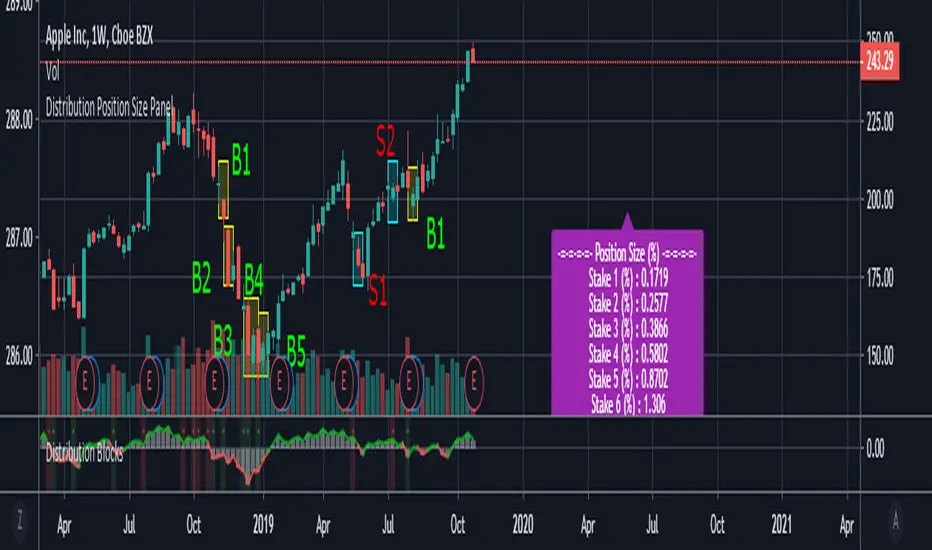
Distribution Position Size Panel
This panel is an example position size panel that I prepared and I consider the rates reasonable.
I have prepared this panel so that the money allocated to the investment ends 14 consecutive signals.
The sum of the ratios is 100 units.
You can adjust your positions according to this panel.
The first steps are low rates.
If the phrases are strong, you can specify a position size from the lower digits.
Likewise, when you make a big profit, you can empty your profits in the lower steps.
In the event of a color change, you can return to the beginning or lower limit.
NOTE: This script is an auxiliary command to the distribution blocks script,
if you want to use another script, you can add distribution days to yours.
14 th stake does not appear in the preview, you need to reduce the size of the distribution blocks indicator slightly.
Rafael Zioni's examples of the panels helped a lot, thanks to him.
Stay tuned ! Regards , Noldo.
Custom position sizerThis is a simple script to aid with determining position size.
Inputs are the intended entry price, desired risk (expressed as % of account at risk), account value, and leverage factor.
To use the script;
1. Identify and update the entry price (yellow line on the chart)
2. Update with desired risk
3. Update with account size
4. Adjust the leverage value until the stop loss (red line on chart for long positions, green line for short positions) reaches the desired value/location on the chart
The label will then update to show the required position size for the trade.

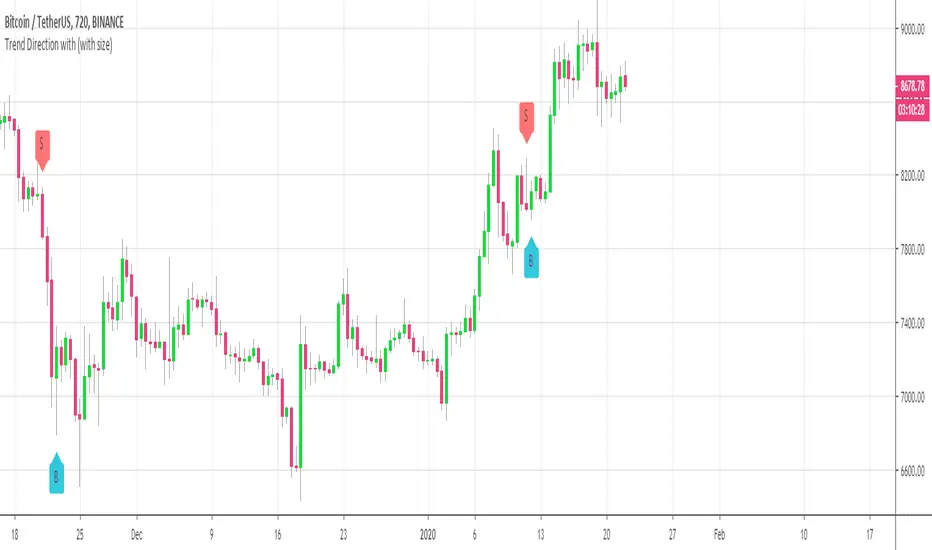
Customizable Trend Direction (Open-Source)Hello everyone
I received a ton of requests for this script so I decided to share it
I did it for a client who didn't want to pay (you can all blame... or even thank him for this script) in the end and I don't want to sell it on my website.
Not because it's not interesting but because my website will be a place to showcase and rent the Algorithm Builders mostly
What is it about?
Basically, it shows how you could convert a plotshape into a label.new object. Very interesting if you want someday to convert your V3 script into V4
With this script, it shows that you can in V4 ( but couldn't do in V3 ) do the followings :
- change dynamically the size (from tiny to huge) of any object
- change dynamically the text (from whatever to whatever) of any object
Screenshot of the user interface
imgur.com
Other use cases
I did it with the Trend Direction but could work with anything really.
- Any indicator with a visual signal. You can know personalized from a user interface the text, size and also the vertical shift. I didn't do it for that one but label.new takes a (x,y) coordinates so playing with y is fairly easy to achieve a dynamic vertical shift
- Even with this script Plotchar-How-to-draw-external-symbols-on-a-chart/ but would require to be updated with a label.new object and with a shape.none parameter so that we'll only see the icon/symbol displayed
- The colors also can be change dynamically using presets Presets-Selector-FRIDAY-NIGHT-CHALLENGE/ . If you have an indicator showing a BULLISH and a BEARISH signal, then you could, for instance, configure colors presets according to the timeframe of the chart or the indicator input, etc (sky is the limit ^^)
Be sure to hit the thumbs up at it motivates me to research what Pinescript can offer and share with the community
Dave
____________________________________________________________
- I'm an officially approved PineEditor/LUA/MT4 approved mentor on codementor. You can request a coaching with me if you want and I'll teach you how to build kick-ass indicators and strategies
Jump on a 1 to 1 coaching with me
- You can also hire for a custom dev of your indicator/strategy/bot/chrome extension/python
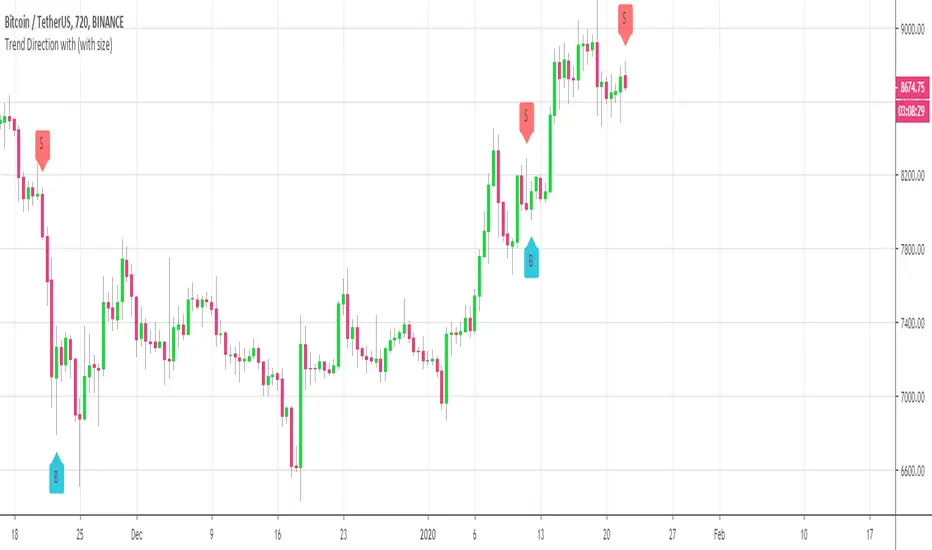
Customizable Trend DirectionHi everyone
Publishing this as a few clients want to try it out
It's basically a proof-of-concept to show that size and text can be manipulated :)
Size and text and label vertical position are udpatable
Will publish an open-source script today or tomorrow hopefully
Dave
Bitcoin Block SizeThe Average Bitcoin Block Size refers to the size (in MB) of a container of bitcoin transactions.
Approximately every 10 minutes a new Bitcoin block is added to the chain.
